Screenshots and videos
 1 / 9


Price history
Lowest recorded standalone price: $24.99. Recorded observations span to . This is our available history, not a guaranteed all-time low. Bundle package prices are separate.
Standalone price
Last three months, in USD. Bundle prices cover the whole package.
About Wall System
- Tools, Systems & Learning > Game Templates & Systems
- Tools, Systems & Learning > Development Tools & Automation
- Tools, Systems & Learning > Level & World Building
- Theme > Buildings & Infrastructure
- Art & Visuals > 3D
Procedural Wall & Joint System
Bring your construction or strategy game to life with the Wall System. Designed for developers who need more than just static objects, this package provides a robust framework for creating connected wall networks, defensive perimeters, or modular buildings.
Here’s what our package offers:
Easy to Understand: Clean, modular, and developer-friendly C# code, easy to customise behaviour.
Ready to Use: Start building walls immediately with included wall, door and window prefabs.
Dynamic Adaptation: Walls automatically resize and adapt to fit between joints.
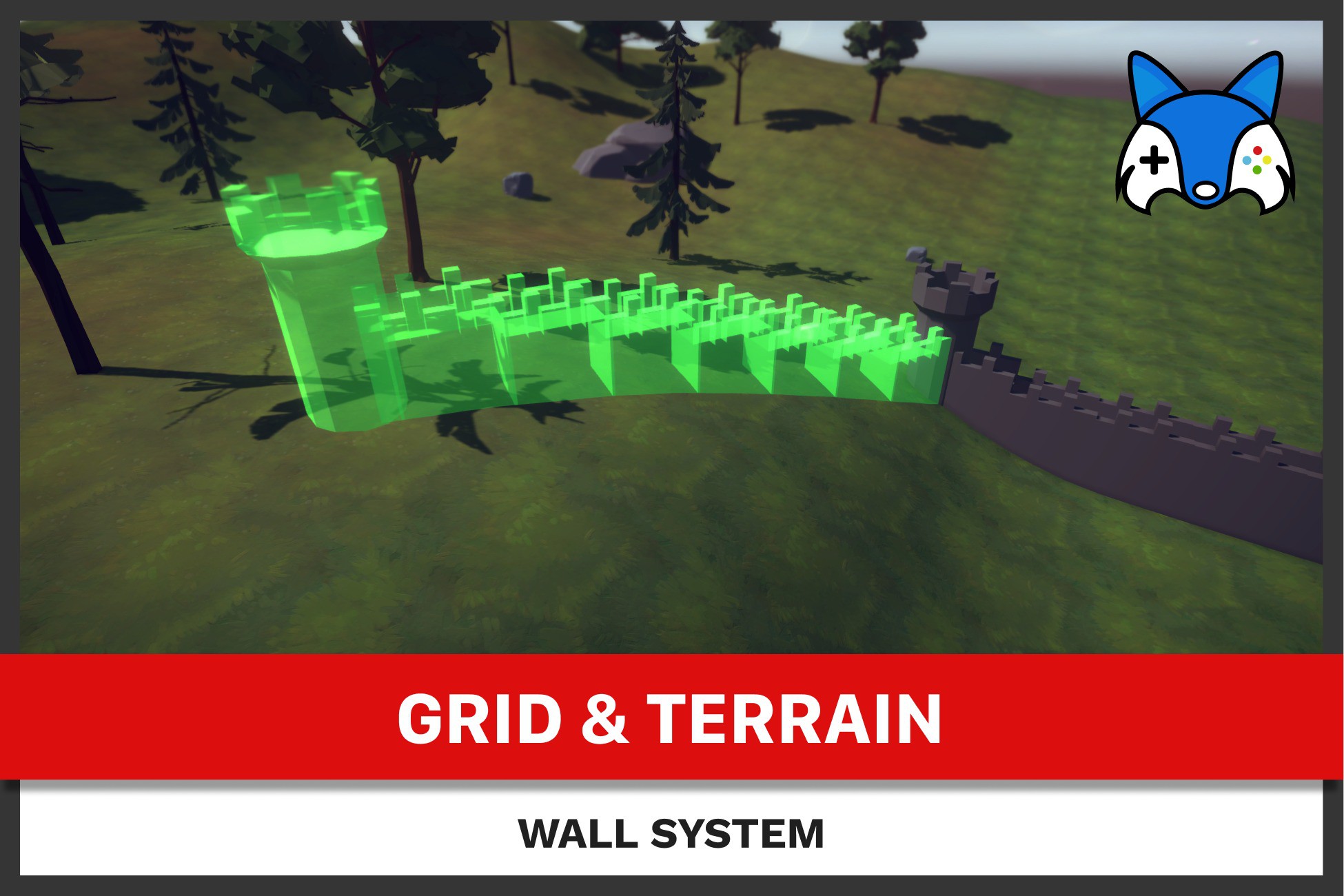
Procedural meshes: Generates wall for active placement, smoothly resizing the mesh.
Dual Demo Scenes: Explore two distinct configuration setups with castle and house construction demo scenes.
Seamless Editing: Integrated flows for replacing and removing placed walls dynamically.
Main Features
Straight-Run Placement: Effortlessly drag from joint to joint to create long, aligned stretches of walls.
Smart "Obstacle Pockets": Automatically replaces blocked segments with "Pocket Joints" (towers/corners) when hitting skippable obstacles.
Joint-to-Joint Snapping: Precise "magnet" snapping to existing joints and segments for a perfect fit.
Pool-Based Previews: High-performance preview system using object pooling to handle long wall runs without frame drops.
Smart Replacement Flow: Swap existing wall segments with doors, windows, or custom wall types. Supports multi-segment replacement in a single action.
Joint-to-Joint Removal: Remove segments between joints with customizable visual preview objects during the deletion flow. Here joints are removed once all connections are removed to it.
Custom Wall Anchors: Define custom connection points for wall objects, used by snapping-attach feature.
Adjustable Settings
Skippable Terrain: Choose whether terrain gaps or unreachable areas should completely block placement or simply be skipped.
Obstacle Skipping: Configure impassableLayerMask to define what blocks a wall vs. what triggers a pocket joint (gaps in placement - AoE behaviour).
Snapping Sensitivity: Adjustable threshold for finding and connecting to existing wall networks.
Efficient Placement Tools
Run Placement Logic: Fine-tuned minimal placement distance, toggle impassable object skipping where walls cannot be placed and are skipped.
Snapping & Resizing: Toggle segment resizing, standalone joint placement, segment-snapped joint placement, and adjusting snapping threshold slider.
Replacement & Removal Rules: Configure advance behaviour like use of Raycast for Snapping, Hide Preview Until Snapped, Ignore Edge Joint Overap and Allow Internal Joint Consumption.
Graph Depth Control: Adjustable depth of ignoring nearby connections to manage how deep the system checks the wall network when encountering obstacles.
Input System
Unified Support: Fully compatible with both the New Input System and the Legacy Input framework.
Extendable Logic: Add custom handlers, snapping and querying to extend or add new logic like wall attachments.
Validation: Create additional validators to prevent placement with custom rules, like e.g. enough resources.
Bring your construction or strategy game to life with the Wall System. Designed for developers who need more than just static objects, this package provides a robust framework for creating connected wall networks, defensive perimeters, or modular buildings.
Here’s what our package offers:
Easy to Understand: Clean, modular, and developer-friendly C# code, easy to customise behaviour.
Ready to Use: Start building walls immediately with included wall, door and window prefabs.
Dynamic Adaptation: Walls automatically resize and adapt to fit between joints.
Procedural meshes: Generates wall for active placement, smoothly resizing the mesh.
Dual Demo Scenes: Explore two distinct configuration setups with castle and house construction demo scenes.
Seamless Editing: Integrated flows for replacing and removing placed walls dynamically.
Main Features
Straight-Run Placement: Effortlessly drag from joint to joint to create long, aligned stretches of walls.
Smart "Obstacle Pockets": Automatically replaces blocked segments with "Pocket Joints" (towers/corners) when hitting skippable obstacles.
Joint-to-Joint Snapping: Precise "magnet" snapping to existing joints and segments for a perfect fit.
Pool-Based Previews: High-performance preview system using object pooling to handle long wall runs without frame drops.
Smart Replacement Flow: Swap existing wall segments with doors, windows, or custom wall types. Supports multi-segment replacement in a single action.
Joint-to-Joint Removal: Remove segments between joints with customizable visual preview objects during the deletion flow. Here joints are removed once all connections are removed to it.
Custom Wall Anchors: Define custom connection points for wall objects, used by snapping-attach feature.
Adjustable Settings
Skippable Terrain: Choose whether terrain gaps or unreachable areas should completely block placement or simply be skipped.
Obstacle Skipping: Configure impassableLayerMask to define what blocks a wall vs. what triggers a pocket joint (gaps in placement - AoE behaviour).
Snapping Sensitivity: Adjustable threshold for finding and connecting to existing wall networks.
Efficient Placement Tools
Run Placement Logic: Fine-tuned minimal placement distance, toggle impassable object skipping where walls cannot be placed and are skipped.
Snapping & Resizing: Toggle segment resizing, standalone joint placement, segment-snapped joint placement, and adjusting snapping threshold slider.
Replacement & Removal Rules: Configure advance behaviour like use of Raycast for Snapping, Hide Preview Until Snapped, Ignore Edge Joint Overap and Allow Internal Joint Consumption.
Graph Depth Control: Adjustable depth of ignoring nearby connections to manage how deep the system checks the wall network when encountering obstacles.
Input System
Unified Support: Fully compatible with both the New Input System and the Legacy Input framework.
Extendable Logic: Add custom handlers, snapping and querying to extend or add new logic like wall attachments.
Validation: Create additional validators to prevent placement with custom rules, like e.g. enough resources.
More from Tomaž Ravljen
- Unit Formation $10
- Moving Formations $39.99
- StrategyCore - Complete RTS & Sim Suite $99.99