Screenshots and videos
 1 / 5


Price history
Lowest recorded standalone price: $10. Recorded observations span to . This is our available history, not a guaranteed all-time low. Bundle package prices are separate.
Standalone price
Last three months, in USD. Bundle prices cover the whole package.
About Object Placement
- Tools, Systems & Learning > Level & World Building
Official Documentation
Easy Object Placement System
Enhance your game or project with our Object Placement System. It's perfect for all types of games, whether you're building something like a strategy game, a life simulation, or something else. This system is easy to use and fits right into your existing projects.
Here’s what our package offers:
Easy to Understand Code: The code is simple and easy to read.
Ready to Use: You can start using it right away without needing to write any code!
Quick Setup: Follow our simple guide to get started fast.
Placement Options: Currently supports placement in 3D space.
Demo Included: Try out the features with a simple demo scene that doesn’t need extra models or assets.
Easily extendable: With available API you can customise placement to create flows like wall placement, tile placement, etc.
Usage: You can use this from any camera perspective and pose: first or third person, top down or bottom up.
Main Features
Click to Place: Select an object and click on ground at runtime to place it.
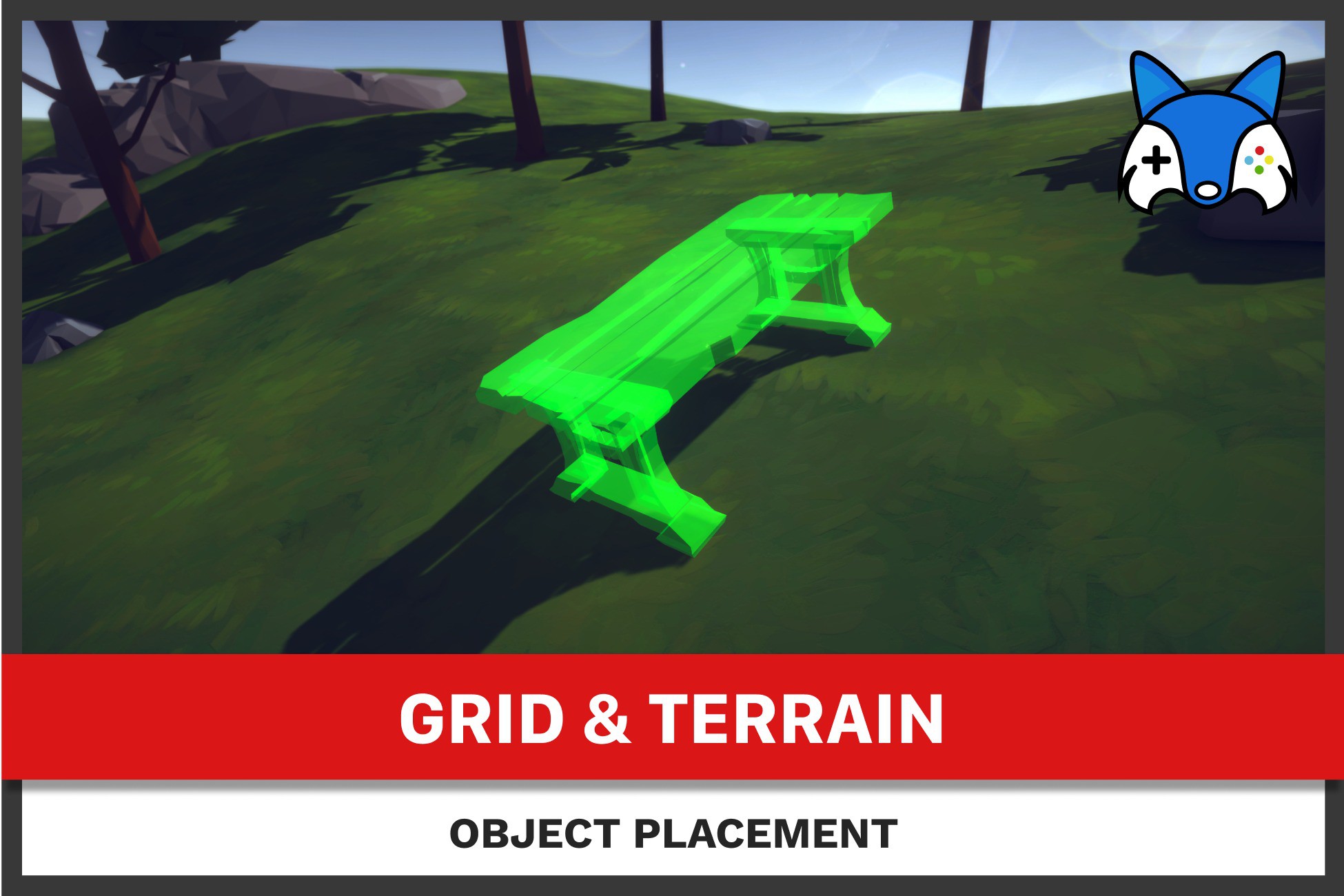
Adjust for ground: Rotates the object in alignment with uneven terrain below.
Interactive Object Adjustment: Easily move, rotate, or adjust objects when placing them.
Single Object Operations: Focus on placing and adjusting one object at a time for precise setup.
Specify obstacles: Choose which objects should prevent placement.
Specify destructables: Choose which objects should be destroyed on placement or take over the destruction of objects yourself.
Specify placement areas: Set up one or more areas where player can place the objects. Add or remove them in runtime, manually or using area components.
Adjustable Settings
Customize the placement experience with several available settings:
Object Snapping: Snap objects to a grid or other alignment points to keep your scene tidy.
Rotation and Positioning: Rotate objects with click or hold actions. Supports animations for rotation and position changes.
Manage Placement Areas: Use predefined or dynamic bounding constraints to limit where objects can be placed, ensuring they fit within your playable world. This can also be adjusted the at any point.
Efficient Placement Tools
Visual Guides and Gizmos: Visual helpers show where objects will be placed, making it easier to get the right spot and see if it all interacts with your world objects correctly.
Placement Validation: The system checks if the placement is valid before finalizing the object's position, helping avoid errors.
Input System
Works with newer Unity's InputSystem and older Input frameworks.
Customize Your Controls: Every control can be changed to fit your needs. You may also implement an interface in your custom input component.
Make It Your Own:
Flexible and Extendable: You can change parts of the system or add new features if you need them.
Easy to Add to Your Project:
Simple to start by adding ObjectPlacement component in your scene and configure it's settings.
See Changes as You Configure: Gizmos for various information, like grid snapping positions or ground points.
Easy Object Placement System
Enhance your game or project with our Object Placement System. It's perfect for all types of games, whether you're building something like a strategy game, a life simulation, or something else. This system is easy to use and fits right into your existing projects.
Here’s what our package offers:
Easy to Understand Code: The code is simple and easy to read.
Ready to Use: You can start using it right away without needing to write any code!
Quick Setup: Follow our simple guide to get started fast.
Placement Options: Currently supports placement in 3D space.
Demo Included: Try out the features with a simple demo scene that doesn’t need extra models or assets.
Easily extendable: With available API you can customise placement to create flows like wall placement, tile placement, etc.
Usage: You can use this from any camera perspective and pose: first or third person, top down or bottom up.
Main Features
Click to Place: Select an object and click on ground at runtime to place it.
Adjust for ground: Rotates the object in alignment with uneven terrain below.
Interactive Object Adjustment: Easily move, rotate, or adjust objects when placing them.
Single Object Operations: Focus on placing and adjusting one object at a time for precise setup.
Specify obstacles: Choose which objects should prevent placement.
Specify destructables: Choose which objects should be destroyed on placement or take over the destruction of objects yourself.
Specify placement areas: Set up one or more areas where player can place the objects. Add or remove them in runtime, manually or using area components.
Adjustable Settings
Customize the placement experience with several available settings:
Object Snapping: Snap objects to a grid or other alignment points to keep your scene tidy.
Rotation and Positioning: Rotate objects with click or hold actions. Supports animations for rotation and position changes.
Manage Placement Areas: Use predefined or dynamic bounding constraints to limit where objects can be placed, ensuring they fit within your playable world. This can also be adjusted the at any point.
Efficient Placement Tools
Visual Guides and Gizmos: Visual helpers show where objects will be placed, making it easier to get the right spot and see if it all interacts with your world objects correctly.
Placement Validation: The system checks if the placement is valid before finalizing the object's position, helping avoid errors.
Input System
Works with newer Unity's InputSystem and older Input frameworks.
Customize Your Controls: Every control can be changed to fit your needs. You may also implement an interface in your custom input component.
Make It Your Own:
Flexible and Extendable: You can change parts of the system or add new features if you need them.
Easy to Add to Your Project:
Simple to start by adding ObjectPlacement component in your scene and configure it's settings.
See Changes as You Configure: Gizmos for various information, like grid snapping positions or ground points.
More from Tomaž Ravljen
- Unit Formation $10
- Moving Formations $39.99
- StrategyCore - Complete RTS & Sim Suite $99.99