
Screenshots and videos
 1 / 4

Price history
Lowest recorded standalone price: FREE. Recorded observations span to . This is our available history, not a guaranteed all-time low. Bundle package prices are separate.
Standalone price
Last three months, in USD. Bundle prices cover the whole package.
About cross-prefab components editor
- Tools, Systems & Learning > Development Tools & Automation
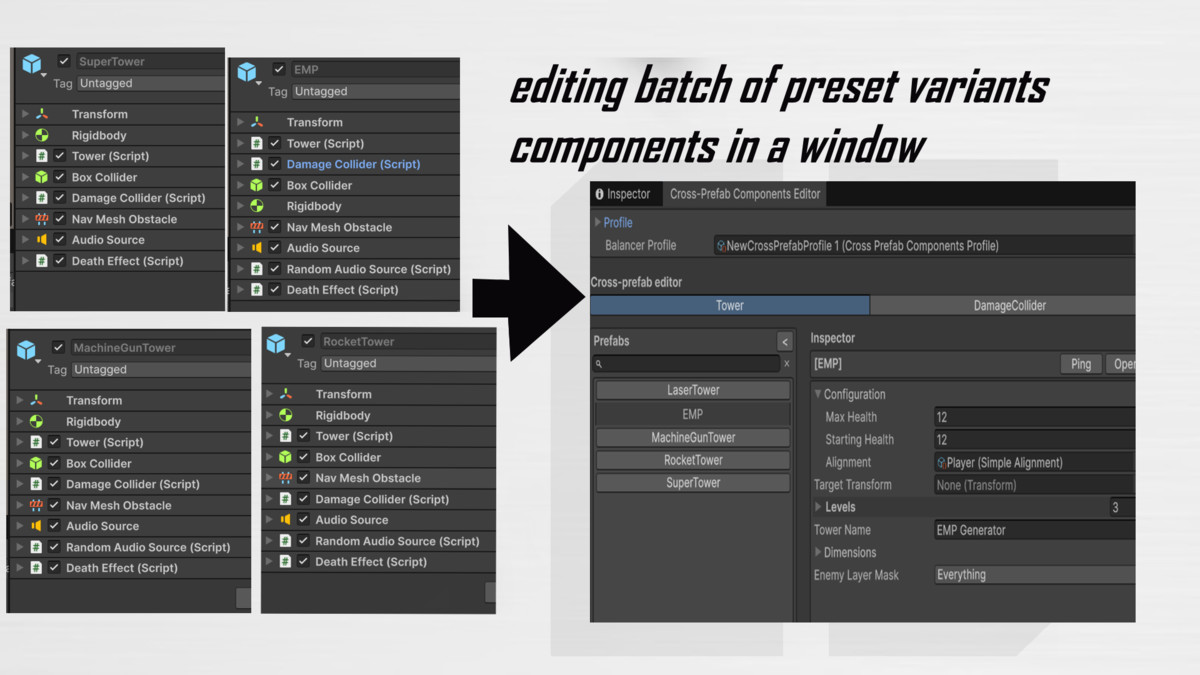
Cross-Prefab Components Editor helps you iterate faster when the same component type appears on many prefabs.
What you get
- One window to browse prefabs and edit a selected component’s fields
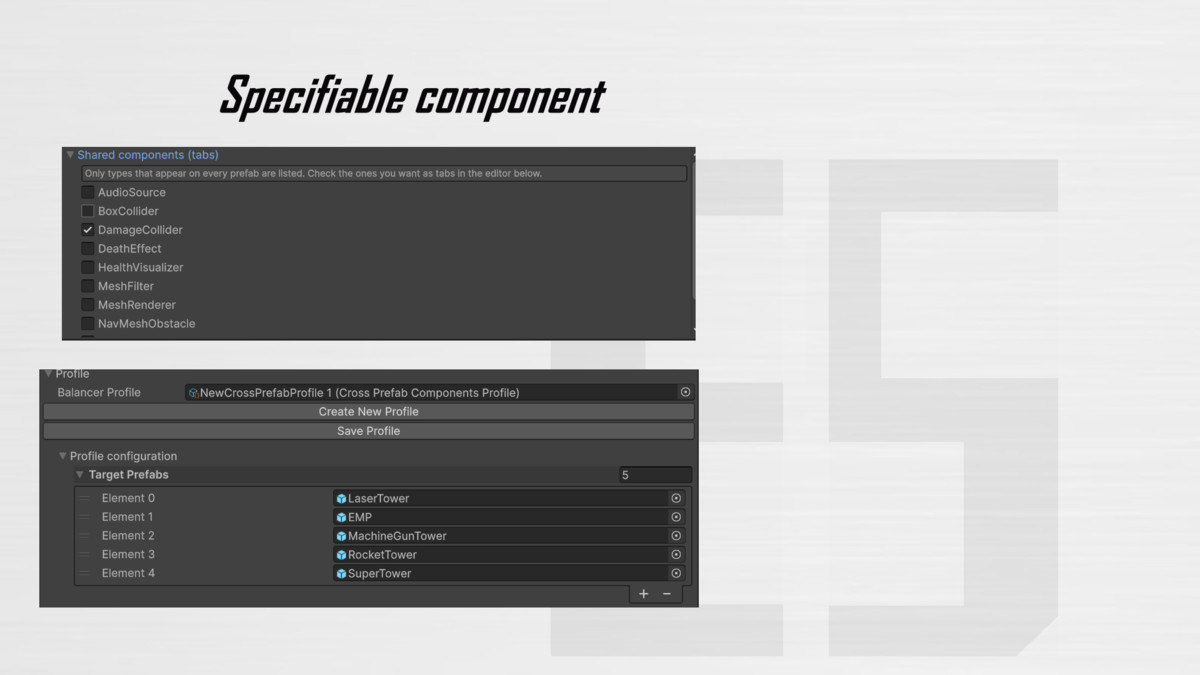
- Component tabs based on types shared by your prefab list
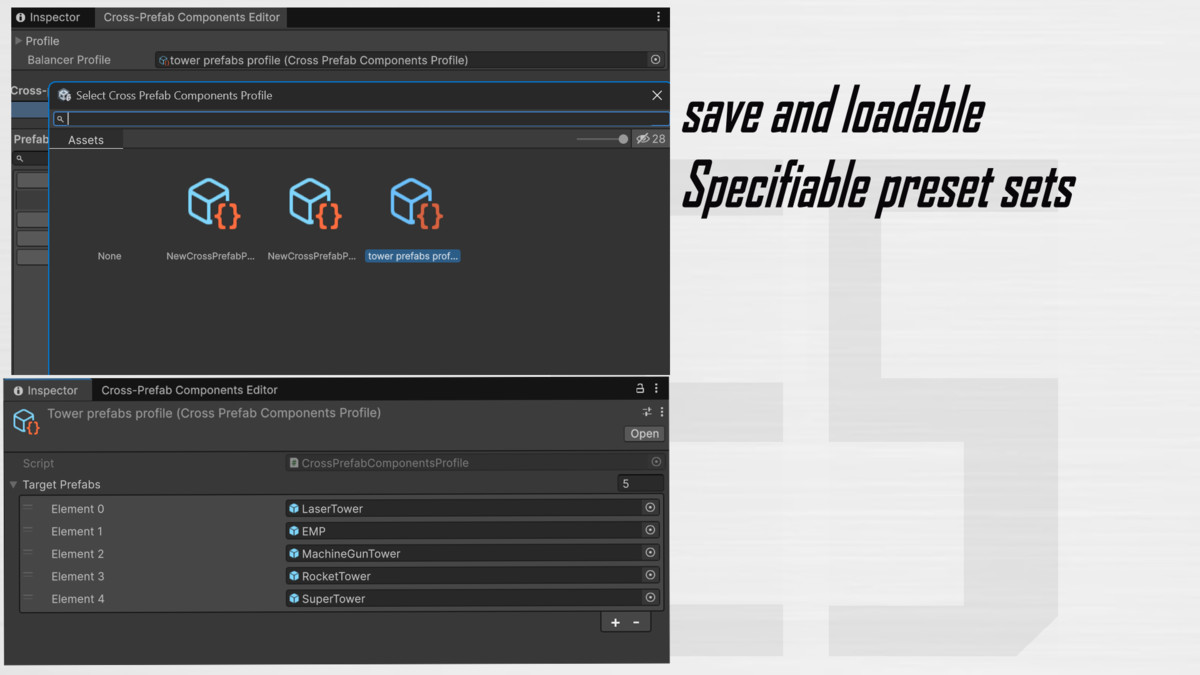
- Optional profile asset to save your prefab group and tab selection
- Drag prefabs from the Project window into the list area
How it works (quick)
1. Open Window → EasyTools → Cross-Prefab Components Editor
2. Add prefabs (or drag them in)
3. Select shared component types for tabs
4. Pick a tab, select a prefab, edit values on the right
Notes
- Only component types present on all listed prefabs can appear as tabs (intersection).
- Works on prefab assets (typical workflow).
What you get
- One window to browse prefabs and edit a selected component’s fields
- Component tabs based on types shared by your prefab list
- Optional profile asset to save your prefab group and tab selection
- Drag prefabs from the Project window into the list area
How it works (quick)
1. Open Window → EasyTools → Cross-Prefab Components Editor
2. Add prefabs (or drag them in)
3. Select shared component types for tabs
4. Pick a tab, select a prefab, edit values on the right
Notes
- Only component types present on all listed prefabs can appear as tabs (intersection).
- Works on prefab assets (typical workflow).