Current sales News My Tracked Assets Login

Game Development - Mega Bundle

Humble Bundle Ended deal
Assets
30
Recorded price from
$5
Recorded full bundle
$18
Check availability

-

Prices and availability may change.

About this bundle

Kick off your summer learning program with the latest Game Development Mega Bundle by Packt! Unlock helpful tools that speed up your dev cycle with Procedural Weapon Generation with Blender 4.4 and Procedural Maze Building - Unity 6 and Blender Compatible. Gear up for development combat with Unity Game Creation Bootcamp - Unity 6 Compatible and Blender 5 Project Based Bootcamp - 40+ Hands-On Mini Projects, and tackle your next project with the firepower you need to succeed. Unlock the assets, tools, and courses you need to elevate your game, and help support the Girls Make Games Scholarship Fund with your purchase! Keys expire. Please redeem your keys before July 13, 2027.

Recorded bundle tiers

Each tier includes the assets in the tiers below it.

Tier 3

Includes lower tiers, plus 15 additional assets:

30 assets total

$18

Blender to Unreal Engine 5 - Fantasy River 3D Diorama Boat Scene
Details
Embark on a journey to create a stunning fantasy river diorama using Blender and Unreal Engine 5. Begin with Blender fundamentals, mastering terrain sculpting, geometry nodes, and prop modeling for boats, bridges, and lanterns. Learn UV unwrapping, shader techniques, and scene optimization to prepare assets for real-time rendering. In Unreal Engine 5, refine your scene with advanced materials, foliage painting, and dynamic lighting. Use vertex painting, custom shaders, and Niagara VFX to enhance realism with waterfalls, splashes, and atmospheric effects. Optimize performance and apply blueprint scripting to add interactive elements like animated boats. By the end, you'll have a fully realized 3D environment ready for portfolio presentation or game integration. This course is perfect for 3D artists and game developers looking to expand their skills in professional environment design.
Unreal Engine 5 for Games - Physics
Details
This course covers Unreal Engine 5's physics system fundamentals, including physics bodies, collision volumes, and vector manipulation. You'll establish object interactions through collision events and vector systems, enabling control over dynamic game elements. Intermediate topics include traces, hit events, and physics volumes for realistic force application. Advanced techniques involve constraints, cables, cloth simulations, and destruction physics. You'll also apply physical materials and simulate forces like wind and gravity. By course end, you'll create immersive, physics-driven gameplay with responsive environmental interactions.
Build a complete pixel platformer in Godot 4
Details
This course takes you on a complete journey through creating a 2D pixel platformer using the powerful Godot 4 engine. You’ll start by setting up your project environment, then build core gameplay mechanics such as responsive character movement, jumping, and animation syncing. Along the way, you’ll add polish with visual and audio effects to enhance player feedback and immersion. As you progress, you’ll construct expansive game levels using tilemaps, backgrounds, camera controls, and terrain decorations. You will integrate gameplay features like treasure collection, lock-and-key puzzles, dynamic UI systems, and life mechanics, ensuring your platformer feels vibrant and engaging. Combat systems are introduced with melee attacks, enemy AI, patrol logic, and thrilling boss battles to challenge the player’s skills. The final stages focus on polishing the game with a professional touch: creating menu systems, save/load functionality, and smooth scene transitions. By the end, you'll have a fully playable, production-quality platformer. Whether you're new to Godot or looking to refine your skills, this course offers a structured path to bring your pixel game dreams to life.
Procedural Maze Building - Unity 6 and Blender Compatible
Details
Unlock the power of procedural generation while creating modular assets in Blender and integrating them into Unity projects. This course begins with fundamental maze structures, where you’ll explore algorithms like Prim’s, Wilson’s, and recursive depth-first search to build dynamic environments. You’ll generate corridors, define pathways, and automate maze creation using C# scripting, ensuring seamless integration into your projects. As you advance, you’ll shift to Blender to design modular assets, ensuring they align perfectly with a Unity environment. You’ll model walls, floors, and dungeon pieces, optimize UV mapping, and automate exports for efficiency. With hands-on practice, you’ll construct multi-level mazes, place staircases, and refine assets with materials and lighting for immersive gameplay. By the final section, you’ll programmatically assemble dungeons, incorporate A* pathfinding, and implement teleportation systems. The course culminates in a multi-story environment project, where you’ll apply all learned techniques. By the end, you’ll have a fully interactive, procedurally generated game-ready maze, ready for integration into your own projects.
Game Math Foundations - Unity 6 Compatible
Details
Mathematics forms the foundation of game development, powering movement, physics, AI, and rendering. This course offers a structured journey through fundamental concepts, starting with bitwise operations and progressing through coordinate systems, vectors, intersections, and transformations. You'll gain a deep dive into vectors, dot and cross products, rotations, and transformations—key to creating responsive and dynamic game mechanics. Practical exercises reinforce theoretical knowledge, ensuring you can confidently apply these skills to real-world projects. The course bridges abstract mathematical theory with Unity-specific implementations, equipping you to build robust, efficient, and scalable game systems for precise player movements, complex physics interactions, and optimized game logic.
Procedural Weapon Generation with Blender 4.4
Details
Step into the world of procedural generation as you harness the power of Blender 4.4 to create and export modular weapon assets. The course opens with a foundational dive into planning and reference gathering, before guiding you through initial modeling tasks and material setups. You’ll get hands-on with PureRef for moodboarding, take on the “3 Axe Challenge,” and learn best practices for prepping and exporting your models for game-ready pipelines. In the second phase, you'll master Blender’s revamped geometry nodes system. Starting with origin manipulation and instancing, you'll evolve into managing dynamic input values and generating randomized models using seeds and scripting. You'll organize and export randomized variants efficiently, all within the node-based environment, offering a flexible yet powerful procedural design toolkit. The final sections integrate Python scripting to bring full automation into your workflow. From writing export scripts to refining selection logic and using bounding boxes for attachments, you’ll automate the entire pipeline from generation to export. Each section builds toward a robust, scalable asset creation system—perfect for indie developers, game studios, or technical artists looking to streamline their Blender pipelines.
Blender 5 & UE5.7 - Stylized Haunted Street Kit
Details
This asset kit enables the creation of a detailed stylized haunted street scene, featuring modular walls, doors, and props including gravestones and lampposts. It includes advanced shading techniques and realistic materials optimized for both Eevee and Cycles render engines within Blender and Unreal Engine 5.7. Core features support geometry nodes for procedural elements, smart UV projects, and ambient occlusion texture tuning. Assets are structured for efficient modular component management, clear naming, and scene organization, delivering ready-to-use content for real-time game rendering or cinematic production.
Blender 3D - Model a Medieval Researcher's Desk
Details
This Blender course is your hands-on guide to creating a detailed medieval researcher's desk scene, beginning with clean, modular modeling workflows and progressing to realistic texturing and lighting techniques. You will start by blocking out a room and desk, using Blender's powerful modifiers like Bevel, Solidify, and Boolean to build clean props like books, scrolls, and candles. Next, the course takes you through applying realistic materials, UV mapping for both wood and stone, and adding atmospheric effects like dust particles and volumetric lighting to bring your scene to life. The final steps guide you through compositing and fine-tuning your render to ensure it looks perfect both up close and at thumbnail size. By the end, you'll have a fully realized medieval research desk with a story-rich environment that’s ready for professional use in game development, animation, or visualization projects. Each section builds on practical workflows that ensure you finish with an impressive, polished piece.
Tower Defense Game Development - Unity 6 and Blender Compatible
Details
In this hands-on course, you'll build a complete Tower Defense game from the ground up using industry-standard tools. You'll start by exploring core game mechanics such as pathfinding, enemy AI, and turret functionality. Through step-by-step guidance, you'll implement navigation meshes, turret targeting systems, and real-time enemy interactions to create a dynamic and strategic gameplay experience. As you progress, you'll develop interactive UI elements, manage game resources, and design an engaging upgrade system for towers and enemies. The course also covers essential game balancing techniques, ensuring smooth progression and challenging gameplay. You'll refine your game with visual effects, sound design, and optimized scripting to enhance performance and player experience. In the final stages, you'll dive into Blender to create high-quality 3D assets tailored for game development. You'll learn modeling, texturing, and exporting techniques to integrate custom game elements seamlessly. By the end of the course, you'll have a fully playable Tower Defense game, along with the skills to design, develop, and expand your own game projects.
Intro to 3D Game Development Masterclass in Godot
Details
Embark on a hands-on journey into 3D game development using Godot, starting with foundational concepts like scene setup, mesh integration, and camera configuration. You'll build interactive environments, apply lighting techniques, and construct a third-person character with physics-based controls including movement, jumping, and gravity mechanics. As the course progresses, you'll design responsive interfaces like pause menus, title screens, and settings, while learning scene transitions, music implementation, and save/load systems. These elements give structure and polish to your game, while global scripts and singletons keep everything connected seamlessly across different stages. In the final modules, you'll craft rich player interactions through dialogue systems, inventory menus, and dynamic combat. Implement enemy AI, item pickups, and NPC shops while developing cinematic experiences with camera control and animation. By the end, you'll have a complete 3D action-adventure prototype and the confidence to expand it or build new projects independently.
Blender 5 Project Based Bootcamp - 40+ Hands On Mini Projects
Details
Blender 5 offers an incredibly robust platform for 3D artists, and this course walks you through the essentials, guiding you through 40+ hands-on projects. Starting with the basics of navigation and modeling, you'll progress to complex tasks like physics simulations, material creation, and advanced rendering techniques. Each project introduces essential Blender tools and concepts, ensuring you get a strong foundation in 3D design. As you advance, the course dives deeper into Blender's powerful features, with projects that simulate real-world scenarios. Whether it's creating 3D objects like furniture, environments, or even food items, you will gain practical knowledge that can be applied immediately. The course doesn't just focus on creating objects; it also trains you to think like a 3D artist, understanding the logic and creativity behind each design. By the end, you will have developed the confidence to handle complex Blender projects. You'll understand how to use materials, apply lighting techniques, and create lifelike animations, all while building a portfolio of projects that showcase your skills. The course offers a complete journey from beginner to proficient Blender user, with each step thoughtfully designed to ensure a comprehensive learning experience.
Advanced Game AI Systems with Behaviour Trees - Unity 6 Compatible
Details
Game AI goes beyond simple scripted actions—it’s about designing intelligent agents that react dynamically to their environment. This course explores behavior trees, a powerful AI architecture used in modern game development. You'll start by learning the core components, including nodes, sequences, and selectors, and how to implement them effectively to create adaptive AI systems. As you progress, you’ll dive into advanced behaviors such as prioritization, dynamic decision-making, and AI optimization techniques like coroutines. You’ll refine AI logic with inverters, conditions, and repeaters while tackling real-world challenges like agent cooperation, blackboard state integration, and scalable decision-making. Through hands-on exercises, you’ll develop AI that reacts intelligently to its surroundings, enhancing gameplay depth and complexity. By the end of the course, you’ll be equipped with the knowledge to build scalable AI systems that adapt to various gameplay scenarios. With practical challenges, including patrol and escape simulations, you’ll gain experience in designing and refining AI behaviors. Whether you’re working on enemy AI, NPC interactions, or strategic decision-making, this course will help you create intelligent, efficient, and immersive AI solutions.
Master Character Design in Blender for Unity, Unreal Engine
Details
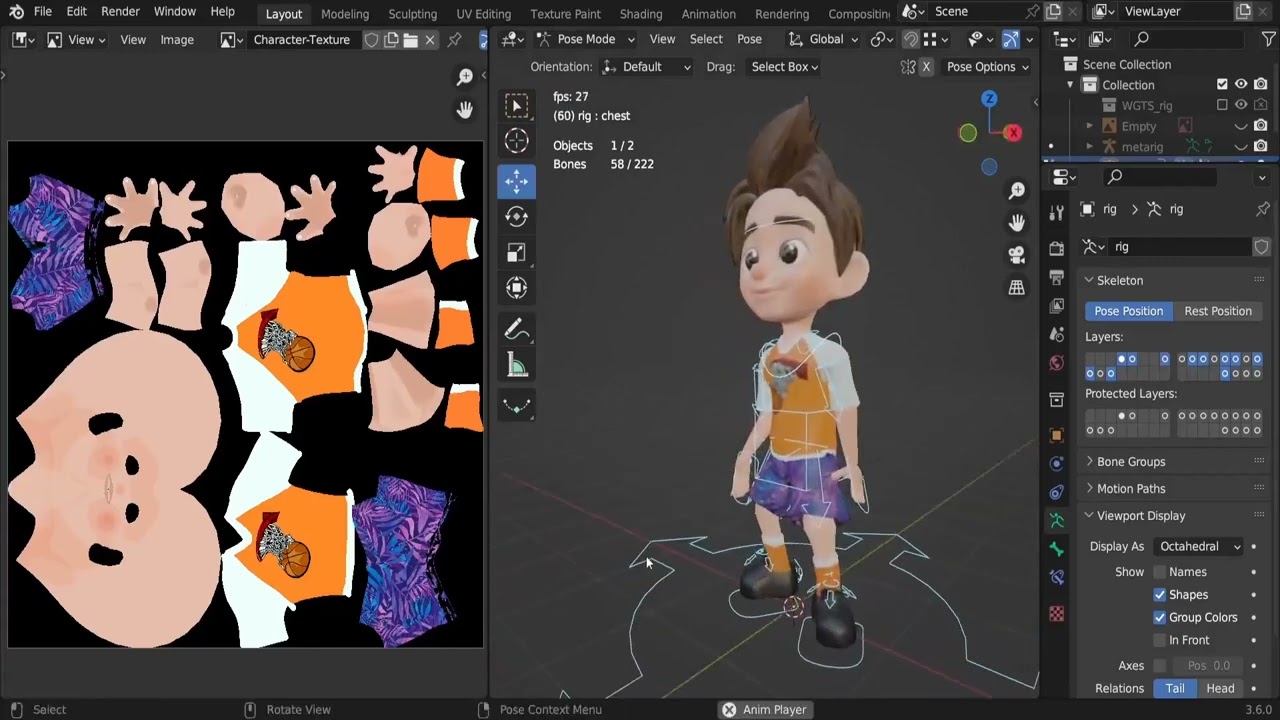
This course walks you through the complete 3D character design pipeline in Blender, starting with modeling a stylized character from head to toe. You'll align reference images, sculpt detailed facial features, and model hands, clothing, and hair to create game-ready assets. Next, you'll unwrap UVs and apply custom textures to skin, hair, eyes, and clothing using Blender's painting tools. You'll also design game environment assets such as plants, rocks, and wooden structures, texturing the scene with realistic materials to ensure seamless integration into modern game engines. Finally, you'll rig your character for animation, creating walk, run, jump, and idle sequences. Import your assets into Unity and Unreal Engine, set up player controls and third-person cameras, and build a functional character-driven game ready for publication on Windows and Android.
Effective Game Design Patterns - Unity 6 Compatible
Details
Game development is about designing scalable, efficient, and maintainable systems. This course explores essential game design patterns, helping you structure projects for optimal performance in Unity 6. You'll start with core principles, learning how each pattern addresses common game development challenges. Through hands-on projects and real-world examples, you'll see these concepts in action. From the Command pattern for handling input to the Flyweight pattern for memory optimization, you'll discover key architectural solutions. The Observer pattern enables event-driven programming, while Prototype and Singleton patterns improve object management. You'll also master the State pattern for AI behavior and the Object Pool pattern for resource efficiency, ensuring smooth performance even in complex games. By the end, you'll confidently implement these patterns in Unity 6 using industry best practices. Whether you're an indie developer or part of a team, you'll write cleaner code, reduce development time, and build scalable, high-performance games.
Building iOS Games with SpriteKit - From Zero to Hero
Details
Step into the world of iOS game development with this engaging SpriteKit course designed for both beginners and experienced Swift developers. This course takes you on a journey through the essential concepts of creating 2D games, from setting up your first scene to building complex game interactions. The course begins with the fundamentals of SpriteKit and Swift, helping you understand how to set up scenes, customize game environments, and introduce basic physics. As you progress, you’ll explore how to create smooth animations with SKActions, including scaling, fading, and rotating objects. You'll also learn to implement collision detection for realistic game interactions. As you reach the advanced stages of the course, you’ll apply your knowledge by developing a fully functional Snake game, complete with background music, sound effects, particle emitters, and shaders. This hands-on approach ensures you master not only the technical skills but also the creative aspects of game design, preparing you for real-world game development.

Tier 2

Includes lower tiers, plus 9 additional assets:

15 assets total

$12

From Zero to Unity Shader Developer - Unity 6 Compatible
Details
Start your journey into Unity shader development by learning the rendering pipeline and writing your first surface shader. Begin with shader syntax, data structures, and mesh components before exploring shader properties and input variables. Progress to lighting models like Lambert and Blinn-Phong, implement normal mapping, and understand frame buffers to control rendering effects. Master these essentials to build a strong foundation for advanced shader programming. Move into blending, transparency, and multi-pass rendering to manipulate object appearance. Work with alpha channels, stencil buffers, and logical cutoffs to refine shaders. Explore vertex and fragment shaders to control individual pixels and vertices, create dynamic materials, and apply advanced lighting techniques. Delve into rim lighting, holograms, and procedural texture blending to produce realistic, immersive effects that enhance game visuals. In the final phase, tackle volumetric rendering and procedural effects, covering ray marching, fog density, and cloud generation using noise algorithms. Integrate lighting with volumetric techniques to add depth and realism. By course completion, confidently write, optimize, and implement shaders that push the boundaries of real-time graphics, elevating your projects to a professional level.
Blender Geometry Nodes for Beginners - Foliage Scatter
Details
Learn to build natural environments in Blender with Geometry Nodes. The course covers the node system, procedural grass scattering with point distribution and instancing, randomized scale, and slope-based placement controls. Create flowers with procedural curves, convert stems into editable meshes, apply materials, and generate dynamic petals with natural alignment. Scatter leaves along stems, use weight painting to control flower density, and apply a terrain material system that blends textures for a cohesive look. By the end, you will have created a richly detailed, fully procedural meadow using Geometry Nodes.
Material Fundamentals - Procedural Textures in Blender 4.4
Details
Begin your journey by configuring Blender 4.4 for shader development and understanding the shader editor’s interface, key shortcuts, and value systems. The first section introduces core concepts like the Math and Mix nodes, the Texture Coordinate node, and building a first basic material from scratch. You'll also explore a screentone shader and learn to control shading through values and logic. In the next phase, dive into a fully modeled kitchen scene where you’ll bring surfaces to life using procedural techniques. Learn to manipulate bump and PBR shaders, apply randomized material attributes, and tackle challenges unique to Eevee rendering. You’ll build everything from liquid-in-glass effects to custom tile shaders with color variations and dynamic texturing logic. To close the experience, you'll focus on building reusable workflows with group nodes and learn how to bake textures for performance optimization. Each lesson compounds previous knowledge, providing a continuous progression from beginner techniques to professional application. By the end, you'll have created multiple materials, reusable node systems, and a polished scene ready for your portfolio.
Geometry Nodes For Blender 4.4
Details
Unlock the potential of procedural 3D design with Blender 4.4's powerful Geometry Nodes system. This course begins by laying a solid foundation, guiding you through Blender setup, workspace optimization, and your first scatter, while introducing the fundamentals of how Geometry Nodes operate. You'll gain an early understanding of instancing, modeling integration, and data flow as essential building blocks. The core of the course centers on building a detailed glade scene using procedural methods. You'll explore displacement, animated wind effects, scattering, and vertex group control, learning how each node contributes to a responsive, dynamic environment. Concepts like ray casting, proximity detection, and spline-based movement are introduced as your scene gains complexity, enhancing both technical fluency and creative direction. As the project evolves, you'll implement procedural animation and advanced instancing to bring life to your environment with birds, lamps, and billboards. The course wraps with creative challenges that reinforce what you've learned and inspire further exploration. By the end, you'll be equipped to design and animate rich, modular scenes using a node-based workflow that scales with your creativity.
Master Inventory System Creation - Unity 6 & Blender Fundamentals
Details
This course guides you through building an advanced inventory system in Unity. You’ll start by learning inventory algorithms, data structures, and Scriptable Objects to manage items efficiently. Then, you’ll implement key features like adding, removing, and sorting items while designing custom UI elements such as grids, tabs, and 3D previews. You’ll also develop item interactions, stacking, and categorization to create a fully functional inventory system. Next, you’ll focus on UI integration and player interactions, ensuring seamless item management. You’ll build an intuitive inventory interface, implement drag-and-drop mechanics, and synchronize inventory data with gameplay. You’ll also handle item dropping, physics-based interactions, and real-time UI updates. The course then shifts to Blender, where you’ll model, texture, and export 3D assets like potions, shields, and weapons for seamless integration into Unity. By the end, you’ll have a fully interactive inventory system with a polished UI and custom 3D assets. The final sections refine inventory mechanics, optimize performance, and enhance UI responsiveness. Whether you’re a Unity developer, game designer, or 3D artist, this course equips you with the skills to create robust inventory systems for your game projects.
Blender Geometry Nodes - Boats
Details
This course begins with an introduction to Blender's Geometry Nodes system, providing the foundational knowledge required to tackle more complex tasks. You’ll quickly dive into lofting and curve generation techniques, and learn how to manipulate curves to achieve precise geometry. Following this, you will create the boat hull, starting from basic mesh generation and progressing to refine its shape through advanced node setups. Then, the course moves on to detailing the boat with additional node-based processes. You’ll master the creation of supports, timber borders, and keel elements, each playing a crucial role in crafting a realistic boat. You’ll also discover how to generate seats, ensuring your boat design is both functional and visually appealing. The final segment focuses on applying materials to your boat, giving it a polished, professional look. By the end of the course, you will have gained a thorough understanding of Blender’s Geometry Nodes system, with the ability to create detailed and realistic boats. Whether you’re a hobbyist looking to learn new techniques or a professional expanding your skill set, this course provides the tools and knowledge you need to create stunning 3D boat models.
3D Trees with Blender Geometry Nodes
Details
This course offers a complete, hands-on journey into the procedural world of 3D foliage, starting with a foundational introduction to Geometry Nodes inside Blender. The initial modules delve into constructing a robust base tree structure, beginning with a comprehensive system for trunk and branch generation. You’ll explore everything from basic splits to a multi-level branching network that mimics real-world tree growth. As the course progresses, you’ll deepen your understanding of detail-oriented enhancements. Key lessons cover how internal data structures are used to drive complex mesh generation, integrate realistic root systems, and apply organic displacement. Advanced techniques in UV mapping and final mesh refinement will ensure your trees are not just procedural, but also production-ready. To top it off, you'll dive into foliage systems powered by nodes. You’ll learn how to distribute and animate leaves using geometry nodes and particle simulations—adding a touch of realism with natural motion like wind or seasonal falling leaves. The course wraps with advanced particle techniques to bring your scenes to life, offering the complete toolkit for stylized or photorealistic environmental design.
Unity Game Creation Bootcamp - Unity 6 Compatible
Details
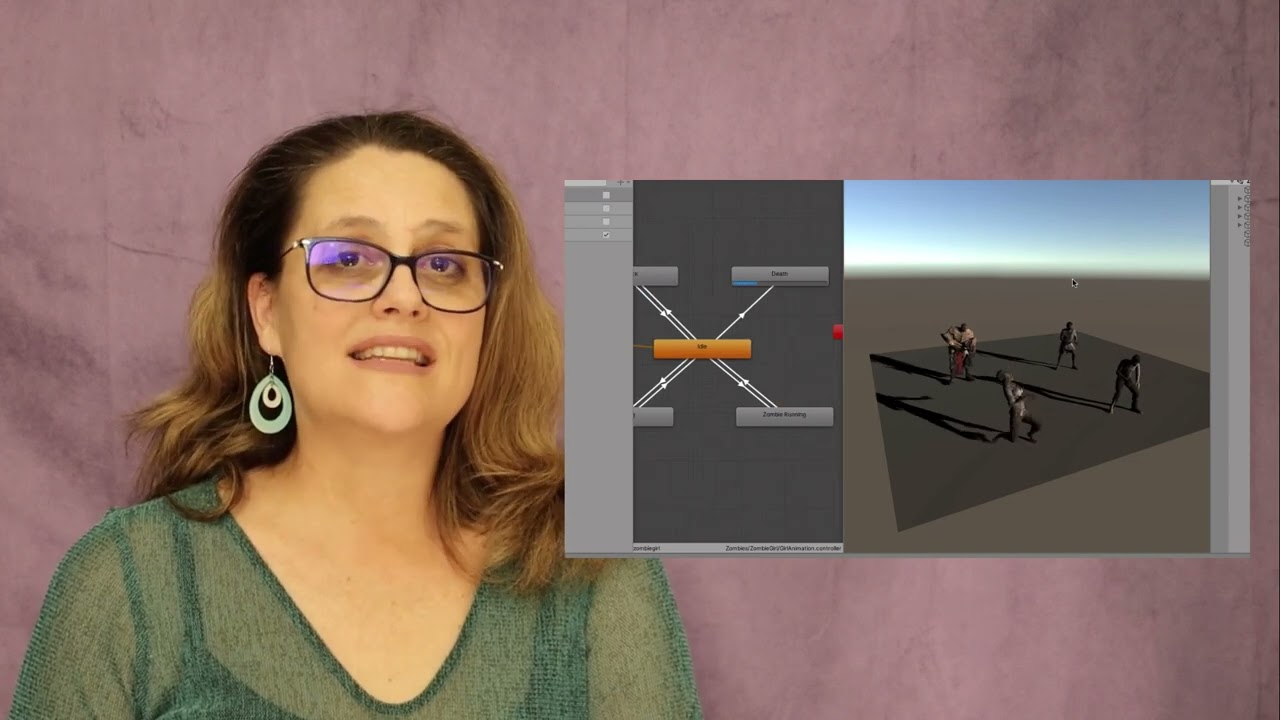
Game development requires both creativity and technical skills, and this Unity bootcamp delivers the perfect blend of both. Starting with the basics, you’ll set up Unity, navigate the interface, and work with 3D models, textures, and physics. As you gain confidence, you’ll create a fully controllable first-person character, complete with animations, weapon mechanics, and sound design for an immersive gameplay experience. The journey continues as you build out a dynamic game environment, sculpting terrain, adding atmospheric effects like skyboxes and fog, and implementing real-time lighting for a polished aesthetic. You'll then dive into AI-driven enemy behavior, learning how to create and program zombies with advanced navigation meshes and finite state machines. Combat mechanics, including shooting, damage systems, and ragdoll physics, will bring the action to life. To complete your project, you’ll integrate an intuitive heads-up display, optimize game performance, and add crucial finishing touches like sound effects, post-processing, and interactive UI elements. By the end of this course, you'll have a fully playable first-person game and the skills to continue your journey as a Unity game developer.
AI Game Development Essentials for Beginners - Unity 6 Integration
Details
This course covers AI fundamentals including vectors, pathfinding, and physics-based movement, then progresses to core techniques like the A* algorithm, navigation meshes, and state machines for realistic character behavior. Hands-on exercises reinforce concepts, while advanced topics such as behavior trees, GOAP, and crowd simulation enable NPCs to patrol, chase, and evade. You'll develop AI-driven vehicles, implement steering behaviors for natural movement, and explore finite state machines, graph-based AI, and procedural decision-making. By the end, you'll have built robust AI systems applicable to open-world, RTS, and simulation genres, gaining both theoretical depth and practical mastery of AI-driven game development.

Tier 1

one-time unlock

6 assets total

$5

Create Minecraft-Inspired Voxel Worlds - Unity 6 Compatible
Details
Voxel-based games have captivated players with limitless creativity and procedural landscapes. This course takes you deep into voxel rendering mechanics, starting with the basics of cubes and quads and advancing to chunk-based terrain construction, noise-driven landscape sculpting, and seamless world generation. You'll explore optimization techniques for smooth performance with massive terrains, and delve into interactivity by implementing mining, construction, fluid simulation, and tree growth. Learn efficient data management, saving and loading worlds, and rendering optimizations to enhance visual fidelity and responsiveness. Structured, hands-on lessons provide experience in procedural terrain generation, voxel data structures, and gameplay mechanics that bring your world to life. By the end, you'll have a fully functional voxel engine capable of generating expansive worlds, handling real-time player interactions, and implementing custom mechanics for sandbox games or larger projects.
Blender and Python Scripting - A Step-by-Step Guide for Beginners
Details
Dive into 3D automation by blending Blender's creative power with Python scripting precision. Starting with essential installations and a beginner-friendly Python primer, the course establishes a solid foundation in variables, operators, and functions through clear, hands-on lessons, enabling those with zero programming background to quickly grasp Blender scripting fundamentals. You'll then apply Python directly within Blender's environment to interact with the system console, programmatic object manipulation, and perform tasks like object selection, scene manipulation, and automated geometry generation. Practical examples and mini challenges solidify understanding, encouraging developer-minded thinking while exploring Blender's scripting API. Finally, you'll build intricate automated structures from cube grids to helices and vortexes using advanced techniques like lambdas, loops, and conditionals, gaining the confidence and skills to create custom Blender tools, automate repetitive tasks, and push the boundaries of procedural modeling through code.
Build an Endless Runner Game in 3D - Unity 6 Compatible
Details
Endless runner games are among the most engaging and dynamic genres in game development. This course teaches you how to create a fully functional 3D endless runner using Unity, starting with player animation and spell-casting mechanics to bring your character to life. You'll construct an endless world through procedural platform generation, ensuring the environment dynamically evolves as the player progresses. Core gameplay mechanics include scrolling environments, obstacle spawning, and interactive elements like collectible coins and power-ups. You'll tackle common development challenges such as physics interactions, platform pooling, and seamless level transitions to achieve a fluid, immersive experience. The course covers UI implementation with menus, popups, and scoring systems, along with audio effects and dynamic animations to enhance engagement. By the end, you'll have a polished, fully playable endless runner featuring animated characters, challenging obstacles, and a rewarding progression system, equipped with the skills to build, optimize, and publish your own 3D game.
Blender 4.4 Foundations - Fundamental Blender Knowledge
Details
This beginner-focused course guides you through Blender 4.4 with a clear path from setup to rendering. You'll start by installing Blender on Windows, Mac, or Linux, then customize preferences for a personalized workflow. Early lessons cover the interface, shortcuts, and workspace navigation to get you working efficiently. The course then moves into hands-on 3D modeling using box modeling techniques. You’ll learn object transformations, viewport controls, and how to manage scenes using collections, relationships, and modifiers. Creative mid-course challenges like building a mech or wooden bridge help reinforce your new skills. Later, you'll explore materials and shading with PBR basics, configure lighting and cameras, and render with Eevee, Cycles, and Workbench. The course wraps with a project that brings your scene to life. By the end, you’ll be confident using Blender’s core tools and ready for more advanced 3D design.
Blender to Unreal Engine 5 The Complete Beginners Guide
Details
Begin your 3D modeling journey with Blender, starting from the basics of setting up projects and creating grey boxes to organizing work with collections. Learn the intricacies of seams, sharps, and UV mapping, essential for effective texturing. The course progresses to scene optimization and asset management, followed by an exploration of materials, shaders, and advanced mesh editing techniques, including proportional editing and the use of Booleans. Dive deeper into refining skills with texturing, structural elements, and the art of adding Viking details. Transition your creations to Unreal Engine 5, where you’ll set up scenes, integrate assets, and apply advanced materials for realistic environments. This course, designed for beginners ready to advance their skills, combines detailed instruction with project-based learning, preparing you for a career in 3D modeling and game development. From Blender’s fundamentals to UE5’s dynamic environment, unlock your creative potential and bring your digital worlds to life.
Intro to Unity - Game Development Made Easy
Details
This beginner-friendly course introduces you to Unity, the most widely used game engine, enabling you to create your own interactive games from scratch. Whether you're aiming to create a simple 2D platformer or a more complex 3D game, this course takes you through every step of the process. It starts with fundamental game mechanics and Unity's interface, followed by a detailed breakdown of how to work with assets and scenes to build immersive environments. The course dives deeper into scripting, covering key elements such as player movement, jumping, and collision handling. You'll also explore animations, sound effects, and UI design to give your game a professional feel. Advanced topics include enemy AI, combat systems, level design, and performance optimization. Each section is packed with hands-on tasks and challenges to help solidify your knowledge and boost your confidence in using Unity. By the end of this course, you'll have built a working game, complete with polished graphics, responsive gameplay, and functional game logic. With the skills learned, you can move on to more advanced Unity features or start developing your own game projects.