
Screenshots and videos
 1 / 4
Price history
Lowest recorded standalone price: $4.99. Recorded observations span to . This is our available history, not a guaranteed all-time low. Bundle package prices are separate.
Standalone price
Last three months, in USD. Bundle prices cover the whole package.
About UI Anchor Assistant
- Tools, Systems & Learning > Game Templates & Systems
- Tools, Systems & Learning > Development Tools & Automation
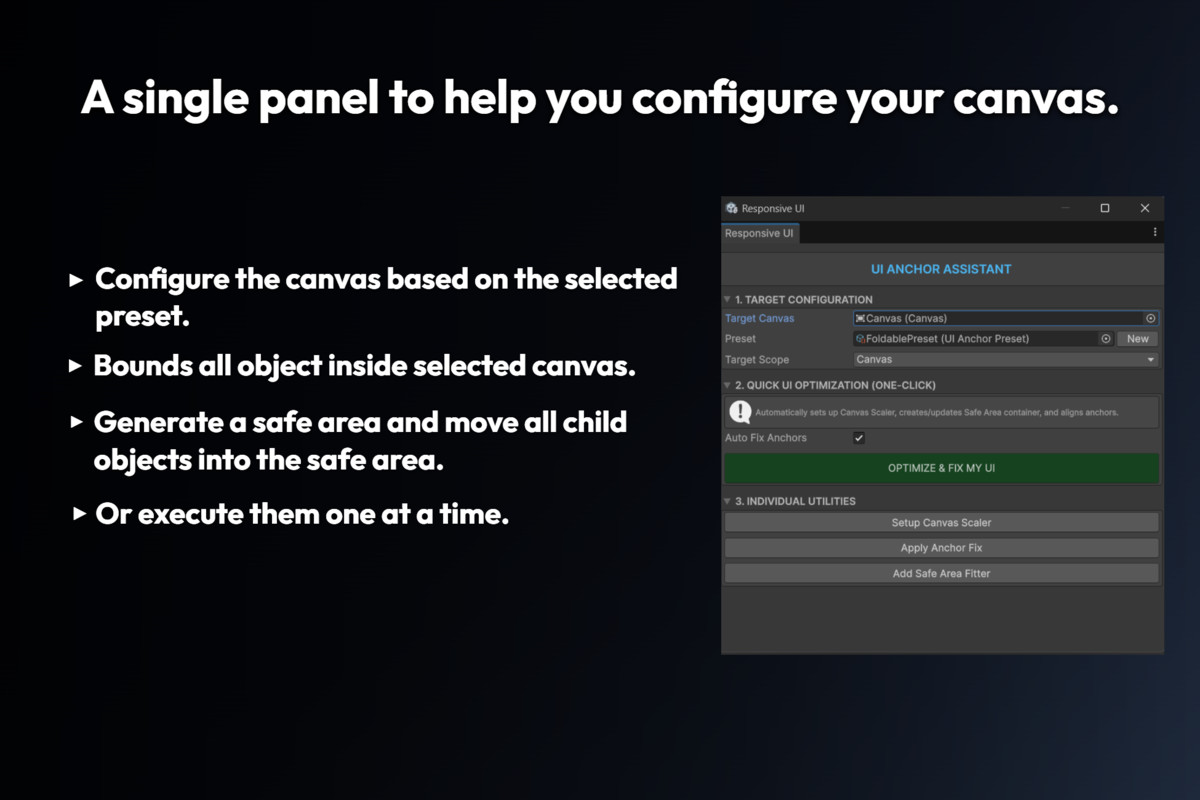
UI Anchor Assistant is an editor tool and runtime package that helps speed up the repetitive setup work required to support multiple screen sizes in Unity uGUI.
It does not replace Layout Groups, Content Size Fitters, or custom responsive logic it automates the foundational steps (Canvas Scaler, anchors, Safe Area) so you can focus on the design work that actually needs manual attention.
One-Click Fix Pipeline:
Runs the full setup chain in a single button press configures CanvasScaler, creates a SafeArea container, re-parents all UI elements into it, and fixes all anchors. Each step is individually undoable with Ctrl+Z.
Anchor Fixing:
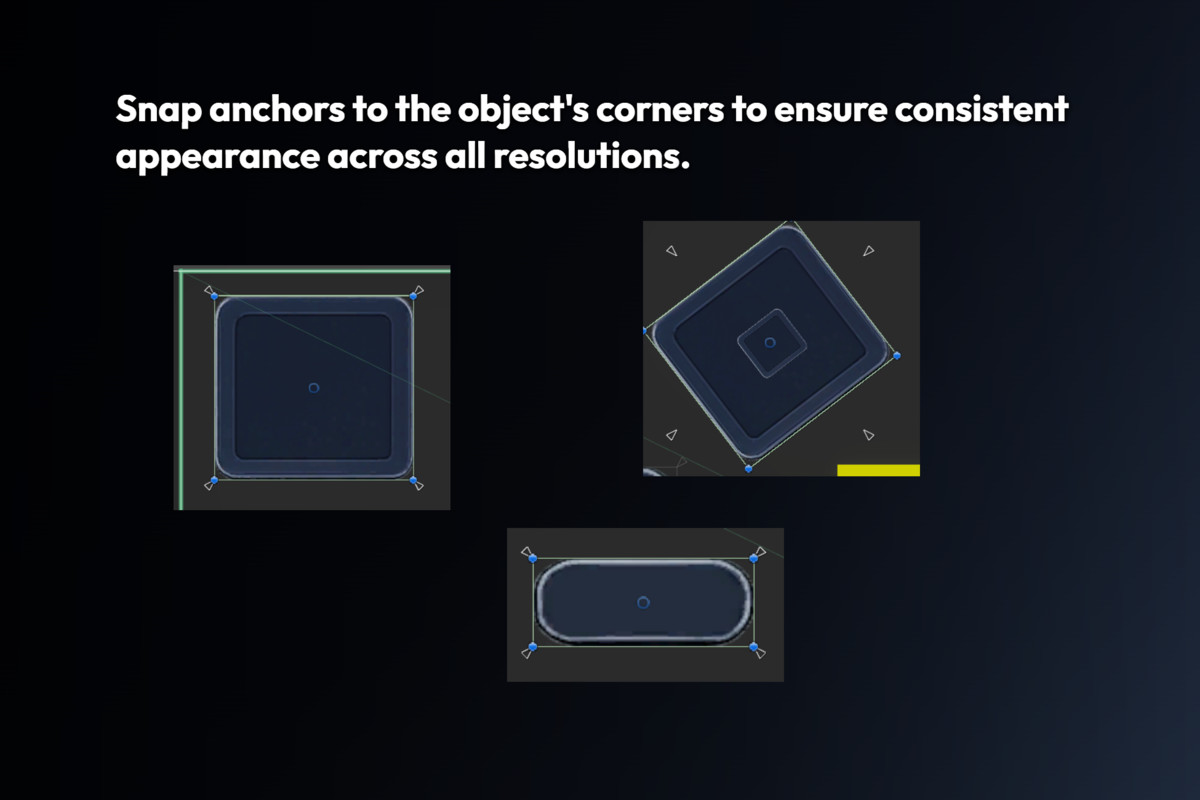
Captures each element's actual world-space bounds before touching any anchor values, then places anchorMin and anchorMax at the exact corners of the element. Works correctly regardless of CanvasScaler scale mode or Game View resolution.
Multi-Device Safe Area:
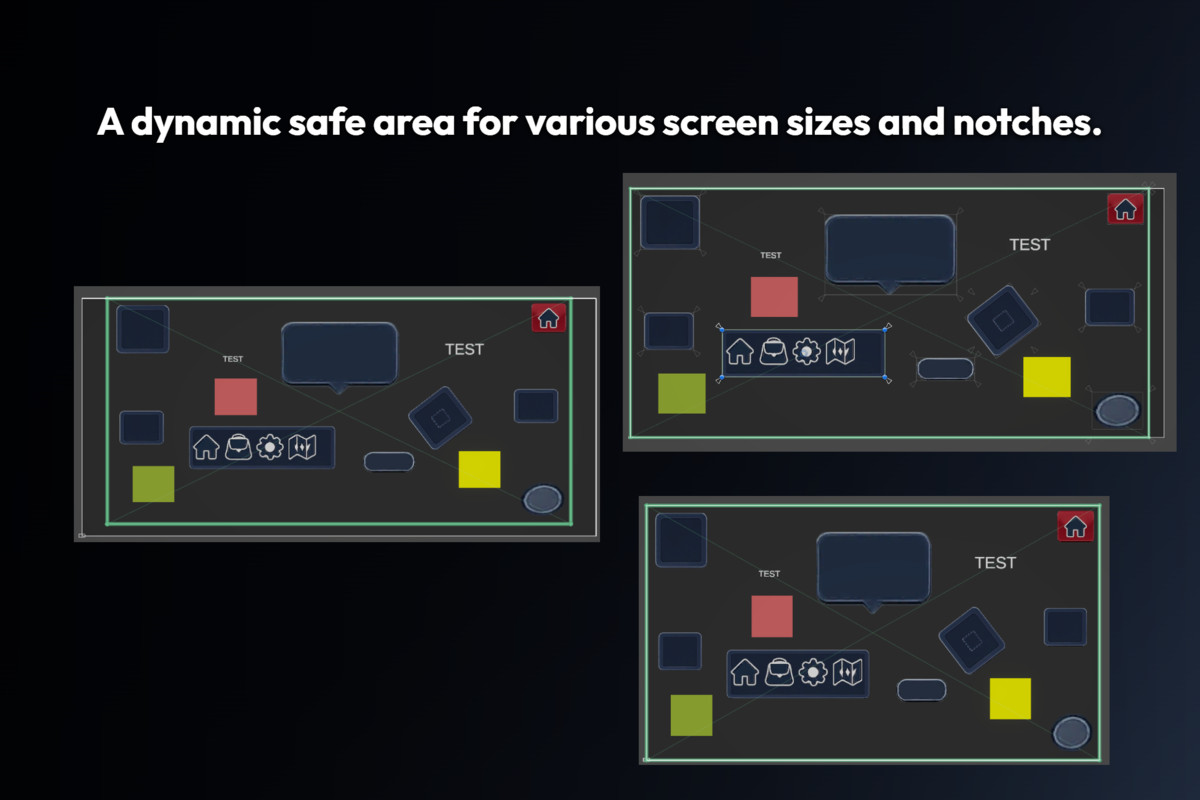
The SafeAreaFitter runtime component reads Screen.safeArea directly from the OS and re-applies whenever the value changes. Supports all device types that report safe area data: notch (iPhone X+), Dynamic Island, punch-hole cameras (Android), home bar, split-screen, and foldable devices in any fold state.
Aspect Ratio Modes (via UIAnchorPreset):
Four scaling strategies are available in each Preset ScriptableObject:
Fit = standard Match Width or Height with manual axis slider.
Expand = Canvas expands outward, preventing content clipping.
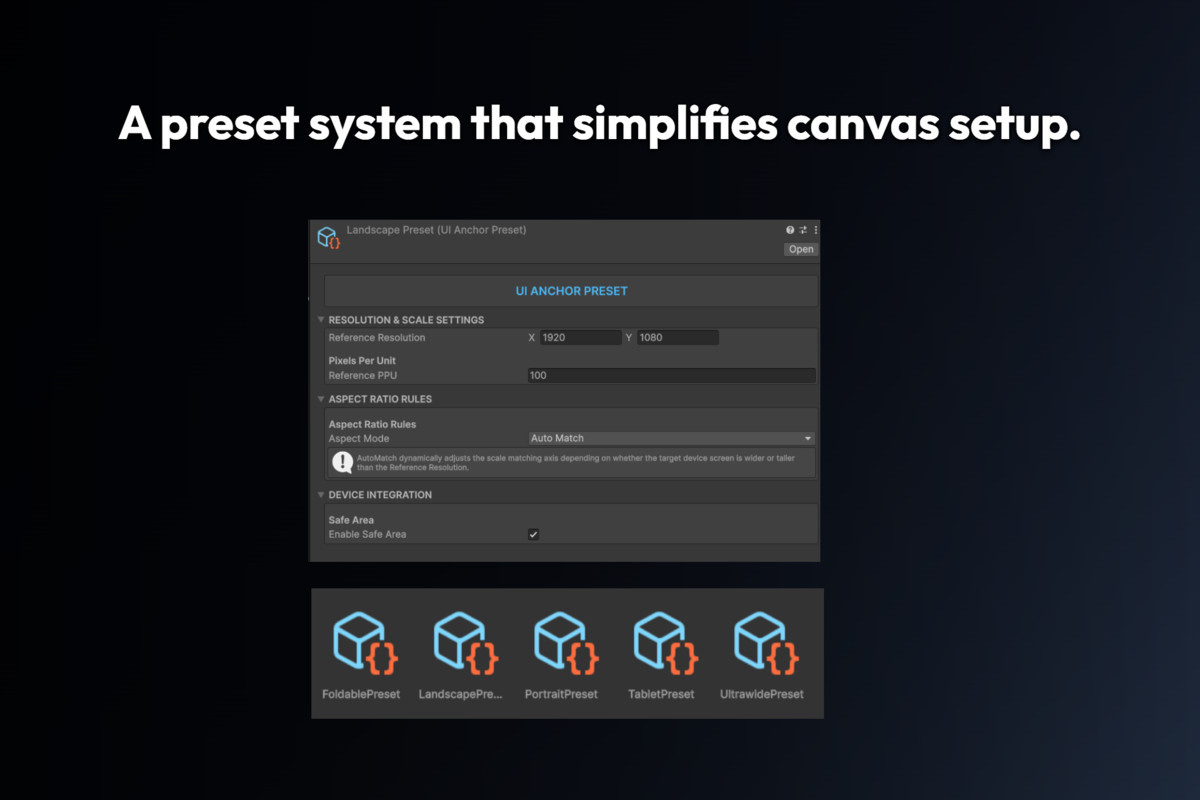
AutoMatch = detects Portrait vs. Landscape at runtime and matches axis automatically. Helps avoid extreme scale on unusual ratios.
MaintainAspect = locks a strict aspect ratio using mathematical bounds on the SafeArea container. Produces letterbox or pillarbox effects without using AspectRatioFitter components.
Ready-Made Presets:
Five ScriptableObject presets are included:
Portrait (1080 x 1920), Landscape (1920 x 1080),
Tablet (1668 x 2388), Ultrawide (2560 x 1080), Foldable (1768 x 2208).
Ignore Tagging System:
Attach IgnoreUIAnchor to any element that should not be touched by the anchor fixing pipeline, fixed-corner overlays, or any element with a hand-crafted anchor setup. The "Ignore Children" toggle extends protection recursively to all child objects.
Scene View Gizmo:
SafeAreaFitter draws its effective bounds colored border in Scene View.
It does not replace Layout Groups, Content Size Fitters, or custom responsive logic it automates the foundational steps (Canvas Scaler, anchors, Safe Area) so you can focus on the design work that actually needs manual attention.
One-Click Fix Pipeline:
Runs the full setup chain in a single button press configures CanvasScaler, creates a SafeArea container, re-parents all UI elements into it, and fixes all anchors. Each step is individually undoable with Ctrl+Z.
Anchor Fixing:
Captures each element's actual world-space bounds before touching any anchor values, then places anchorMin and anchorMax at the exact corners of the element. Works correctly regardless of CanvasScaler scale mode or Game View resolution.
Multi-Device Safe Area:
The SafeAreaFitter runtime component reads Screen.safeArea directly from the OS and re-applies whenever the value changes. Supports all device types that report safe area data: notch (iPhone X+), Dynamic Island, punch-hole cameras (Android), home bar, split-screen, and foldable devices in any fold state.
Aspect Ratio Modes (via UIAnchorPreset):
Four scaling strategies are available in each Preset ScriptableObject:
Fit = standard Match Width or Height with manual axis slider.
Expand = Canvas expands outward, preventing content clipping.
AutoMatch = detects Portrait vs. Landscape at runtime and matches axis automatically. Helps avoid extreme scale on unusual ratios.
MaintainAspect = locks a strict aspect ratio using mathematical bounds on the SafeArea container. Produces letterbox or pillarbox effects without using AspectRatioFitter components.
Ready-Made Presets:
Five ScriptableObject presets are included:
Portrait (1080 x 1920), Landscape (1920 x 1080),
Tablet (1668 x 2388), Ultrawide (2560 x 1080), Foldable (1768 x 2208).
Ignore Tagging System:
Attach IgnoreUIAnchor to any element that should not be touched by the anchor fixing pipeline, fixed-corner overlays, or any element with a hand-crafted anchor setup. The "Ignore Children" toggle extends protection recursively to all child objects.
Scene View Gizmo:
SafeAreaFitter draws its effective bounds colored border in Scene View.
More from Quick Setup
- Universal Outline System $4.99
- Camera Object Fader $4.99
- Unused Asset Cleaner $4.99