
Screenshots and videos
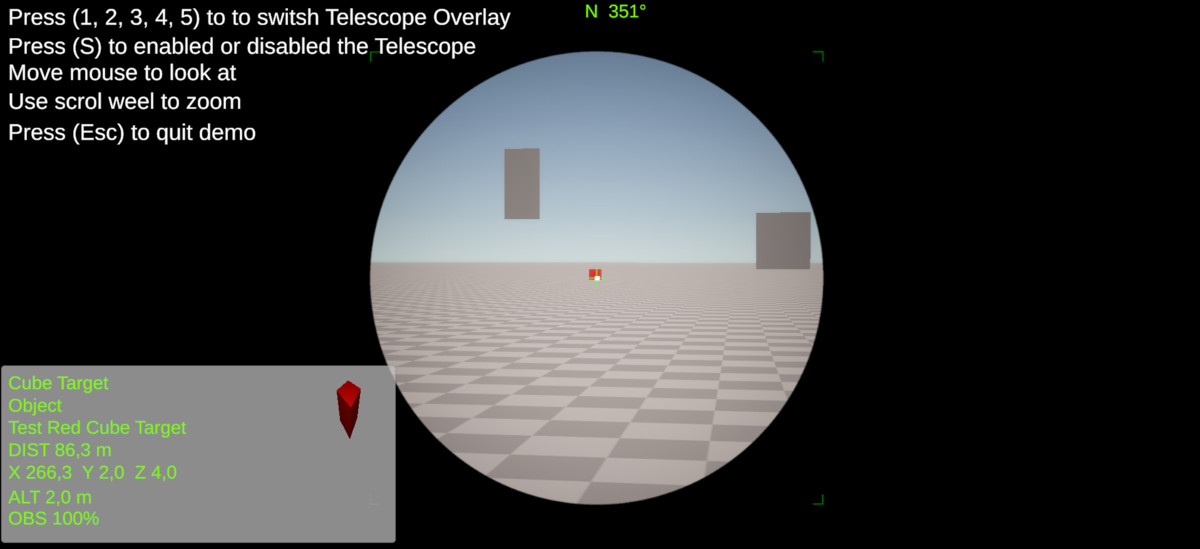 1 / 3
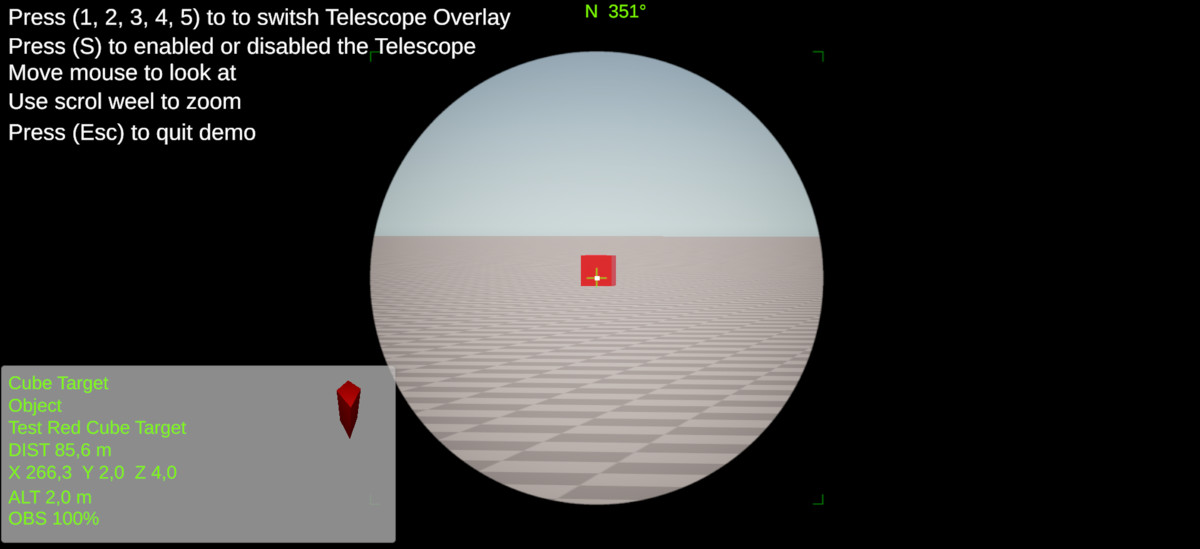

Price history
Lowest recorded standalone price: $20. Recorded observations span to . This is our available history, not a guaranteed all-time low. Bundle package prices are separate.
Standalone price
Last three months, in USD. Bundle prices cover the whole package.
About TelescopeView
Telescope View is a Unity tool that adds an immersive telescopic vision to your game.
Choose from several visual styles (Pirate, Military, Scientific, etc.) and smoothly adjust the camera zoom.
Required Setup - New Input System
Important: Before using the TelescopeView demo scenes or any components supporting both input systems, you must:
Install the New Input System via the Unity Package Manager.
In Project Settings > Player > Active Input Handling, select "Both" to enable compatibility with both Old and New Input Systems. This setup is mandatory for all input features to work correctly with your keyboard, mouse, and gamepad.
Telescope View
Bring realistic telescope, binocular, sniper scope, or observation camera effects to your Unity projects in just a few minutes.
Telescope View is a complete and easy-to-use system designed for the Universal Render Pipeline (URP). It allows you to create immersive optical devices with smooth zoom, customizable overlays, realistic lens effects, and dynamic focus.
Whether you're creating a military simulator, wildlife observation game, pirate adventure, astronomy application, or exploration experience, Telescope View provides everything needed to deliver a professional viewing experience.
Perfect For
Pirate adventures
Military games
Astronomy simulators
Wildlife observation
Survival games
Exploration games
Scientific applications
Security camera systems
Educational projects
Simulation experiences
Easy to Customize
Every visual element can be customized, including:
Zoom limits
Zoom speed
Overlay textures
Lens effects
Colors
Blur intensity
Focus behavior
User interface
Target information display
No coding knowledge is required to create a professional telescope system.
Optimized Workflow
Telescope View includes editor utilities that simplify component creation and scene setup. Most features can be configured directly from the Inspector, making integration fast and intuitive.
Simply add the component to your camera, choose your overlay, adjust the settings, and you're ready to go.
Professional results in minutes.
Choose from several visual styles (Pirate, Military, Scientific, etc.) and smoothly adjust the camera zoom.
Required Setup - New Input System
Important: Before using the TelescopeView demo scenes or any components supporting both input systems, you must:
Install the New Input System via the Unity Package Manager.
In Project Settings > Player > Active Input Handling, select "Both" to enable compatibility with both Old and New Input Systems. This setup is mandatory for all input features to work correctly with your keyboard, mouse, and gamepad.
Telescope View
Bring realistic telescope, binocular, sniper scope, or observation camera effects to your Unity projects in just a few minutes.
Telescope View is a complete and easy-to-use system designed for the Universal Render Pipeline (URP). It allows you to create immersive optical devices with smooth zoom, customizable overlays, realistic lens effects, and dynamic focus.
Whether you're creating a military simulator, wildlife observation game, pirate adventure, astronomy application, or exploration experience, Telescope View provides everything needed to deliver a professional viewing experience.
Perfect For
Pirate adventures
Military games
Astronomy simulators
Wildlife observation
Survival games
Exploration games
Scientific applications
Security camera systems
Educational projects
Simulation experiences
Easy to Customize
Every visual element can be customized, including:
Zoom limits
Zoom speed
Overlay textures
Lens effects
Colors
Blur intensity
Focus behavior
User interface
Target information display
No coding knowledge is required to create a professional telescope system.
Optimized Workflow
Telescope View includes editor utilities that simplify component creation and scene setup. Most features can be configured directly from the Inspector, making integration fast and intuitive.
Simply add the component to your camera, choose your overlay, adjust the settings, and you're ready to go.
Professional results in minutes.