
Screenshots and videos
 1 / 6


Price history
Lowest recorded standalone price: $25. Recorded observations span to . This is our available history, not a guaranteed all-time low. Bundle package prices are separate.
Standalone price
Last three months, in USD. Bundle prices cover the whole package.
About Game Tools
- Tools, Systems & Learning > Game Templates & Systems
Game Tools is a powerful collection of ready-to-use systems designed to accelerate game development in Unity.
Instead of spending weeks rebuilding common gameplay mechanics, Game Tools provides a complete toolbox of modular components that can be integrated into your project within minutes.
Whether you're creating an FPS, RPG, Survival Game, Horror Game, Open World, Adventure, Simulator, or Indie Project, Game Tools helps you focus on creating your game rather than reinventing core systems.
Built for Unity 6000+, every component has been designed with ease of use, flexibility, and performance in mind.
Why Game Tools?
Most game projects require the same systems:
- FPS Controllers
- Camera Controllers
- Minimap Systems
- Day & Night Cycles
- Objective Markers
- Interactive Doors
- NPC Behaviours
- UI Utilities
- Audio Zones
- Trigger Events
- Environmental Effects
- Scene Management Tools
Game Tools brings these essential features together in a single package, allowing developers to rapidly prototype and build complete gameplay experiences.
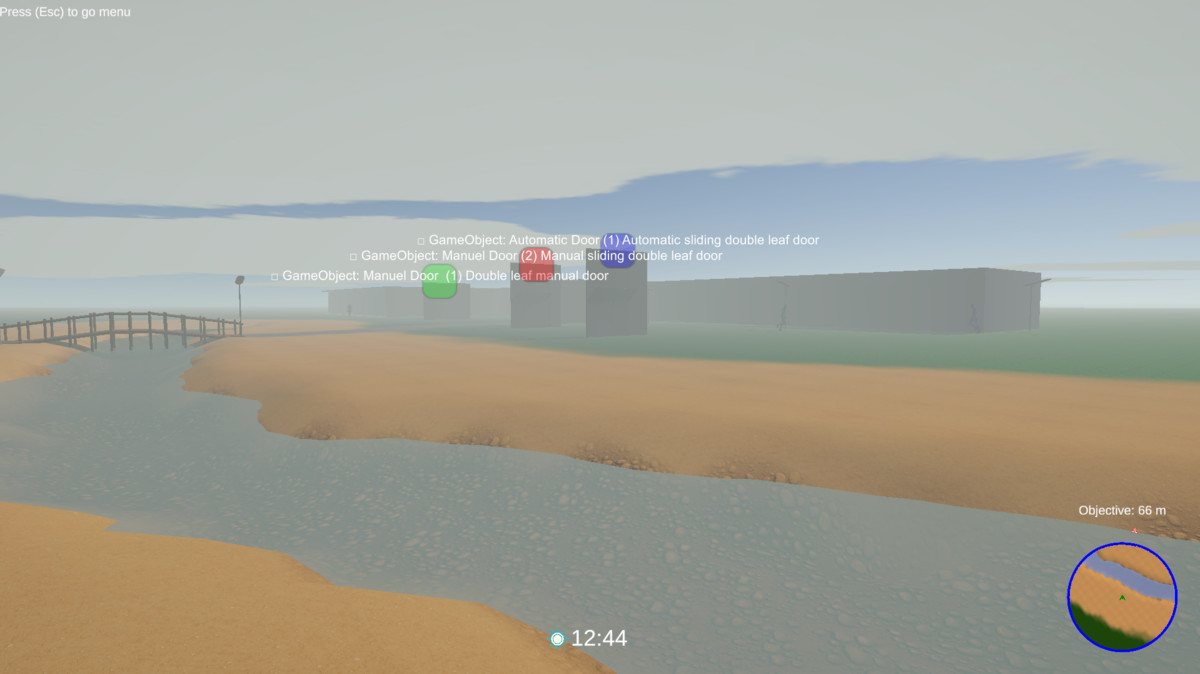
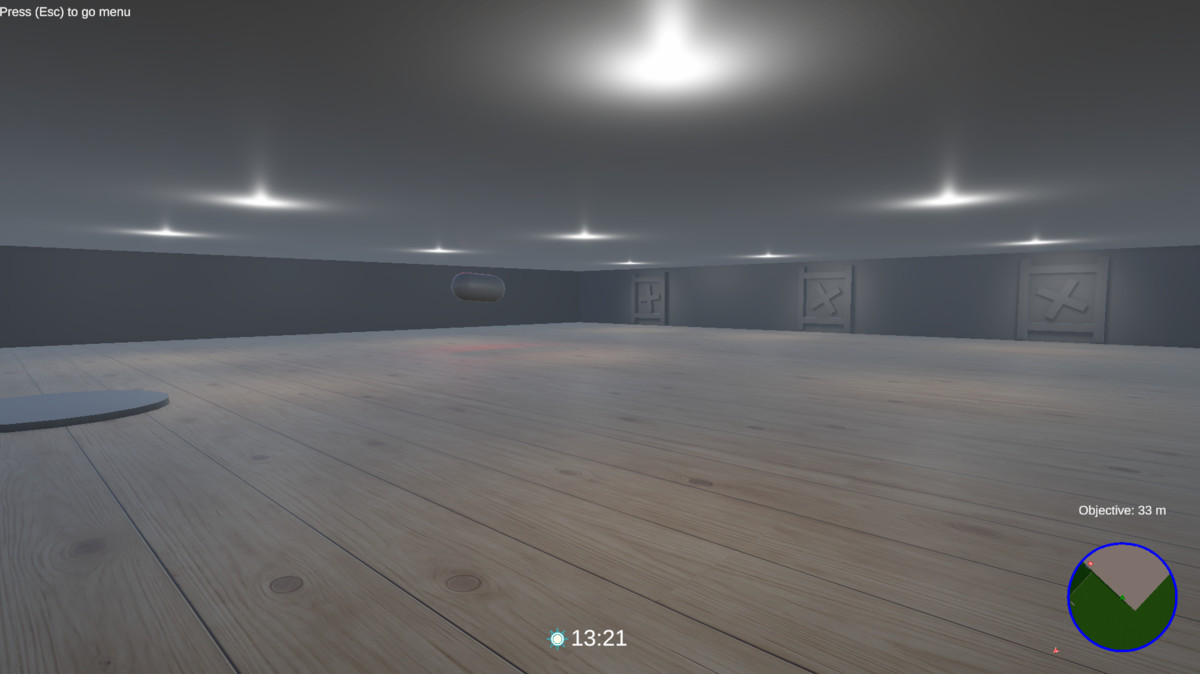
Runtime Minimap & Navigation
Create professional minimap systems with minimal setup.
Features include:
- Runtime Minimap Generation
- Dynamic Mission Markers
- Target Distance Display
- Objective Direction Indicators
- Large Map Support
- Multiple Screen Anchor Positions
- Automatic UI Generation
- Easy Project Integration
Dynamic Environment & Weather Systems
Build immersive worlds with realistic environmental effects.
Included systems:
- Geo Sun Cycle
- Dynamic Day & Night Transitions
- Sun Clock HUD
- Dynamic Skyboxes
- Cloud Layer Animation
- Fog Zone Fader
- Dynamic Environment Colors
- Day & Night Audio Management
- Dynamic Shadow Optimization
- Environment Presets
Gameplay & Interaction Systems
Add interactive gameplay elements quickly and easily.
Includes:
- Interactive Doors
- Sliding Doors
- Double Doors
- Trigger-Based Events
- Collider Events
- Timed Events
- Event Group Controllers
- Scene Loading Systems
- Object Activation Systems
NPC Navigation & AI
Populate your worlds with intelligent characters.
Features:
- Patrol Systems
- Follow Behaviours
- Flee Behaviours
- Idle Behaviours
- Random Patrol Paths
- Loop Routes
- Ping-Pong Routes
- NavMesh Integration
Camera Systems
Flexible camera solutions for multiple genres.
Included:
- Mouse Look Camera
- Camera Follow System
- First Person Support
- Vehicle Camera Modes
- Free Fly Camera
- Legacy Input Compatibility
- New Input System Compatibility
Visual & Rendering Tools
Enhance the atmosphere of your game with powerful rendering utilities.
Includes:
- Punchy Sky Presets
- Skybox Management
- Dynamic Shadows
- Cloud Animation Systems
- Fog Management
- Environmental Color Control
- Runtime Visual Adjustments
Supports:
- Universal Render Pipeline (URP)
- Built-in Render Pipeline
Audio Systems
Improve immersion with dynamic audio management.
Features:
- Interior Audio Zones
- Exterior Audio Zones
- Day & Night Audio Switching
- Trigger-Based Audio Events
- Ambient Environment Control
Utility & Developer Tools
A collection of practical systems to speed up development.
Includes:
- Keys Event System
- Timer Event Manager
- Mouse Lock Toggle
- Startup Splash Screen
- Object Mover & Rotator
- Object Rotation System
- UI Tooltip System
- Runtime UI Helpers
- Scene Utilities
- Gameplay Helpers
Compatibility
- Unity 6000+
- Universal Render Pipeline (URP)
- Built-in Render Pipeline
- New Input System
- Legacy Input Manager
- PC
- Mobile
- Single Player Projects
- Commercial Projects
Easy to Customize
All systems are fully configurable through the Inspector and designed with a modular architecture.
Use only the tools you need or combine them to create complete gameplay frameworks tailored to your project.
Every component includes organized inspectors, detailed tooltips, and developer-friendly workflows.
Instead of spending weeks rebuilding common gameplay mechanics, Game Tools provides a complete toolbox of modular components that can be integrated into your project within minutes.
Whether you're creating an FPS, RPG, Survival Game, Horror Game, Open World, Adventure, Simulator, or Indie Project, Game Tools helps you focus on creating your game rather than reinventing core systems.
Built for Unity 6000+, every component has been designed with ease of use, flexibility, and performance in mind.
Why Game Tools?
Most game projects require the same systems:
- FPS Controllers
- Camera Controllers
- Minimap Systems
- Day & Night Cycles
- Objective Markers
- Interactive Doors
- NPC Behaviours
- UI Utilities
- Audio Zones
- Trigger Events
- Environmental Effects
- Scene Management Tools
Game Tools brings these essential features together in a single package, allowing developers to rapidly prototype and build complete gameplay experiences.
Runtime Minimap & Navigation
Create professional minimap systems with minimal setup.
Features include:
- Runtime Minimap Generation
- Dynamic Mission Markers
- Target Distance Display
- Objective Direction Indicators
- Large Map Support
- Multiple Screen Anchor Positions
- Automatic UI Generation
- Easy Project Integration
Dynamic Environment & Weather Systems
Build immersive worlds with realistic environmental effects.
Included systems:
- Geo Sun Cycle
- Dynamic Day & Night Transitions
- Sun Clock HUD
- Dynamic Skyboxes
- Cloud Layer Animation
- Fog Zone Fader
- Dynamic Environment Colors
- Day & Night Audio Management
- Dynamic Shadow Optimization
- Environment Presets
Gameplay & Interaction Systems
Add interactive gameplay elements quickly and easily.
Includes:
- Interactive Doors
- Sliding Doors
- Double Doors
- Trigger-Based Events
- Collider Events
- Timed Events
- Event Group Controllers
- Scene Loading Systems
- Object Activation Systems
NPC Navigation & AI
Populate your worlds with intelligent characters.
Features:
- Patrol Systems
- Follow Behaviours
- Flee Behaviours
- Idle Behaviours
- Random Patrol Paths
- Loop Routes
- Ping-Pong Routes
- NavMesh Integration
Camera Systems
Flexible camera solutions for multiple genres.
Included:
- Mouse Look Camera
- Camera Follow System
- First Person Support
- Vehicle Camera Modes
- Free Fly Camera
- Legacy Input Compatibility
- New Input System Compatibility
Visual & Rendering Tools
Enhance the atmosphere of your game with powerful rendering utilities.
Includes:
- Punchy Sky Presets
- Skybox Management
- Dynamic Shadows
- Cloud Animation Systems
- Fog Management
- Environmental Color Control
- Runtime Visual Adjustments
Supports:
- Universal Render Pipeline (URP)
- Built-in Render Pipeline
Audio Systems
Improve immersion with dynamic audio management.
Features:
- Interior Audio Zones
- Exterior Audio Zones
- Day & Night Audio Switching
- Trigger-Based Audio Events
- Ambient Environment Control
Utility & Developer Tools
A collection of practical systems to speed up development.
Includes:
- Keys Event System
- Timer Event Manager
- Mouse Lock Toggle
- Startup Splash Screen
- Object Mover & Rotator
- Object Rotation System
- UI Tooltip System
- Runtime UI Helpers
- Scene Utilities
- Gameplay Helpers
Compatibility
- Unity 6000+
- Universal Render Pipeline (URP)
- Built-in Render Pipeline
- New Input System
- Legacy Input Manager
- PC
- Mobile
- Single Player Projects
- Commercial Projects
Easy to Customize
All systems are fully configurable through the Inspector and designed with a modular architecture.
Use only the tools you need or combine them to create complete gameplay frameworks tailored to your project.
Every component includes organized inspectors, detailed tooltips, and developer-friendly workflows.