Screenshots and videos
 1 / 2

Price history
Lowest recorded standalone price: $4.99. Recorded observations span to . This is our available history, not a guaranteed all-time low. Bundle package prices are separate.
Standalone price
Last three months, in USD. Bundle prices cover the whole package.
About SegmentationTool
- Tools, Systems & Learning > Development Tools & Automation
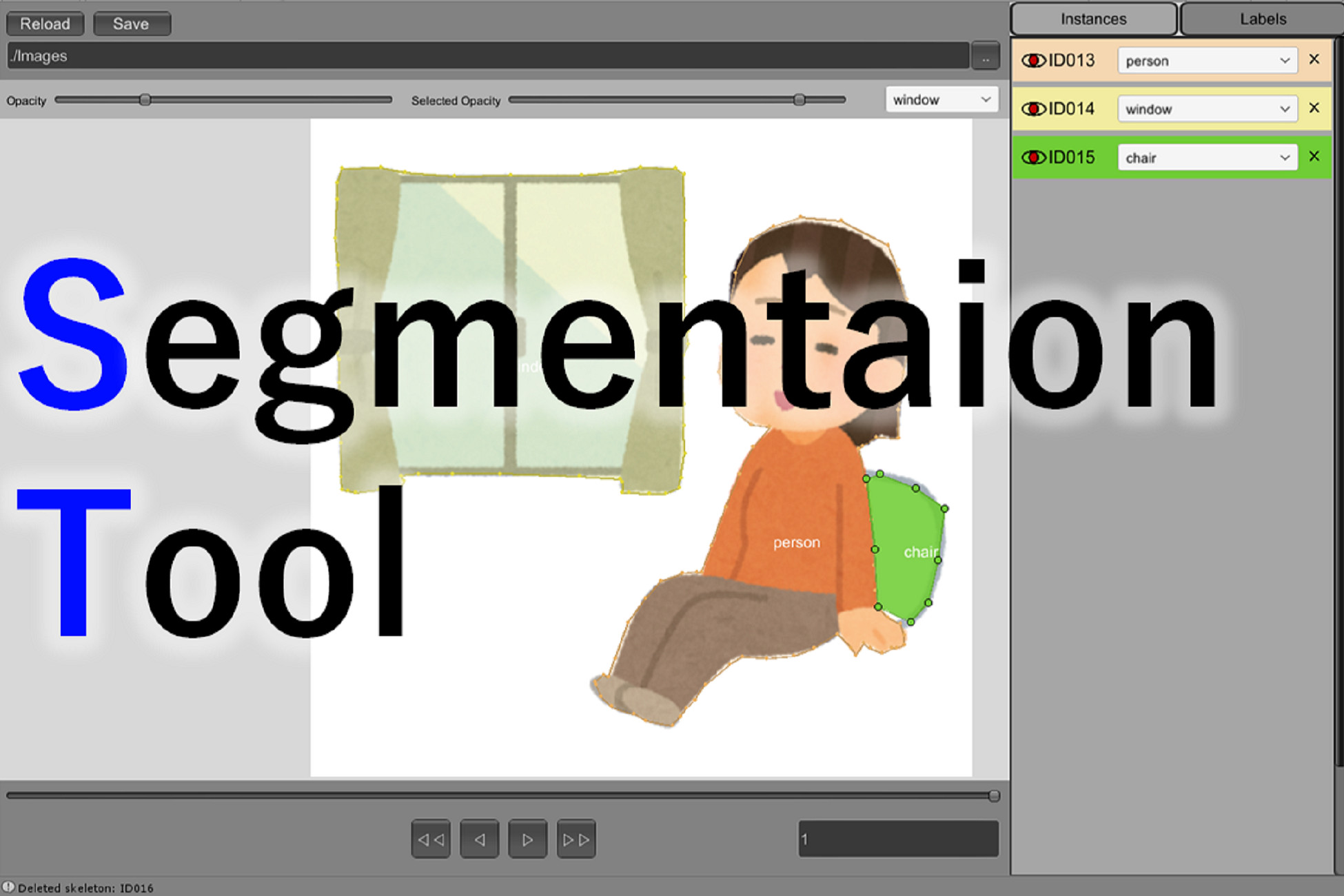
SegmentationTool is a simple annotation tool for semantic segmentation.
You can draw polygons of objects in images, and dump them to a XML file.
Also, we provide a python script to visualize your annotations. The visualizers will help you to understand how to load and parse annotation files in python.
We believe this script is useful if you would like to learn your annotations with Tensorflow or PyTorch.
# Features
- A tool for semantic segmentation purely written in C#.
- A lot of functions to improve your annotation speed.
- A python script to visualize annotations
# How to Use
1. Import SegmentationTool.unitypackage
2. Open and run Assets/SegmentationTool/Scenes/SegmentationTool.unity.
3. Click ".." button and select an image directory
4. Click on Canvas to start drawing polygons.
5. Click "◄" and "►" buttons to switch images.
6. Click "Save" button to save your annotations. The annotations will be saved in "[the-image-directory]/segmentation.xml".
7. Optionally, you can visualize the saved annotations with Assets/SegmentationTool/Resources/python/visualize.py.
You can draw polygons of objects in images, and dump them to a XML file.
Also, we provide a python script to visualize your annotations. The visualizers will help you to understand how to load and parse annotation files in python.
We believe this script is useful if you would like to learn your annotations with Tensorflow or PyTorch.
# Features
- A tool for semantic segmentation purely written in C#.
- A lot of functions to improve your annotation speed.
- A python script to visualize annotations
# How to Use
1. Import SegmentationTool.unitypackage
2. Open and run Assets/SegmentationTool/Scenes/SegmentationTool.unity.
3. Click ".." button and select an image directory
4. Click on Canvas to start drawing polygons.
5. Click "◄" and "►" buttons to switch images.
6. Click "Save" button to save your annotations. The annotations will be saved in "[the-image-directory]/segmentation.xml".
7. Optionally, you can visualize the saved annotations with Assets/SegmentationTool/Resources/python/visualize.py.
More from furaga
- JustWithJoints: Body Controller with Joint Locations $8
- BBoxAnnotationTool FREE
- PoseAnnotationTool $4.99