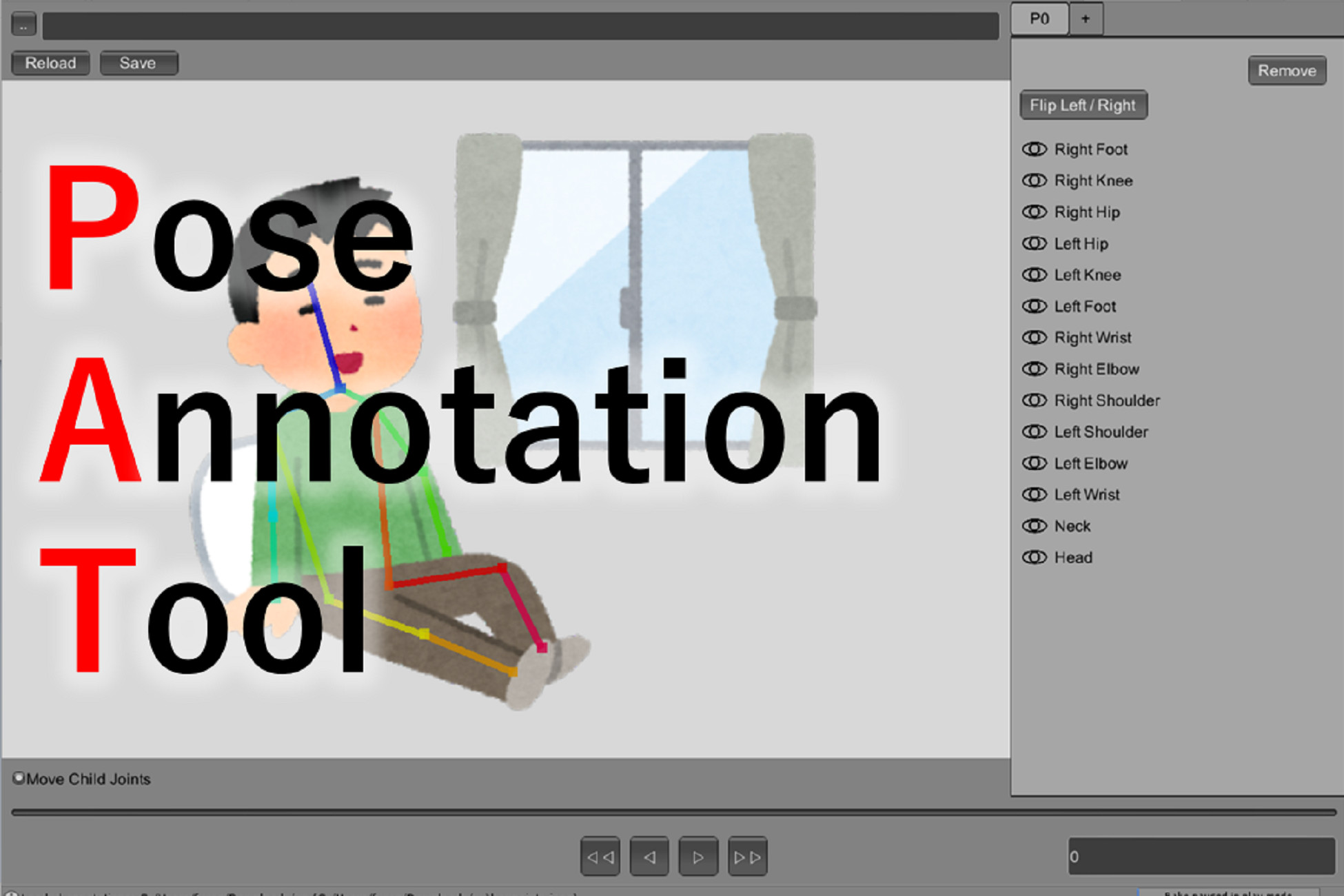
Screenshots and videos
 1 / 1
Price history
Lowest recorded standalone price: $4.99. Recorded observations span to . This is our available history, not a guaranteed all-time low. Bundle package prices are separate.
Standalone price
Last three months, in USD. Bundle prices cover the whole package.
About PoseAnnotationTool
- Tools, Systems & Learning > Development Tools & Automation
PoseAnnotationTool is a simple human pose annotation tool.
You can annotate joint locations of people in images, and dump them to a json file.
Our tool is simple, but has functions to improve your annotation speed
- Shortcut keys for operations which you will frequently use.
- Move joints with their child joints (FK)
- Copy and paste skeletons
Also, we provide a python script to visualize your annotations. The visualizers will help you to understand how to load and parse annotation files in python.
We believe this script is useful if you would like to learn your annotations with Tensorflow or PyTorch.
We support two skeleton format, LSP format (14 joints, DEFAULT) and COCO format (19 joints).
Also, you can add another format by making a pose setting file by your own.
# Features
- A human pose annotation tool purely written in C#.
- A lot of functions to improve your annotation speed.
- A python script to visualize annotations
# How to Use
1. Import PoseAnnotationTool.unitypackage
2. Open and run Assets/PoseAnnotationTool/Scenes/PoseAnnotationTool.unity.
3. Click .. button in Save/Load Panel and select an image directory that contains images you want to annotate.
(Or, write the directory path in the neighboring text field and press "Reload" button)
4. Press N key on Canvas to create a new skeleton. Then, move joints by dragging.
When moving a joint, its child joints moves synchronously. If you move individually, toggle "Move Child joints".
5. Press ◁ and ▷ buttons in Seek Bar to switch images.
6. Press Save button to save your annotations. The annotation will be saved in [the image directory]/keypoints.json.