
Unity
Script Finder | Cross Platform Script Finder System & Framework
- Current price
- $4.99
- Lowest recorded
- $4.99
2 likes
Screenshots and videos
 1 / 1
Price history
Lowest recorded standalone price: $4.99. Recorded observations span to . This is our available history, not a guaranteed all-time low. Bundle package prices are separate.
Standalone price
Last three months, in USD. Bundle prices cover the whole package.
About Script Finder | Cross Platform Script Finder System & Framework
- Tools, Systems & Learning > Development Tools & Automation
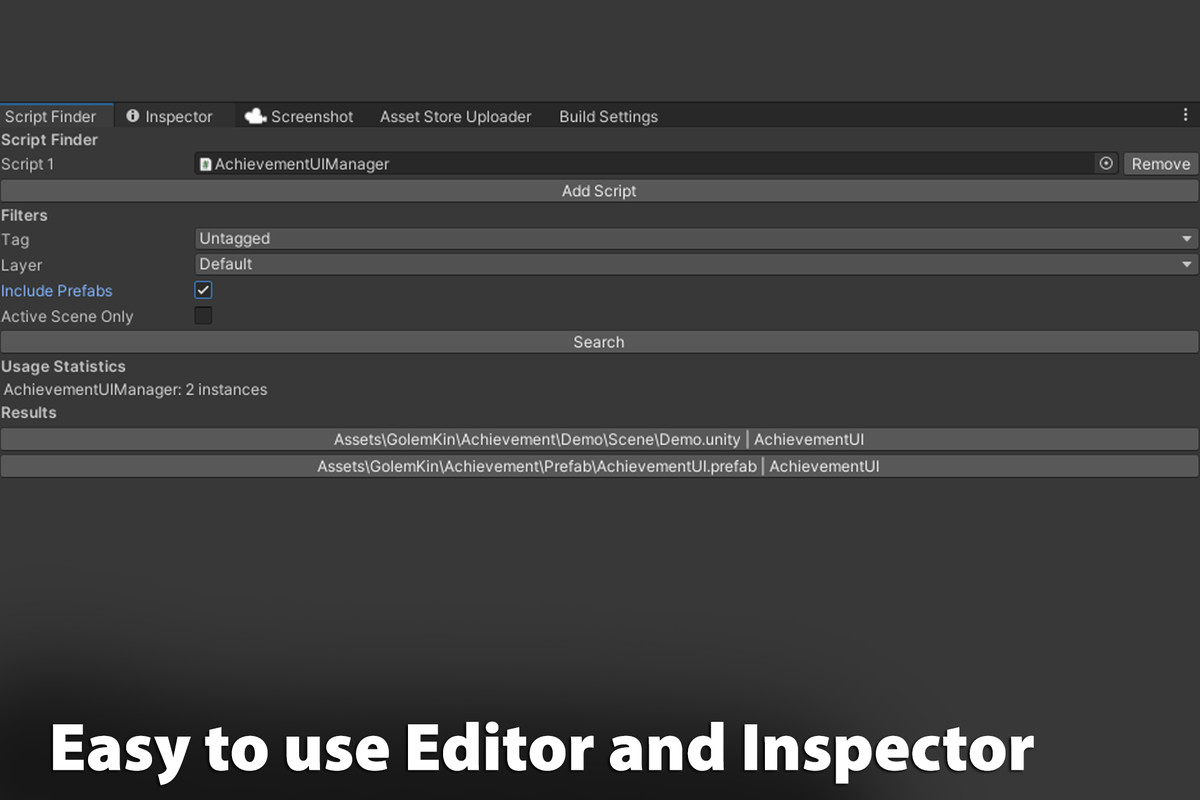
Script Finder is a powerful Unity editor tool that helps developers quickly locate GameObjects with specific scripts across scenes or prefabs in a project. The tool offers options to filter search results by tags, layers, and active scenes, making it easy to find exactly what you need, even in large projects with complex hierarchies. It's ideal for managing dependencies, debugging, and organizing GameObjects that share components.
Key Features and Examples
Multi-Script Search: Add multiple scripts to search for at once. For example, if you're looking for GameObjects with both EnemyAI and HealthSystem scripts, add them to the search list, and Script Finder will display any objects containing these scripts.
Filter by Tag and Layer: Use tag and layer filters to narrow down results. For instance, if you're working on a UI and want to find GameObjects with the Clickable script under the UI layer, just select the UI layer and run the search.
Include Prefabs: Enable the Include Prefabs option to locate instances of scripts within prefab assets as well. This is helpful if you're preparing prefabs for a project and want to check which prefabs have specific components, like a Clickable script in all interactive prefabs.
Active Scene Only: Limit the search to the currently open scene if desired. This feature is useful when testing a single scene and searching for GameObjects with scripts such as LevelManager in the scene you're working on.
Usage Statistics: View a breakdown of how many times each script appears across your project. For example, after searching for EnemyAI, the tool will display how many instances are in the active scene or across the project, helping you assess the distribution of components.
Clickable Results with Scene Switching: Click on any search result to open the relevant scene or prefab and highlight the GameObject. If a prefab is clicked, it opens in Prefab Mode. For example, clicking on an EnemySpawner GameObject will switch to its scene and select it in the hierarchy for quick edits.
No Results Message: If no matches are found, a No results found message is displayed. This feedback is helpful for verifying that your project is free of specific scripts or objects.
With Script Finder, managing GameObjects with common scripts becomes a streamlined experience, especially in large projects with extensive prefabs and multiple scenes. It's a valuable tool for debugging, organizing, and verifying GameObject setups.
More from Golem Kin Games
- Cozy Game Template | Cozy Game/Fishing/Digging/Home Deco/RPG Template $49.99
- Cartoon Rock Wall FREE
- Cartoon Umbrella FREE