Screenshots and videos
 1 / 5


Price history
Lowest recorded standalone price: $49.99. Recorded observations span to . This is our available history, not a guaranteed all-time low. Bundle package prices are separate.
Standalone price
Last three months, in USD. Bundle prices cover the whole package.
About OSL Social Login - Unified Provider Integration
- Tools, Systems & Learning > Game Templates & Systems
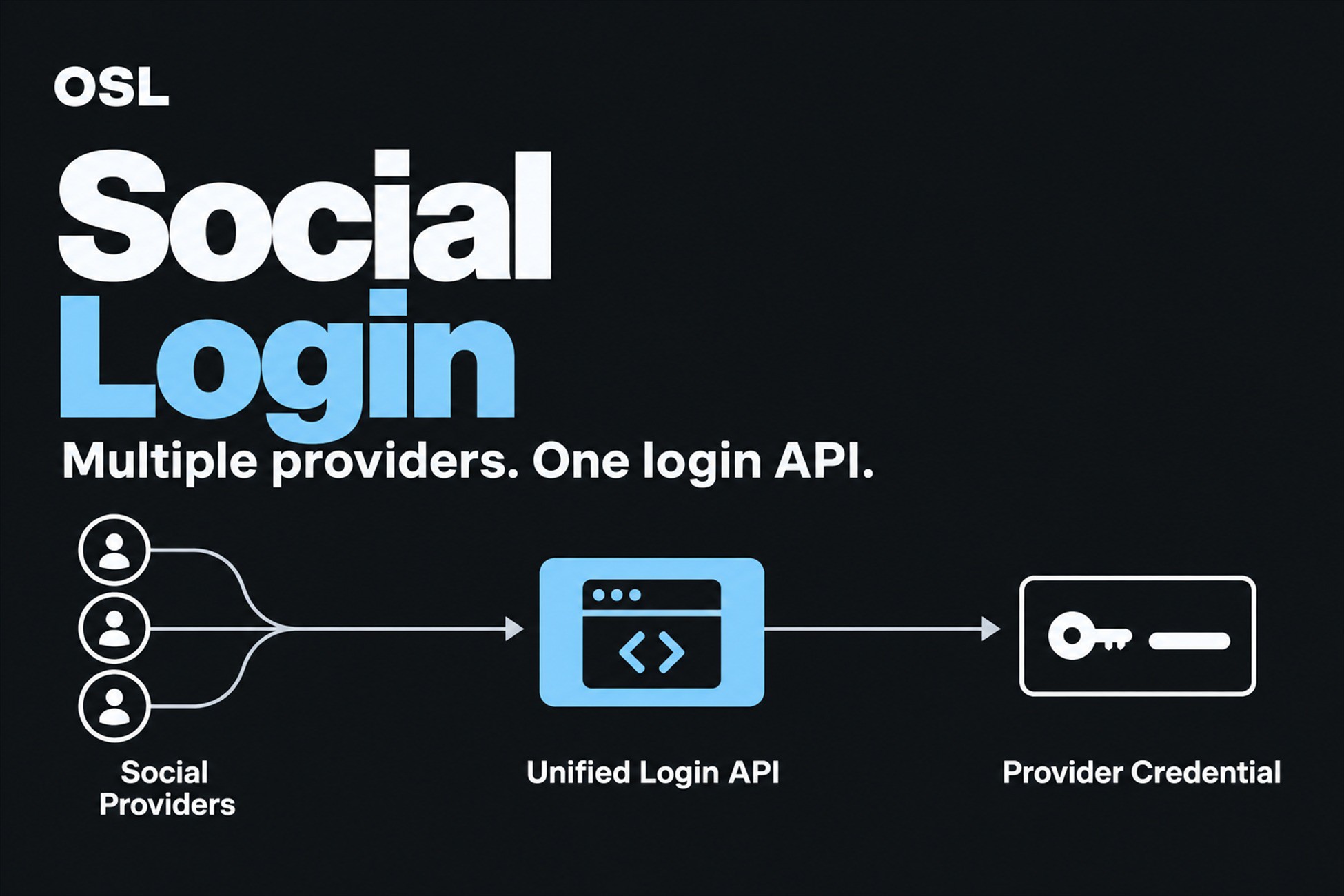
OSL Social Login is for Unity teams integrating more than one identity provider and wanting to keep provider-specific setup out of gameplay code. It presents Google, Facebook, Apple, Steam, and Discord adapters through one interface, with centralized settings, conditional activation, and provider-specific build steps.
Why / Key Benefits:
- Keep one game-facing contract: Use ISocialLoginProvider and SocialLoginManager instead of spreading provider callbacks across gameplay systems.
- Enable providers independently: Provider defines compile the corresponding adapter only when it is selected and its prerequisites are available.
- Centralize setup: Select providers and enter only the active target's required ID from the Social Login Setup window. Validate explains missing values before it changes defines.
- Reduce build configuration work: Included build processors update supported Android and iOS project settings for the configured providers.
- Retrieve backend-ready credentials: Receive identity tokens, access tokens, authorization codes, or Steam session tickets for verification by your own backend.
Typical Workflow:
1. Install the vendor SDK or runtime required by the providers you intend to use.
2. Open Tools > OSL > Social Login Setup and configure only those providers.
3. Let the setup tool apply provider defines and supported build settings.
4. Request sign-in through the unified manager and forward the returned credential to your backend.
The normal call remains await SocialLoginManager.Instance.LoginAsync(ProviderKind.G), then result.Token. Typed credentials, timeout and cancellation are optional advanced controls; basic users do not need to branch on credential kinds.
Requirements:
- Minimum Unity Version: Unity 2021.3 LTS
- Tested Unity Versions: Unity 2021.3.45f2 and Unity 6000.3.12f1
- Provider prerequisites: Provider-specific developer accounts, credentials, redirect configuration, and any required vendor SDK/runtime
- Steam adapter: Included Facepunch/Steam native runtime targets Windows x64 and requires a running, signed-in Steam client
- Discord loopback adapter: Unity Editor and Windows standalone code path; registered loopback redirect ports 50000-50009
- Google Windows: Desktop Client ID only. The package uses PKCE S256 and state validation and does not store or transmit a client secret.
Limitations / Scope:
- The package acquires provider credentials; it does not make a client login callback trustworthy. Verify credentials on a backend before creating a trusted game session.
- Soft dependency defines isolate provider code at compile time, but included bridge/native files and vendor SDK packaging still need to be reviewed for the chosen build target.
- Provider dashboard setup, store entitlements, consent configuration, and platform approval remain the developer's responsibility.
- Real provider-console callbacks and sign-in with live accounts were not exercised by the local compile validation.
Why / Key Benefits:
- Keep one game-facing contract: Use ISocialLoginProvider and SocialLoginManager instead of spreading provider callbacks across gameplay systems.
- Enable providers independently: Provider defines compile the corresponding adapter only when it is selected and its prerequisites are available.
- Centralize setup: Select providers and enter only the active target's required ID from the Social Login Setup window. Validate explains missing values before it changes defines.
- Reduce build configuration work: Included build processors update supported Android and iOS project settings for the configured providers.
- Retrieve backend-ready credentials: Receive identity tokens, access tokens, authorization codes, or Steam session tickets for verification by your own backend.
Typical Workflow:
1. Install the vendor SDK or runtime required by the providers you intend to use.
2. Open Tools > OSL > Social Login Setup and configure only those providers.
3. Let the setup tool apply provider defines and supported build settings.
4. Request sign-in through the unified manager and forward the returned credential to your backend.
The normal call remains await SocialLoginManager.Instance.LoginAsync(ProviderKind.G), then result.Token. Typed credentials, timeout and cancellation are optional advanced controls; basic users do not need to branch on credential kinds.
Requirements:
- Minimum Unity Version: Unity 2021.3 LTS
- Tested Unity Versions: Unity 2021.3.45f2 and Unity 6000.3.12f1
- Provider prerequisites: Provider-specific developer accounts, credentials, redirect configuration, and any required vendor SDK/runtime
- Steam adapter: Included Facepunch/Steam native runtime targets Windows x64 and requires a running, signed-in Steam client
- Discord loopback adapter: Unity Editor and Windows standalone code path; registered loopback redirect ports 50000-50009
- Google Windows: Desktop Client ID only. The package uses PKCE S256 and state validation and does not store or transmit a client secret.
Limitations / Scope:
- The package acquires provider credentials; it does not make a client login callback trustworthy. Verify credentials on a backend before creating a trusted game session.
- Soft dependency defines isolate provider code at compile time, but included bridge/native files and vendor SDK packaging still need to be reviewed for the chosen build target.
- Provider dashboard setup, store entitlements, consent configuration, and platform approval remain the developer's responsibility.
- Real provider-console callbacks and sign-in with live accounts were not exercised by the local compile validation.
More from OLS
- OSL Easy Patcher $39.99
- OSL Deterministic RNG - Replay & Lockstep $15.99
- OSL Secure Save $24.99