
Screenshots and videos
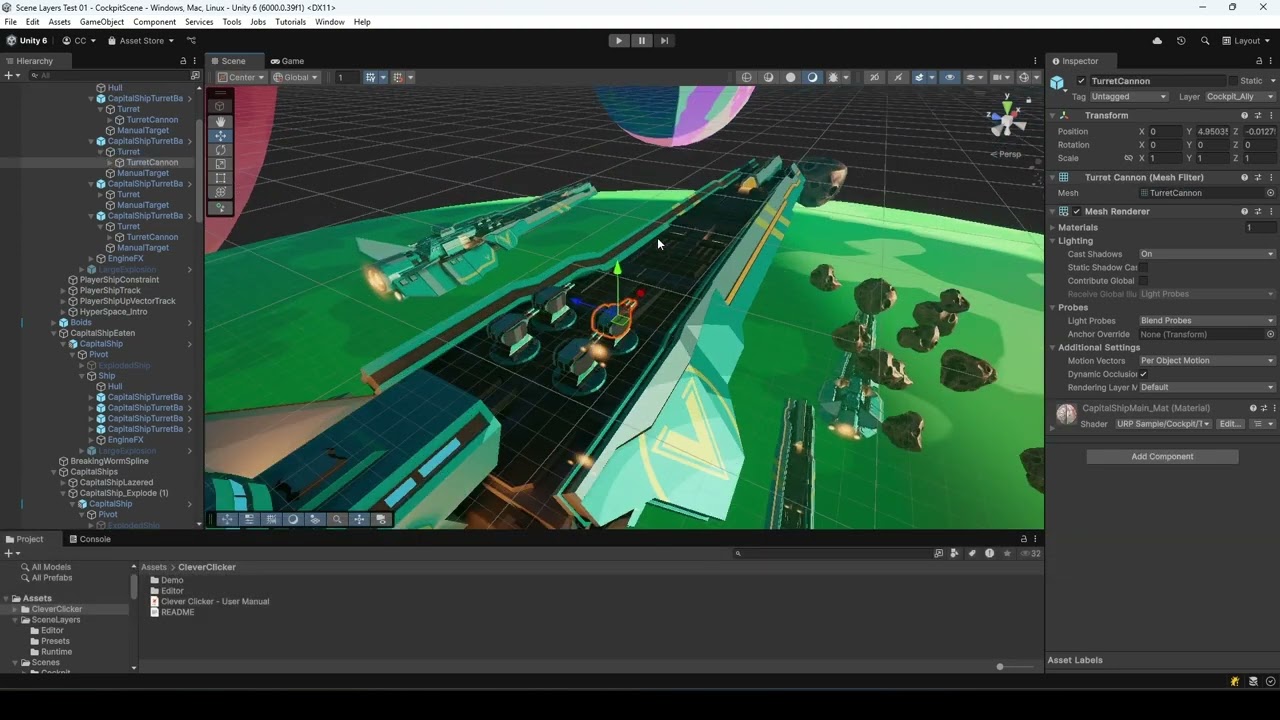 1 / 4


Price history
Lowest recorded standalone price: $4.99. Recorded observations span to . This is our available history, not a guaranteed all-time low. Bundle package prices are separate.
Standalone price
Last three months, in USD. Bundle prices cover the whole package.
About Clever Clicker
- Tools, Systems & Learning > Development Tools & Automation
Select overlapping objects instantly with Clever Clicker! Tired of clicking UI elements instead of Game Objects, or clicking multiple times to cycle through overlapping objects? Clever Clicker solves this common workflow frustration, whether in a 2D or 3D project. Hold Ctrl + Shift + Click anywhere in the Scene view to see a popup menu of all objects at that position. Hover to highlight, click to select. It's that simple! Easy Access Modifier keys + click to show all objects at any position. No window to open, no menu to navigate. Works instantly in any scene. Visual Feedback Popup menu with object names and icons. Hover highlighting shows bounding boxes in the scene. Scrollable list for dense areas. Keyboard Support Arrow keys to navigate the list. Enter to select. Escape to close. Click header to select all. Configurable Choose your modifier keys (Alt, Control, Shift, Command). Exclude specific layers. Optional "focus on select" to frame objects. Perfect For: Dense scenes with many overlapping objects in 2D or 3D. Level design where props stack on top of each other. UI work with layered Canvas elements. Anyone tired of clicking through objects to find the right one. Tired of clicking the wrong thing? Clever Clicker lets you quickly select overlapping objects in the Scene view with a button modifier & click. How It Works Hold Ctrl + Shift (or your chosen modifiers). Click in the Scene view. Select from the popup list.
More from Cheeky Chops Labs
- Scene Layers $20
- Play Mode Camera Sync FREE
- Carbon Copy - Play Mode Diff $9.99