Price history
Recorded standalone sale prices and the latest available store price, in USD. Historical dots use the sale start date and its recorded offer price. Prices can change during a sale; this is not a daily price log. Bundle prices and upcoming offers are excluded. History covers up to the 100 most recent recorded offers.
Lowest recorded standalone price in this history: $34.99. The latest store price is $49.99.
View 5 recorded prices
| Sale start / price check | Price | Observation |
|---|---|---|
| $49.99 | Latest store price | |
| $49.99 | Unity First Price 2026-08-25 2026-08-25 | |
| $34.99 | Unity New Release Discount 2026-08-25 2026-09-08 | |
| $34.99 | Unity New Release Discount 2026-08-25 2026-09-08 | |
| $34.99 | Unity New Release Discount 2026-08-25 2026-09-08 |
Sale and bundle history
The 4 most recent recorded offers including this asset. Past offers may no longer be available. Bundle prices cover a package, not this asset alone.
About Workspace - Complete Editor Toolkit
- Tools, Systems & Learning > Development Tools & Automation
Bring a customizable IDE directly into the Unity Editor.
Your complete Unity workspace
Organize, inspect, code, debug, validate, and recover without constantly switching tools or leaving the Unity Editor.
MintPi Workspace brings the everyday development loop into one configurable Editor environment. Visually organize Hierarchy and Project folders, inspect objects and assets, edit code with Roslyn intelligence, analyze the live game, trace runtime events, save task-specific layouts, reuse project setups, scan for common problems, and return from an unexpected Editor shutdown with a useful local crash report.
Workspace is not only an embedded IDE. It is a complete productivity layer built around the Unity project itself.
A workspace shaped around your project
Move naturally between Selected, Hierarchy, Project, Console, Runtime, IDE, Profiles, Project Health, and Settings. Resize the adaptive grid, scale each panel independently, or focus one panel when it needs the whole window.
- Save complete Layout Profiles for different tasks.
- Automatically switch layouts for Editing, Play Mode, and Prefab Mode.
- Preserve panel visibility, sizing, scaling, Project browsing state, favorites, and focus behavior.
- Save layouts, settings, and visual organization through the normal project-save workflow, including Command/Ctrl+S.
Visual Hierarchy organization
Turn a long scene tree into intentional, readable groups without adding marker components or runtime data.
- Smart Auto identifies useful organizational parents and child-component patterns.
- Present any GameObject as an Object, Folder, Header, or Divider.
- Choose curated colors or an exact custom color.
- Tint descendants so an expanded subtree reads as one rounded visual group.
- Select preset icons, use an icon from the object, borrow a dominant child-component icon, tint supported monochrome icons, or hide the icon.
- Use slim interactive dividers with an optional centered title tab and icon.
- Create Folder Above or group the current selection into a new folder with Unity Undo support.
- Copy and paste styles, reset to Smart Auto, and customize several objects quickly from one selection-following live-preview window.
- Keep scene roots clear with a dedicated scene icon and grouped scene presentation.
Hierarchy treatments are stored as project settings and can be shared through version control. Prefab instances can inherit organization from their prefab source until explicitly overridden.
Visual Project-folder organization
Give large asset trees the same clarity as organized scenes.
- Color Project folders with the same curated palette or an exact custom color.
- Tint nested folders and assets throughout a branch.
- Choose workflow-oriented icon presets or remove the decorative icon.
- Tint supported monochrome icons independently from the folder background.
- See the result across folder trees, content lists, favorites, and Project search.
- Keep the modern customizer open while selecting other folders; every change previews live.
Project-folder treatments are keyed by Unity asset GUID, so they continue to follow folders after a rename or move.
Enhanced inspection and navigation
- Unified Selected and Hierarchy panels with direct GameObject and component state controls.
- Keyboard navigation through deep scene trees and project folders.
- Integrated Project and Hierarchy search with type-aware filters.
- One-panel and two-panel Project browsing, folder history, and favorites.
- Drag files and folders from outside Unity directly into the Project panel.
- Drop `.unitypackage` files to open Unity's standard package importer.
- Open script-backed components directly in the integrated IDE.
- Preview styled Markdown inside the Selected panel.
- Work with enhanced arrays and lists using search, selection, paging, reordering, duplication, and type-aware creation.
- Build richer inspectors with included titles, groups, foldouts, tabs, inline editors, conditional fields, validation, actions, modules, sliders, and list attributes.
Roslyn-powered IDE inside Unity
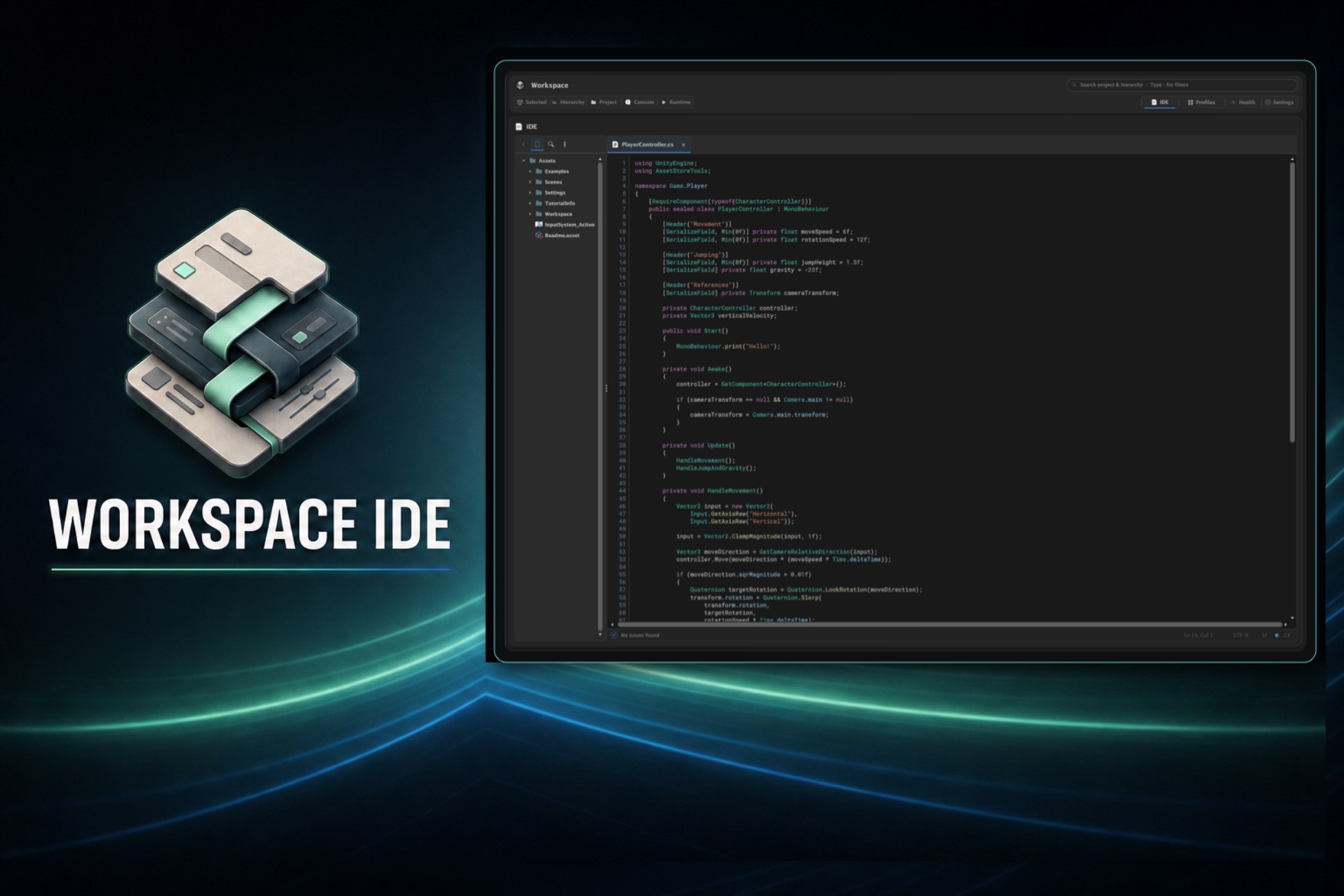
The multi-tab editor uses the included Microsoft Roslyn libraries for serious project-aware C# assistance while remaining part of the Workspace.
- Edit C#, shaders, Markdown, HTML, CSS, JavaScript, TypeScript, Python, JSON, YAML, XML, configuration files, and many other text formats.
- Use syntax highlighting, automatic indentation, paired delimiters, structural selection, editing shortcuts, Save, Save All, and Revert.
- Review incremental project-aware C# diagnostics and context-ranked completion.
- Accept intelligent method-call scaffolding with editable argument placeholders.
- Follow signature help for the active overload, required and optional arguments, defaults, and compatible values already in scope.
- Command/Ctrl-click fields, properties, methods, classes, base types, attributes, and Unity APIs.
- Open generated read-only metadata for Unity and framework symbols.
- See Code Vision for usages, Unity asset usages, inheritors, and overrides.
- Explore code usages, scene instances, serialized references, component relationships, and build information in the Unity-aware context panel.
- Use project-wide rename with a reviewable preview.
- Jump from Console and Workspace surfaces to the exact source line in temporary Quick Edit Focus Mode, then return to the previous layout unchanged.
Live Runtime Inspector and Debugger
Turn Play Mode into an inspectable session instead of a black box.
- Monitor FPS, session duration, live object counts, watches, and tracked changes.
- Select runtime components, edit supported serialized values, and jump to their GameObjects.
- Keep persistent watches and add break conditions for any change, equality, greater-than, or less-than checks.
- Search a session timeline containing logs, warnings, errors, value changes, watch activity, and lifecycle events.
- Stack repeated Console and Timeline messages with occurrence counts and the latest timestamp.
- Open a Timeline event as an interactive Trace Graph from its originating entry point through captured callers to the final outcome.
- Pan, zoom, frame, inspect nodes, switch related traces, and open available source frames in Quick Edit.
- Compare Edit Mode and Play Mode values, revert changes immediately, or mark supported values to keep when Play Mode ends.
- Explore runtime ScriptableObject relationships in list and graph views.
Project Health, presets, and repeatable setup
- Scan loaded scenes, prefabs, ScriptableObjects, and Setup Presets for missing scripts, broken references, required fields, validation failures, and preset problems.
- Review every proposed repair before applying supported safe fixes with Unity Undo.
- Capture reusable Setup Presets containing components, serialized values, dependencies, and optional child hierarchies.
- Create configured scene roots from presets and choose which recipe sections to apply.
- Create consistent assets quickly with reusable file and folder templates.
- Learn from searchable interactive documentation, copyable examples, an attribute showcase, and a portable offline PDF guide.
- Enable the optional Mirror Networking integration when Mirror is already installed.
Crash recovery with useful context
If the Unity Editor previously ended without a clean shutdown, Workspace analyzes the previous local Editor log during the next project launch and presents a best-effort recovery report.
- See a possible cause, confidence level, recognized evidence, and practical next steps.
- Recognize common Metal/GPU, memory, stack-overflow, native-crash, and managed-exception signatures.
- Copy the report for support or reveal Unity's complete previous Editor log.
- Detect Editor-process crashes even when the Workspace window was not open.
Crash analysis is local, never uploaded, and intentionally described as diagnostic guidance rather than proof of root cause.
Installation and privacy
Workspace installs beneath `Assets/MintPi/Workspace` and does not modify Unity's built-in files.
No account, subscription, analytics service, external download, or internet connection is required. Workspace does not transmit source code, project data, crash reports, or Editor logs.
Third-party licensing
MintPi Workspace includes the Microsoft .NET Compiler Platform (Roslyn) and supporting Microsoft .NET managed libraries under the MIT License. They run as Editor-only managed libraries and provide C# analysis, diagnostics, completion, navigation, reference information, and refactoring.
See `Third-Party Notices.txt` and the included `Third-Party Licenses` folder for complete licensing details.
Mirror Networking integration is optional. Mirror is not included or redistributed with MintPi Workspace.
Your complete Unity workspace
Organize, inspect, code, debug, validate, and recover without constantly switching tools or leaving the Unity Editor.
MintPi Workspace brings the everyday development loop into one configurable Editor environment. Visually organize Hierarchy and Project folders, inspect objects and assets, edit code with Roslyn intelligence, analyze the live game, trace runtime events, save task-specific layouts, reuse project setups, scan for common problems, and return from an unexpected Editor shutdown with a useful local crash report.
Workspace is not only an embedded IDE. It is a complete productivity layer built around the Unity project itself.
A workspace shaped around your project
Move naturally between Selected, Hierarchy, Project, Console, Runtime, IDE, Profiles, Project Health, and Settings. Resize the adaptive grid, scale each panel independently, or focus one panel when it needs the whole window.
- Save complete Layout Profiles for different tasks.
- Automatically switch layouts for Editing, Play Mode, and Prefab Mode.
- Preserve panel visibility, sizing, scaling, Project browsing state, favorites, and focus behavior.
- Save layouts, settings, and visual organization through the normal project-save workflow, including Command/Ctrl+S.
Visual Hierarchy organization
Turn a long scene tree into intentional, readable groups without adding marker components or runtime data.
- Smart Auto identifies useful organizational parents and child-component patterns.
- Present any GameObject as an Object, Folder, Header, or Divider.
- Choose curated colors or an exact custom color.
- Tint descendants so an expanded subtree reads as one rounded visual group.
- Select preset icons, use an icon from the object, borrow a dominant child-component icon, tint supported monochrome icons, or hide the icon.
- Use slim interactive dividers with an optional centered title tab and icon.
- Create Folder Above or group the current selection into a new folder with Unity Undo support.
- Copy and paste styles, reset to Smart Auto, and customize several objects quickly from one selection-following live-preview window.
- Keep scene roots clear with a dedicated scene icon and grouped scene presentation.
Hierarchy treatments are stored as project settings and can be shared through version control. Prefab instances can inherit organization from their prefab source until explicitly overridden.
Visual Project-folder organization
Give large asset trees the same clarity as organized scenes.
- Color Project folders with the same curated palette or an exact custom color.
- Tint nested folders and assets throughout a branch.
- Choose workflow-oriented icon presets or remove the decorative icon.
- Tint supported monochrome icons independently from the folder background.
- See the result across folder trees, content lists, favorites, and Project search.
- Keep the modern customizer open while selecting other folders; every change previews live.
Project-folder treatments are keyed by Unity asset GUID, so they continue to follow folders after a rename or move.
Enhanced inspection and navigation
- Unified Selected and Hierarchy panels with direct GameObject and component state controls.
- Keyboard navigation through deep scene trees and project folders.
- Integrated Project and Hierarchy search with type-aware filters.
- One-panel and two-panel Project browsing, folder history, and favorites.
- Drag files and folders from outside Unity directly into the Project panel.
- Drop `.unitypackage` files to open Unity's standard package importer.
- Open script-backed components directly in the integrated IDE.
- Preview styled Markdown inside the Selected panel.
- Work with enhanced arrays and lists using search, selection, paging, reordering, duplication, and type-aware creation.
- Build richer inspectors with included titles, groups, foldouts, tabs, inline editors, conditional fields, validation, actions, modules, sliders, and list attributes.
Roslyn-powered IDE inside Unity
The multi-tab editor uses the included Microsoft Roslyn libraries for serious project-aware C# assistance while remaining part of the Workspace.
- Edit C#, shaders, Markdown, HTML, CSS, JavaScript, TypeScript, Python, JSON, YAML, XML, configuration files, and many other text formats.
- Use syntax highlighting, automatic indentation, paired delimiters, structural selection, editing shortcuts, Save, Save All, and Revert.
- Review incremental project-aware C# diagnostics and context-ranked completion.
- Accept intelligent method-call scaffolding with editable argument placeholders.
- Follow signature help for the active overload, required and optional arguments, defaults, and compatible values already in scope.
- Command/Ctrl-click fields, properties, methods, classes, base types, attributes, and Unity APIs.
- Open generated read-only metadata for Unity and framework symbols.
- See Code Vision for usages, Unity asset usages, inheritors, and overrides.
- Explore code usages, scene instances, serialized references, component relationships, and build information in the Unity-aware context panel.
- Use project-wide rename with a reviewable preview.
- Jump from Console and Workspace surfaces to the exact source line in temporary Quick Edit Focus Mode, then return to the previous layout unchanged.
Live Runtime Inspector and Debugger
Turn Play Mode into an inspectable session instead of a black box.
- Monitor FPS, session duration, live object counts, watches, and tracked changes.
- Select runtime components, edit supported serialized values, and jump to their GameObjects.
- Keep persistent watches and add break conditions for any change, equality, greater-than, or less-than checks.
- Search a session timeline containing logs, warnings, errors, value changes, watch activity, and lifecycle events.
- Stack repeated Console and Timeline messages with occurrence counts and the latest timestamp.
- Open a Timeline event as an interactive Trace Graph from its originating entry point through captured callers to the final outcome.
- Pan, zoom, frame, inspect nodes, switch related traces, and open available source frames in Quick Edit.
- Compare Edit Mode and Play Mode values, revert changes immediately, or mark supported values to keep when Play Mode ends.
- Explore runtime ScriptableObject relationships in list and graph views.
Project Health, presets, and repeatable setup
- Scan loaded scenes, prefabs, ScriptableObjects, and Setup Presets for missing scripts, broken references, required fields, validation failures, and preset problems.
- Review every proposed repair before applying supported safe fixes with Unity Undo.
- Capture reusable Setup Presets containing components, serialized values, dependencies, and optional child hierarchies.
- Create configured scene roots from presets and choose which recipe sections to apply.
- Create consistent assets quickly with reusable file and folder templates.
- Learn from searchable interactive documentation, copyable examples, an attribute showcase, and a portable offline PDF guide.
- Enable the optional Mirror Networking integration when Mirror is already installed.
Crash recovery with useful context
If the Unity Editor previously ended without a clean shutdown, Workspace analyzes the previous local Editor log during the next project launch and presents a best-effort recovery report.
- See a possible cause, confidence level, recognized evidence, and practical next steps.
- Recognize common Metal/GPU, memory, stack-overflow, native-crash, and managed-exception signatures.
- Copy the report for support or reveal Unity's complete previous Editor log.
- Detect Editor-process crashes even when the Workspace window was not open.
Crash analysis is local, never uploaded, and intentionally described as diagnostic guidance rather than proof of root cause.
Installation and privacy
Workspace installs beneath `Assets/MintPi/Workspace` and does not modify Unity's built-in files.
No account, subscription, analytics service, external download, or internet connection is required. Workspace does not transmit source code, project data, crash reports, or Editor logs.
Third-party licensing
MintPi Workspace includes the Microsoft .NET Compiler Platform (Roslyn) and supporting Microsoft .NET managed libraries under the MIT License. They run as Editor-only managed libraries and provide C# analysis, diagnostics, completion, navigation, reference information, and refactoring.
See `Third-Party Notices.txt` and the included `Third-Party Licenses` folder for complete licensing details.
Mirror Networking integration is optional. Mirror is not included or redistributed with MintPi Workspace.