Unity
Variable Scout - Hierarchy Search & Inspector Tool
By TkKoi
$25
Rated 0.0/5 from 1 ratings on Unity.
Price history
Recorded standalone sale prices and the latest available store price, in USD. Historical dots use the sale start date and its recorded offer price. Prices can change during a sale; this is not a daily price log. Bundle prices and upcoming offers are excluded. History covers up to the 100 most recent recorded offers.
Lowest recorded standalone price in this history: $25. The latest store price is $25, matching the lowest recorded price shown here.
View 2 recorded prices
| Sale start / price check | Price | Observation |
|---|---|---|
| $25 | Latest store price | |
| $25 | Unity First Price 2026-06-20 2026-06-27 |
Sale and bundle history
The 1 most recent recorded offers including this asset. Past offers may no longer be available. Bundle prices cover a package, not this asset alone.
About Variable Scout - Hierarchy Search & Inspector Tool
- Tools, Systems & Learning > Development Tools & Automation
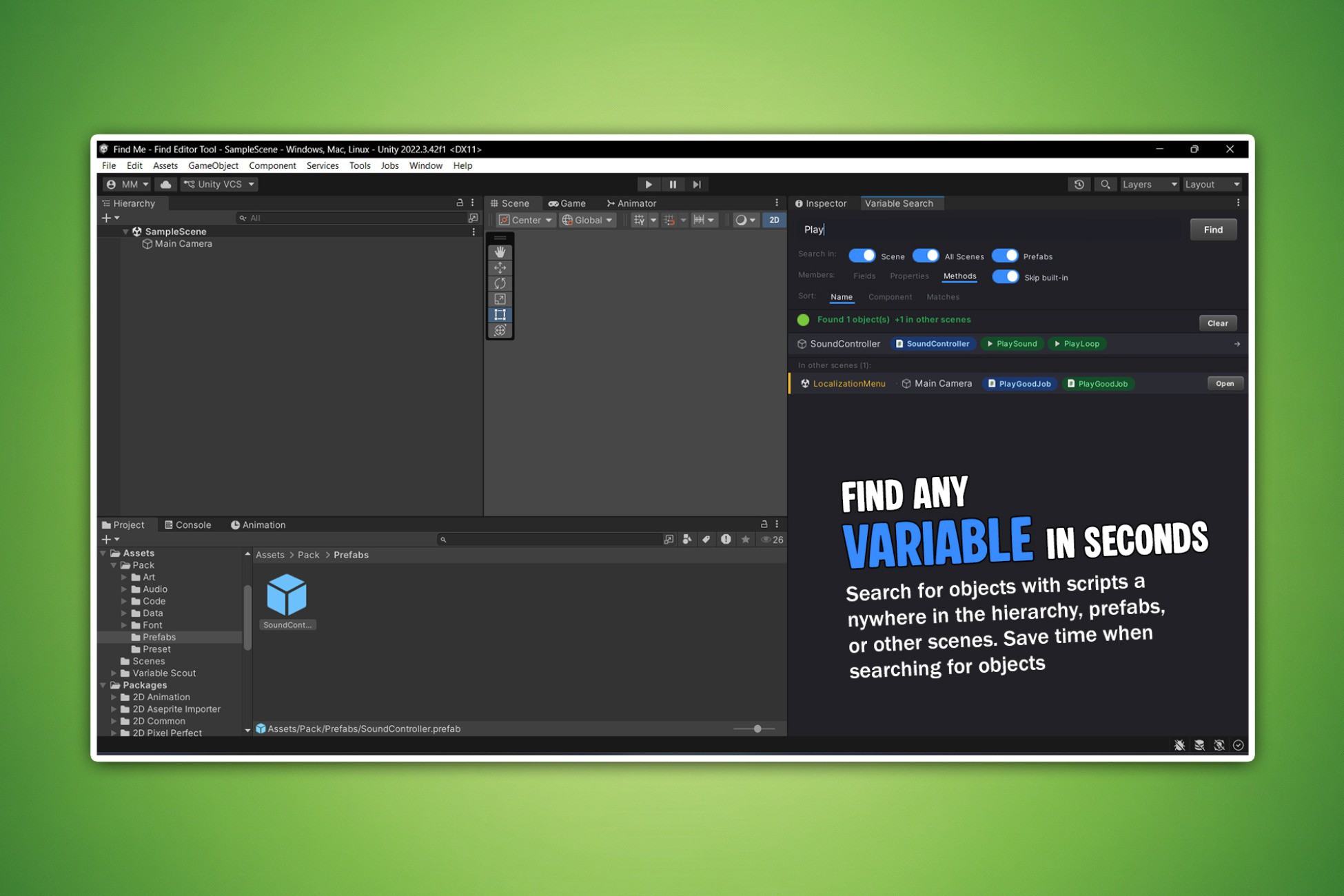
Ever wasted 10 minutes trying to remember which GameObject has that one variable you need? Variable Scout solves that. Type any name into the search bar, and every matching object lights up in the Hierarchy - instantly.
No more opening scripts one by one. No more guessing which prefab holds the value. Just search, find, click - and you're there.
What you can search for - any variable (field), setting (property), or function (method) on any of your scripts. You can also search by script name to find every object using a specific component.
Where it looks:
- Your open scene - results appear as you type
- All other scenes in your project - scanned in the background, no need to open them
- All prefabs in your project
- All Scriptable Objects in your project
What makes it useful day-to-day:
- Color-coded badges appear next to matching objects in the Hierarchy, so you see results at a glance
- Live values are shown right on the badge - no need to click into the Inspector
- Pin your most-used results to the top with a right-click
- Partial and mixed-case search - "healthMax", "health max" and "HEALTHMAX" all find the same thing
- Filter by variable, setting, or function so results stay focused
- Sort by object name, script name, or number of matches
Works out of the box:
Open via Tools → Variable Search or press F3. No setup, no configuration, no runtime cost - Editor only.
No more opening scripts one by one. No more guessing which prefab holds the value. Just search, find, click - and you're there.
What you can search for - any variable (field), setting (property), or function (method) on any of your scripts. You can also search by script name to find every object using a specific component.
Where it looks:
- Your open scene - results appear as you type
- All other scenes in your project - scanned in the background, no need to open them
- All prefabs in your project
- All Scriptable Objects in your project
What makes it useful day-to-day:
- Color-coded badges appear next to matching objects in the Hierarchy, so you see results at a glance
- Live values are shown right on the badge - no need to click into the Inspector
- Pin your most-used results to the top with a right-click
- Partial and mixed-case search - "healthMax", "health max" and "HEALTHMAX" all find the same thing
- Filter by variable, setting, or function so results stay focused
- Sort by object name, script name, or number of matches
Works out of the box:
Open via Tools → Variable Search or press F3. No setup, no configuration, no runtime cost - Editor only.