Screenshots and videos
 1 / 3


Price history
Lowest recorded standalone price: $9.99. Recorded observations span to . This is our available history, not a guaranteed all-time low. Bundle package prices are separate.
Standalone price
Last three months, in USD. Bundle prices cover the whole package.
About UI Corner Pin / Perspective Warp
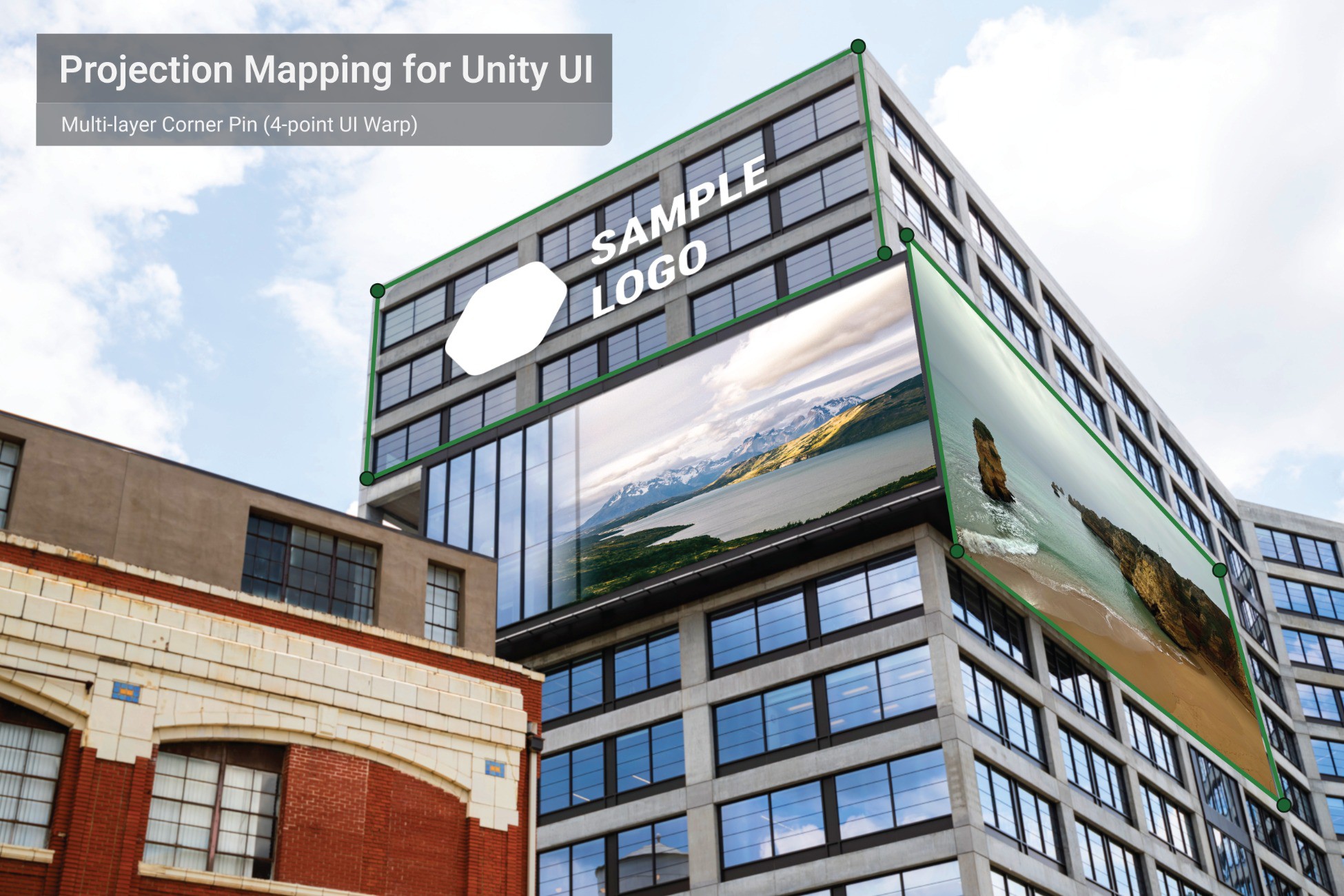
UI Corner Pin / Perspective Warp is a projection-mapping style tool for Unity uGUI that allows you to warp UI images and videos in perspective using a 4-point corner pin workflow.
It is designed for runtime mapping and alignment, making it suitable for:
• Projection mapping previews and mockups
• Event and installation setups
• Perspective UI overlays and screen compositions
• Multi-layer UI projection mapping
The asset includes dedicated prefabs for both images and videos:
• CornerPinRawImage for image-based mapping
• CornerPinRawVideo for video mapping using Unity’s VideoPlayer
These prefabs use a subdivided UI mesh required for proper perspective deformation.
Included features:
• 4-point corner pin perspective warp
• Feather blending using mid-edge handles
• Chroma Key for green screen content
• Multiple blend modes (Normal, Add, Multiply, Screen)
• Multi-layer demo scenes with per-layer controls and presets
Important limitation:
This asset does not work with Unity’s standard UI Image or RawImage components.
Perspective deformation requires the included CornerPinRawImage or CornerPinRawVideo prefabs.
Demo scenes are included to showcase image mapping, video mapping, feather blending and multi-layer projection workflows.