Price history
Recorded standalone sale prices and the latest available store price, in USD. Historical dots use the sale start date and its recorded offer price. Prices can change during a sale; this is not a daily price log. Bundle prices and upcoming offers are excluded. History covers up to the 100 most recent recorded offers.
Lowest recorded standalone price in this history: $10.50. The latest store price is $15.
View 4 recorded prices
| Sale start / price check | Price | Observation |
|---|---|---|
| $15 | Latest store price | |
| $15 | Unity First Price 2026-08-05 2026-08-05 | |
| $10.50 | Unity New Release Discount 2026-08-05 2026-08-12 | |
| $10.50 | Unity New Release Discount 2026-08-05 2026-08-12 |
Sale and bundle history
The 3 most recent recorded offers including this asset. Past offers may no longer be available. Bundle prices cover a package, not this asset alone.
About Toolbar Shortcuts
- Tools, Systems & Learning > Development Tools & Automation
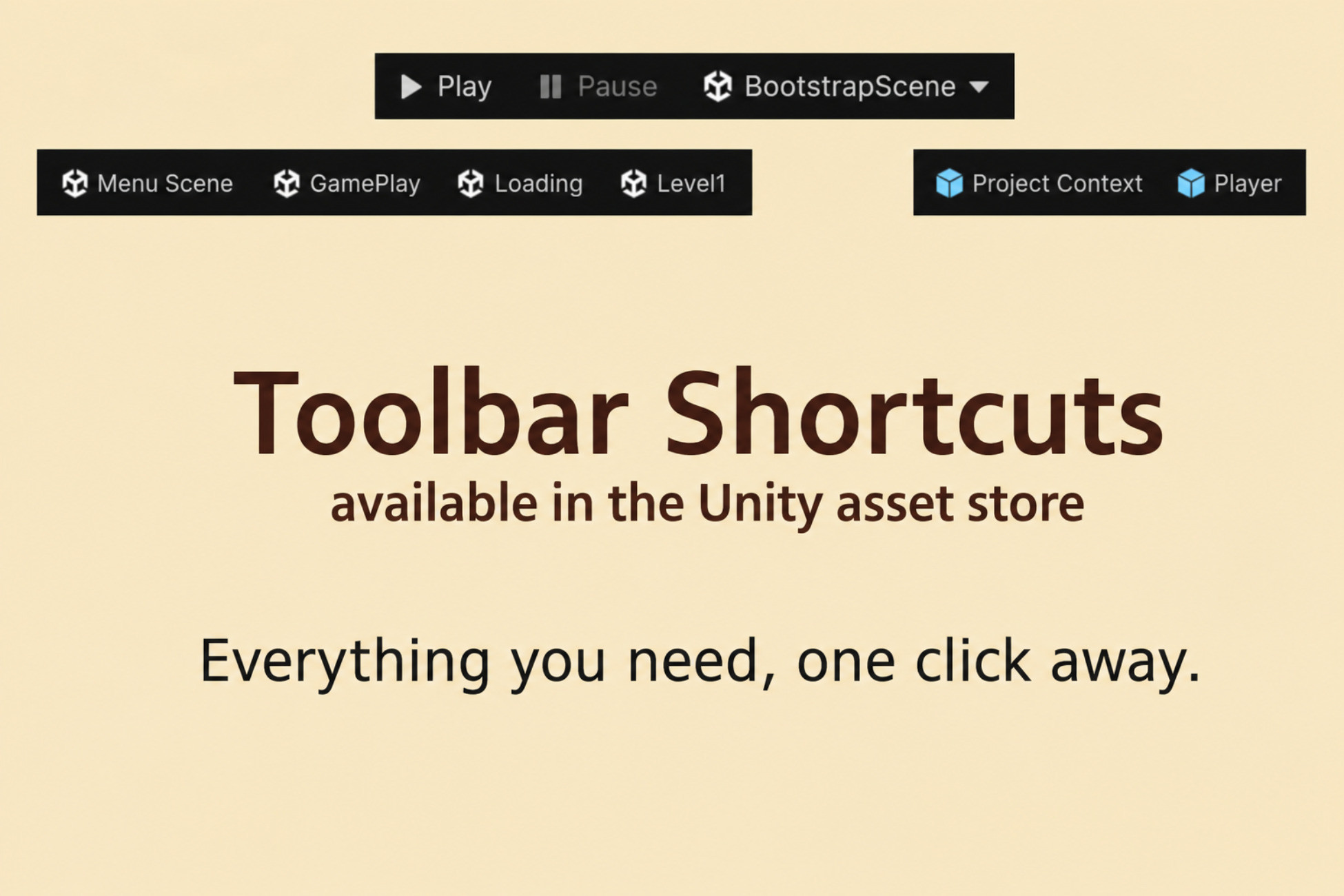
Toolbar Shortcuts extends the Unity 6 main toolbar.
Publisher: Lumenwake
Unity: 6000.3 or newer
Type: Editor-only tool
Works only with Unity 6.3 or newer!
Toolbar Shortcuts extends the Unity 6.3 main toolbar with:
- Bootstrap Play - custom Play / Pause / scene target controls (ToolbarShortcuts/Play)
- Toolbar shortcuts - configurable buttons on the left and right of the main toolbar
- Shortcuts Window - panel for shortcuts with Window or Both placement
Quick start:
1. Import the package into your project.
2. Open Tools -> Toolbar Shortcuts -> Welcome (shown on first import).
3. Add your bootstrap scene as the first entry in File -> Build Settings.
4. Click Setup in the welcome window.
Setup hides the default Play controls, enables package toolbar items, and opens the Shortcuts Window above the Inspector when possible.
Publisher: Lumenwake
Unity: 6000.3 or newer
Type: Editor-only tool
Works only with Unity 6.3 or newer!
Toolbar Shortcuts extends the Unity 6.3 main toolbar with:
- Bootstrap Play - custom Play / Pause / scene target controls (ToolbarShortcuts/Play)
- Toolbar shortcuts - configurable buttons on the left and right of the main toolbar
- Shortcuts Window - panel for shortcuts with Window or Both placement
Quick start:
1. Import the package into your project.
2. Open Tools -> Toolbar Shortcuts -> Welcome (shown on first import).
3. Add your bootstrap scene as the first entry in File -> Build Settings.
4. Click Setup in the welcome window.
Setup hides the default Play controls, enables package toolbar items, and opens the Shortcuts Window above the Inspector when possible.