About Time Tracker Lite - Work Diary
Time Tracker Lite is a tiny, distraction-free timer that lives in a Unity Editor tab. Time a task, split it into laps, set an alarm, and keep a log of what you timed without leaving Unity.
Stopwatch
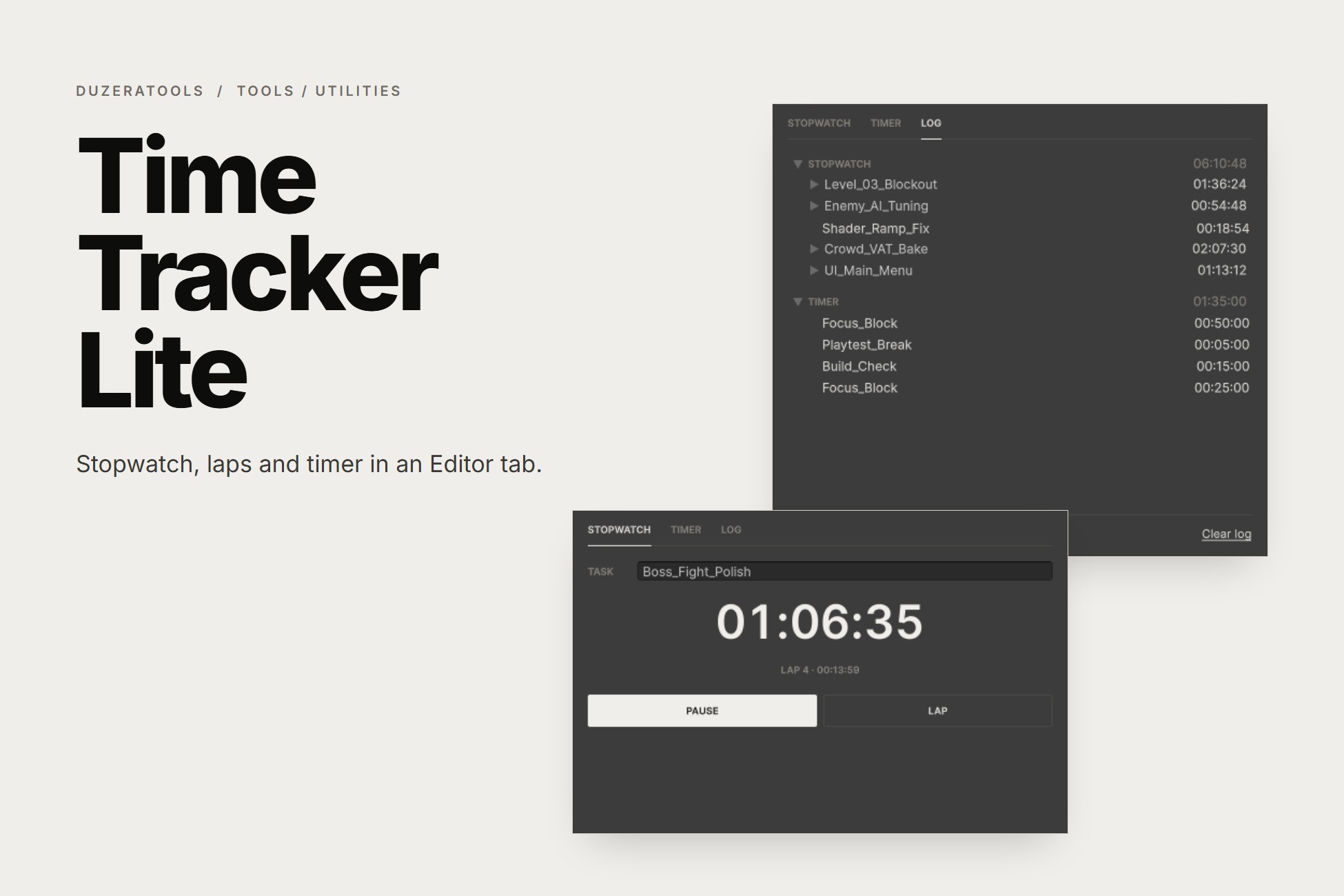
Name a task and press Start. Press Lap to split the time, Pause to stop, and Reset to save it to the log. Task names count up automatically (Task_01, Task_02, and so on), so back-to-back sessions stay organised.
Timer
Type or scroll hours, minutes and seconds, then press Start. When it reaches zero Unity beeps, shows a dialog and saves the countdown to the log. It's handy for focus blocks, playtest breaks or "check the build in 15 minutes".
Log
Every finished stopwatch and countdown, grouped with totals. Hover an entry to see when it started, expand it to see its laps, and right-click to delete.
It just keeps going: both clocks survive script recompiles, closing the window and even restarting Unity, because time is measured from real timestamps. A countdown that ended while Unity was closed finishes as soon as you reopen it. The window tab shows the running time, so you can see it while the tab is docked in the background.
No setup, no screenshots, no tracking of other apps. Data is saved in the project's UserSettings folder, which Unity's default .gitignore already excludes.
Stopwatch
Name a task and press Start. Press Lap to split the time, Pause to stop, and Reset to save it to the log. Task names count up automatically (Task_01, Task_02, and so on), so back-to-back sessions stay organised.
Timer
Type or scroll hours, minutes and seconds, then press Start. When it reaches zero Unity beeps, shows a dialog and saves the countdown to the log. It's handy for focus blocks, playtest breaks or "check the build in 15 minutes".
Log
Every finished stopwatch and countdown, grouped with totals. Hover an entry to see when it started, expand it to see its laps, and right-click to delete.
It just keeps going: both clocks survive script recompiles, closing the window and even restarting Unity, because time is measured from real timestamps. A countdown that ended while Unity was closed finishes as soon as you reopen it. The window tab shows the running time, so you can see it while the tab is docked in the background.
No setup, no screenshots, no tracking of other apps. Data is saved in the project's UserSettings folder, which Unity's default .gitignore already excludes.