Price history
Recorded standalone sale prices and the latest available store price, in USD. Historical dots use the sale start date and its recorded offer price. Prices can change during a sale; this is not a daily price log. Bundle prices and upcoming offers are excluded. History covers up to the 100 most recent recorded offers.
Lowest recorded standalone price in this history: FREE. The latest store price is FREE, matching the lowest recorded price shown here.
View 1 recorded price
| Sale start / price check | Price | Observation |
|---|---|---|
| FREE | Latest store price |
About Tab Size Info
- Tools, Systems & Learning > Development Tools & Automation
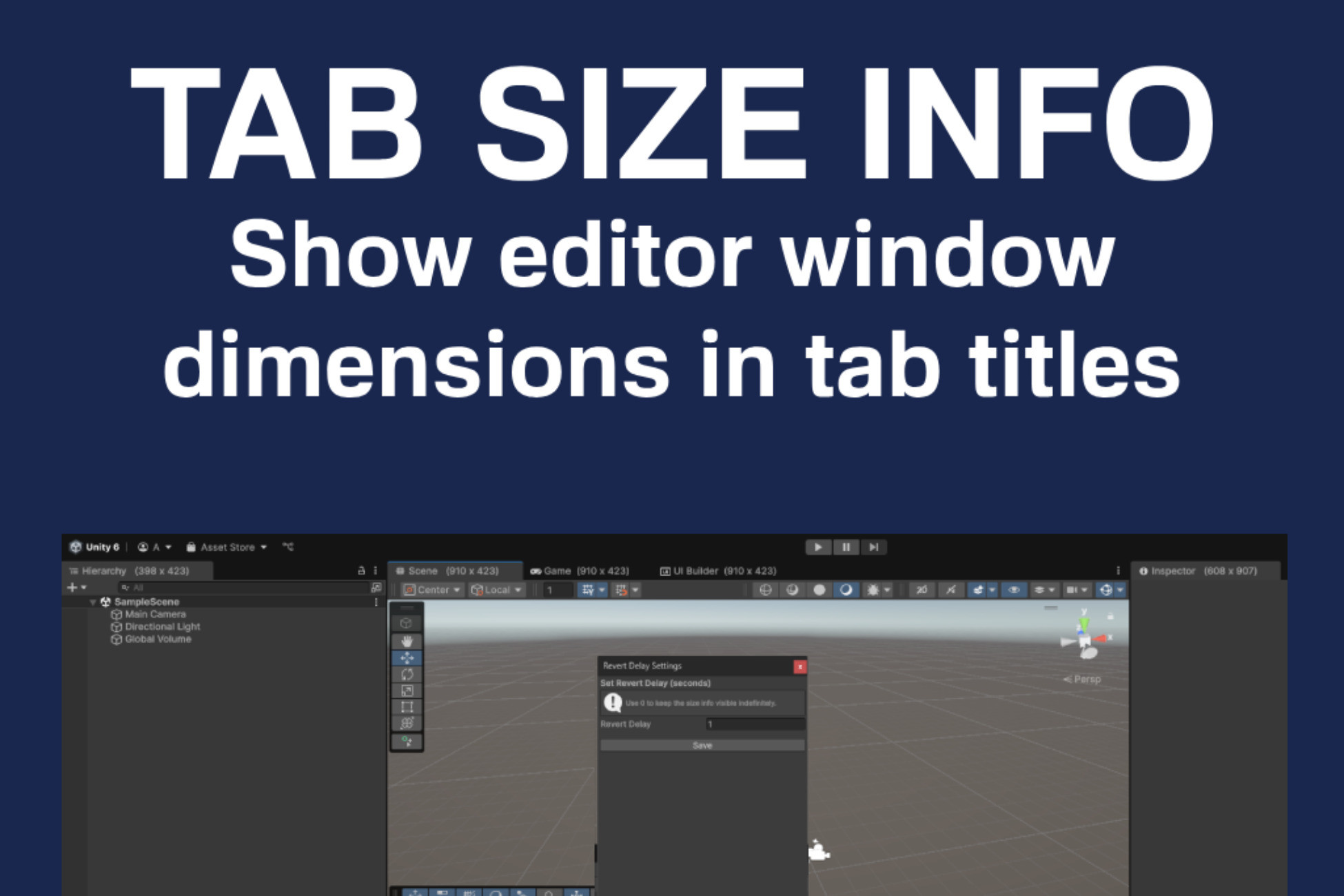
Tab Size Info is a lightweight and non-intrusive utility for Unity Editor that displays the current width and height of editor windows directly in their tab titles. The size updates automatically when you resize any docked or floating window.
This tool is particularly useful for:
UI/UX designers fine-tuning custom editor layouts
Developers working with tools, inspectors, or graph views
Anyone who wants visual feedback while adjusting editor window proportions
You can choose to keep the size visible permanently or let it disappear after a short delay (customizable via settings). The utility works automatically just import it, and it is ready to go.
Includes:
Custom editor window to configure the revert delay or to keep size info always visible
Zero-setup: works out of the box
Cleanly namespaced and editor-only. Safe to include in your project at any stage.
This tool is particularly useful for:
UI/UX designers fine-tuning custom editor layouts
Developers working with tools, inspectors, or graph views
Anyone who wants visual feedback while adjusting editor window proportions
You can choose to keep the size visible permanently or let it disappear after a short delay (customizable via settings). The utility works automatically just import it, and it is ready to go.
Includes:
Custom editor window to configure the revert delay or to keep size info always visible
Zero-setup: works out of the box
Cleanly namespaced and editor-only. Safe to include in your project at any stage.