
Screenshots and videos
 1 / 1
Price history
Lowest recorded standalone price: $4.99. Recorded observations span to . This is our available history, not a guaranteed all-time low. Bundle package prices are separate.
Standalone price
Last three months, in USD. Bundle prices cover the whole package.
About Stylized Folder
- Tools, Systems & Learning > Development Tools & Automation
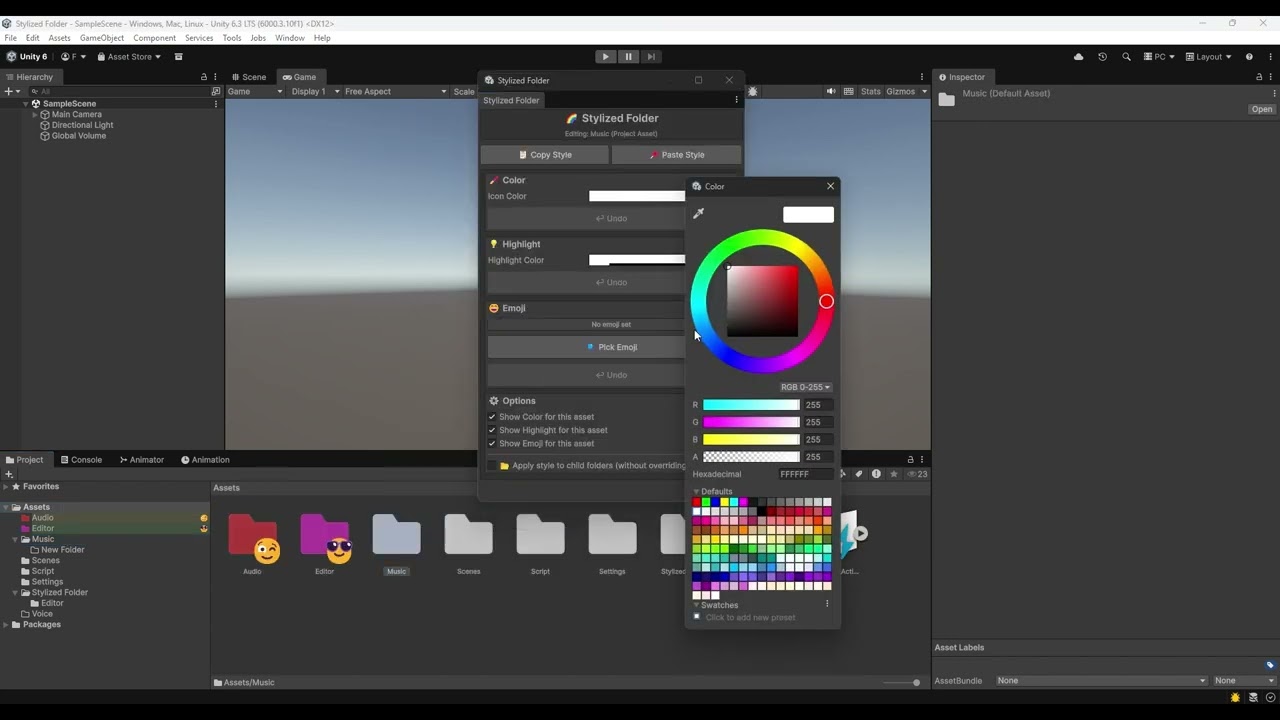
Keep your Unity projects clean and instantly recognizable. Stylized Folder lets you assign custom colors, row highlights, and emojis (or built-in Unity icons) to any folder in the Project window and any GameObject in the Hierarchy—so you can navigate large projects at a glance. Features include Folder icon tinting—Apply any color to folder icons in the Project window, Row highlight—Color the entire label row behind a folder or asset for bold, at-a-glance navigation, Emoji and icon overlays—Attach any emoji or Unity built-in icon as an overlay badge on folders and GameObjects, Hierarchy support—Style GameObjects directly in the Hierarchy window, not just Project folders, Apply to children—Propagate a parent's style automatically to all child GameObjects, Style clipboard—Copy and paste styles between folders and objects in one click, Full Emoji Picker—Organized, searchable emoji picker with 11 categories (Smileys, Animals, Food, Travel, and more), Quick Color Picker—Compact utility popup for fast color and highlight assignments, Per-item visibility toggles—Show or hide color, highlight, or emoji independently per item, Global toggles—Instantly show or hide all colors, highlights, or emojis project-wide, All Project window view modes—Works in list, small icon, and large grid layouts, Persistent settings—All styles are saved as a JSON file and survive editor restarts.