Price history
Recorded standalone sale prices and the latest available store price, in USD. Historical dots use the sale start date and its recorded offer price. Prices can change during a sale; this is not a daily price log. Bundle prices and upcoming offers are excluded. History covers up to the 100 most recent recorded offers.
Lowest recorded standalone price in this history: FREE. The latest store price is FREE, matching the lowest recorded price shown here.
View 1 recorded price
| Sale start / price check | Price | Observation |
|---|---|---|
| FREE | Latest store price |
About Sprite Sheet Changer | Tool
- Tools, Systems & Learning > Development Tools & Automation
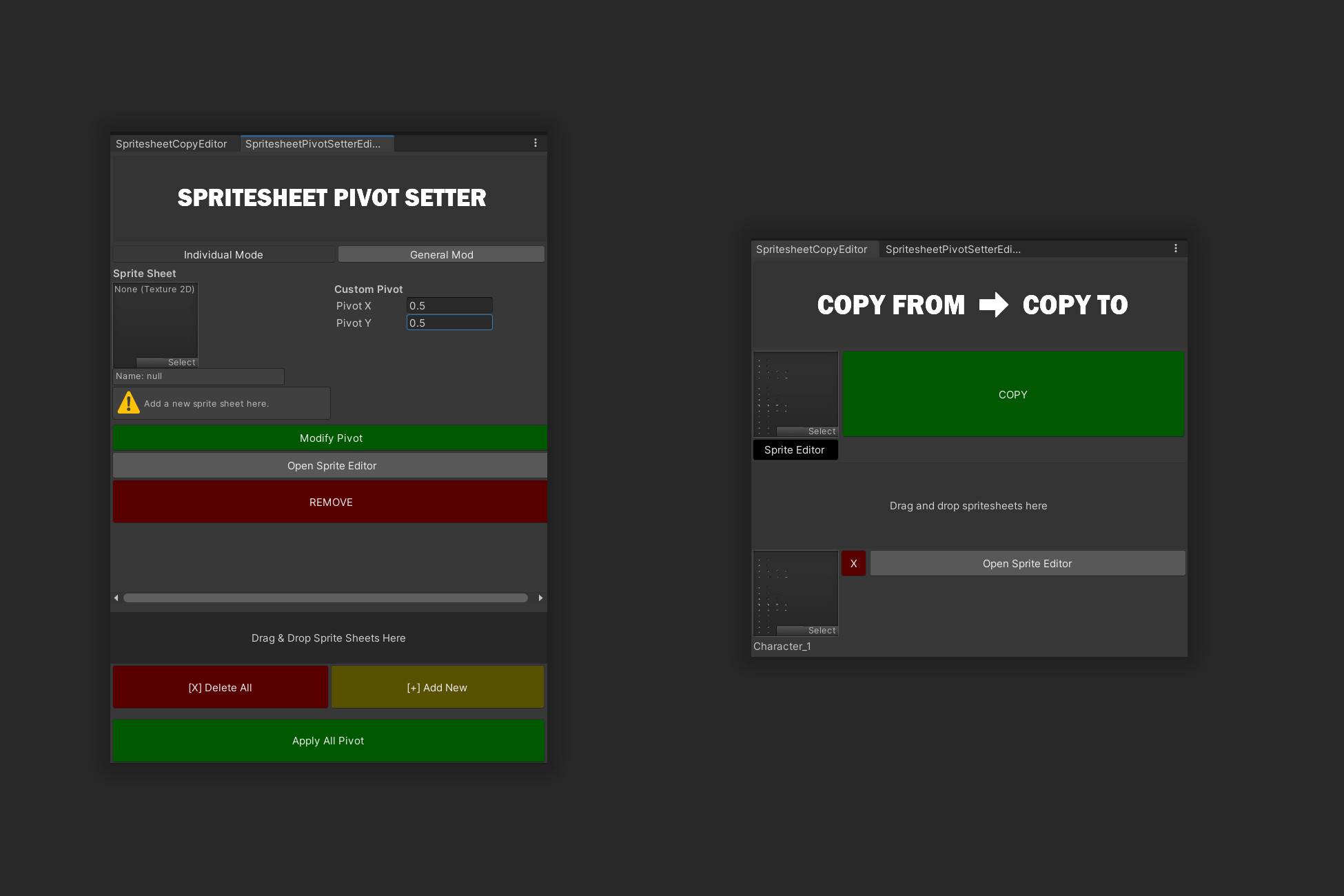
Do you face the problem of having to copy settings from one spritesheet to another, and do it quickly and in bulk? Or do you need to set the same exact Pivot for all objects in a sprite sheet, and do this not only for one sprite sheet, but for several at once? Our tool provides a convenient way to set the pivot point (Pivot) for all cutout objects in a sprite sheet. This can be done in bulk, which will save you a lot of time. You can provide individual Pivot parameters for each sprite separately and assign them, or set them in bulk so that you don't waste time on it, everything individually. In addition, ease of use is ensured by the ability to open the Sprite Editor window directly from this menu, which significantly speeds up editing. In addition, you have the ability to copy the values of one spritesheet to another. This can also be done in bulk, which allows you to quickly transfer values between different sprites. This is especially effective when you need to speed up the workflow with many sprites at the same time. Enjoy optimizing your work with ease! Mass Pivot Setup: A convenient way to set the pivot point for all sprites in a spritesheet. Quick Value Copying: Easy copying of the parameters of one sprite to another, even in bulk. Bulk Editing: Optimization of working with 1 or more spritesheets at the same time. Individual and Group Setup: The ability to set parameters for individual sprites or a group at the same time. Drag and Drop multiple sprites at the same time using the Drag and Drop function. Quick Access to Sprite Editor: Open the Sprite Editor window directly from the tool.