
Unity
Screen Recorder - Windows/macOS
By CERO SPACE
- Current price
- FREE
- Lowest recorded
- FREE
0/ 5
(2)
11 likes
Screenshots and videos
 1 / 2

Price history
Lowest recorded standalone price: FREE. Recorded observations span to . This is our available history, not a guaranteed all-time low. Bundle package prices are separate.
Standalone price
Last three months, in USD. Bundle prices cover the whole package.
About Screen Recorder - Windows/macOS
- Tools, Systems & Learning > Development Tools & Automation
Screen Recorder — Native Plugin for Unity (Windows/macOS)
Record your Unity game as H.264 MP4 — hardware-accelerated, zero performance hit.
Screen Recorder uses platform-native encoders (AVFoundation, Media Foundation) with async GPU readback so recording never blocks your main thread. Drop a component on any GameObject, call `StartRecording()`, and you’re done.
---
Features
- Hardware H.264 encoding — VideoToolbox (Apple), Media Foundation (Windows)
- Two capture modes — record the full game view or a specific camera
- Async GPU readback — frames are read off the GPU without stalling the render thread
- Audio recording — game audio, microphone, or both mixed
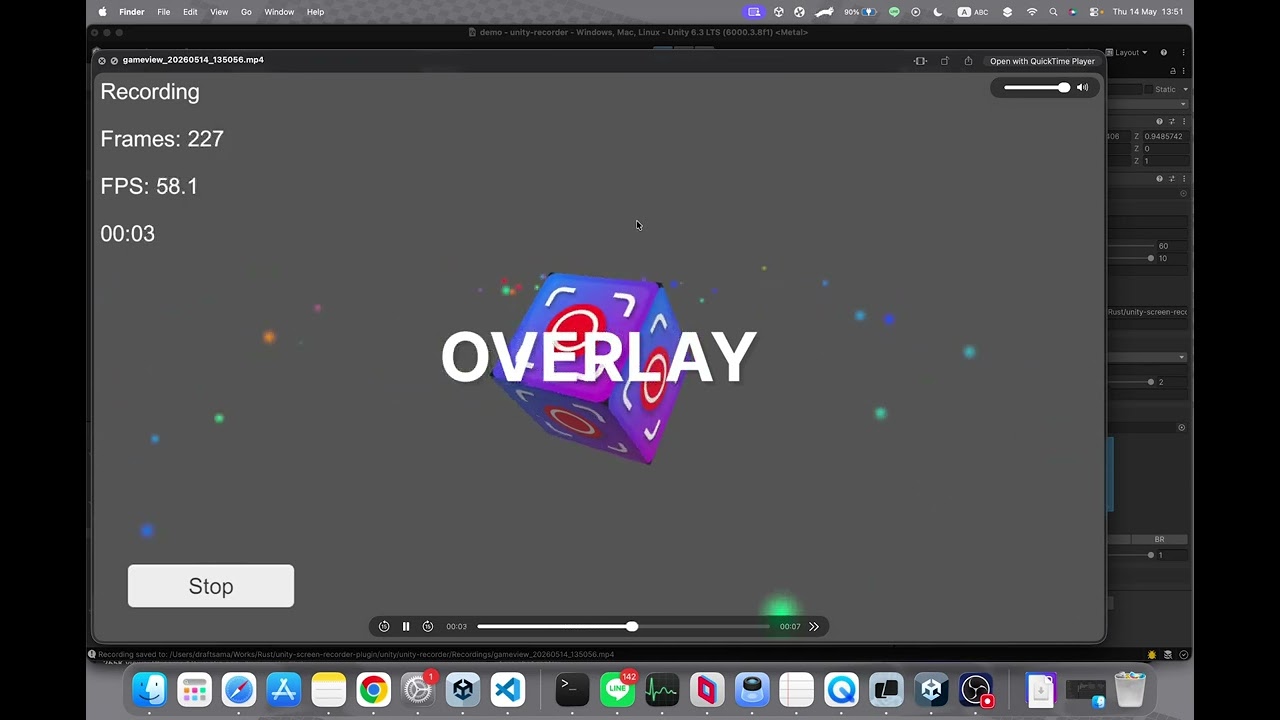
- Overlay / watermark — composite a logo or UI texture directly into the video
- Configurable quality — FPS (15–60), bitrate, quality preset, hardware or software encoder
- IL2CPP compatible — static native callbacks, no dynamic code generation
- Simple API — start/stop with two method calls; events for completion and errors
---
Platforms
| Platform | Encoder | Min OS |
|----------|---------|--------|
| macOS | AVFoundation + VideoToolbox | macOS 11+ |
| Windows | Media Foundation | Windows 10 |
Record your Unity game as H.264 MP4 — hardware-accelerated, zero performance hit.
Screen Recorder uses platform-native encoders (AVFoundation, Media Foundation) with async GPU readback so recording never blocks your main thread. Drop a component on any GameObject, call `StartRecording()`, and you’re done.
---
Features
- Hardware H.264 encoding — VideoToolbox (Apple), Media Foundation (Windows)
- Two capture modes — record the full game view or a specific camera
- Async GPU readback — frames are read off the GPU without stalling the render thread
- Audio recording — game audio, microphone, or both mixed
- Overlay / watermark — composite a logo or UI texture directly into the video
- Configurable quality — FPS (15–60), bitrate, quality preset, hardware or software encoder
- IL2CPP compatible — static native callbacks, no dynamic code generation
- Simple API — start/stop with two method calls; events for completion and errors
---
Platforms
| Platform | Encoder | Min OS |
|----------|---------|--------|
| macOS | AVFoundation + VideoToolbox | macOS 11+ |
| Windows | Media Foundation | Windows 10 |