Price history
Recorded standalone sale prices and the latest available store price, in USD. Historical dots use the sale start date and its recorded offer price. Prices can change during a sale; this is not a daily price log. Bundle prices and upcoming offers are excluded. History covers up to the 100 most recent recorded offers.
Lowest recorded standalone price in this history: $4.99. The latest store price is $4.99, matching the lowest recorded price shown here.
View 1 recorded price
| Sale start / price check | Price | Observation |
|---|---|---|
| $4.99 | Latest store price |
About ScenePeek - Preview Icons, In-Scene Inspect, Create & Replace
- Tools, Systems & Learning > Development Tools & Automation
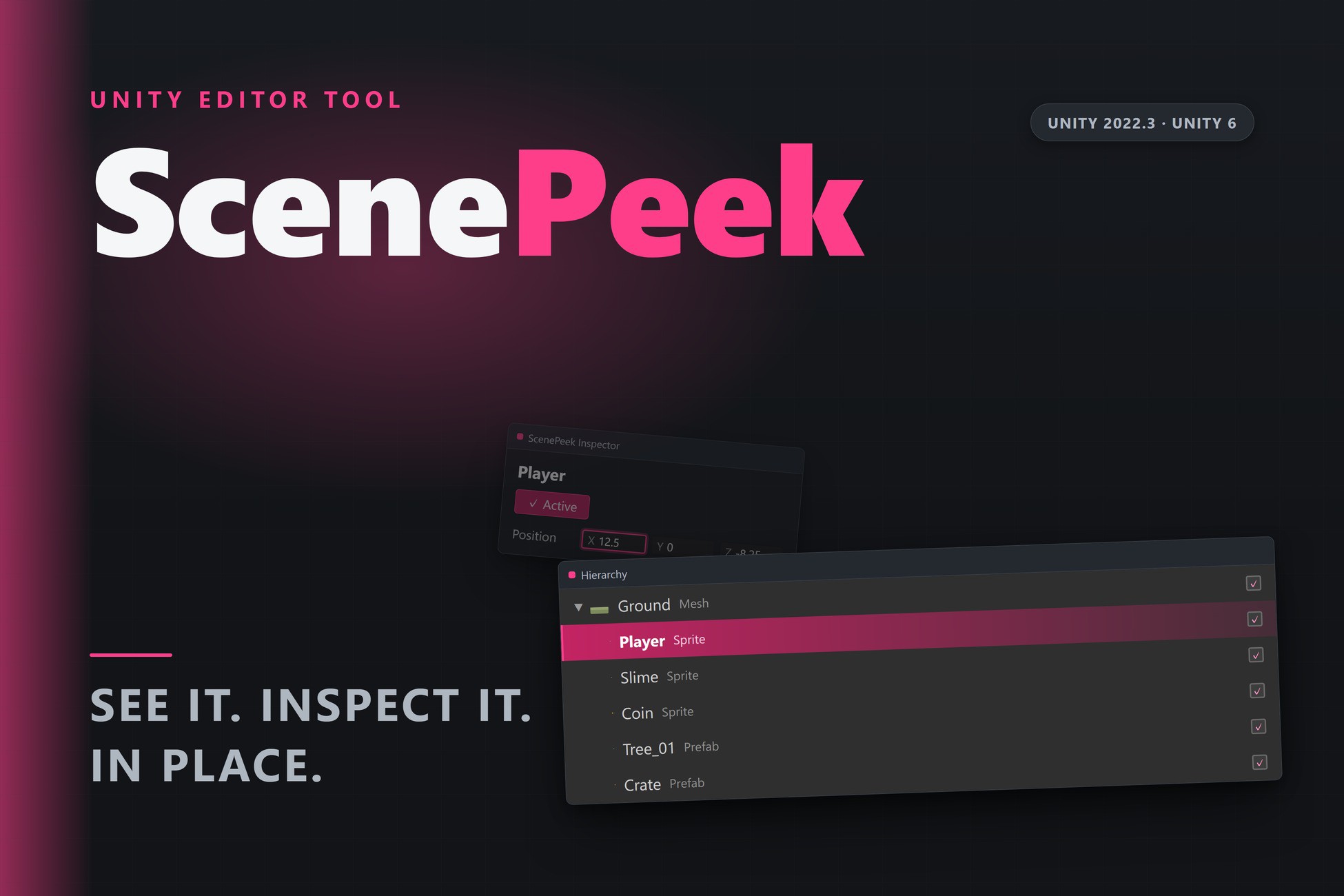
Every Hierarchy row shows a generic cube. Every quick tweak means clicking the object, waiting for the Inspector, then clicking back. ScenePeek removes both frictions — it revives the workflow of the well-loved, discontinued Peek, rebuilt for modern Unity on public Editor API only (no reflection), so it keeps working across Unity upgrades. Editor-only, zero runtime footprint.
Content preview icons in the Hierarchy
- Every Hierarchy and Project row shows what the object actually is, not a generic icon.
- Sprites render their exact artwork, extracted straight from the source texture — crisp, synchronous and atlas-correct.
- Meshes and prefab instances render a real thumbnail of their shape.
- Toggle it and tune the thumbnail size (12–32 px) in Preferences ▸ ScenePeek. Restrict to the Hierarchy, or show previews in the Project window too.
- Unity's own preview grids live inside the Search window; ScenePeek puts previews where you actually scan for objects — the Hierarchy itself.
Inspect & edit in the Scene view — no Inspector
- A dockable Scene-view overlay, "ScenePeek Inspector", shows the current selection — GameObject, Component or Material — with a compact set of editable fields.
- Every edit is Inspector-equivalent and fully undoable; nothing is a fragile reflection hack.
- Every Hierarchy row also gets an inline activate/deactivate toggle, so you flip objects on and off without leaving the list.
- Stop bouncing between the Hierarchy, the Scene and a docked Inspector for one small change.
Also included
- Fuzzy Finder — press Ctrl+F, type a few characters, and drop a primitive, prefab or component straight into the scene. Ctrl+Shift+Click in the Scene view creates a GameObject exactly where you click. A fast, keyboard-first way to place things without opening extra windows.
- Replacer — select any number of scene objects and swap them for a prefab or primitive in one undoable step. Parent, sibling order, local transform, active state, layer, tag and name are all preserved. A handy utility for reskinning greybox scenes.
Quality
- Editor-only: zero runtime code, no dependencies, nothing added to your builds.
- Public Editor API only — no reflection, no vendored third-party code — so behaviour stays stable across Unity LTS upgrades.
- Automated EditMode tests pass on Unity 2022.3 LTS and Unity 6, with zero compiler warnings.
- Everything included — no add-ons, no upsells.
Sits alongside Hierarchy organisers like vHierarchy or Hierarchy Designer rather than replacing them: they colour and tidy your Hierarchy; ScenePeek lets you see and act on what's in it.
Content preview icons in the Hierarchy
- Every Hierarchy and Project row shows what the object actually is, not a generic icon.
- Sprites render their exact artwork, extracted straight from the source texture — crisp, synchronous and atlas-correct.
- Meshes and prefab instances render a real thumbnail of their shape.
- Toggle it and tune the thumbnail size (12–32 px) in Preferences ▸ ScenePeek. Restrict to the Hierarchy, or show previews in the Project window too.
- Unity's own preview grids live inside the Search window; ScenePeek puts previews where you actually scan for objects — the Hierarchy itself.
Inspect & edit in the Scene view — no Inspector
- A dockable Scene-view overlay, "ScenePeek Inspector", shows the current selection — GameObject, Component or Material — with a compact set of editable fields.
- Every edit is Inspector-equivalent and fully undoable; nothing is a fragile reflection hack.
- Every Hierarchy row also gets an inline activate/deactivate toggle, so you flip objects on and off without leaving the list.
- Stop bouncing between the Hierarchy, the Scene and a docked Inspector for one small change.
Also included
- Fuzzy Finder — press Ctrl+F, type a few characters, and drop a primitive, prefab or component straight into the scene. Ctrl+Shift+Click in the Scene view creates a GameObject exactly where you click. A fast, keyboard-first way to place things without opening extra windows.
- Replacer — select any number of scene objects and swap them for a prefab or primitive in one undoable step. Parent, sibling order, local transform, active state, layer, tag and name are all preserved. A handy utility for reskinning greybox scenes.
Quality
- Editor-only: zero runtime code, no dependencies, nothing added to your builds.
- Public Editor API only — no reflection, no vendored third-party code — so behaviour stays stable across Unity LTS upgrades.
- Automated EditMode tests pass on Unity 2022.3 LTS and Unity 6, with zero compiler warnings.
- Everything included — no add-ons, no upsells.
Sits alongside Hierarchy organisers like vHierarchy or Hierarchy Designer rather than replacing them: they colour and tidy your Hierarchy; ScenePeek lets you see and act on what's in it.