Price history
Recorded standalone sale prices and the latest available store price, in USD. Historical dots use the sale start date and its recorded offer price. Prices can change during a sale; this is not a daily price log. Bundle prices and upcoming offers are excluded. History covers up to the 100 most recent recorded offers.
Lowest recorded standalone price in this history: $9. The latest store price is $18.
View 4 recorded prices
| Sale start / price check | Price | Observation |
|---|---|---|
| $18 | Latest store price | |
| $18 | Unity First Price 2026-06-19 2026-06-26 | |
| $9 | Unity New Release Discount 2026-06-16 2026-06-30 | |
| $9 | Unity New Release Discount 2026-06-16 2026-06-30 |
Sale and bundle history
The 3 most recent recorded offers including this asset. Past offers may no longer be available. Bundle prices cover a package, not this asset alone.
About Preset Auto Applier: Rule-Based Auto-Setup on Import
- Tools, Systems & Learning > Development Tools & Automation
Preset Auto Applier provides advanced, useful features on top of those offered Unity's standard PresetManager. It automates the tedious process of applying specific import settings to your assets based on custom, path-based conditions. Perfect for developers who want a fast, direct way to keep their project consistent without writing a single line of code.
Note: This asset applies presets to project assets during import. It does not support scene objects or components that are not saved as asset files.
The Problem:
As your project grows, importing hundreds of textures, audio clips, or 3D models becomes a repetitive nightmare.
- Time-Consuming: Manually applying the same import settings again and again.
- Human Error: Forgetting to change settings, causing unexpected increases in build size and memory consumption.
- Standard Preset Limits: It is difficult to create flexible, automatic application rules tailored to your folder structures using Unity's default PresetManager.
The Solution:
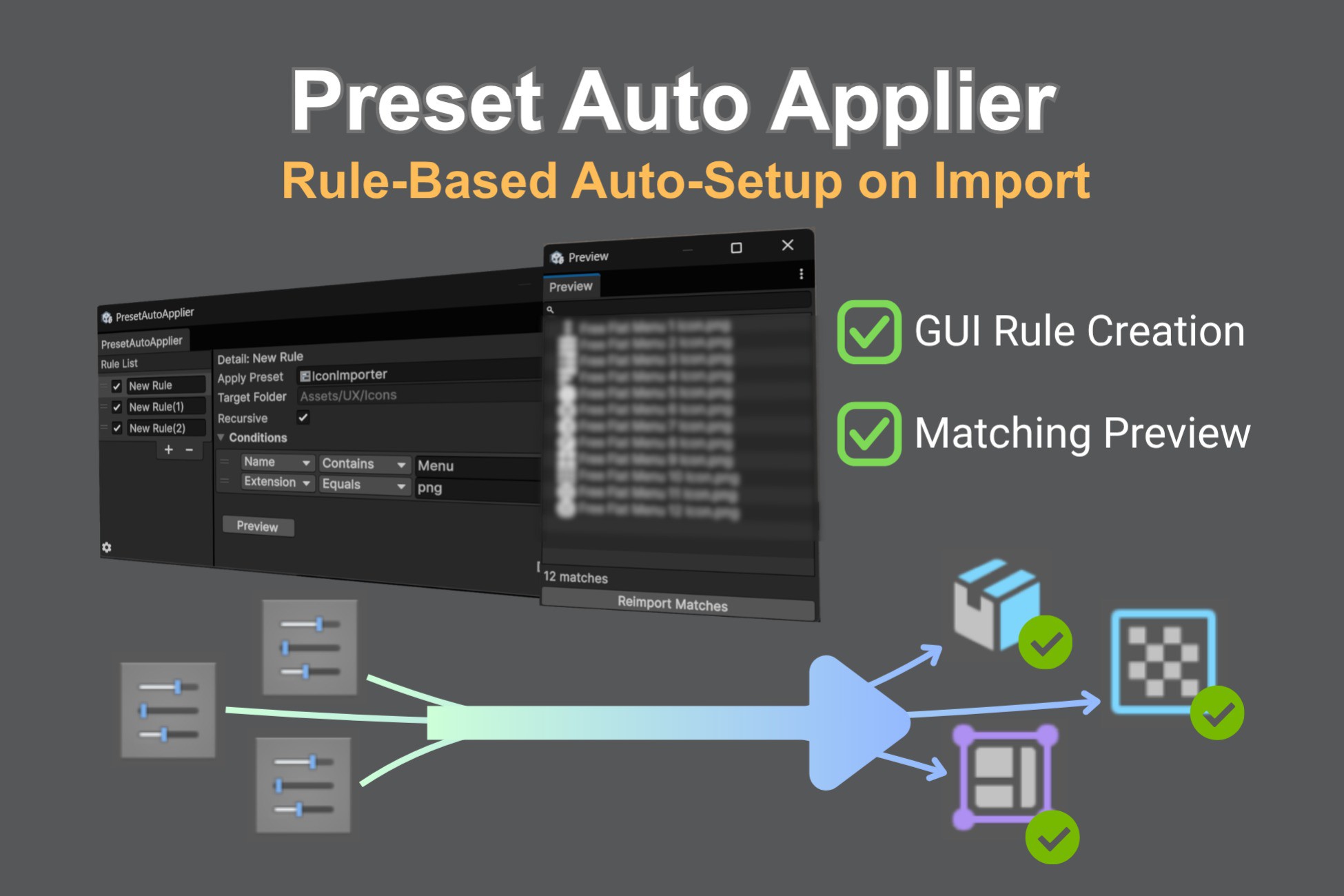
Preset Auto Applier provides a intuitive GUI to easily build automation rules. No need to write any Glob patterns.
- Auto-Apply on Import: Set up a rule once, and every matching asset is automatically configured when imported.
- Matching Preview: Instantly see which assets match your current rules directly in the preview window, eliminating the anxiety of incorrect settings.
Key Features:
- Intuitive Rule Creation: Easily define rules using string matching (e.g., folder paths, file names) via a clean, developer-friendly GUI.
- Preview Tool: A dedicated preview window displays all assets that match your conditions, giving you full confidence and preventing unintended settings changes.
- Version-Control Friendly: All rule configurations are stored in a ScriptableObject, making it extremely easy to version control (Git) and share across your team.
Note: This asset applies presets to project assets during import. It does not support scene objects or components that are not saved as asset files.
The Problem:
As your project grows, importing hundreds of textures, audio clips, or 3D models becomes a repetitive nightmare.
- Time-Consuming: Manually applying the same import settings again and again.
- Human Error: Forgetting to change settings, causing unexpected increases in build size and memory consumption.
- Standard Preset Limits: It is difficult to create flexible, automatic application rules tailored to your folder structures using Unity's default PresetManager.
The Solution:
Preset Auto Applier provides a intuitive GUI to easily build automation rules. No need to write any Glob patterns.
- Auto-Apply on Import: Set up a rule once, and every matching asset is automatically configured when imported.
- Matching Preview: Instantly see which assets match your current rules directly in the preview window, eliminating the anxiety of incorrect settings.
Key Features:
- Intuitive Rule Creation: Easily define rules using string matching (e.g., folder paths, file names) via a clean, developer-friendly GUI.
- Preview Tool: A dedicated preview window displays all assets that match your conditions, giving you full confidence and preventing unintended settings changes.
- Version-Control Friendly: All rule configurations are stored in a ScriptableObject, making it extremely easy to version control (Git) and share across your team.