Price history
Recorded standalone sale prices and the latest available store price, in USD. Historical dots use the sale start date and its recorded offer price. Prices can change during a sale; this is not a daily price log. Bundle prices and upcoming offers are excluded. History covers up to the 100 most recent recorded offers.
Lowest recorded standalone price in this history: $4.99. The latest store price is $4.99, matching the lowest recorded price shown here.
View 1 recorded price
| Sale start / price check | Price | Observation |
|---|---|---|
| $4.99 | Latest store price |
About Pixel Art UI Kit - Fantasy Game Interface
- Theme > Stylized
- Theme > Retro & Arcade
- Theme > Fantasy & Mythology
- Art & Visuals > 2D
- Art & Visuals > UI & GUI
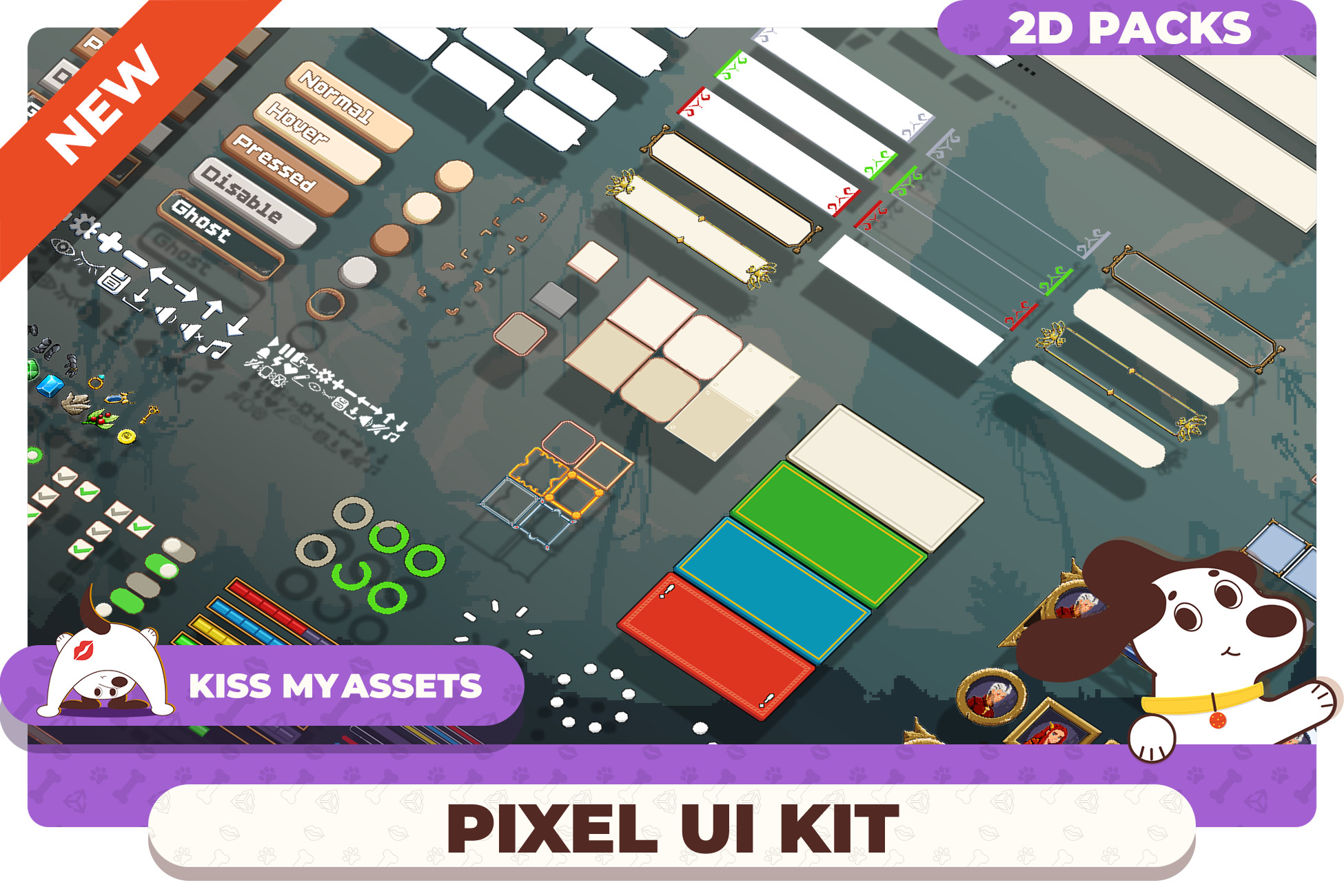
Pixel Art UI Kit - Fantasy Game Interface is a library of pixel UI sprites for Unity, built to help you assemble menus, HUDs, popups, and settings screens faster.
It delivers a crisp, game-ready visual foundation with a consistent pixel style-so your interface stays cohesive from prototype to production.
Perfect for indie teams and commercial projects that want stylish pixel UI without weeks of manual UI art and endless iterations.
Pixel Art UI Kit - Fantasy Game Interface - Core Contents
Complete UI Elements Set
A versatile sprite library built for real screens: buttons, switches/toggles, sliders, checkboxes, input-style elements, tabs, panels, frames, separators, bars, and other essential components.
Pixel Style for Readable Game UI
A pixel-driven look that keeps clarity and readability as the priority. Great as a final style or as a strong base you can easily adapt to your theme (colors, accents, content).
Consistent Kit, Cohesive Results
Designed as one unified pack with consistent proportions and visual rhythm-so your menus, popups, and HUD don’t feel stitched together.
Best Fit For
This pack shines in projects where pixel-styled UI and fast screen assembly matter:
✅ Pixel/stylized games - menus, HUD, and popups;
✅ RPG / Adventure - inventory, status panels, and settings;
✅ Roguelike / Roguelite - overlays, run stats, and hubs;
✅ Strategy / Management - panels, lists, and info blocks;
✅ Casual / Puzzle - clean screens and clear UI states;
✅ Mobile + PC - compact and wide layouts with consistent readability.
Why Choose Pixel Art UI Kit - Fantasy Game Interface ?
Because it’s a practical library of pixel UI sprites that helps you build interfaces fast without UI-art overhead. A wide set of elements, consistent style, and a demo scene give you a clear starting point and a reliable final look.
Less UI effort - more time for the product.
Integrates Great With These UI Workflows
Made to fit common Unity UI pipelines:
🔹 UGUI (Unity UI) - fast assembly of menus, HUDs, and popups;
🔹 UI Toolkit projects - use as a visual baseline/reference and sprites where applicable;
🔹 Mobile + PC layouts - works for compact and wide compositions;
🔹 Custom UI systems - consistent sprites that blend into your framework.
Package Contents
- High-quality, hand-drawn UI assets
- Clean fantasy-inspired visual style
Buttons & Core UI Elements
- 3 button variants in 5 states
- 1 tab menu
- 9 decorative frames
- 6 popup panels
- 1 alert panel (4 color variations)
- 1 popup with customizable frames (3 color variations)
Icons
- 25 icons (32×32 px)
- 25 icons (16×16 px)
- 22 fantasy-themed icons (32×32 px)
Interactive Elements
- 2 dropdowns
- 1 radio button
- 2 checkboxes
- 1 switch
Indicators & Loaders
- 4 progress bars (2 colors, horizontal and vertical)
- 1 segmented progress bar (3 colors)
- 1 standard progress bar (3 colors)
- 1 circular progress bar
- 3 loading circle variations
Dialogue & Tooltips
- 2 dialogue sets (light and dark, 13 elements total)
- 12 tooltip panels
- 5 decorative toast panels
Input & Forms
- 3 input panel designs in 4 states
HUD & Game Interface
- 2 character frame variations with HP, Mana, and Experience bars (2 colors)
- 3 character portrait variations (2 colors)
- 2 inventory popup layouts with slots, frames, simple consumable icons, and inventory button
- Hotbar in 2 color variations
Backgrounds
- 1 simple silhouette background in 3 color variations