
Screenshots and videos
 1 / 11


Price history
Lowest recorded standalone price: $19.98. Recorded observations span to . This is our available history, not a guaranteed all-time low. Bundle package prices are separate.
Standalone price
Last three months, in USD. Bundle prices cover the whole package.
About Physics Cast Debugger
- Tools, Systems & Learning > Development Tools & Automation
Debugging physics queries in Unity can quickly become frustrating.
Debug.DrawRay or Gizmos only go so far, and once you start using different casts, overlaps, or non-alloc queries, understanding what is really happening becomes difficult.
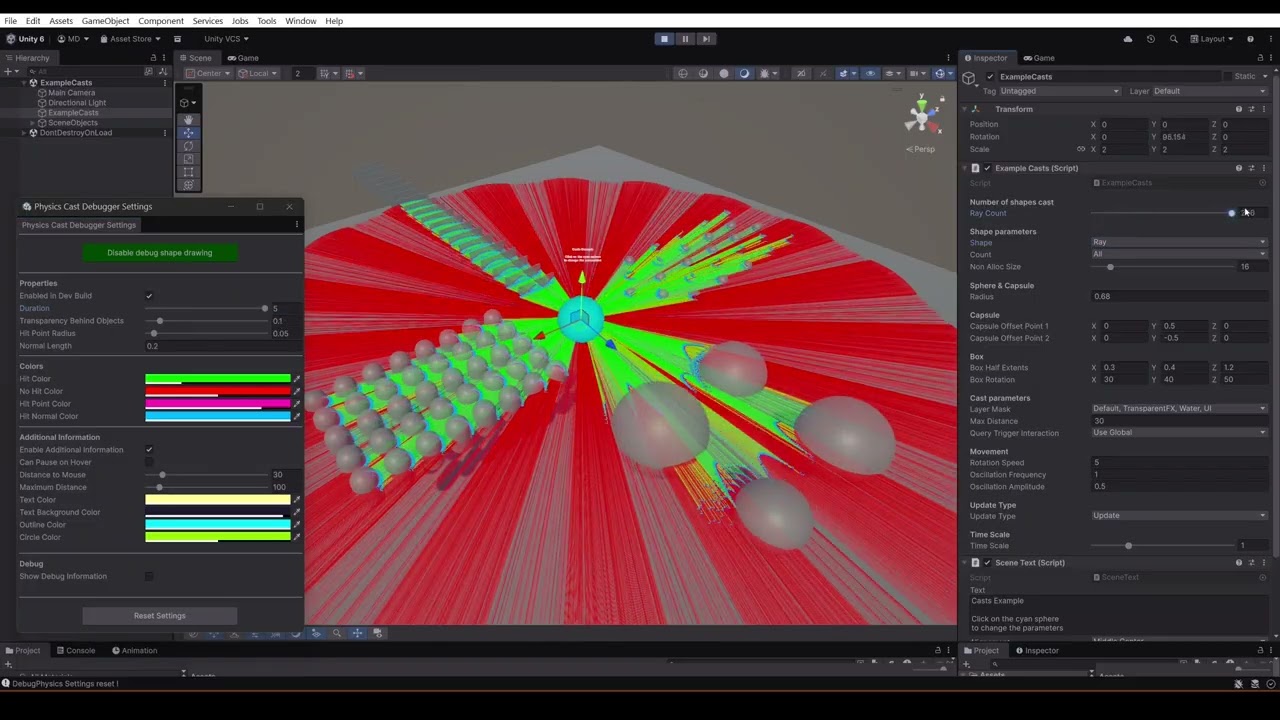
Physics Cast Debugger provides a simple way to visualize and inspect physics queries directly in the editor during play mode, in both the Scene View and the Game View, and even in Development Build.
Rays, sphere casts, capsule casts, box casts, overlaps, and collider checks can all be visualized with configurable debug information so you can quickly understand why a query hits (or misses) something.
This tool is highly optimized and can draw thousands of casts per frame with almost no overhead. You can use it with Domain and Scene reload disabled.
You can simply use it by changing the Physics API call, all the signatures and overloads are the exact same, with official XML documentation.
Supported Physics Queries
The tool supports visualization for all Unity physics queries, with a total of 133 methods with their respective overloads and compatible XML documentation :
Raycasts
• Raycast
• RaycastAll
• RaycastNonAlloc
• Linecast
Shape Casts
• SphereCast / SphereCastAll / SphereCastNonAlloc
• CapsuleCast / CapsuleCastAll / CapsuleCastNonAlloc
• BoxCast / BoxCastAll / BoxCastNonAlloc
Checks & Overlap Queries
• CheckSphere / OverlapSphere
• CheckCapsule / OverlapCapsule
• CheckBox / OverlapBox
Utility
• ClosestCollider
Debug.DrawRay or Gizmos only go so far, and once you start using different casts, overlaps, or non-alloc queries, understanding what is really happening becomes difficult.
Physics Cast Debugger provides a simple way to visualize and inspect physics queries directly in the editor during play mode, in both the Scene View and the Game View, and even in Development Build.
Rays, sphere casts, capsule casts, box casts, overlaps, and collider checks can all be visualized with configurable debug information so you can quickly understand why a query hits (or misses) something.
This tool is highly optimized and can draw thousands of casts per frame with almost no overhead. You can use it with Domain and Scene reload disabled.
You can simply use it by changing the Physics API call, all the signatures and overloads are the exact same, with official XML documentation.
Supported Physics Queries
The tool supports visualization for all Unity physics queries, with a total of 133 methods with their respective overloads and compatible XML documentation :
Raycasts
• Raycast
• RaycastAll
• RaycastNonAlloc
• Linecast
Shape Casts
• SphereCast / SphereCastAll / SphereCastNonAlloc
• CapsuleCast / CapsuleCastAll / CapsuleCastNonAlloc
• BoxCast / BoxCastAll / BoxCastNonAlloc
Checks & Overlap Queries
• CheckSphere / OverlapSphere
• CheckCapsule / OverlapCapsule
• CheckBox / OverlapBox
Utility
• ClosestCollider