Unity
Mushrooms Generator
$34.99
Rated 5.0/5 from 3 ratings on Unity.
About Mushrooms Generator
- Tools, Systems & Learning > Development Tools & Automation
- Theme > Nature & Countryside
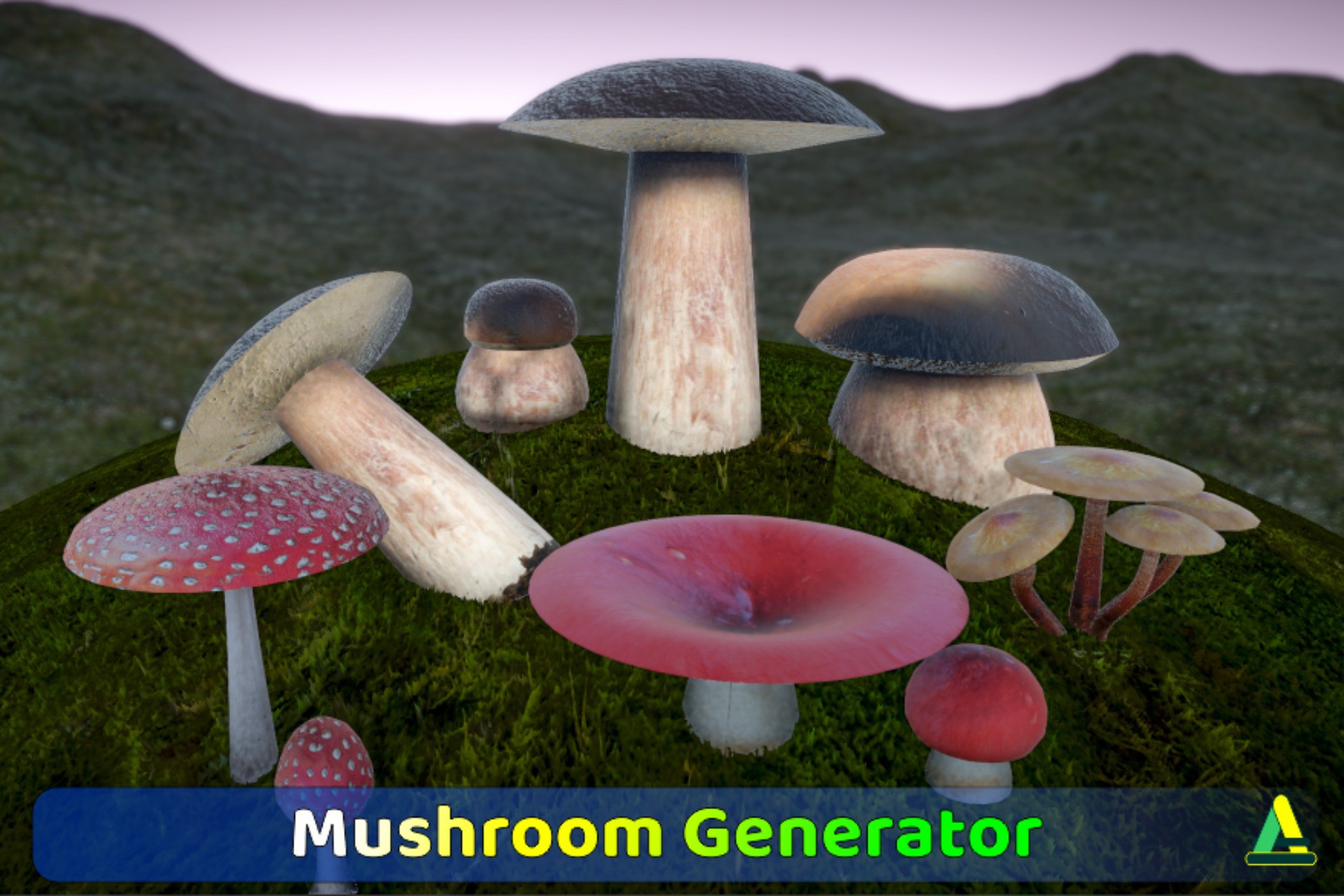
Mushrooms Generator builds mushroom meshes from curves you draw yourself. Sketch the silhouette of the cap, the underside, and the stem in the editor window, and the mesh rebuilds in the scene while you drag the points. When the shape reads right, export it as a mesh asset with a prefab, or as an FBX.
Every part is drawn as two curves, a left one and a right one, so the halves do not have to match. The cap and its underside are surfaces of revolution sharing a welded rim ring. The stem is built from its own silhouette, which makes leaning and bent stems possible: the rings sit perpendicular to the centerline and the cap rotates to follow the top ring. Undersides are radial gill blades or plain pores.
Curves carry proportions. Real dimensions live in the settings, in meters, so a single preset drives a button mushroom and a two-meter fantasy one without redrawing anything.
UVs are laid out for scanned photo textures. Cap and underside share a top-down disc projection that keeps a scan readable on both faces. The stem gets a cylindrical unwrap with its end discs tucked into the corner of the same texture. Gill blades reuse the underside projection with a lateral offset, so a blade lands on the strip of texture next to its own line on the disc. Three submesh layouts decide whether the mushroom uses one shared atlas, a cap-plus-stem split, or a full texture per part.
LOD levels are generated on export, together with the LODGroup and its transition heights. Segment counts are divided per level by dividers you set once.
The output is a plain Unity mesh with nothing attached to it. No runtime component, no dependency on the tool, no custom importer. Exported prefabs and FBX files behave like any other model in your project.
Every part is drawn as two curves, a left one and a right one, so the halves do not have to match. The cap and its underside are surfaces of revolution sharing a welded rim ring. The stem is built from its own silhouette, which makes leaning and bent stems possible: the rings sit perpendicular to the centerline and the cap rotates to follow the top ring. Undersides are radial gill blades or plain pores.
Curves carry proportions. Real dimensions live in the settings, in meters, so a single preset drives a button mushroom and a two-meter fantasy one without redrawing anything.
UVs are laid out for scanned photo textures. Cap and underside share a top-down disc projection that keeps a scan readable on both faces. The stem gets a cylindrical unwrap with its end discs tucked into the corner of the same texture. Gill blades reuse the underside projection with a lateral offset, so a blade lands on the strip of texture next to its own line on the disc. Three submesh layouts decide whether the mushroom uses one shared atlas, a cap-plus-stem split, or a full texture per part.
LOD levels are generated on export, together with the LODGroup and its transition heights. Segment counts are divided per level by dividers you set once.
The output is a plain Unity mesh with nothing attached to it. No runtime component, no dependency on the tool, no custom importer. Exported prefabs and FBX files behave like any other model in your project.