Price history
Recorded standalone sale prices and the latest available store price, in USD. Historical dots use the sale start date and its recorded offer price. Prices can change during a sale; this is not a daily price log. Bundle prices and upcoming offers are excluded. History covers up to the 100 most recent recorded offers.
Lowest recorded standalone price in this history: $7.50. The latest store price is $15.
View 4 recorded prices
| Sale start / price check | Price | Observation |
|---|---|---|
| $15 | Latest store price | |
| $7.50 | Unity New Release Discount 2026-06-29 2026-07-13 | |
| $7.50 | Unity New Release Discount 2026-06-29 2026-07-13 | |
| $15 | Unity First Price 2026-06-29 2026-07-06 |
Sale and bundle history
The 3 most recent recorded offers including this asset. Past offers may no longer be available. Bundle prices cover a package, not this asset alone.
About Mission Kit
- Tools, Systems & Learning > Game Templates & Systems
- Tools, Systems & Learning > Development Tools & Automation
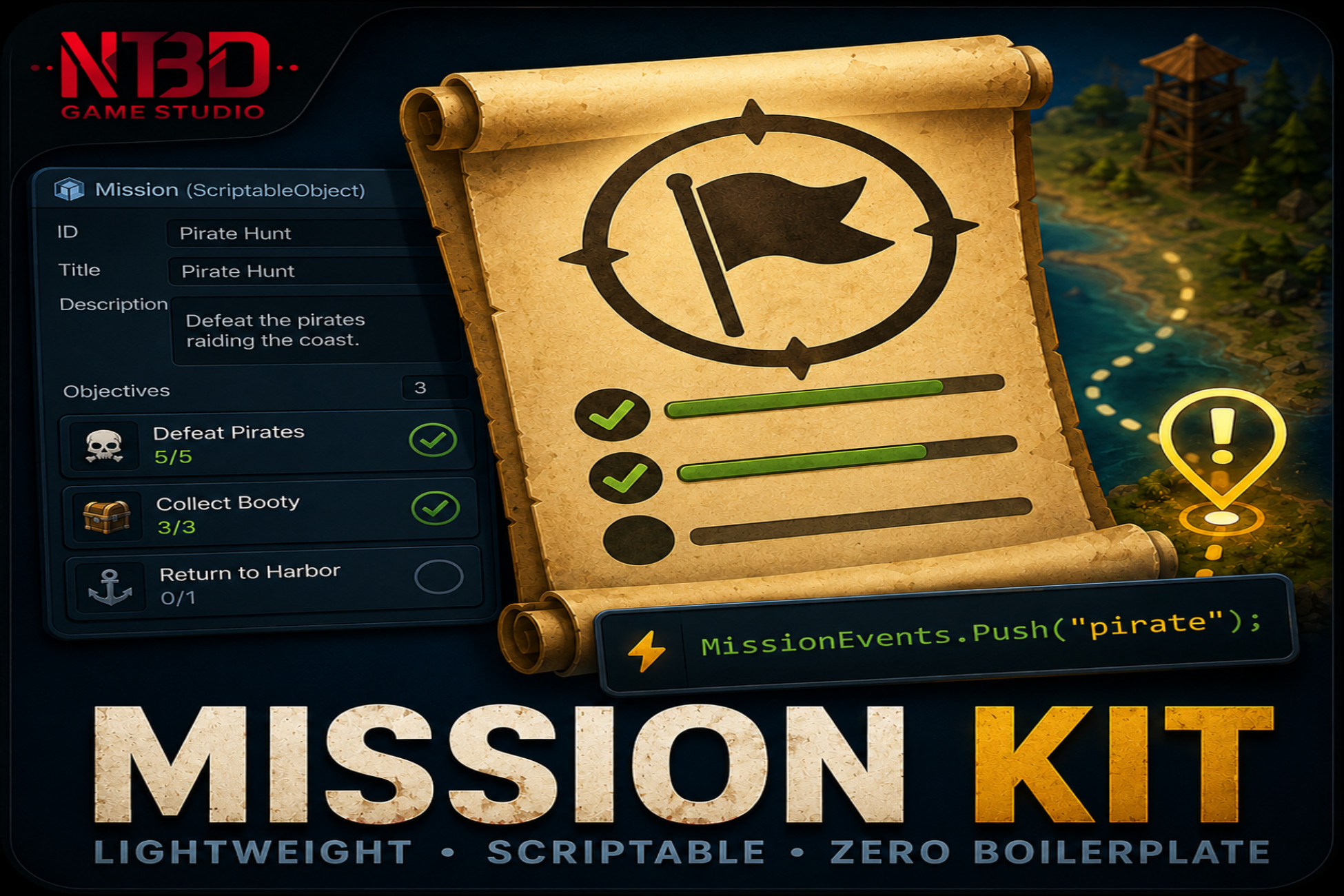
MissionKit is a lightweight mission and quest framework for Unity. Define each mission as a ScriptableObject in the Inspector, drop one MissionDatabase component into your scene, and push progress events from anywhere in your code with one line: MissionEvents.Push("pirate");
That single call finds every active mission with a matching objective, increments progress, and auto-completes the mission when all required objectives are done. No managers to configure, no event buses to wire, no boilerplate.
IS THE CONTENT CUSTOMIZABLE?
Yes, extensively. MissionKit ships with full C# source code, no DLLs, and is designed to be extended:
- Missions are plain ScriptableObject assets. Add fields, write custom inspectors, or layer your own validation without touching package internals.
- Objective types are open-ended strings (target IDs). The package includes 9 built-in classifications plus a Custom value, so any string you can fire from your gameplay code can drive an objective.
- All state changes raise C# events you can subscribe to from your UI, audio, animation, analytics, or save system.
- Save data is JSON. Use the built-in file-based save, or pull state out via GetSaveData() and plug it into your own save pipeline.
- The custom Mission Editor window is full source. Edit the templates and reward defaults to match your project's authoring style.
- Two assembly definitions isolate MissionKit's compilation from the rest of your project. You can modify the package safely without slowing your game's incremental builds.
IS IT SUITABLE FOR A PARTICULAR GENRE?
MissionKit is intentionally genre-agnostic. It makes no assumptions about combat, dialogue, inventory, factions, or world structure. The runtime only handles the mission lifecycle (Locked, Available, Accepted, Active, Completed, Failed, Abandoned), objective progress, prerequisite chains, and persistence.
Because of that, it fits cleanly into:
- RPGs and CRPGs (quest logs, story progression)
- Action and adventure games (story missions, side content)
- Space combat, dogfighters, arena shooters (kill, escort, defend objectives)
- Survival games (recurring fetch and craft objectives)
- Puzzle and exploration games (location-based objectives)
- Tutorial sequences in any genre
- Game jam prototypes that need working progression in under an hour
WHAT IS INCLUDED
- Full C# source code (about 1,800 lines)
- Custom Mission Editor window
- One-click demo scene generator: Tools > MissionKit > Setup Demo Scene
- Sample mission asset and a runnable demo controller
- Two assembly definitions (runtime and editor)
- Offline PDF documentation with setup guide, full script reference, common patterns, and troubleshooting
- README inside the package with quick-start examples
REQUIREMENTS
- Unity 2022.3 LTS or newer
- Zero external dependencies. No DOTween, no other paid assets required.
- Compatible with the built-in render pipeline, URP, and HDRP
- Works on every platform Unity supports
That single call finds every active mission with a matching objective, increments progress, and auto-completes the mission when all required objectives are done. No managers to configure, no event buses to wire, no boilerplate.
IS THE CONTENT CUSTOMIZABLE?
Yes, extensively. MissionKit ships with full C# source code, no DLLs, and is designed to be extended:
- Missions are plain ScriptableObject assets. Add fields, write custom inspectors, or layer your own validation without touching package internals.
- Objective types are open-ended strings (target IDs). The package includes 9 built-in classifications plus a Custom value, so any string you can fire from your gameplay code can drive an objective.
- All state changes raise C# events you can subscribe to from your UI, audio, animation, analytics, or save system.
- Save data is JSON. Use the built-in file-based save, or pull state out via GetSaveData() and plug it into your own save pipeline.
- The custom Mission Editor window is full source. Edit the templates and reward defaults to match your project's authoring style.
- Two assembly definitions isolate MissionKit's compilation from the rest of your project. You can modify the package safely without slowing your game's incremental builds.
IS IT SUITABLE FOR A PARTICULAR GENRE?
MissionKit is intentionally genre-agnostic. It makes no assumptions about combat, dialogue, inventory, factions, or world structure. The runtime only handles the mission lifecycle (Locked, Available, Accepted, Active, Completed, Failed, Abandoned), objective progress, prerequisite chains, and persistence.
Because of that, it fits cleanly into:
- RPGs and CRPGs (quest logs, story progression)
- Action and adventure games (story missions, side content)
- Space combat, dogfighters, arena shooters (kill, escort, defend objectives)
- Survival games (recurring fetch and craft objectives)
- Puzzle and exploration games (location-based objectives)
- Tutorial sequences in any genre
- Game jam prototypes that need working progression in under an hour
WHAT IS INCLUDED
- Full C# source code (about 1,800 lines)
- Custom Mission Editor window
- One-click demo scene generator: Tools > MissionKit > Setup Demo Scene
- Sample mission asset and a runnable demo controller
- Two assembly definitions (runtime and editor)
- Offline PDF documentation with setup guide, full script reference, common patterns, and troubleshooting
- README inside the package with quick-start examples
REQUIREMENTS
- Unity 2022.3 LTS or newer
- Zero external dependencies. No DOTween, no other paid assets required.
- Compatible with the built-in render pipeline, URP, and HDRP
- Works on every platform Unity supports