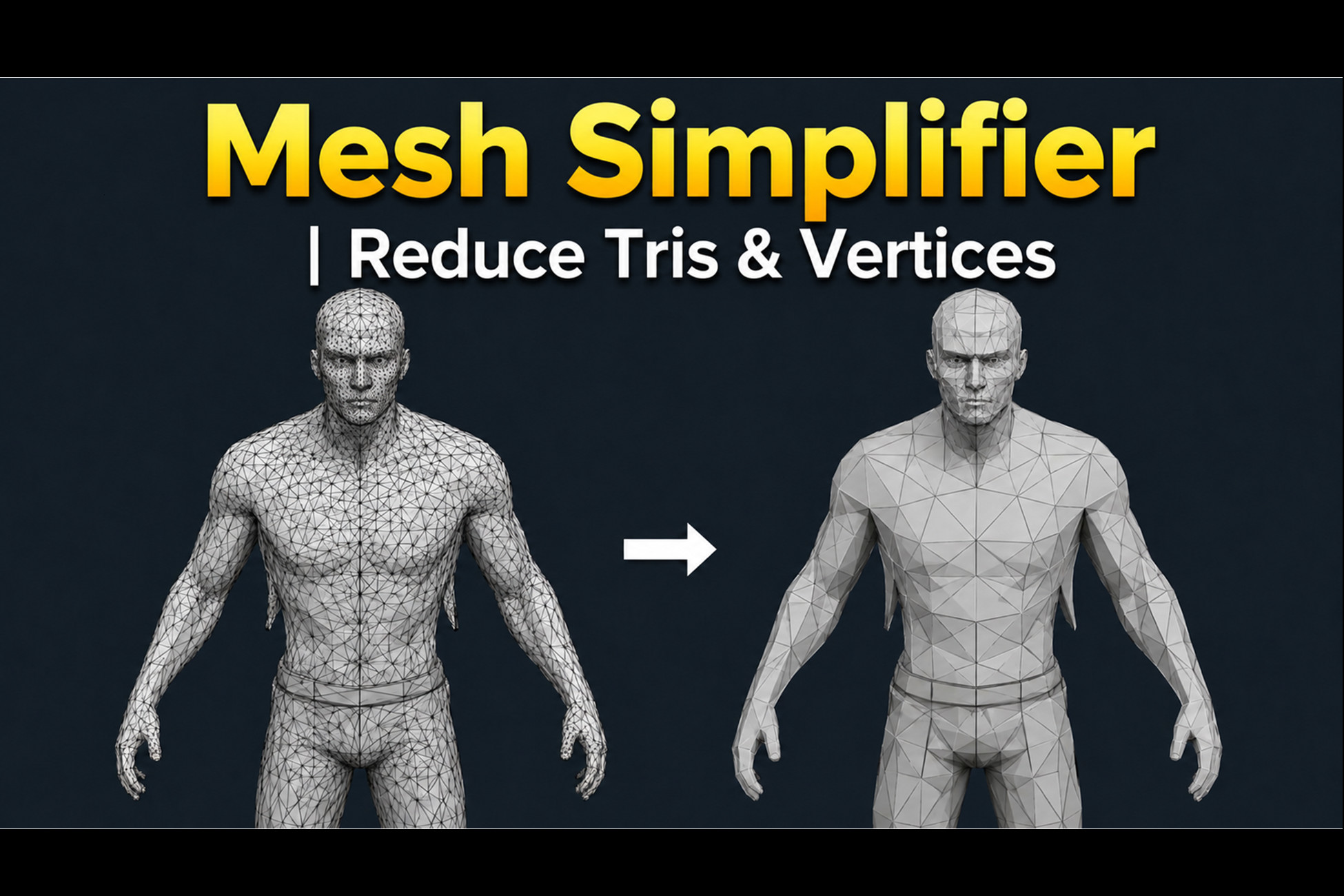
About Mesh Simplifier | Reduce Tris & Vertices
- Tools, Systems & Learning > Development Tools & Automation
Mesh Optimizer — Polygon Reduction & FPS Booster
Your game is lagging. Your meshes are too heavy. Fix it in 30 seconds — without leaving Unity.
What You Get
Drop the component on any object, drag one slider, click Optimize. Watch your triangle count drop and your FPS climb. No Blender. No Maya. No manual retopology. Just results, right inside the editor.
Works on everything — static props, rigged characters, imported asset packs, entire scene objects.
— — — — — — — — — — — — — — — — —
PART OF A LARGER SUITE
— — — — — — — — — — — — — — — — —
This tool is part of One Click Mesh Suite — which includes:
- Mesh Simplifier | Reduce Tris & Vertices
- Mesh Weld Pro — Combiner & Texture Atlas
- Batch LOD Generator — Scene-Wide LOD Generation
Own one of these tools? Upgrade to the full bundle for $48.5 instead of $74.99 .
Bundle owners receive all three tools separately at no additional cost you can claim with same email.
[One Click Mesh Suite — View Bundle]
Features That Actually Matter
Type Your Exact Triangle Target (New in v1.2)
Don't guess with a slider. Type "5000 triangles" and the tool figures out the rest automatically near to target.
Undo Any Quality Change Instantly (New in v1.2)
Step backward and forward through your last 25 quality adjustments with one click. No re-running. No slider hunting.
Three Levels of Texture Protection
Worried your textures will look broken after reducing? Choose your safety level:
- Level 1 — Maximum polygon savings, textures mostly intact
- Level 2 — Heavy reduction, UV coordinates completely frozen
- Level 3 — Full texture lock, zero seam distortion guaranteed
Protection Zones — Lock What Matters
Paint invisible shields over a character's face, hands, or logo areas. Everything inside stays full detail. Everything outside gets optimized aggressively.
Handles Big Meshes Fast
50,000+ polygon meshes? The tool switches to multi-threaded processing automatically. No freezing. No waiting.
See Changes Before You Commit
Live preview updates in real time as you drag. Don't like what you see? Reset to original with one click. Full Undo support always on.
Safe on Rigged Characters
Bone weights survive the process. Your animations keep working after optimization.
Export Ready
Save as a Unity Mesh Asset or export to FBX for external pipelines. Both options available.
Real Numbers to Expect
Asset Type Typical Reduction
Props, vehicles, buildings 60–80%
Characters (texture safe mode) 20–35%
Characters (texture protection off) Up to 60%
Heads Up Before You Buy
- Blend shapes are not preserved during optimization
- Non-manifold geometry may need cleanup first
- FBX export splits vertices at seams by design — triangle counts will look different in external software, this is normal
Quick fix for distorted textures: Turn off Vertex Welding → set UV slider to 39 → re-optimize.
Support: PDF docs included · Free lifetime updates · Direct email support
Version 1.2 — Latest Update
New Features
Target Triangle Count (v1.2) — type your exact triangle budget, hit Apply. The tool back-solves the Quality value automatically so you hit the number without guessing.
Quality History Scrubber (v1.2) — step backward and forward through your last 25 quality states with ◀ ▶ arrows. No re-running, no slider hunting.
Your game is lagging. Your meshes are too heavy. Fix it in 30 seconds — without leaving Unity.
What You Get
Drop the component on any object, drag one slider, click Optimize. Watch your triangle count drop and your FPS climb. No Blender. No Maya. No manual retopology. Just results, right inside the editor.
Works on everything — static props, rigged characters, imported asset packs, entire scene objects.
— — — — — — — — — — — — — — — — —
PART OF A LARGER SUITE
— — — — — — — — — — — — — — — — —
This tool is part of One Click Mesh Suite — which includes:
- Mesh Simplifier | Reduce Tris & Vertices
- Mesh Weld Pro — Combiner & Texture Atlas
- Batch LOD Generator — Scene-Wide LOD Generation
Own one of these tools? Upgrade to the full bundle for $48.5 instead of $74.99 .
Bundle owners receive all three tools separately at no additional cost you can claim with same email.
[One Click Mesh Suite — View Bundle]
Features That Actually Matter
Type Your Exact Triangle Target (New in v1.2)
Don't guess with a slider. Type "5000 triangles" and the tool figures out the rest automatically near to target.
Undo Any Quality Change Instantly (New in v1.2)
Step backward and forward through your last 25 quality adjustments with one click. No re-running. No slider hunting.
Three Levels of Texture Protection
Worried your textures will look broken after reducing? Choose your safety level:
- Level 1 — Maximum polygon savings, textures mostly intact
- Level 2 — Heavy reduction, UV coordinates completely frozen
- Level 3 — Full texture lock, zero seam distortion guaranteed
Protection Zones — Lock What Matters
Paint invisible shields over a character's face, hands, or logo areas. Everything inside stays full detail. Everything outside gets optimized aggressively.
Handles Big Meshes Fast
50,000+ polygon meshes? The tool switches to multi-threaded processing automatically. No freezing. No waiting.
See Changes Before You Commit
Live preview updates in real time as you drag. Don't like what you see? Reset to original with one click. Full Undo support always on.
Safe on Rigged Characters
Bone weights survive the process. Your animations keep working after optimization.
Export Ready
Save as a Unity Mesh Asset or export to FBX for external pipelines. Both options available.
Real Numbers to Expect
Asset Type Typical Reduction
Props, vehicles, buildings 60–80%
Characters (texture safe mode) 20–35%
Characters (texture protection off) Up to 60%
Heads Up Before You Buy
- Blend shapes are not preserved during optimization
- Non-manifold geometry may need cleanup first
- FBX export splits vertices at seams by design — triangle counts will look different in external software, this is normal
Quick fix for distorted textures: Turn off Vertex Welding → set UV slider to 39 → re-optimize.
Support: PDF docs included · Free lifetime updates · Direct email support
Version 1.2 — Latest Update
New Features
Target Triangle Count (v1.2) — type your exact triangle budget, hit Apply. The tool back-solves the Quality value automatically so you hit the number without guessing.
Quality History Scrubber (v1.2) — step backward and forward through your last 25 quality states with ◀ ▶ arrows. No re-running, no slider hunting.