Price history
Recorded standalone sale prices and the latest available store price, in USD. Historical dots use the sale start date and its recorded offer price. Prices can change during a sale; this is not a daily price log. Bundle prices and upcoming offers are excluded. History covers up to the 100 most recent recorded offers.
Lowest recorded standalone price in this history: $4.99. The latest store price is $4.99, matching the lowest recorded price shown here.
View 2 recorded prices
| Sale start / price check | Price | Observation |
|---|---|---|
| $4.99 | Latest store price | |
| $4.99 | Unity First Price 2026-09-15 2026-09-15 |
Sale and bundle history
The 1 most recent recorded offers including this asset. Past offers may no longer be available. Bundle prices cover a package, not this asset alone.
About Advanced Package Manager – My Assets Catalog
- Tools, Systems & Learning > Development Tools & Automation
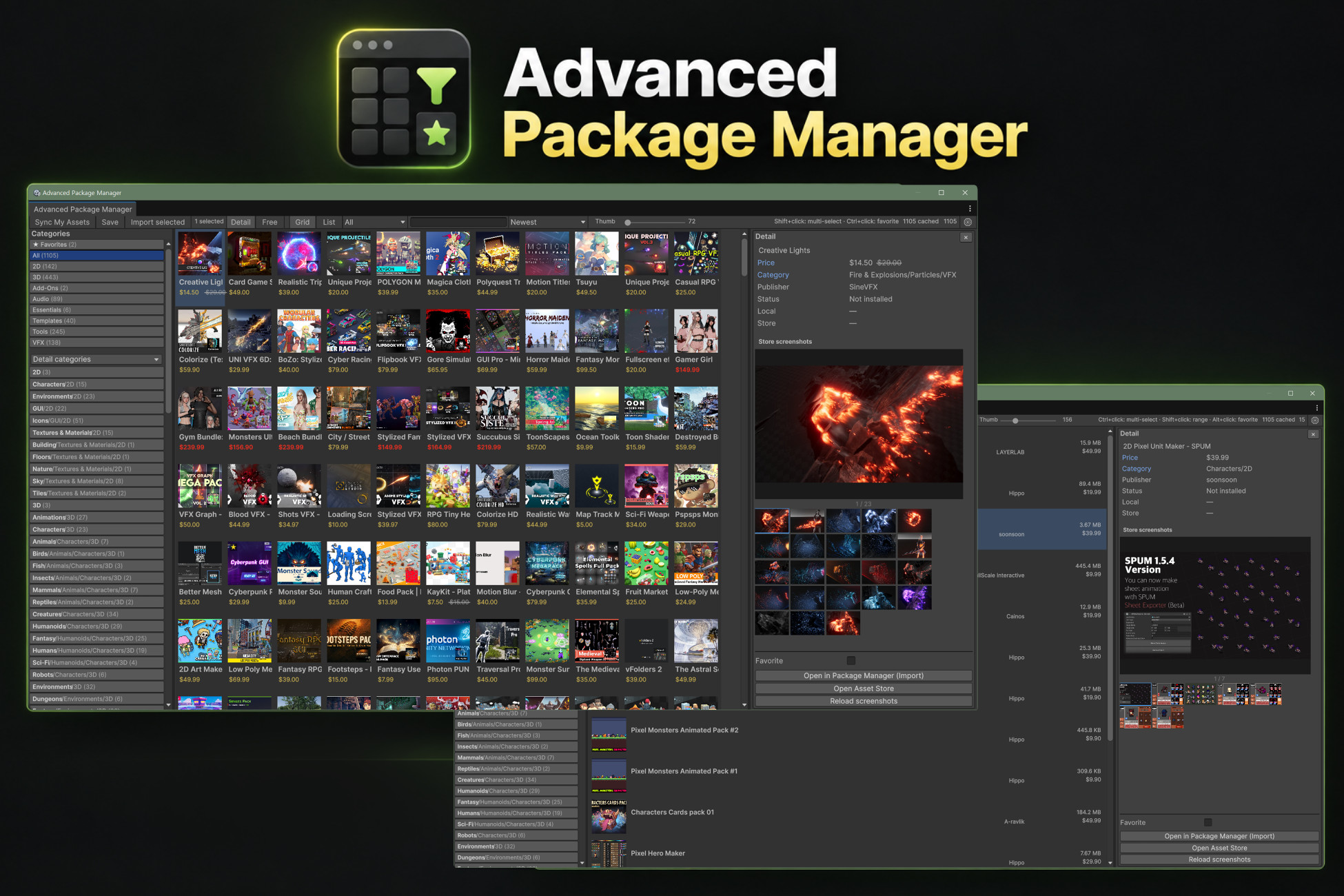
Advanced Package Manager is an Editor tool that makes it easier to browse and manage your Unity Asset Store purchases (My Assets).
Instead of scrolling a plain list, you get a visual catalog with thumbnails, prices, categories, and favorites — plus quick open in Package Manager for Import
KEY FEATURES
• Sync My Assets from your Unity account (offline cache supported)
• Thumbnail grid or compact list view
• Search by name, publisher, category, or package ID
• Filters: categories, publishers, free assets, install status
• Install / update badges (best-effort detection)
• Favorites (share across projects by using the same cache folder)
• Multi-select (Ctrl/Cmd+click, Shift+click range) and Import selected
• Multi-language UI: English, Korean, Japanese, Simplified Chinese, Traditional Chinese
• First-import Help window with language selection
HOW TO USE
1. Window > Package Management > Advanced Package Manager
2. Sign in to your Unity account in the Editor / Hub
3. Click Sync My Assets
4. Browse, filter, favorite, then Open in Package Manager (Import)
REQUIREMENTS
• Unity 2022.3 or newer (Unity 6 supported)
• Unity account login in the Editor
• Editor-only tool (no runtime/player scripts)
Instead of scrolling a plain list, you get a visual catalog with thumbnails, prices, categories, and favorites — plus quick open in Package Manager for Import
KEY FEATURES
• Sync My Assets from your Unity account (offline cache supported)
• Thumbnail grid or compact list view
• Search by name, publisher, category, or package ID
• Filters: categories, publishers, free assets, install status
• Install / update badges (best-effort detection)
• Favorites (share across projects by using the same cache folder)
• Multi-select (Ctrl/Cmd+click, Shift+click range) and Import selected
• Multi-language UI: English, Korean, Japanese, Simplified Chinese, Traditional Chinese
• First-import Help window with language selection
HOW TO USE
1. Window > Package Management > Advanced Package Manager
2. Sign in to your Unity account in the Editor / Hub
3. Click Sync My Assets
4. Browse, filter, favorite, then Open in Package Manager (Import)
REQUIREMENTS
• Unity 2022.3 or newer (Unity 6 supported)
• Unity account login in the Editor
• Editor-only tool (no runtime/player scripts)