Price history
Recorded standalone sale prices and the latest available store price, in USD. Historical dots use the sale start date and its recorded offer price. Prices can change during a sale; this is not a daily price log. Bundle prices and upcoming offers are excluded. History covers up to the 100 most recent recorded offers.
Lowest recorded standalone price in this history: FREE. The latest store price is FREE, matching the lowest recorded price shown here.
View 2 recorded prices
| Sale start / price check | Price | Observation |
|---|---|---|
| FREE | Latest store price | |
| FREE | Unity First Price 2026-10-12 2026-10-12 |
Sale and bundle history
The 1 most recent recorded offers including this asset. Past offers may no longer be available. Bundle prices cover a package, not this asset alone.
About Kitwright MCP for Unity - AI Editor Automation
- Tools, Systems & Learning > Development Tools & Automation
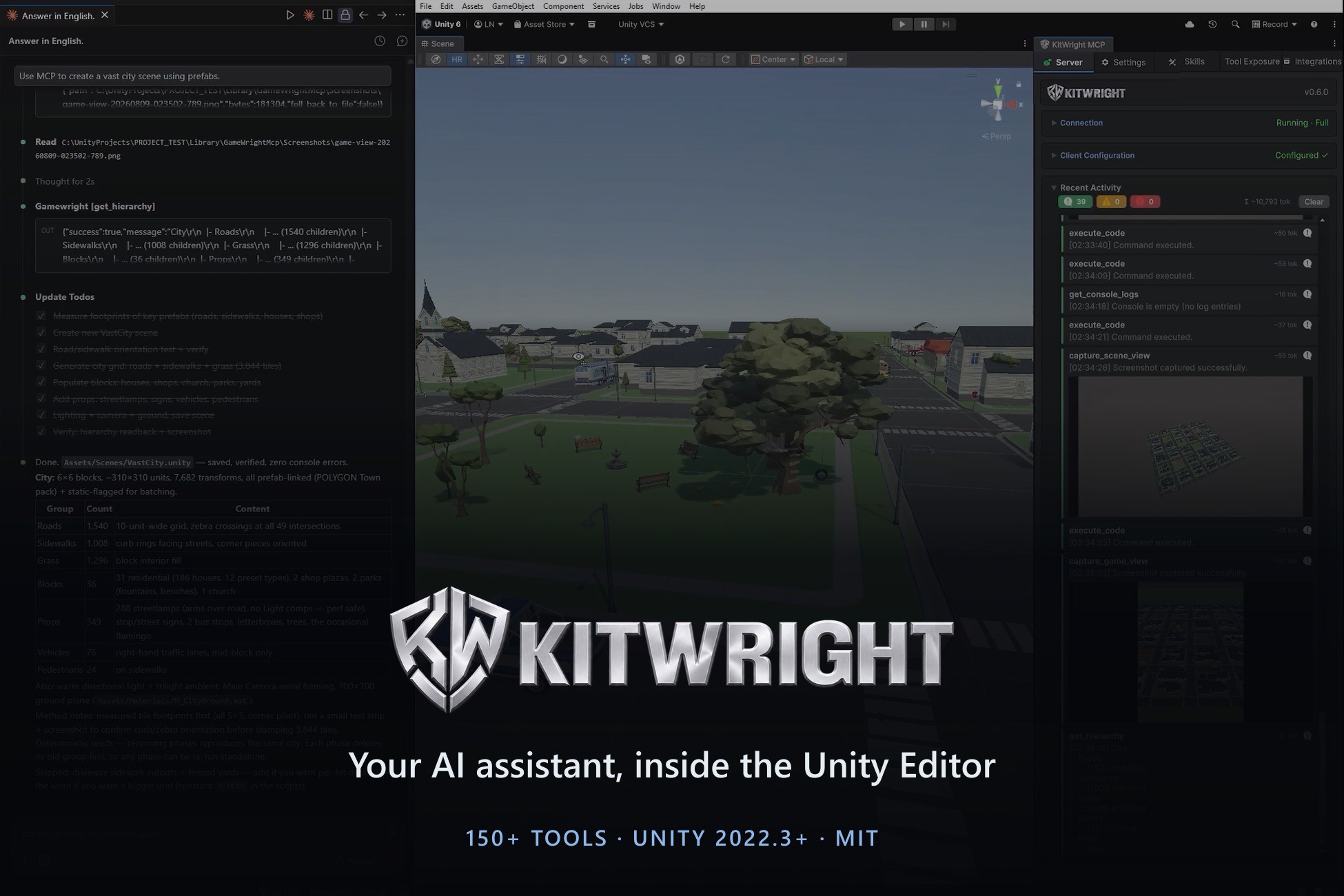
KitWright MCP for Unity turns your Unity Editor into a live workspace your AI assistant can operate. It runs an MCP (Model Context Protocol) server inside the Editor, so any MCP-capable client — Claude Code, Cursor, LM Studio, Windsurf, Codex, VS Code Copilot — can read your project and act on it directly.
Describe what you want in plain language. Your assistant creates the scene, generates the scripts, wires the UI, enters play mode, simulates input, captures a screenshot to verify the result, and reads the console back — without you switching windows or copy-pasting code.
WHAT IT REPLACES
Instead of pasting code into a chat window, reading it back, and fixing compile errors by hand, the assistant works against the real project state: real component values, real console output, real play-mode behaviour.
SETUP
1. Import the package
2. Open KitWright > MCP Server and press Start
3. Use one-click client configuration to generate the MCP entry for your client
No external server to install, no Python, no Node. The transport runs on the Mono runtime already bundled with Unity.
REQUIREMENTS
Unity 2022.3 or newer. Editor-only: nothing ships into your build. Works on Built-in, URP, HDRP and custom render pipelines. When Unity asks about Package Manager dependencies during import, choose Install/Upgrade.
Describe what you want in plain language. Your assistant creates the scene, generates the scripts, wires the UI, enters play mode, simulates input, captures a screenshot to verify the result, and reads the console back — without you switching windows or copy-pasting code.
WHAT IT REPLACES
Instead of pasting code into a chat window, reading it back, and fixing compile errors by hand, the assistant works against the real project state: real component values, real console output, real play-mode behaviour.
SETUP
1. Import the package
2. Open KitWright > MCP Server and press Start
3. Use one-click client configuration to generate the MCP entry for your client
No external server to install, no Python, no Node. The transport runs on the Mono runtime already bundled with Unity.
REQUIREMENTS
Unity 2022.3 or newer. Editor-only: nothing ships into your build. Works on Built-in, URP, HDRP and custom render pipelines. When Unity asks about Package Manager dependencies during import, choose Install/Upgrade.