
Screenshots and videos
 1 / 7
Price history
Lowest recorded standalone price: $9.99. Recorded observations span to . This is our available history, not a guaranteed all-time low. Bundle package prices are separate.
Standalone price
Last three months, in USD. Bundle prices cover the whole package.
About IndieDev Trigger Toolkit
- Tools, Systems & Learning > Game Templates & Systems
Save the hassle, focus on what's important and let IndieDevToolkit handle the basics.
One script, multi function plug and play , no coding required
Features:
Dialogue
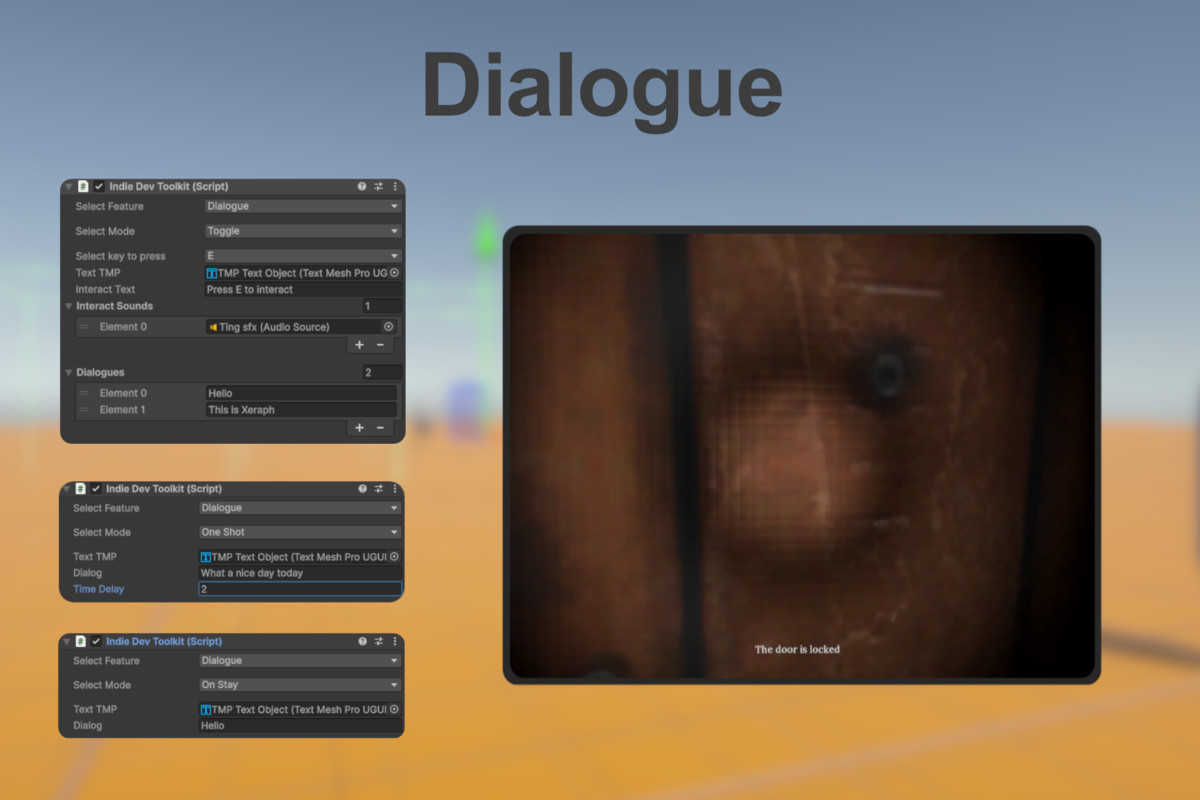
Oneshot - Dialogue that appears and disappears after a set time.
Toggle - Dialogue that can be toggled by the player with a specified key, also supports multiple dialogue.
OnStay - Dialogue that only appears when the player enters the trigger.
Spawn Despawn
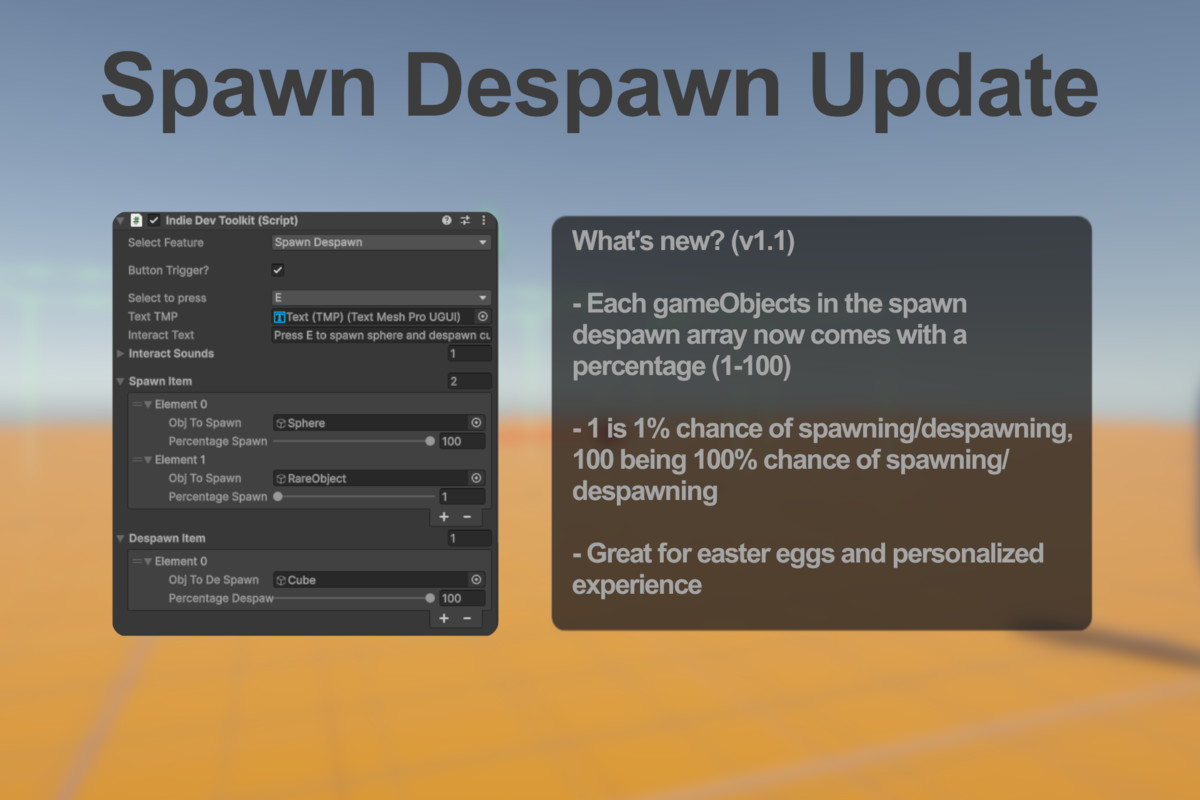
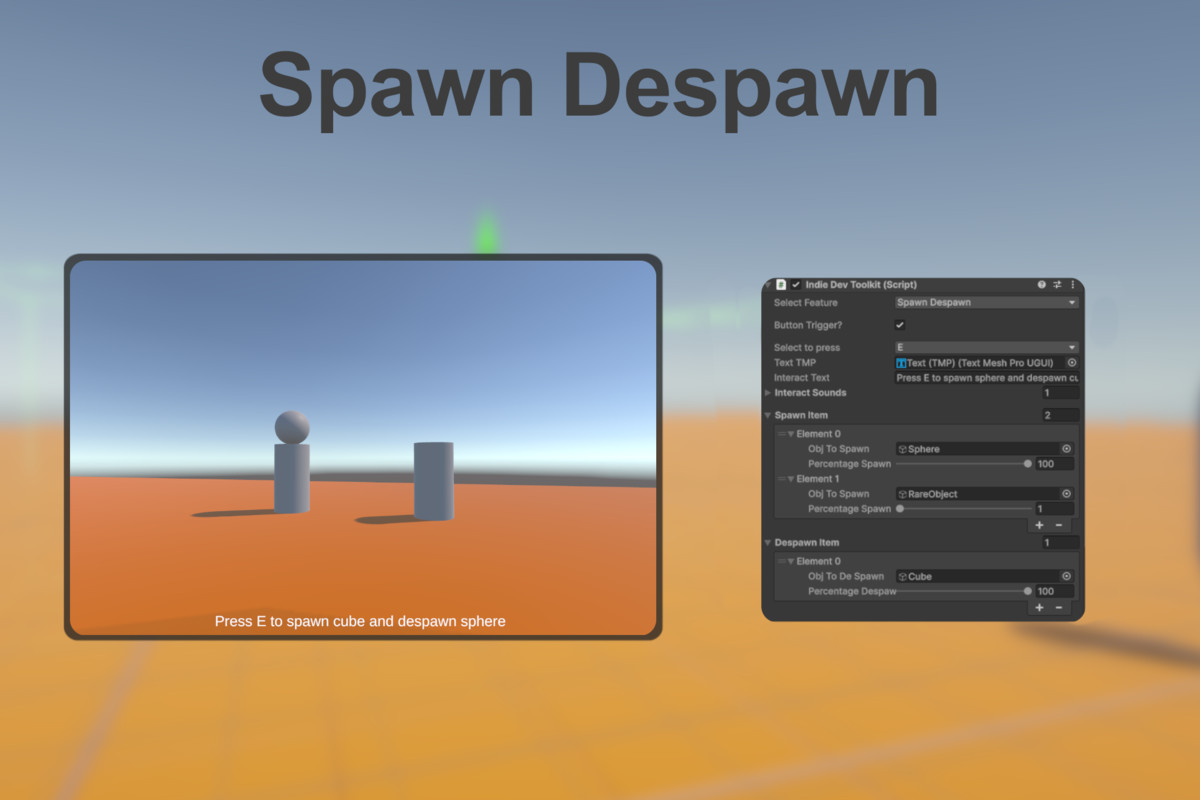
Spawn (setActivetrue) or despawn (setActivefalse) gameObject when player enters the trigger or presses an interaction key. Developers can choose if player has to press a key or not, and also choose what key to press. Each gameObjects also comes with a percentage that determines whether it will spawn or despawn when players interacts with it, with 1 being 1% chance of spawning/despawning and 100 being 100% chance of spawning/despawning. Great for easter eggs and personalized gaming experience.
Trig Anim
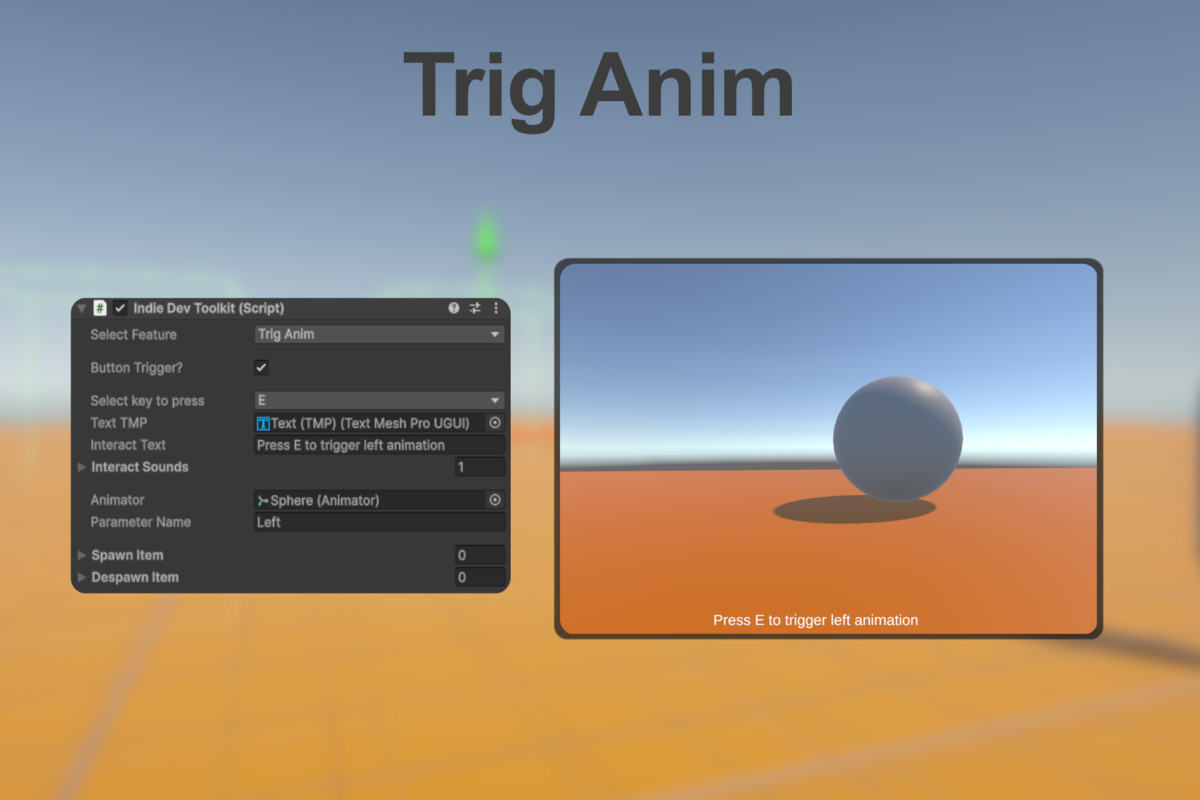
Trigger an animation when player enters the trigger or presses an interaction key. This function only supports Trigger type parameter. Developers can choose if player has to press a key or not, and also choose what key to press.
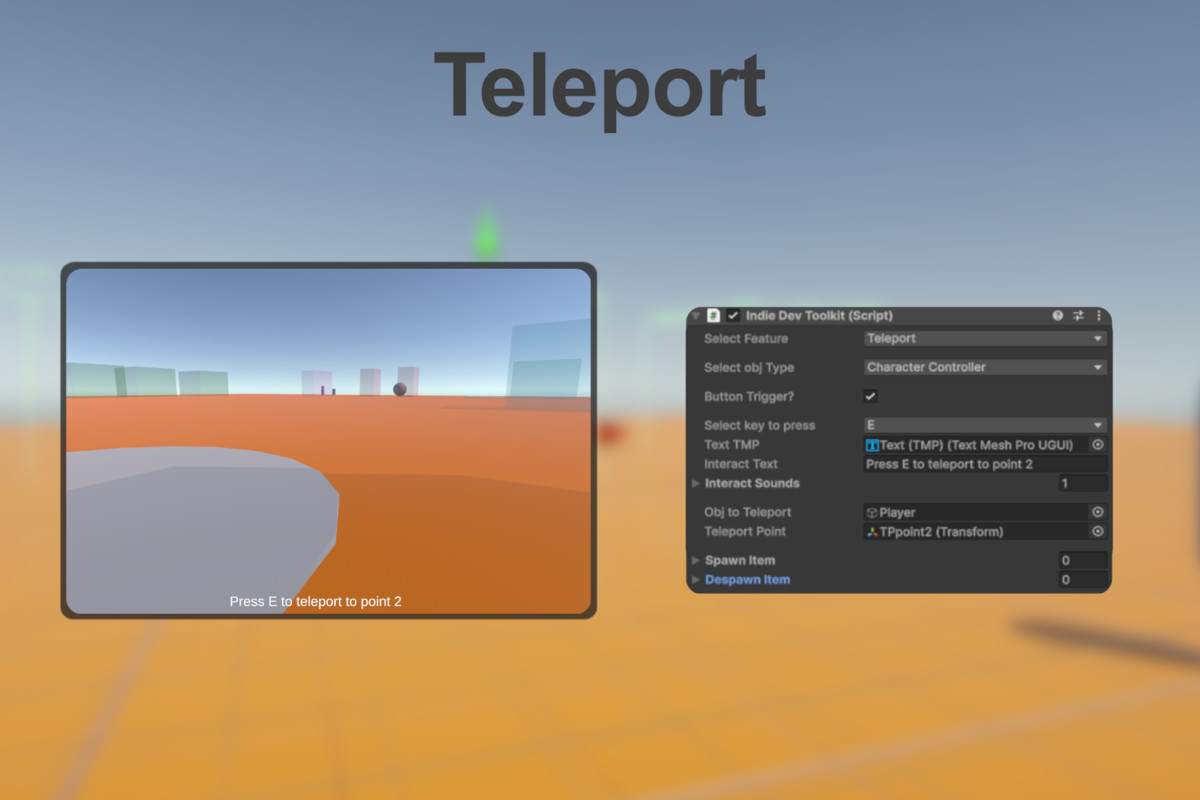
Teleport (RigidBody based controller not supported)
Teleport a Character Controller based controller or simple gameObject to a specified point (Transform) when player enters the trigger or presses an interaction key. Developers can choose if player has to press a key or not, and also choose what key to press.
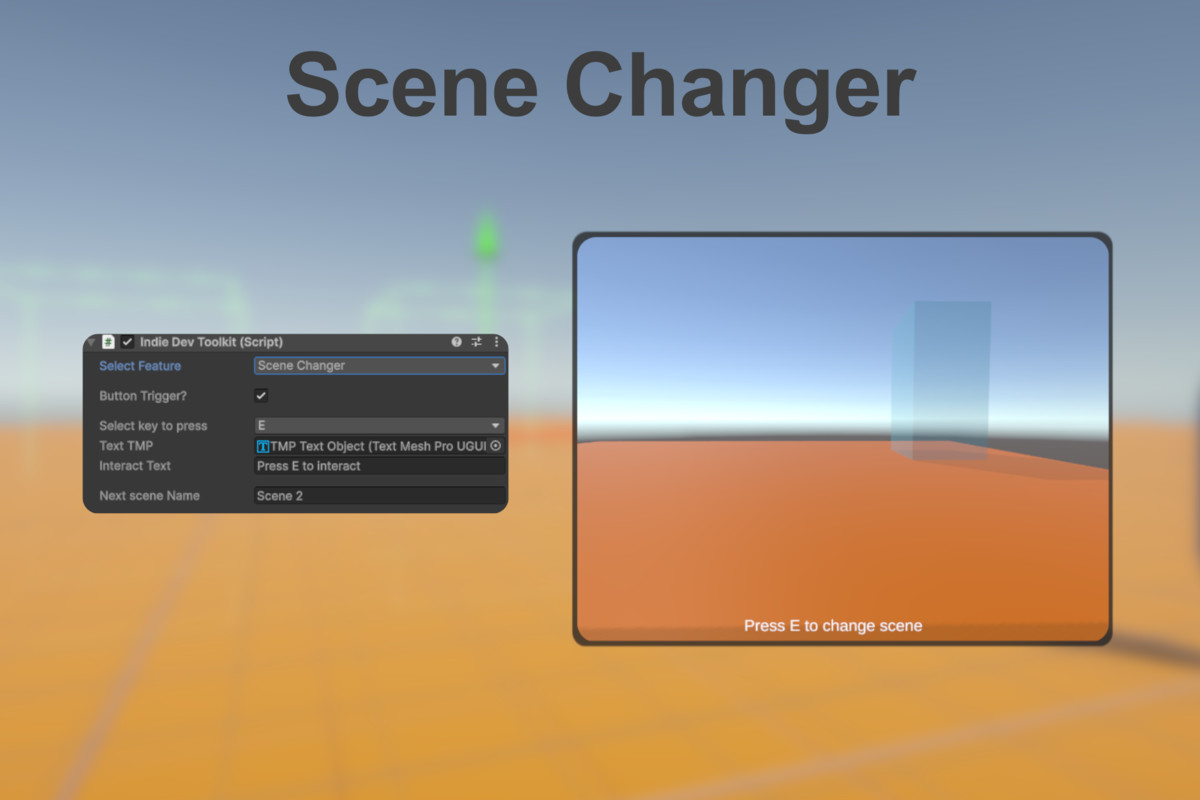
Scene Changer
Changes the current scene to another scene when player enters the trigger or presses an interaction key. Developers can choose if player has to press a key or not, and also choose what key to press.
One script, multi function plug and play , no coding required
Features:
Dialogue
Oneshot - Dialogue that appears and disappears after a set time.
Toggle - Dialogue that can be toggled by the player with a specified key, also supports multiple dialogue.
OnStay - Dialogue that only appears when the player enters the trigger.
Spawn Despawn
Spawn (setActivetrue) or despawn (setActivefalse) gameObject when player enters the trigger or presses an interaction key. Developers can choose if player has to press a key or not, and also choose what key to press. Each gameObjects also comes with a percentage that determines whether it will spawn or despawn when players interacts with it, with 1 being 1% chance of spawning/despawning and 100 being 100% chance of spawning/despawning. Great for easter eggs and personalized gaming experience.
Trig Anim
Trigger an animation when player enters the trigger or presses an interaction key. This function only supports Trigger type parameter. Developers can choose if player has to press a key or not, and also choose what key to press.
Teleport (RigidBody based controller not supported)
Teleport a Character Controller based controller or simple gameObject to a specified point (Transform) when player enters the trigger or presses an interaction key. Developers can choose if player has to press a key or not, and also choose what key to press.
Scene Changer
Changes the current scene to another scene when player enters the trigger or presses an interaction key. Developers can choose if player has to press a key or not, and also choose what key to press.