
Screenshots and videos
 1 / 2

Price history
Lowest recorded standalone price: $4.99. Recorded observations span to . This is our available history, not a guaranteed all-time low. Bundle package prices are separate.
Standalone price
Last three months, in USD. Bundle prices cover the whole package.
About Import Scheduler
- Tools, Systems & Learning > Development Tools & Automation
The editor is perfectly happy to let you multi-select assets for download and then immediately forget that importing them one by one is a terrible use of time.
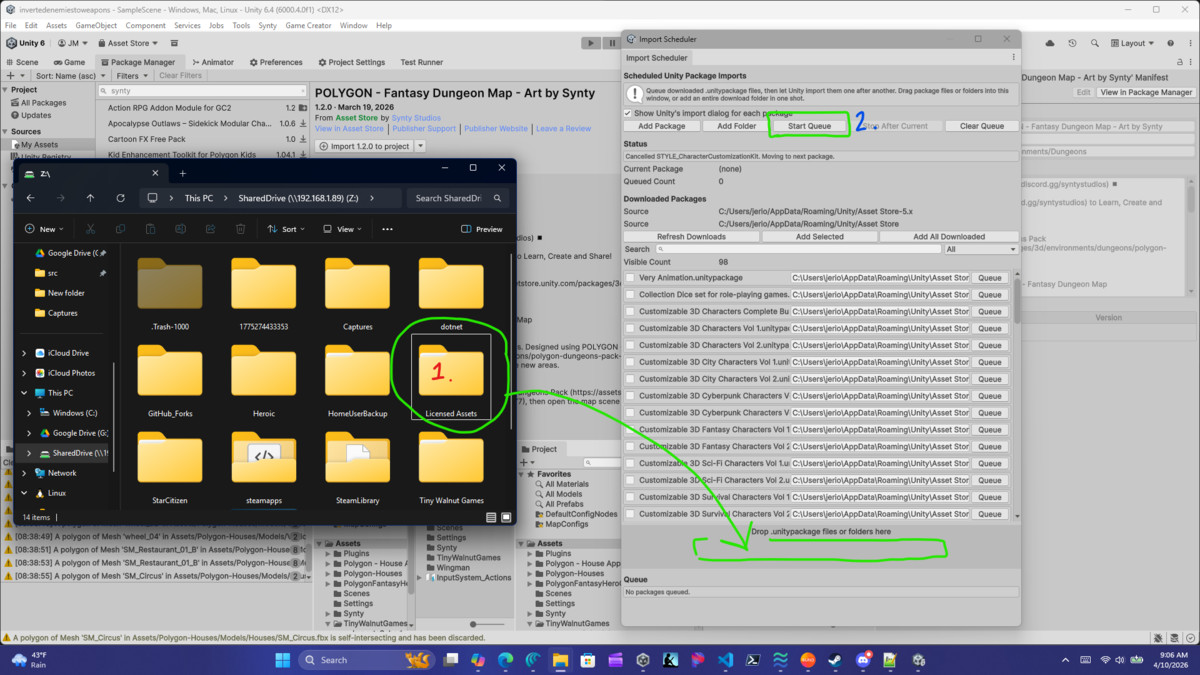
Import Scheduler fixes that gap. It scans the editor's downloaded caches, lets you search and filter what is already on disk, builds an import queue, and then processes each package one after another while Unity settles between imports.
1. Open `Tools > Import Scheduler`.
2. Download the packages you want through the asset manager as usual.
3. In the `Downloaded Packages` section, search or filter the discovered cache.
4. Select the packages you want and click `Add Selected`, or use `Add All Downloaded` if you are feeling aggressive.
5. Decide whether you want the editor's package import dialog to appear for each package.
6. Click `Start Queue`.
- Any editor dialog window that requires your input will show at the appropriate time, so make sure you stick around - we're not completely automated for safety!
The scheduler waits for the editor to finish importing, recompiling, and returning to the editor before starting the next package.
Import Scheduler fixes that gap. It scans the editor's downloaded caches, lets you search and filter what is already on disk, builds an import queue, and then processes each package one after another while Unity settles between imports.
1. Open `Tools > Import Scheduler`.
2. Download the packages you want through the asset manager as usual.
3. In the `Downloaded Packages` section, search or filter the discovered cache.
4. Select the packages you want and click `Add Selected`, or use `Add All Downloaded` if you are feeling aggressive.
5. Decide whether you want the editor's package import dialog to appear for each package.
6. Click `Start Queue`.
- Any editor dialog window that requires your input will show at the appropriate time, so make sure you stick around - we're not completely automated for safety!
The scheduler waits for the editor to finish importing, recompiling, and returning to the editor before starting the next package.
More from Tiny Walnut Games
- MCCustomizer $15
- TWG ParallaxSystemLite FREE
- TWG Parallax System $4.99