Price history
Recorded standalone sale prices and the latest available store price, in USD. Historical dots use the sale start date and its recorded offer price. Prices can change during a sale; this is not a daily price log. Bundle prices and upcoming offers are excluded. History covers up to the 100 most recent recorded offers.
Lowest recorded standalone price in this history: $4.99. The latest store price is $4.99, matching the lowest recorded price shown here.
View 2 recorded prices
| Sale start / price check | Price | Observation |
|---|---|---|
| $4.99 | Latest store price | |
| $4.99 | Unity First Price 2026-06-20 2026-06-27 |
Sale and bundle history
The 1 most recent recorded offers including this asset. Past offers may no longer be available. Bundle prices cover a package, not this asset alone.
About Image Blends&Filter
- Art & Visuals > VFX
- Art & Visuals > Textures & Materials
Image Blends& Filter – Advanced Image Blending & Filtering for Unity
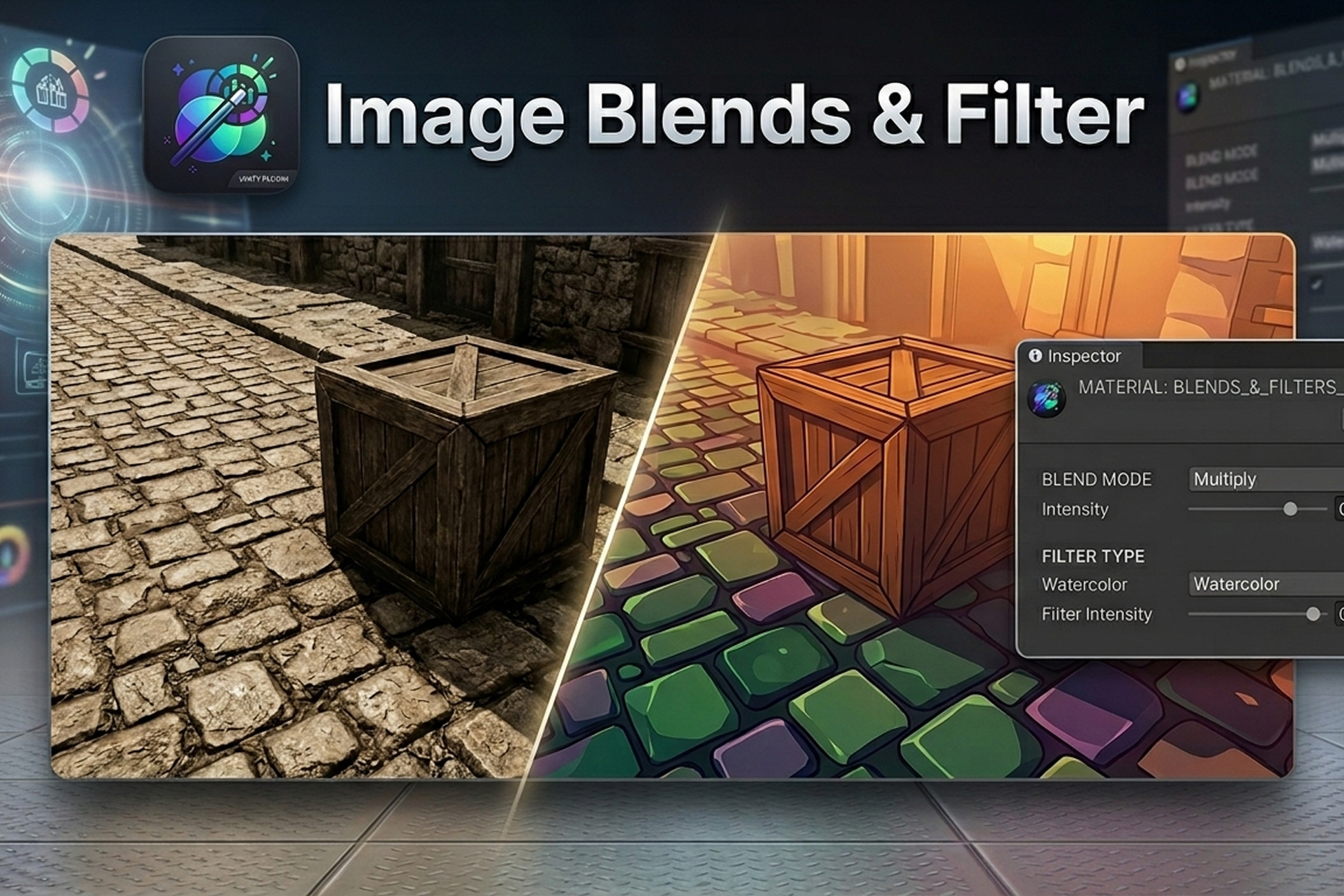
Image Blends&Filter is a powerful and easy-to-use Unity plugin that lets you blend colors or images onto other images, textures, or backgrounds with professional-grade results. Perfect for UI, 2D sprites, 3D textures, or post-processing effects, this plugin gives you complete control over your visuals with just a few clicks.
Key Features
12 Blending Modes: Multiply, Screen, Overlay, SoftLight, ColorDodge, Hue, Saturation, Color, Luminosity, Difference, Subtract, Divide.
16 Image Filters: Brightness, Contrast, Saturation, HueShift, Exposure, GammaCorrection, Vibrance, Colorize, Black & White, WarmCool, Vintage, Sketch, Toon, OilPaint, Watercolor, Posterize.
Adjustable Parameters: Control intensity, hue shift, posterize steps, and color tint to fine-tune your effects.
Pipeline Compatibility: Works seamlessly with Built-in, URP, and HDRP render pipelines.
Easy to Use: Drag-and-drop materials onto images or textures, or process textures at runtime using Graphics.Blit().
Flexible Output: Apply effects to UI elements, sprites, textures, or fully rendered scenes.
Why Choose Image Blends&Filter?
Quickly create stunning visual effects for games, AR/VR apps, and interactive experiences.
Transform ordinary textures into vibrant, artistic visuals without external software.
Real-time preview and adjustable parameters make iteration fast and intuitive.
Works across all major platforms supported by Unity: Windows, macOS, Android, and iOS.
Use Cases
Enhance UI and HUD elements with custom blends and filters.
Stylize textures before applying them to 3D models.
Add post-processing effects to rendered frames for cinematic quality.
Export processed textures for dynamic UI, texture baking, or runtime effects.
How It Works
Add Image or Texture – Use a UI Canvas image or a GameObject with a texture.
Apply Material – Drag the desired blend/filter material onto your image or process at runtime with Graphics.Blit().
Configure Options – Adjust blend modes, filters, intensity, hue, posterize steps, or color tint.
Preview & Test – Play your scene and tweak parameters in real-time for perfect results.
Image Blends&Filter is a powerful and easy-to-use Unity plugin that lets you blend colors or images onto other images, textures, or backgrounds with professional-grade results. Perfect for UI, 2D sprites, 3D textures, or post-processing effects, this plugin gives you complete control over your visuals with just a few clicks.
Key Features
12 Blending Modes: Multiply, Screen, Overlay, SoftLight, ColorDodge, Hue, Saturation, Color, Luminosity, Difference, Subtract, Divide.
16 Image Filters: Brightness, Contrast, Saturation, HueShift, Exposure, GammaCorrection, Vibrance, Colorize, Black & White, WarmCool, Vintage, Sketch, Toon, OilPaint, Watercolor, Posterize.
Adjustable Parameters: Control intensity, hue shift, posterize steps, and color tint to fine-tune your effects.
Pipeline Compatibility: Works seamlessly with Built-in, URP, and HDRP render pipelines.
Easy to Use: Drag-and-drop materials onto images or textures, or process textures at runtime using Graphics.Blit().
Flexible Output: Apply effects to UI elements, sprites, textures, or fully rendered scenes.
Why Choose Image Blends&Filter?
Quickly create stunning visual effects for games, AR/VR apps, and interactive experiences.
Transform ordinary textures into vibrant, artistic visuals without external software.
Real-time preview and adjustable parameters make iteration fast and intuitive.
Works across all major platforms supported by Unity: Windows, macOS, Android, and iOS.
Use Cases
Enhance UI and HUD elements with custom blends and filters.
Stylize textures before applying them to 3D models.
Add post-processing effects to rendered frames for cinematic quality.
Export processed textures for dynamic UI, texture baking, or runtime effects.
How It Works
Add Image or Texture – Use a UI Canvas image or a GameObject with a texture.
Apply Material – Drag the desired blend/filter material onto your image or process at runtime with Graphics.Blit().
Configure Options – Adjust blend modes, filters, intensity, hue, posterize steps, or color tint.
Preview & Test – Play your scene and tweak parameters in real-time for perfect results.