Unity
Icon Baker v1.2 — (URP) Prefabs to Clean 2D Icons - FOUNDATION STUDIOS
$15.99
Price history
Recorded standalone sale prices and the latest available store price, in USD. Historical dots use the sale start date and its recorded offer price. Prices can change during a sale; this is not a daily price log. Bundle prices and upcoming offers are excluded. History covers up to the 100 most recent recorded offers.
Lowest recorded standalone price in this history: $11.19. The latest store price is $15.99.
View 4 recorded prices
| Sale start / price check | Price | Observation |
|---|---|---|
| $15.99 | Latest store price | |
| $15.99 | Unity First Price 2026-09-23 2026-09-23 | |
| $11.19 | Unity New Release Discount 2026-09-23 2026-10-07 | |
| $11.19 | Unity New Release Discount 2026-09-23 2026-10-07 |
Sale and bundle history
The 3 most recent recorded offers including this asset. Past offers may no longer be available. Bundle prices cover a package, not this asset alone.
About Icon Baker v1.2 — (URP) Prefabs to Clean 2D Icons - FOUNDATION STUDIOS
- Tools, Systems & Learning > Development Tools & Automation
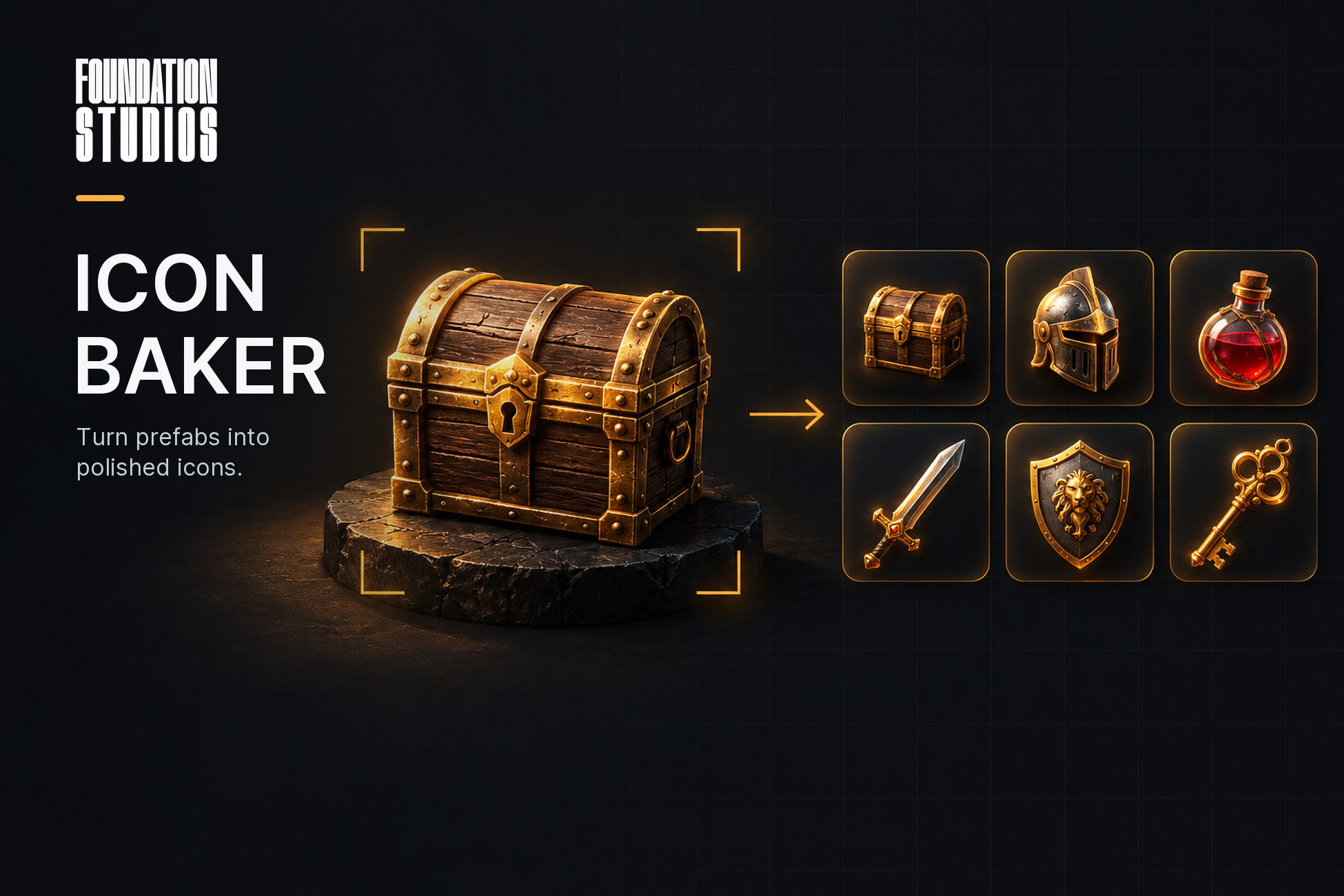
Point Icon Baker at your item prefabs, pick a look, press Bake, and get a folder of sprites that already belong to one set. Change a mesh and the icon updates itself.
SEE IT BEFORE YOU BAKE
The window shows a live preview of the selected prefab, rendered through the exact code path the bake uses. Drag a rotation slider, toggle an outline, switch a preset: the preview follows. No more bake, look, tweak, bake again.
TRUE TRANSPARENCY, NOT A CHROMA KEY
Render pipelines write an opaque alpha channel, so a naive capture leaves you keying out a background by hand. Icon Baker shoots each frame twice, once on black and once on white, and recovers the real alpha from the difference. Glass, foliage, alpha-clipped edges and soft antialiased silhouettes all come out right.
CONSISTENT ACROSS THE WHOLE SET
A three-point light rig is parented to the camera, so every item is lit exactly the same way no matter how it is turned. Scene lights are muted, ambient and fog are overridden during the bake and restored afterwards. Icon #40 matches icon #1.
ONE PROFILE PER STYLE, EIGHT PRESETS TO START FROM
An Icon Bake Profile asset holds everything that decides how a set looks: resolution, framing, the light rig, post effects and output settings. Ship with eight presets, each an editable asset:
• Clean Transparent
• Grid Inventory (Resident Evil / Tarkov style footprints)
• Hotbar / Action Bar (rounded dark plate, faint border)
• Isometric Prop (steeper angle, soft perspective, contact shadow)
• Silhouette (locked / undiscovered items, lines up with the lit set)
• Greyed Out (unavailable items)
• Sticker (bold white outline, hard shadow)
• Front Orthographic (catalogue / shop product shot)
POST EFFECTS BUILT IN
• Outline with adjustable width and softness
• Drop shadow with offset and blur
• Background plates: solid, vertical gradient or radial glow, with rounded corners and an inset border
• Silhouette, tint and grayscale render modes
• Exposure and saturation
• Per-prefab tint, so one mesh gives you five rarity colours with no extra work
GRID-AWARE FRAMING
Icons are sized in cells. A 1×3 rifle bakes to a tall 256×768 image instead of being crushed into a square, and long items automatically roll to lie along the frame's long axis. Every subject is auto-centred and normalised first, so a thumb-sized key and a two-metre statue both fill their frame. Bounds are measured in camera space, so the fit respects how the item is actually turned.
SAVED SETS THAT KEEP THEMSELVES CURRENT
An Icon Bake Set asset stores a profile, an output folder, a list of prefabs and any number of source folders. Drop a new prefab into a watched folder and it is part of the set. Turn on Auto Rebake and Icon Baker watches every prefab and everything it depends on (models, materials, textures, nested prefabs): re-import any of them and only the affected icons are re-baked, quietly, in the background.
SCRIPTING API
Everything the window does is one call away:
IconBakerApi.Bake(prefab, profile)
IconBakerApi.BakeToFolder(prefabs, profile, "Assets/UI/Icons")
IconBakerApi.BakeSet(set)
Wire it into a build step or CI and never hand-export an icon again.
OVERRIDES ONLY WHERE YOU NEED THEM
Prefabs use the profile until you add an Icon Bake Settings component to one that needs its own angle, zoom, footprint, tint or file name. Each override is opt-in, so a profile change still flows through to everything else. The component is inert data: nothing runs at runtime, nothing ships in your build.
WHAT'S IN THE PACKAGE
• Icon Baker window with live preview
• Icon Bake Profile and Icon Bake Set assets, with custom inspectors
• 8 presets, as assets and as Create-menu entries
• Automatic re-bake on import
• Public scripting API
• Demo scene with 7 sample prefabs (two textured models, five primitive props) and a working inventory grid
• PDF manual and README
• Full C# source, two assembly definitions, no dependencies
REQUIREMENTS
Unity 6000.0 or newer. URP and the Built-in Render Pipeline. HDRP is not supported.
SEE IT BEFORE YOU BAKE
The window shows a live preview of the selected prefab, rendered through the exact code path the bake uses. Drag a rotation slider, toggle an outline, switch a preset: the preview follows. No more bake, look, tweak, bake again.
TRUE TRANSPARENCY, NOT A CHROMA KEY
Render pipelines write an opaque alpha channel, so a naive capture leaves you keying out a background by hand. Icon Baker shoots each frame twice, once on black and once on white, and recovers the real alpha from the difference. Glass, foliage, alpha-clipped edges and soft antialiased silhouettes all come out right.
CONSISTENT ACROSS THE WHOLE SET
A three-point light rig is parented to the camera, so every item is lit exactly the same way no matter how it is turned. Scene lights are muted, ambient and fog are overridden during the bake and restored afterwards. Icon #40 matches icon #1.
ONE PROFILE PER STYLE, EIGHT PRESETS TO START FROM
An Icon Bake Profile asset holds everything that decides how a set looks: resolution, framing, the light rig, post effects and output settings. Ship with eight presets, each an editable asset:
• Clean Transparent
• Grid Inventory (Resident Evil / Tarkov style footprints)
• Hotbar / Action Bar (rounded dark plate, faint border)
• Isometric Prop (steeper angle, soft perspective, contact shadow)
• Silhouette (locked / undiscovered items, lines up with the lit set)
• Greyed Out (unavailable items)
• Sticker (bold white outline, hard shadow)
• Front Orthographic (catalogue / shop product shot)
POST EFFECTS BUILT IN
• Outline with adjustable width and softness
• Drop shadow with offset and blur
• Background plates: solid, vertical gradient or radial glow, with rounded corners and an inset border
• Silhouette, tint and grayscale render modes
• Exposure and saturation
• Per-prefab tint, so one mesh gives you five rarity colours with no extra work
GRID-AWARE FRAMING
Icons are sized in cells. A 1×3 rifle bakes to a tall 256×768 image instead of being crushed into a square, and long items automatically roll to lie along the frame's long axis. Every subject is auto-centred and normalised first, so a thumb-sized key and a two-metre statue both fill their frame. Bounds are measured in camera space, so the fit respects how the item is actually turned.
SAVED SETS THAT KEEP THEMSELVES CURRENT
An Icon Bake Set asset stores a profile, an output folder, a list of prefabs and any number of source folders. Drop a new prefab into a watched folder and it is part of the set. Turn on Auto Rebake and Icon Baker watches every prefab and everything it depends on (models, materials, textures, nested prefabs): re-import any of them and only the affected icons are re-baked, quietly, in the background.
SCRIPTING API
Everything the window does is one call away:
IconBakerApi.Bake(prefab, profile)
IconBakerApi.BakeToFolder(prefabs, profile, "Assets/UI/Icons")
IconBakerApi.BakeSet(set)
Wire it into a build step or CI and never hand-export an icon again.
OVERRIDES ONLY WHERE YOU NEED THEM
Prefabs use the profile until you add an Icon Bake Settings component to one that needs its own angle, zoom, footprint, tint or file name. Each override is opt-in, so a profile change still flows through to everything else. The component is inert data: nothing runs at runtime, nothing ships in your build.
WHAT'S IN THE PACKAGE
• Icon Baker window with live preview
• Icon Bake Profile and Icon Bake Set assets, with custom inspectors
• 8 presets, as assets and as Create-menu entries
• Automatic re-bake on import
• Public scripting API
• Demo scene with 7 sample prefabs (two textured models, five primitive props) and a working inventory grid
• PDF manual and README
• Full C# source, two assembly definitions, no dependencies
REQUIREMENTS
Unity 6000.0 or newer. URP and the Built-in Render Pipeline. HDRP is not supported.