Price history
Recorded standalone sale prices and the latest available store price, in USD. Historical dots use the sale start date and its recorded offer price. Prices can change during a sale; this is not a daily price log. Bundle prices and upcoming offers are excluded. History covers up to the 100 most recent recorded offers.
Lowest recorded standalone price in this history: $6.99. The latest store price is $6.99, matching the lowest recorded price shown here.
View 3 recorded prices
| Sale start / price check | Price | Observation |
|---|---|---|
| $6.99 | Latest store price | |
| $6.99 | Unity Permanent Decrease 2026-07-20 2026-07-27 | |
| $15.99 | Unity First Price 2026-06-20 2026-06-27 |
Sale and bundle history
The 2 most recent recorded offers including this asset. Past offers may no longer be available. Bundle prices cover a package, not this asset alone.
About Hierarchy Quick Actions PRO – Icons, Colors, Favorites & Lock
- Tools, Systems & Learning > Development Tools & Automation
- Art & Visuals > 2D
Organize and control your Unity hierarchy instantly — without selecting GameObjects, opening inspectors or navigating menus.
❌ Missing Scripts Detector – automatically marks GameObjects with broken references in red ❌
👉 Toggle any feature on/off to keep the tool clean and simple — use only what you need.
Hierarchy Quick Actions PRO adds fast-access buttons, color tags, icons and smart automation directly inside the Hierarchy, so you can:
- toggle objects
- lock selections
- mark favorites
- apply colors
- assign icons
- run actions
- organize large scenes
…all in seconds, directly from the hierarchy view.
No extra windows.
No inspector hopping.
No wasted time.
Just faster scene management.
Built for real production workflows, especially for:
- large scenes
- level design
- simulation projects
- teams
- open world projects
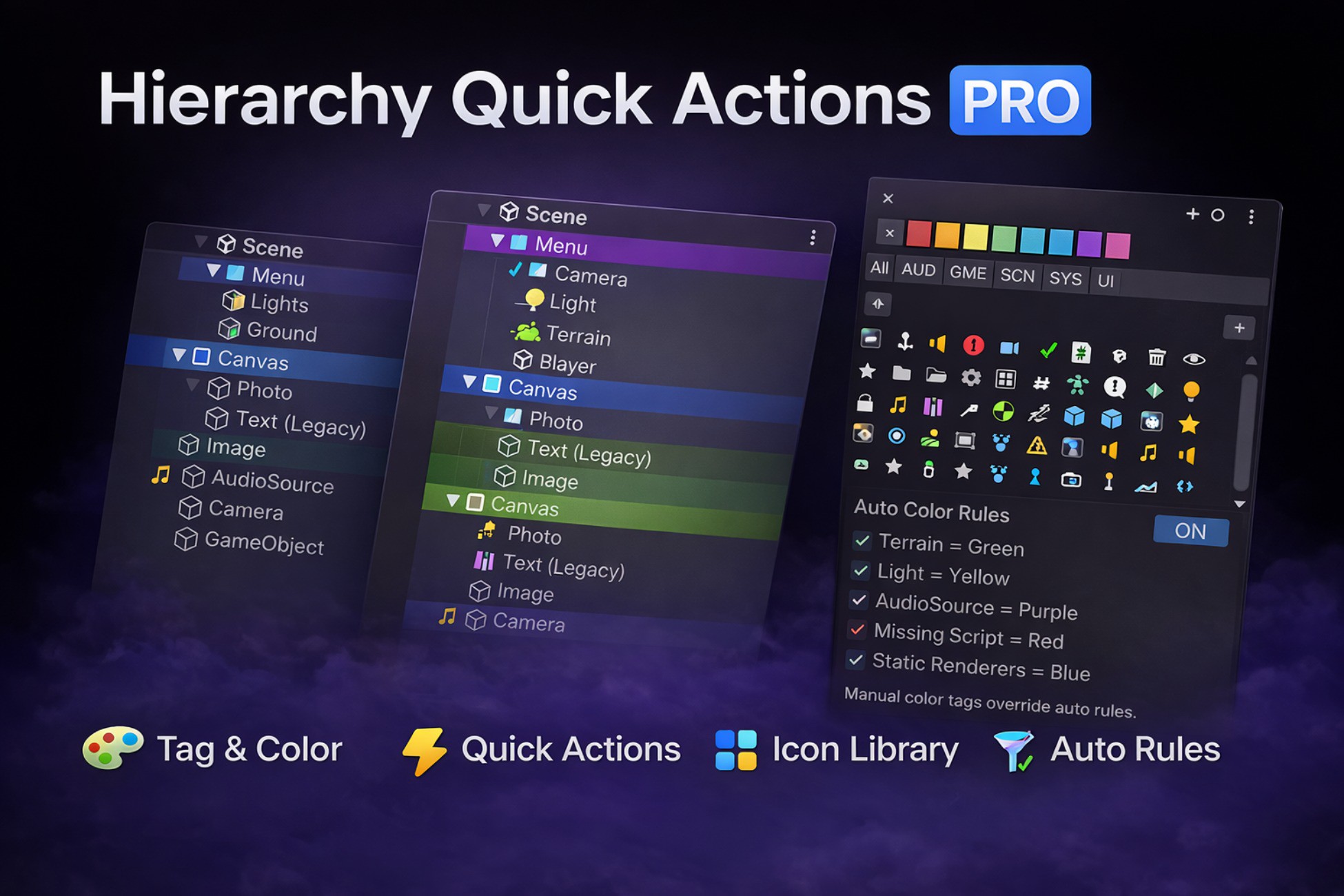
Hierarchy Quick Actions PRO is a production-ready Unity Editor tool designed to make scene organization faster, clearer and safer.
It adds visual hierarchy controls directly in the Unity Hierarchy window:
color tags, icons, quick buttons and automation rules — all without breaking your workflow.
Perfect for large projects, teams, level designers and technical artists.
Core Features
Tag & Color System
- Apply colors to GameObjects in hierarchy
- Improve readability and scene structure
- Works per object or recursively on children
Quick Hierarchy Actions
Direct buttons in hierarchy for:
- Enable / Disable
- Static
- Lock selection
- Favorite
- Rename helpers
- Visibility helpers
- Custom editor utilities
Auto Color Rules
Automatically apply colors based on:
- Component type
- Object type
- Missing scripts
- Static renderers
- Lights / Audio / Terrain etc.
Manual tags override auto rules.
Icon Library
- Large built-in icon collection
- Apply per object or group
- Visual identification at a glance
Workflow Focused
- Non-destructive
- Editor-only
- Lightweight & optimized
- Designed for large scenes
Use Cases
- Level design
- Scene management
- Team workflows
- Debugging missing scripts
- Organizing large hierarchies
- Fast navigation in production scenes
Why Hierarchy Quick Actions PRO?
Because organizing large Unity hierarchies shouldn’t slow you down.
Built from real production needs, this tool helps you move faster, stay organized and focus on building your game — not fighting the editor.
❌ Missing Scripts Detector – automatically marks GameObjects with broken references in red ❌
👉 Toggle any feature on/off to keep the tool clean and simple — use only what you need.
Hierarchy Quick Actions PRO adds fast-access buttons, color tags, icons and smart automation directly inside the Hierarchy, so you can:
- toggle objects
- lock selections
- mark favorites
- apply colors
- assign icons
- run actions
- organize large scenes
…all in seconds, directly from the hierarchy view.
No extra windows.
No inspector hopping.
No wasted time.
Just faster scene management.
Built for real production workflows, especially for:
- large scenes
- level design
- simulation projects
- teams
- open world projects
Hierarchy Quick Actions PRO is a production-ready Unity Editor tool designed to make scene organization faster, clearer and safer.
It adds visual hierarchy controls directly in the Unity Hierarchy window:
color tags, icons, quick buttons and automation rules — all without breaking your workflow.
Perfect for large projects, teams, level designers and technical artists.
Core Features
Tag & Color System
- Apply colors to GameObjects in hierarchy
- Improve readability and scene structure
- Works per object or recursively on children
Quick Hierarchy Actions
Direct buttons in hierarchy for:
- Enable / Disable
- Static
- Lock selection
- Favorite
- Rename helpers
- Visibility helpers
- Custom editor utilities
Auto Color Rules
Automatically apply colors based on:
- Component type
- Object type
- Missing scripts
- Static renderers
- Lights / Audio / Terrain etc.
Manual tags override auto rules.
Icon Library
- Large built-in icon collection
- Apply per object or group
- Visual identification at a glance
Workflow Focused
- Non-destructive
- Editor-only
- Lightweight & optimized
- Designed for large scenes
Use Cases
- Level design
- Scene management
- Team workflows
- Debugging missing scripts
- Organizing large hierarchies
- Fast navigation in production scenes
Why Hierarchy Quick Actions PRO?
Because organizing large Unity hierarchies shouldn’t slow you down.
Built from real production needs, this tool helps you move faster, stay organized and focus on building your game — not fighting the editor.