Unity
FuzzyOptimizer: All-in-One Scene Optimization
$19.98
$39.99
50% off
Price history
Recorded standalone sale prices and the latest available store price, in USD. Historical dots use the sale start date and its recorded offer price. Prices can change during a sale; this is not a daily price log. Bundle prices and upcoming offers are excluded. History covers up to the 100 most recent recorded offers.
Lowest recorded standalone price in this history: $19.98. The latest store price is $19.98, matching the lowest recorded price shown here.
View 4 recorded prices
| Sale start / price check | Price | Observation |
|---|---|---|
| $19.98 | Latest store price | |
| $39.99 | Unity First Price 2026-11-06 2026-11-06 | |
| $19.98 | Unity New Release Discount 2026-11-06 2026-11-20 | |
| $19.98 | Unity New Release Discount 2026-11-06 2026-11-20 |
Sale and bundle history
The 3 most recent recorded offers including this asset. Past offers may no longer be available. Bundle prices cover a package, not this asset alone.
About FuzzyOptimizer: All-in-One Scene Optimization
FuzzyOptimizer finds what makes your scene slow, tells you why, and fixes it without Blender, Photoshop or a stack of separate tools. Every change it makes can be reverted, even after an editor restart.
SCENE DOCTOR
Audits your open scenes against a platform budget (Mobile, Standalone VR, Desktop Mid, Desktop High or your own custom profile) with 49 rules across textures, meshes, rendering, shadows, lighting, culling, physics, animation, audio, particles, uGUI, terrain, project settings and hierarchy.
- Health Score (0–100) with the projected score after all safe fixes
- Estimated draw calls, SetPass calls, triangles, materials and texture memory from the main camera
- Every fix is labelled Safe, Moderate or Destructive. Bulk actions only apply Safe fixes, always after a preview
- Ignore false positives per object; settings are shared with your team through version control
ONE-CLICK OPTIMIZE
- Choose Safe, Balanced or Aggressive, review the step list, switch off anything you don't want, and apply. Steps include static marking, LOD generation, material sharing, HLOD, mesh combining, size and distance culling, occlusion setup and bake, shadow and animation culling and quality settings.
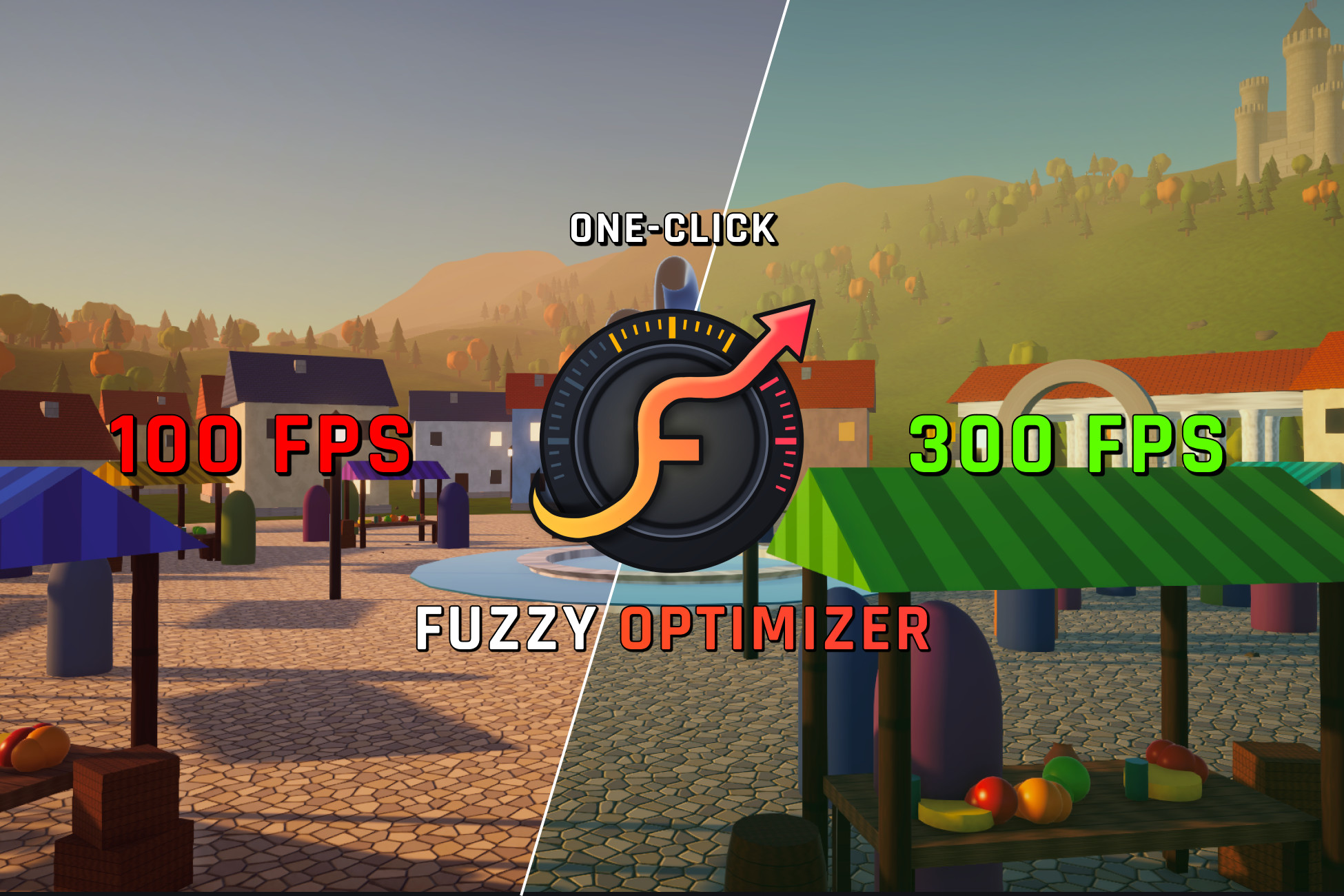
- Optimize & Measure FPS benchmarks the scene in Play Mode before and after, compares frame time, CPU/GPU time and batches, and shows before/after camera images. If the frame rate gets worse, you are offered a revert.
REVERT ANYTHING
Every batch of changes is a session in History: importer settings and assets are backed up, scene and project-setting changes go into a persistent journal, and a copy of the scene is kept as a last resort. Revert the last session, an older one or just one rule's changes.
TOOLS
- Mesh Combiner: non-destructive, per grid cell, keeps colliders and scripts working
- Synchronized Lit Atlas: bakes albedo, normal, metallic/smoothness, occlusion and emission into pixel-aligned atlases (URP Lit and Built-in Standard)
- HLOD: one simplified proxy per cell at distance
- Mesh Decimator: Burst-compiled quadric edge collapse, keeps borders and UV seams intact
- Auto LOD: LOD1/LOD2 + cull level for many objects in one parallel batch
- Collider Optimizer: primitives only where they match the real volume, low-poly proxies elsewhere
- Mesh Repair: weld vertices, recalculate or invert normals, generate lightmap UVs
- Culling: layer distance culling, size-based culling, one-click occlusion culling
- Billboard & Impostor Baker: single quads or 8-direction impostors
RUNTIME
- Zero-allocation object and audio pooling
- VFX Budget Limiter: pauses off-screen and distant emitters and keeps visible particles within budget
VISUAL DEBUGGING, REPORTS & CI
- Scene View heatmap: triangle density, draw calls, shadow casters, transparency, issues
- Issue icons in the Hierarchy
- Multi-scene audit with self-contained HTML and JSON reports
- Command line for CI with a quality gate (minimum score, fail on critical) and exit codes
- Optional build check that can stop a player build below your quality bar
EXTENSIBLE
Add your own checks by implementing a single interface. They appear in the dashboard, reports and CI automatically.
SHOWCASE SCENE
Fuzzy Harbor, a coastal town at golden hour, has deliberate problems for every rule group and tool, a cinematic flythrough and a live performance HUD, so you can see each feature work before touching your own project.
SCENE DOCTOR
Audits your open scenes against a platform budget (Mobile, Standalone VR, Desktop Mid, Desktop High or your own custom profile) with 49 rules across textures, meshes, rendering, shadows, lighting, culling, physics, animation, audio, particles, uGUI, terrain, project settings and hierarchy.
- Health Score (0–100) with the projected score after all safe fixes
- Estimated draw calls, SetPass calls, triangles, materials and texture memory from the main camera
- Every fix is labelled Safe, Moderate or Destructive. Bulk actions only apply Safe fixes, always after a preview
- Ignore false positives per object; settings are shared with your team through version control
ONE-CLICK OPTIMIZE
- Choose Safe, Balanced or Aggressive, review the step list, switch off anything you don't want, and apply. Steps include static marking, LOD generation, material sharing, HLOD, mesh combining, size and distance culling, occlusion setup and bake, shadow and animation culling and quality settings.
- Optimize & Measure FPS benchmarks the scene in Play Mode before and after, compares frame time, CPU/GPU time and batches, and shows before/after camera images. If the frame rate gets worse, you are offered a revert.
REVERT ANYTHING
Every batch of changes is a session in History: importer settings and assets are backed up, scene and project-setting changes go into a persistent journal, and a copy of the scene is kept as a last resort. Revert the last session, an older one or just one rule's changes.
TOOLS
- Mesh Combiner: non-destructive, per grid cell, keeps colliders and scripts working
- Synchronized Lit Atlas: bakes albedo, normal, metallic/smoothness, occlusion and emission into pixel-aligned atlases (URP Lit and Built-in Standard)
- HLOD: one simplified proxy per cell at distance
- Mesh Decimator: Burst-compiled quadric edge collapse, keeps borders and UV seams intact
- Auto LOD: LOD1/LOD2 + cull level for many objects in one parallel batch
- Collider Optimizer: primitives only where they match the real volume, low-poly proxies elsewhere
- Mesh Repair: weld vertices, recalculate or invert normals, generate lightmap UVs
- Culling: layer distance culling, size-based culling, one-click occlusion culling
- Billboard & Impostor Baker: single quads or 8-direction impostors
RUNTIME
- Zero-allocation object and audio pooling
- VFX Budget Limiter: pauses off-screen and distant emitters and keeps visible particles within budget
VISUAL DEBUGGING, REPORTS & CI
- Scene View heatmap: triangle density, draw calls, shadow casters, transparency, issues
- Issue icons in the Hierarchy
- Multi-scene audit with self-contained HTML and JSON reports
- Command line for CI with a quality gate (minimum score, fail on critical) and exit codes
- Optional build check that can stop a player build below your quality bar
EXTENSIBLE
Add your own checks by implementing a single interface. They appear in the dashboard, reports and CI automatically.
SHOWCASE SCENE
Fuzzy Harbor, a coastal town at golden hour, has deliberate problems for every rule group and tool, a cinematic flythrough and a live performance HUD, so you can see each feature work before touching your own project.