Price history
Recorded standalone sale prices and the latest available store price, in USD. Historical dots use the sale start date and its recorded offer price. Prices can change during a sale; this is not a daily price log. Bundle prices and upcoming offers are excluded. History covers up to the 100 most recent recorded offers.
Lowest recorded standalone price in this history: $35. The latest store price is $35, matching the lowest recorded price shown here.
View 1 recorded price
| Sale start / price check | Price | Observation |
|---|---|---|
| $35 | Latest store price |
About ForgeConsole
- Tools, Systems & Learning > Development Tools & Automation
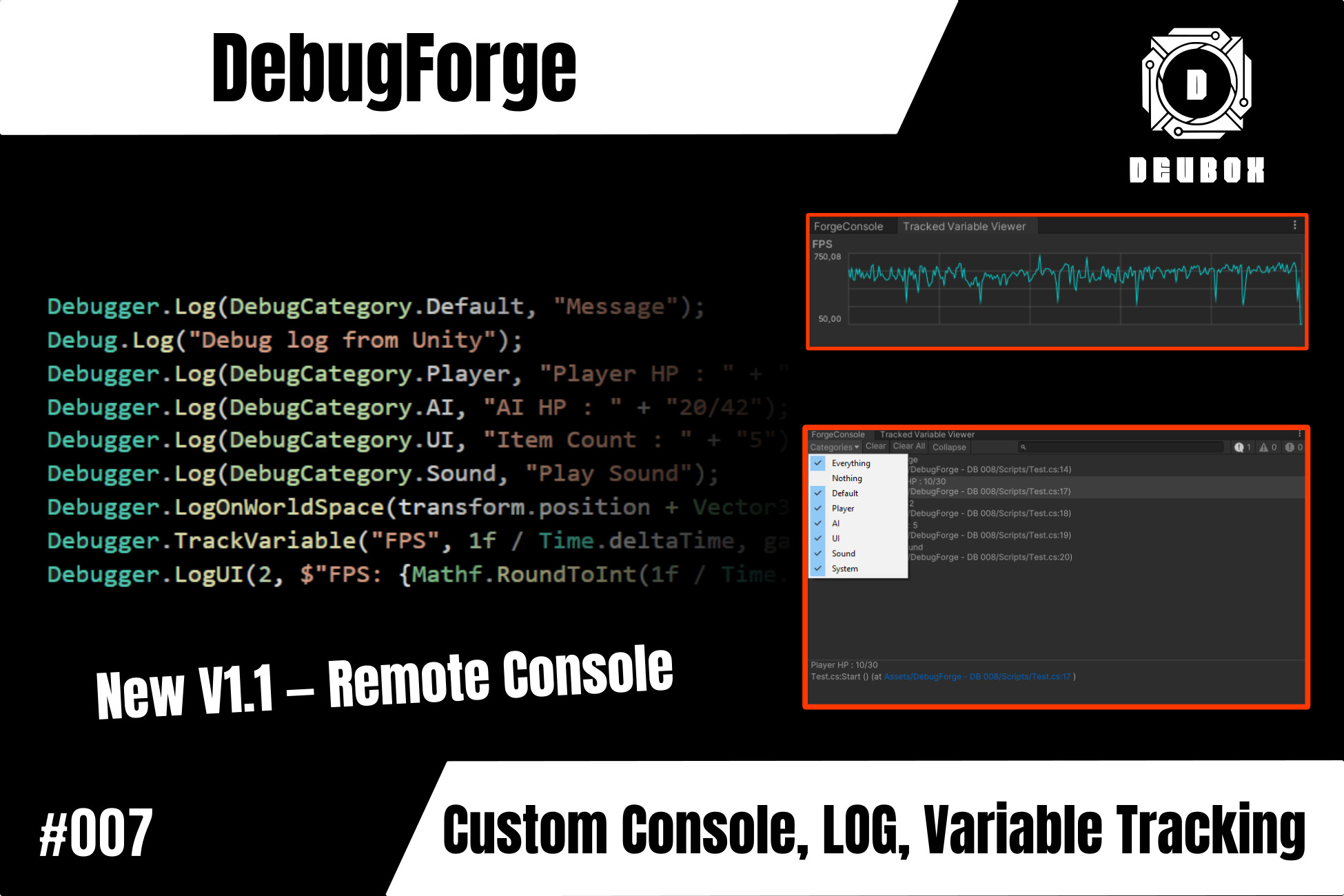
DebugForge is a modular debugging toolkit for Unity featuring a powerful custom console, real-time variable tracking, and full remote debugging support. It helps developers monitor and debug gameplay systems efficiently whether running inside the Editor or from an external build.
Features:
- Remote logging and variable tracking over UDP
- Works seamlessly across PC, consoles, and mobile builds
- Connect To Clients button for instant remote connections
- Centralized network configuration via DebugForge Settings
- Custom debug console with category-based log filtering
- Captures Unity's Debug.Log, Warning, and Error messages
- Category system configurable via Project Settings
- Toggleable log types: log, warning, error
- Track public or private variables with real-time curve visualization
- Multiple tracking modes: Update, FixedUpdate, LateUpdate
- In-editor and runtime variable monitoring
- Static tracking via code (Debugger.TrackVariable()) no component required
- Display debug info in UI (LogUI) or world space (LogOnWorldSpace)
- Dedicated Editor windows for both Console and Variable Viewer
- Clean, extensible C# architecture built for professionals