Price history
Recorded standalone sale prices and the latest available store price, in USD. Historical dots use the sale start date and its recorded offer price. Prices can change during a sale; this is not a daily price log. Bundle prices and upcoming offers are excluded. History covers up to the 100 most recent recorded offers.
Lowest recorded standalone price in this history: $24.49. The latest store price is $34.99.
View 4 recorded prices
| Sale start / price check | Price | Observation |
|---|---|---|
| $34.99 | Latest store price | |
| $24.49 | Unity New Release Discount 2026-08-06 2026-08-20 | |
| $24.49 | Unity New Release Discount 2026-08-06 2026-08-20 | |
| $34.99 | Unity First Price 2026-08-06 2026-08-06 |
Sale and bundle history
The 3 most recent recorded offers including this asset. Past offers may no longer be available. Bundle prices cover a package, not this asset alone.
About FlowKit — Screen Flow & Gamepad Navigation for UI Toolkit
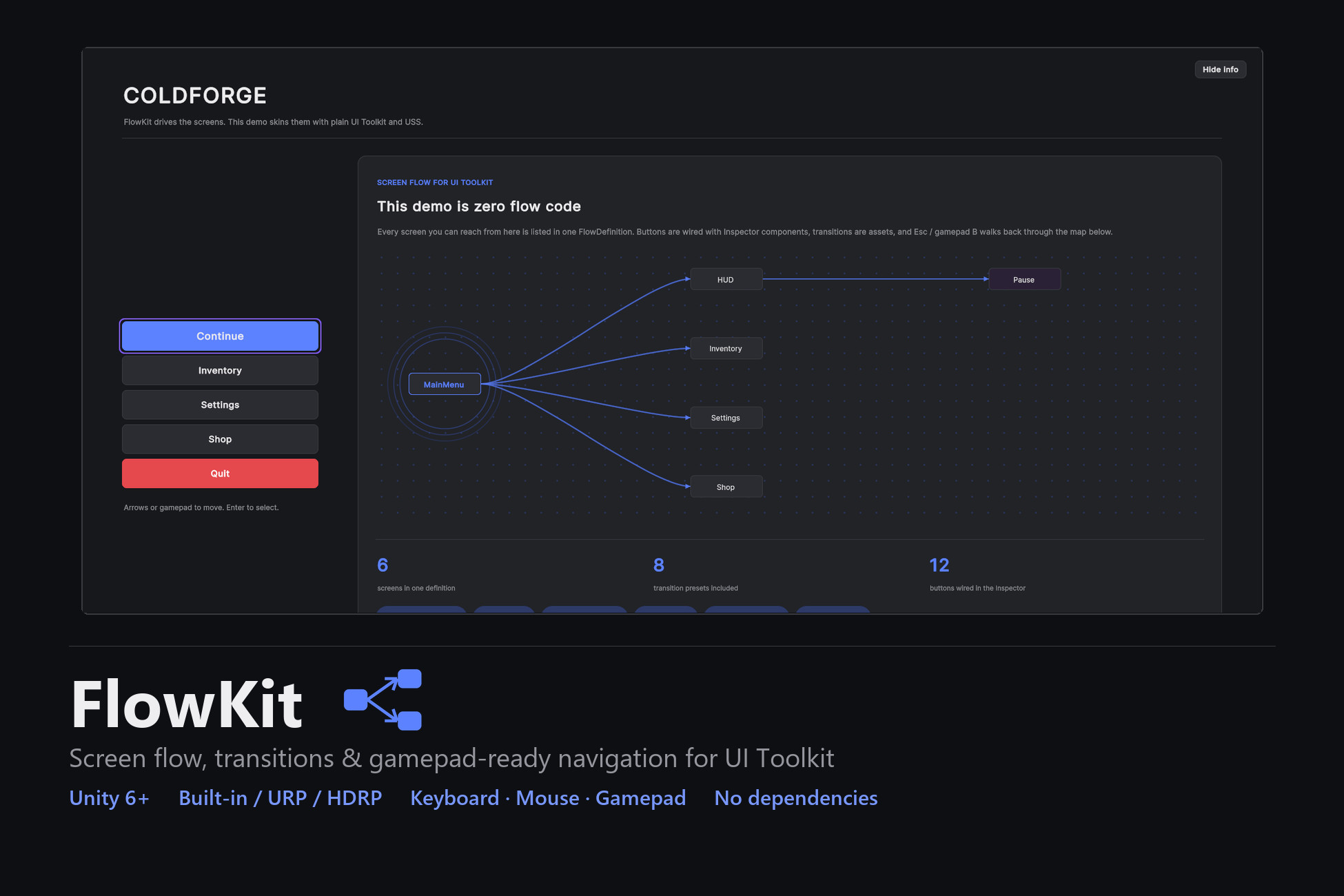
Unity's UI Toolkit is built for laying out UI, but it stops there — it has no screen manager, no transitions between screens, and no focus handling for keyboard or gamepad. FlowKit adds all of that on top: a screen navigation stack, transition assets, and focus that works with mouse, keyboard and gamepad.
List your screens in one asset, wire the buttons in the Inspector, press Play.
Screen flow
One FlowDefinition lists every screen (a name and a UXML).
A real navigation stack: Push, Pop, Back, Show, Replace, ClearTo.
Buttons wired with an Inspector component — no flow code.
Keyboard and gamepad focus
Stick and d-pad move focus, A selects, B or Esc goes back.
A visible focus ring follows the selection; lists scroll to keep it on screen.
Focus stays inside an open modal and never gets trapped.
Works on mouse, keyboard and gamepad, on both input backends.
Transitions
Eight presets (fade, slide, scale, cascade), or make your own — duration, easing, child stagger. Interruptible: switching mid-animation never desyncs.
Modals and dialogs
await Flow.Confirm / Alert / Prompt, or your own UXML dialogs.
Modal overlays with a focus trap, a priority popup queue, and non-blocking toasts.
Async screens
Load data before a screen appears: the previous screen stays under a dimmed loader, then the new one reveals already filled. Esc cancels cleanly.
Also included
Tab groups that keep their state (Q/E or gamepad shoulders).
UnityEvent hooks for screen lifecycle.
An F8 debug overlay: screen stack, modals, queue, focus, recent events.
A visual Flow Map editor that wires buttons by dragging.
Works with any UXML — your own layouts, sprite-based art, or a component kit. Three self-contained demo scenes are included: plain UXML, a USS-styled skin, and a 9-sliced sprite skin.
Requires Unity 6 or newer. No dependencies. Built-in, URP and HDRP.
List your screens in one asset, wire the buttons in the Inspector, press Play.
Screen flow
One FlowDefinition lists every screen (a name and a UXML).
A real navigation stack: Push, Pop, Back, Show, Replace, ClearTo.
Buttons wired with an Inspector component — no flow code.
Keyboard and gamepad focus
Stick and d-pad move focus, A selects, B or Esc goes back.
A visible focus ring follows the selection; lists scroll to keep it on screen.
Focus stays inside an open modal and never gets trapped.
Works on mouse, keyboard and gamepad, on both input backends.
Transitions
Eight presets (fade, slide, scale, cascade), or make your own — duration, easing, child stagger. Interruptible: switching mid-animation never desyncs.
Modals and dialogs
await Flow.Confirm / Alert / Prompt, or your own UXML dialogs.
Modal overlays with a focus trap, a priority popup queue, and non-blocking toasts.
Async screens
Load data before a screen appears: the previous screen stays under a dimmed loader, then the new one reveals already filled. Esc cancels cleanly.
Also included
Tab groups that keep their state (Q/E or gamepad shoulders).
UnityEvent hooks for screen lifecycle.
An F8 debug overlay: screen stack, modals, queue, focus, recent events.
A visual Flow Map editor that wires buttons by dragging.
Works with any UXML — your own layouts, sprite-based art, or a component kit. Three self-contained demo scenes are included: plain UXML, a USS-styled skin, and a 9-sliced sprite skin.
Requires Unity 6 or newer. No dependencies. Built-in, URP and HDRP.