Unity
EasyLine - Spline Mesh Deformer with layer system
$22.50
Rated 0.0/5 from 1 ratings on Unity.
About EasyLine - Spline Mesh Deformer with layer system
- Tools, Systems & Learning > Development Tools & Automation
- Tools, Systems & Learning > Level & World Building
EasyLine — Spline Mesh Deformation & Prefab Placement
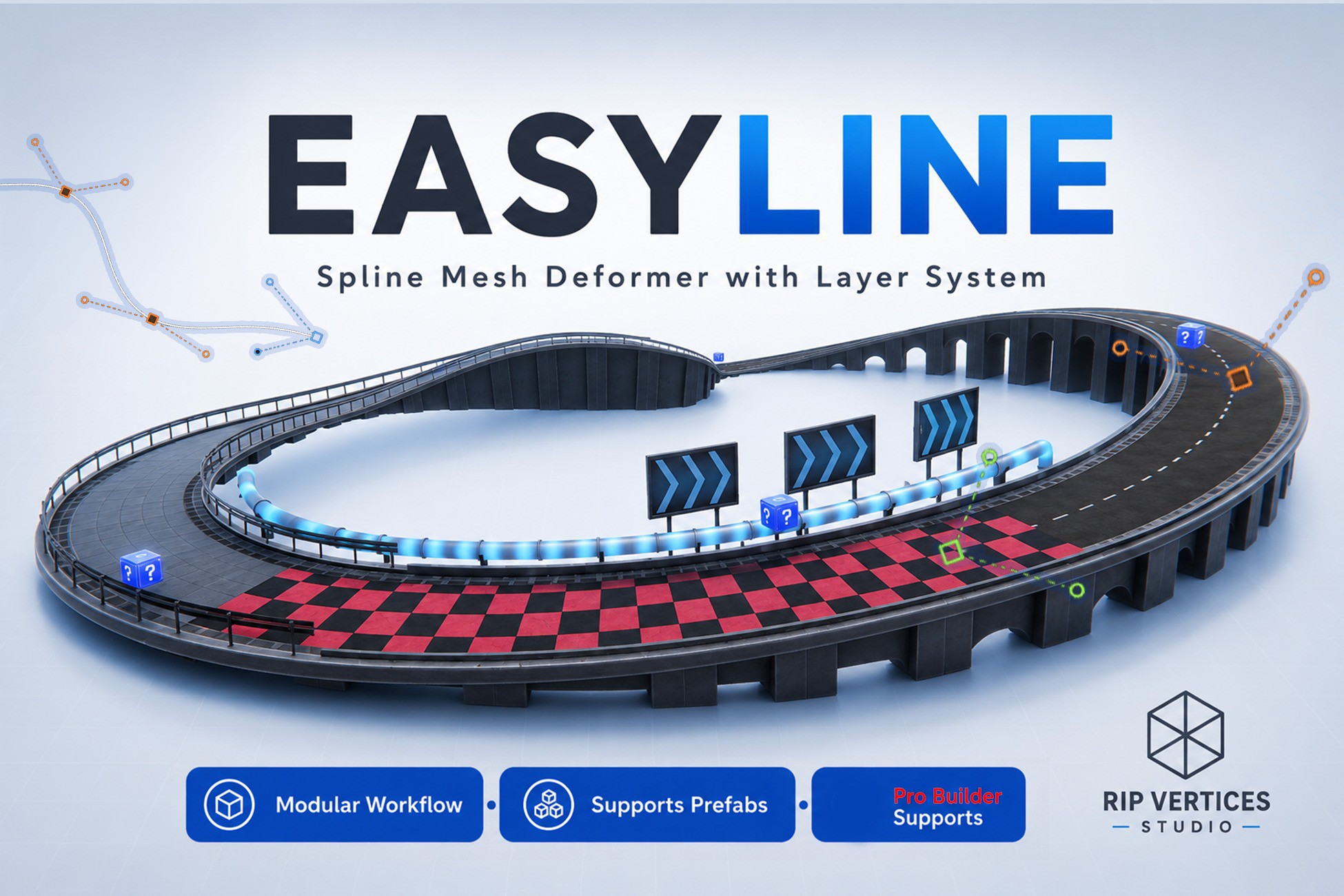
Forget tedious manual object placement and complex workflows. EasyLine is a complete, artist-friendly spline toolkit that lets you draw paths directly on surfaces and watch your 3D models bend, tile, and connect in real-time.
Whether you're building winding mountain roads, industrial conveyor belts, roller coasters, sci-fi piping, or modular bridge structures, EasyLine handles the heavy math so you can focus on design.
Why Choose EasyLine? (The Unique Advantages)
Most spline tools on the Asset Store either limit you to a single static mesh, destroy active scripts, or bloat your polygon budget. Here is why EasyLine stands out:
1. New: Smart Slicing (Longitudinal Cut Subdivisions)
* The Problem in Other Tools: Standard subdivisions subdivide diagonals and other axes, slicing vertical walls/pillars horizontally, causing massive polygon bloat and ugly lighting seams.
* The EasyLine Solution: Slices meshes only along the spline's forward axis using advanced perpendicular plane-slicing. Keep your vertical pillars and arches clean, scale-friendly, and save up to 75% of your polygon budget!
2. New: Native ProBuilder & Scene Object Drag-and-Drop
* The Problem in Other Tools: You have to export ProBuilder shapes to FBX assets, re-import them, and manually reassign materials before using them on a spline.
* The EasyLine Solution: Drag and drop ProBuilder shapes or any active scene GameObjects directly into the deformer. EasyLine instantly extracts the mesh and auto-synchronizes all materials.
3. Nested Multi-Mesh Prefab Bending
* The Problem in Other Tools: Most packages only deform a single MeshFilter or require you to combine meshes manually first.
* The EasyLine Solution: Recursively extracts, combines, and deforms complex prefabs with multiple nested sub-meshes and materials, maintaining correct winding orders and submesh mapping automatically.
4. Hybrid Logic-Preserving Instantiation
* The Problem in Other Tools: Instantiating prefabs along a curve either leaves them completely straight (no bending) or bakes them into static geometry—destroying active scripts, lights, and particle systems.
* The EasyLine Solution: Spawns functional prefabs (with gameplay logic, lights, VFX) and bends only their child visual meshes, keeping the root GameObject and C# scripts fully alive.
5. Ultra-Optimized Mobile-Ready Conveyors (LUT)
* The Problem in Other Tools: Moving meshes along a spline at runtime causes massive GC allocation and CPU spikes.
* The EasyLine Solution: Uses pre-calculated Look-Up Tables (LUT) to perform zero-allocation vertex math, enabling hundreds of animated belts or tracks on mobile hardware.
Key Features
### Draw, Don't Place
The Draw Tool lets you paint spline paths directly onto terrains and scene geometry in 3D space. Includes click-and-drag handles, smart spline continuation, and mid-segment point insertion (De Casteljau splitting).
### Advanced Mixed Meshes Layer System
Create complex structures by sequencing different models on a single spline (e.g., Bridge -> Road -> Drain -> Bridge). Define per-element rules:
* Stretch to Index Ends: Perfectly fills a range of segments without stretching the rest of the spline.
* Force Upright: Keeps props (like lampposts or fence pillars) standing vertically on sloped tracks.
* Rotation & Scale Constraints: Lock Pitch/Yaw/Roll independently, or scale curves dynamically.
### Mathematically Perfect Connections
* Chord Alignment: Places non-deforming rigid meshes with mathematically optimal chord fitting to prevent gaps.
* Post-Deformation Vertex Merge: Welds boundaries of adjacent segments in deformed space, closing seams perfectly even on sharp curves.
* Smooth Normals: Automatically blends normal vectors across segment joints and loop seams.
### Production-Ready Physics
* Real-time MeshCollider Generation: Throttled updates prevent editor lag.
* Collider Simplification: Distance-to-chord algorithms let you reduce collider polygon count.
* Simplify Props as Boxes: Automatically replaces decorative props with lightweight box colliders to maximize physics performance.
* Static Collider Mode: Freeze collider updates during conveyor animations to save runtime CPU overhead.
### Bake & Export
* Bake to Prefab: Generates standalone assets (mesh and collider) ready for production builds.
* Export to OBJ: Export deformed structures out of Unity to edit in Blender, Maya, or DCC tools.
Technical Specifications & Troubleshooting
* Forward Axis: If your mesh faces sideways, change the local Forward Axis (X, Y, or Z) in the inspector.
* Vertex Merging: Enable Post-Deformation Vertex Merge to weld seams on continuous objects like hoses or pipes.
* Point-Based Banking: Select an anchor point and use the Roll Angle slider to create tilted race tracks or rollercoaster loops.
* Performance: For very complex scenes, use Static Colliders and ensure Auto Live is only on when editing.
Forget tedious manual object placement and complex workflows. EasyLine is a complete, artist-friendly spline toolkit that lets you draw paths directly on surfaces and watch your 3D models bend, tile, and connect in real-time.
Whether you're building winding mountain roads, industrial conveyor belts, roller coasters, sci-fi piping, or modular bridge structures, EasyLine handles the heavy math so you can focus on design.
Why Choose EasyLine? (The Unique Advantages)
Most spline tools on the Asset Store either limit you to a single static mesh, destroy active scripts, or bloat your polygon budget. Here is why EasyLine stands out:
1. New: Smart Slicing (Longitudinal Cut Subdivisions)
* The Problem in Other Tools: Standard subdivisions subdivide diagonals and other axes, slicing vertical walls/pillars horizontally, causing massive polygon bloat and ugly lighting seams.
* The EasyLine Solution: Slices meshes only along the spline's forward axis using advanced perpendicular plane-slicing. Keep your vertical pillars and arches clean, scale-friendly, and save up to 75% of your polygon budget!
2. New: Native ProBuilder & Scene Object Drag-and-Drop
* The Problem in Other Tools: You have to export ProBuilder shapes to FBX assets, re-import them, and manually reassign materials before using them on a spline.
* The EasyLine Solution: Drag and drop ProBuilder shapes or any active scene GameObjects directly into the deformer. EasyLine instantly extracts the mesh and auto-synchronizes all materials.
3. Nested Multi-Mesh Prefab Bending
* The Problem in Other Tools: Most packages only deform a single MeshFilter or require you to combine meshes manually first.
* The EasyLine Solution: Recursively extracts, combines, and deforms complex prefabs with multiple nested sub-meshes and materials, maintaining correct winding orders and submesh mapping automatically.
4. Hybrid Logic-Preserving Instantiation
* The Problem in Other Tools: Instantiating prefabs along a curve either leaves them completely straight (no bending) or bakes them into static geometry—destroying active scripts, lights, and particle systems.
* The EasyLine Solution: Spawns functional prefabs (with gameplay logic, lights, VFX) and bends only their child visual meshes, keeping the root GameObject and C# scripts fully alive.
5. Ultra-Optimized Mobile-Ready Conveyors (LUT)
* The Problem in Other Tools: Moving meshes along a spline at runtime causes massive GC allocation and CPU spikes.
* The EasyLine Solution: Uses pre-calculated Look-Up Tables (LUT) to perform zero-allocation vertex math, enabling hundreds of animated belts or tracks on mobile hardware.
Key Features
### Draw, Don't Place
The Draw Tool lets you paint spline paths directly onto terrains and scene geometry in 3D space. Includes click-and-drag handles, smart spline continuation, and mid-segment point insertion (De Casteljau splitting).
### Advanced Mixed Meshes Layer System
Create complex structures by sequencing different models on a single spline (e.g., Bridge -> Road -> Drain -> Bridge). Define per-element rules:
* Stretch to Index Ends: Perfectly fills a range of segments without stretching the rest of the spline.
* Force Upright: Keeps props (like lampposts or fence pillars) standing vertically on sloped tracks.
* Rotation & Scale Constraints: Lock Pitch/Yaw/Roll independently, or scale curves dynamically.
### Mathematically Perfect Connections
* Chord Alignment: Places non-deforming rigid meshes with mathematically optimal chord fitting to prevent gaps.
* Post-Deformation Vertex Merge: Welds boundaries of adjacent segments in deformed space, closing seams perfectly even on sharp curves.
* Smooth Normals: Automatically blends normal vectors across segment joints and loop seams.
### Production-Ready Physics
* Real-time MeshCollider Generation: Throttled updates prevent editor lag.
* Collider Simplification: Distance-to-chord algorithms let you reduce collider polygon count.
* Simplify Props as Boxes: Automatically replaces decorative props with lightweight box colliders to maximize physics performance.
* Static Collider Mode: Freeze collider updates during conveyor animations to save runtime CPU overhead.
### Bake & Export
* Bake to Prefab: Generates standalone assets (mesh and collider) ready for production builds.
* Export to OBJ: Export deformed structures out of Unity to edit in Blender, Maya, or DCC tools.
Technical Specifications & Troubleshooting
* Forward Axis: If your mesh faces sideways, change the local Forward Axis (X, Y, or Z) in the inspector.
* Vertex Merging: Enable Post-Deformation Vertex Merge to weld seams on continuous objects like hoses or pipes.
* Point-Based Banking: Select an anchor point and use the Roll Angle slider to create tilted race tracks or rollercoaster loops.
* Performance: For very complex scenes, use Static Colliders and ensure Auto Live is only on when editing.