Screenshots and videos
 1 / 6


Price history
Lowest recorded standalone price: FREE. Recorded observations span to . This is our available history, not a guaranteed all-time low. Bundle package prices are separate.
Standalone price
Last three months, in USD. Bundle prices cover the whole package.
About Easy Scene Switcher Pro
- Tools, Systems & Learning > Development Tools & Automation
Easy Scene Switcher Pro -- Instant Scene Switching from the Unity Toolbar and Editor Window
Switch Scenes Instantly - Right Next to the Play Button!
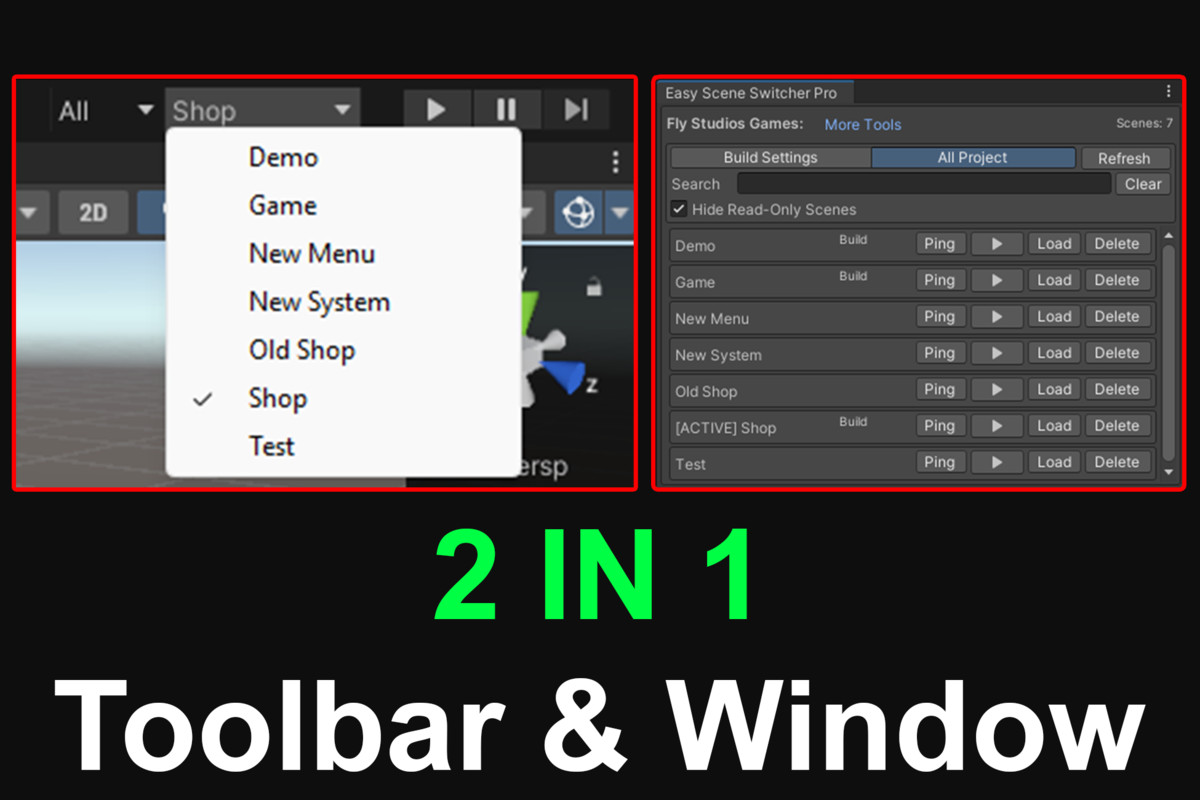
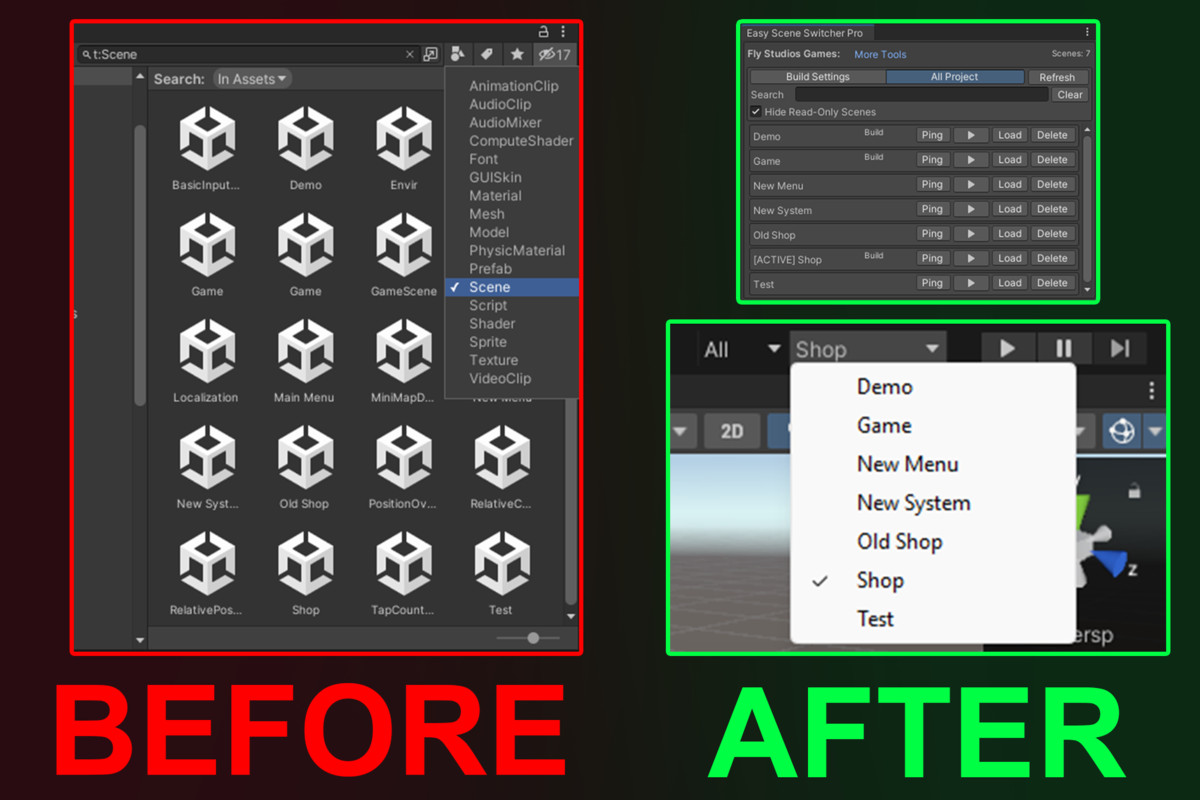
Easy Scene Switcher Pro is a lightweight and powerful Unity Editor extension that lets you switch scenes directly from the toolbar (next to Play) or from a dedicated dockable window. No more searching through folders or Build Settings every time you test.
Key Features
One-Click Switching: Jump between scenes directly from the Unity Toolbar (next to the Play button).
All Project Mode: List every scene found in your project.
Dual View Modes: Build Settings Mode shows only scenes included in your build.
Advanced Organization: Search, filter, and Ping assets to locate them instantly in the Project view.
Live Status Indicators: See at a glance which scenes are currently Active or Loaded.
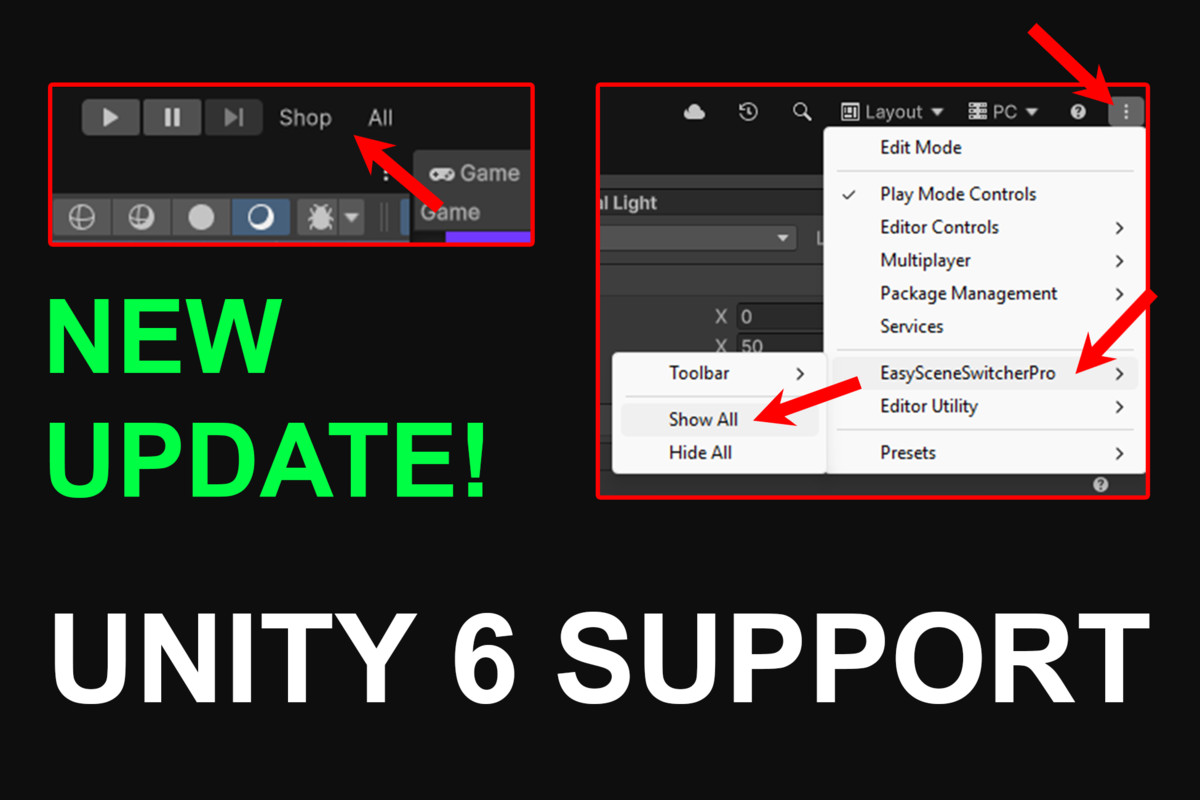
Legacy Support: Compact overlay for versions older than Unity 6.
Smart Integration: Unity 6+ Ready with native MainToolbarElement integration.
Scene Awareness: Detects read-only or missing/deleted scenes to keep your project clean.
Workflow Safety: Play Mode Lock prevents accidental switching while the game is running.
Auto-Refresh: Automatically stays in sync with your Project folders and Build Settings.
Why Choose Easy Scene Switcher Pro?
Efficiency: Eliminates repetitive navigation through deep folder structures.
Speed: Drastically shortens iteration loops for developers, designers, and QA teams.
Scale: Perfect for large-scale projects with dozens of scenes.
Getting Started
Install the package.
Open Window: Go to Tools > Easy Scene Switcher Pro > Open Window.
Enable Toolbar: Go to Settings > Toolbar Scene Switcher > On.
Unity 6 Users: Click the 3-dots icon in the Toolbar, then select Easy Scene Switcher Pro > Show All.
Compatibility Note: If you encounter any issues or the tool does not behave as expected on your specific Unity version, please report them and we will investigate and release fixes as quickly as possible!
Switch Scenes Instantly - Right Next to the Play Button!
Easy Scene Switcher Pro is a lightweight and powerful Unity Editor extension that lets you switch scenes directly from the toolbar (next to Play) or from a dedicated dockable window. No more searching through folders or Build Settings every time you test.
Key Features
One-Click Switching: Jump between scenes directly from the Unity Toolbar (next to the Play button).
All Project Mode: List every scene found in your project.
Dual View Modes: Build Settings Mode shows only scenes included in your build.
Advanced Organization: Search, filter, and Ping assets to locate them instantly in the Project view.
Live Status Indicators: See at a glance which scenes are currently Active or Loaded.
Legacy Support: Compact overlay for versions older than Unity 6.
Smart Integration: Unity 6+ Ready with native MainToolbarElement integration.
Scene Awareness: Detects read-only or missing/deleted scenes to keep your project clean.
Workflow Safety: Play Mode Lock prevents accidental switching while the game is running.
Auto-Refresh: Automatically stays in sync with your Project folders and Build Settings.
Why Choose Easy Scene Switcher Pro?
Efficiency: Eliminates repetitive navigation through deep folder structures.
Speed: Drastically shortens iteration loops for developers, designers, and QA teams.
Scale: Perfect for large-scale projects with dozens of scenes.
Getting Started
Install the package.
Open Window: Go to Tools > Easy Scene Switcher Pro > Open Window.
Enable Toolbar: Go to Settings > Toolbar Scene Switcher > On.
Unity 6 Users: Click the 3-dots icon in the Toolbar, then select Easy Scene Switcher Pro > Show All.
Compatibility Note: If you encounter any issues or the tool does not behave as expected on your specific Unity version, please report them and we will investigate and release fixes as quickly as possible!
More from Fly Studios Games LTD
- Local Asset Importer FREE
- Modular Cheat Code System FREE
- Toon Footsteps Sound FX - Ultimate Collection Bundle $4.99