Price history
Recorded standalone sale prices and the latest available store price, in USD. Historical dots use the sale start date and its recorded offer price. Prices can change during a sale; this is not a daily price log. Bundle prices and upcoming offers are excluded. History covers up to the 100 most recent recorded offers.
Lowest recorded standalone price in this history: $24.49. The latest store price is $24.49, matching the lowest recorded price shown here.
View 4 recorded prices
| Sale start / price check | Price | Observation |
|---|---|---|
| $24.49 | Latest store price | |
| $34.99 | Unity First Price 2026-11-06 2026-11-06 | |
| $24.49 | Unity New Release Discount 2026-11-06 2026-11-20 | |
| $24.49 | Unity New Release Discount 2026-11-06 2026-11-20 |
Sale and bundle history
The 3 most recent recorded offers including this asset. Past offers may no longer be available. Bundle prices cover a package, not this asset alone.
About Dissolve And Disintegrate
- Art & Visuals > VFX
Dissolve & Disintegrate
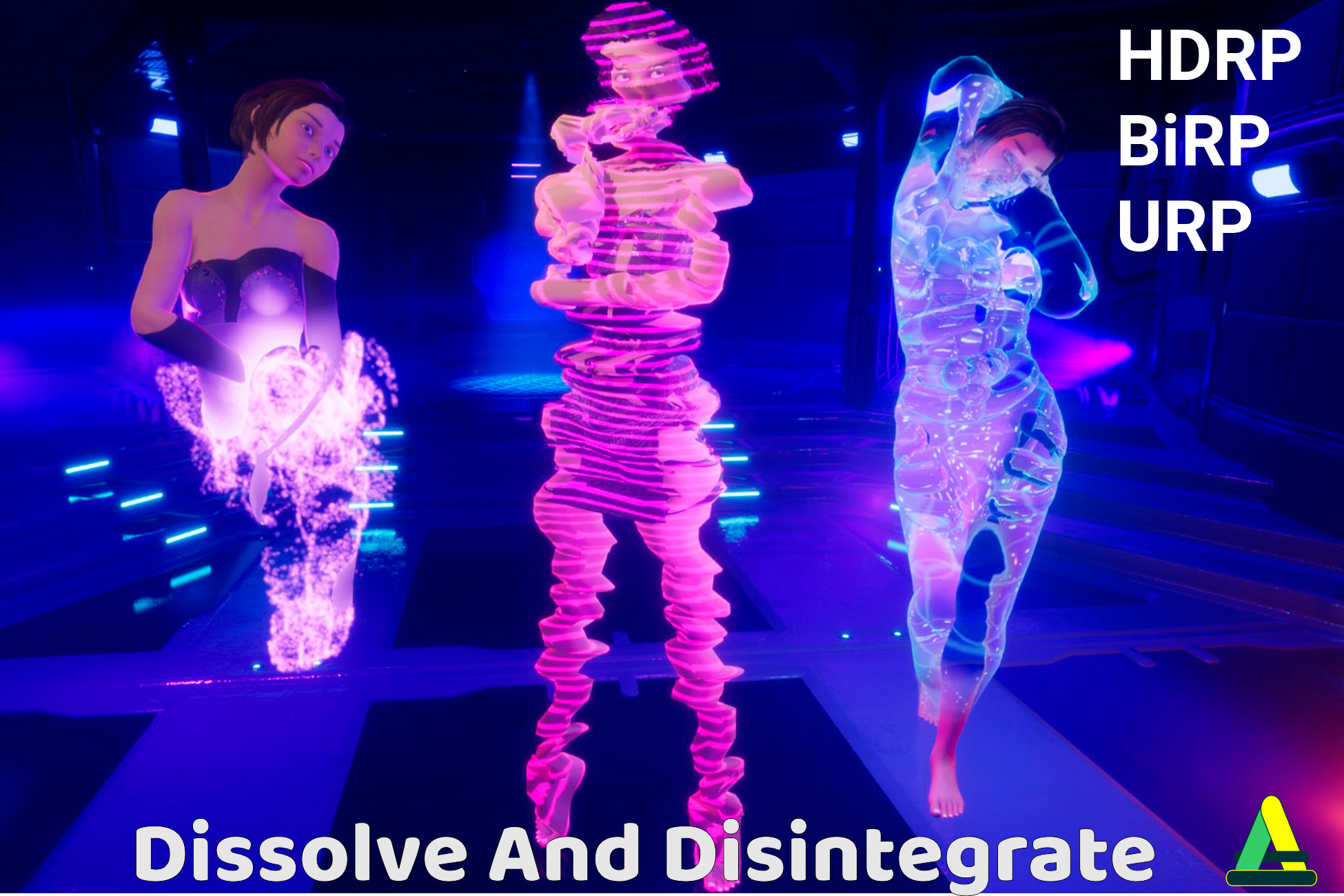
One line of code removes an object from the game. The preset decides how: it burns into ash, flies apart as dust, leaves in a column of light, melts into a puddle, or freezes and breaks into ice.
Put the Dissolvable component on a character, an enemy or a prop, pick a preset and call Play. Static and skinned meshes both work, the animation keeps running while the effect plays, and Restore brings the original materials back. Your meshes do not need Read/Write and your materials are never changed.
14 PRESETS
- Atomize
- Disintegrate: burns from the hit point, the ash falls and piles up on the ground, a little smoke rises.
- Stardust: soft glowing dust drifts away.
- Vortex: particles swirl up around the body.
- Event Horizon: everything is pulled into a single point.
- Solar Wind: the surface blows away in opaque flakes.
- Materialize: glowing dust gathers into the object.
Teleport
- Warp Out: the body trembles, stretches and leaves in a column of scan lines.
- Warp In: the reverse, the object arrives.
- Glitch: slices jump apart and the object blinks out in noise.
Melt
- Molten Metal: sags, glows and runs down into a hot metal puddle.
- Plasma Goo: melts into a puddle of its own colors.
- Liquid Metal Rise: the object rises out of a chrome puddle.
Freeze
- Cryo: frost spreads from the hit point, an ice shell grows over the body, the Animator slows to a stop. The object stays frozen until you shatter or thaw it.
- Cryo Shatter: freezes, then breaks into ice shards by itself.
MAKE YOUR OWN
A preset is an asset. Change the shape of the front (axis, point or noise), the glowing edge, how the particles move (Ash, Vortex, Implode, Drift, Burst), their colors and blending, the smoke, the puddle, the ice. The inspector only shows the settings of the selected mode.
A preset can also light up the surroundings: an effect light with an intensity curve, flicker and orbit, and an optional shadow.
IN A REAL GAME
- The effect starts where the shot landed, on running and animated characters as well.
- After the effect the object is destroyed, deactivated, returned to your pool or kept.
- Ash, puddles and shards land on whatever the ground ray hits, or at a fixed height.
- Sound sets with a volume per clip, a mixer group, 3D settings and a voice limit.
- The Cue event gives you the start, freeze and shatter moments with a world position for FMOD, Wwise or your own audio code.
- Bakes are made in the editor automatically. The Bake Prefabs window processes whole folders.
- The Shader Warmup window prepares the shaders ahead of time, so the first effect in a scene does not stall the game.
URP, HDRP and the Builtin Render Pipeline in one package, each with its own demo scene.
One line of code removes an object from the game. The preset decides how: it burns into ash, flies apart as dust, leaves in a column of light, melts into a puddle, or freezes and breaks into ice.
Put the Dissolvable component on a character, an enemy or a prop, pick a preset and call Play. Static and skinned meshes both work, the animation keeps running while the effect plays, and Restore brings the original materials back. Your meshes do not need Read/Write and your materials are never changed.
14 PRESETS
- Atomize
- Disintegrate: burns from the hit point, the ash falls and piles up on the ground, a little smoke rises.
- Stardust: soft glowing dust drifts away.
- Vortex: particles swirl up around the body.
- Event Horizon: everything is pulled into a single point.
- Solar Wind: the surface blows away in opaque flakes.
- Materialize: glowing dust gathers into the object.
Teleport
- Warp Out: the body trembles, stretches and leaves in a column of scan lines.
- Warp In: the reverse, the object arrives.
- Glitch: slices jump apart and the object blinks out in noise.
Melt
- Molten Metal: sags, glows and runs down into a hot metal puddle.
- Plasma Goo: melts into a puddle of its own colors.
- Liquid Metal Rise: the object rises out of a chrome puddle.
Freeze
- Cryo: frost spreads from the hit point, an ice shell grows over the body, the Animator slows to a stop. The object stays frozen until you shatter or thaw it.
- Cryo Shatter: freezes, then breaks into ice shards by itself.
MAKE YOUR OWN
A preset is an asset. Change the shape of the front (axis, point or noise), the glowing edge, how the particles move (Ash, Vortex, Implode, Drift, Burst), their colors and blending, the smoke, the puddle, the ice. The inspector only shows the settings of the selected mode.
A preset can also light up the surroundings: an effect light with an intensity curve, flicker and orbit, and an optional shadow.
IN A REAL GAME
- The effect starts where the shot landed, on running and animated characters as well.
- After the effect the object is destroyed, deactivated, returned to your pool or kept.
- Ash, puddles and shards land on whatever the ground ray hits, or at a fixed height.
- Sound sets with a volume per clip, a mixer group, 3D settings and a voice limit.
- The Cue event gives you the start, freeze and shatter moments with a world position for FMOD, Wwise or your own audio code.
- Bakes are made in the editor automatically. The Bake Prefabs window processes whole folders.
- The Shader Warmup window prepares the shaders ahead of time, so the first effect in a scene does not stall the game.
URP, HDRP and the Builtin Render Pipeline in one package, each with its own demo scene.