
Screenshots and videos
 1 / 2
Price history
Lowest recorded standalone price: FREE. Recorded observations span to . This is our available history, not a guaranteed all-time low. Bundle package prices are separate.
Standalone price
Last three months, in USD. Bundle prices cover the whole package.
About Cross-Scene Timeline
- Tools, Systems & Learning > Development Tools & Automation
Unity doesn't support cross-scene references in timelines by default - the timeline loses its bindings when scenes are reloaded. Cross-Scene Timeline stores reference IDs directly in track names, letting you safely bind GameObjects across multiple scenes.
Works with all timeline track types available by default as well as Cinemachine tracks!
# How It Works
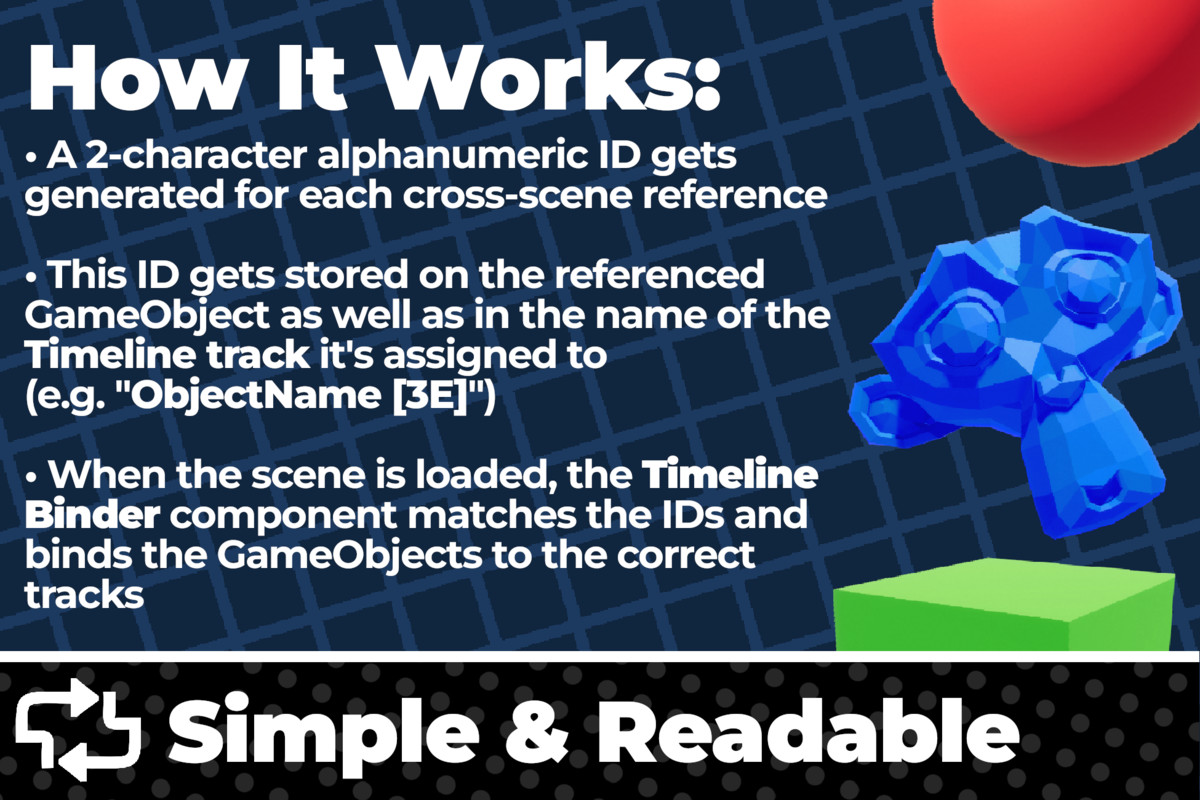
A 2-character alphanumeric ID gets generated for each cross-scene reference (for example, "D3").
This ID is stored on the "CrossSceneTimelineReference" component as well as in the timeline track's name, so you can always verify your bindings directly in the editor.
When the scene is loaded, the "CrossSceneTimelineBinder" component matches the IDs and binds the GameObject to the correct track. If either ID is modified or removed, the binding will break.
# Limitations
- Limited to 1,296 cross-scene references
- IDs stored in track names - removing or modifying the ID in a timeline track name will break the binding
- The PlayableDirector might log missing reference warnings in the console, but this does not affect functionality (see Note below)
# Setup
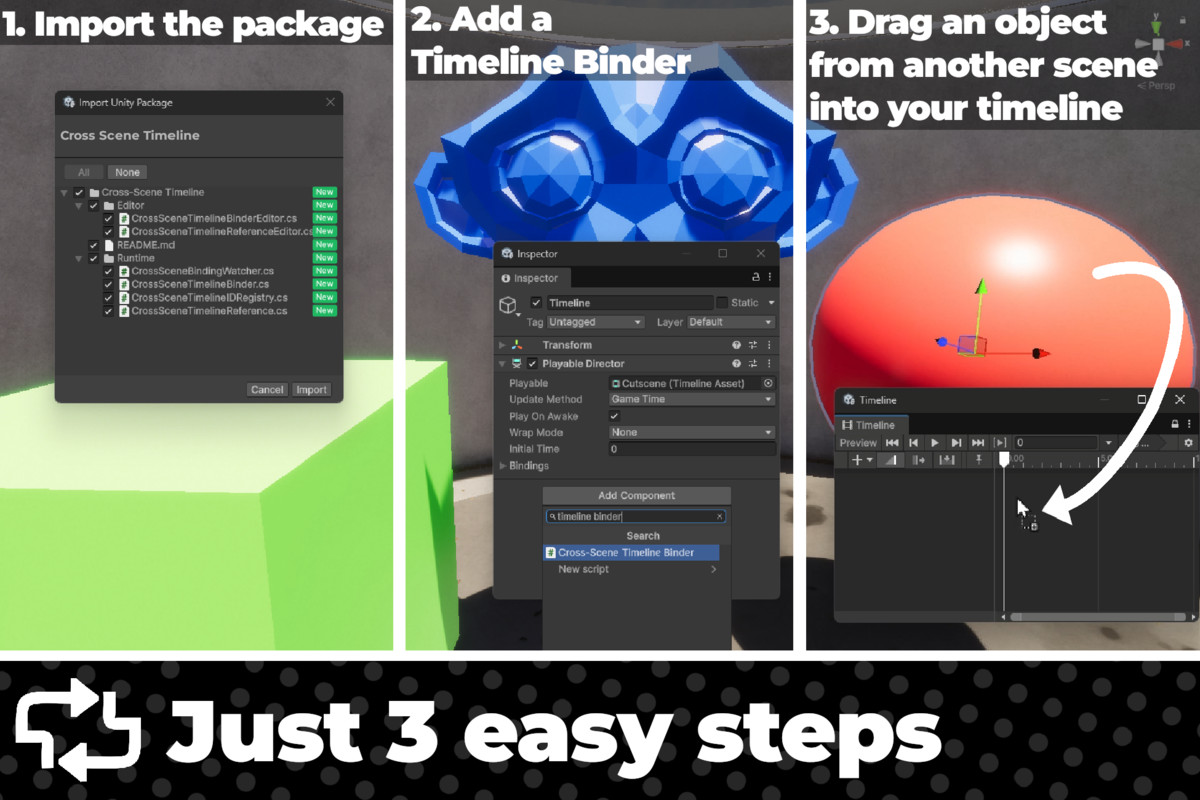
1. Import the package into your project
2. Add the CrossSceneTimelineBinder component to the same GameObject as your PlayableDirector
3. Drag any GameObject *from another scene* into the Timeline window (a CrossSceneTimelineReference will be added automatically and the track name will include the ID, for example, "ObjectName [3E]")
4. That's it. When the scene is loaded, bindings are restored automatically. You can also press the "Rebind All Bindings" button or call CrossSceneTimelineBinder.BindTracks()
Note: The PlayableDirector component might log missing reference warnings for cross-scene bindings in the console, but this does not affect functionality. This is hard-coded into Unity on a deep level and it's difficult to get rid of.
Works with all timeline track types available by default as well as Cinemachine tracks!
# How It Works
A 2-character alphanumeric ID gets generated for each cross-scene reference (for example, "D3").
This ID is stored on the "CrossSceneTimelineReference" component as well as in the timeline track's name, so you can always verify your bindings directly in the editor.
When the scene is loaded, the "CrossSceneTimelineBinder" component matches the IDs and binds the GameObject to the correct track. If either ID is modified or removed, the binding will break.
# Limitations
- Limited to 1,296 cross-scene references
- IDs stored in track names - removing or modifying the ID in a timeline track name will break the binding
- The PlayableDirector might log missing reference warnings in the console, but this does not affect functionality (see Note below)
# Setup
1. Import the package into your project
2. Add the CrossSceneTimelineBinder component to the same GameObject as your PlayableDirector
3. Drag any GameObject *from another scene* into the Timeline window (a CrossSceneTimelineReference will be added automatically and the track name will include the ID, for example, "ObjectName [3E]")
4. That's it. When the scene is loaded, bindings are restored automatically. You can also press the "Rebind All Bindings" button or call CrossSceneTimelineBinder.BindTracks()
Note: The PlayableDirector component might log missing reference warnings for cross-scene bindings in the console, but this does not affect functionality. This is hard-coded into Unity on a deep level and it's difficult to get rid of.