About Cinematic Camera Controller
- Tools, Systems & Learning > Development Tools & Automation
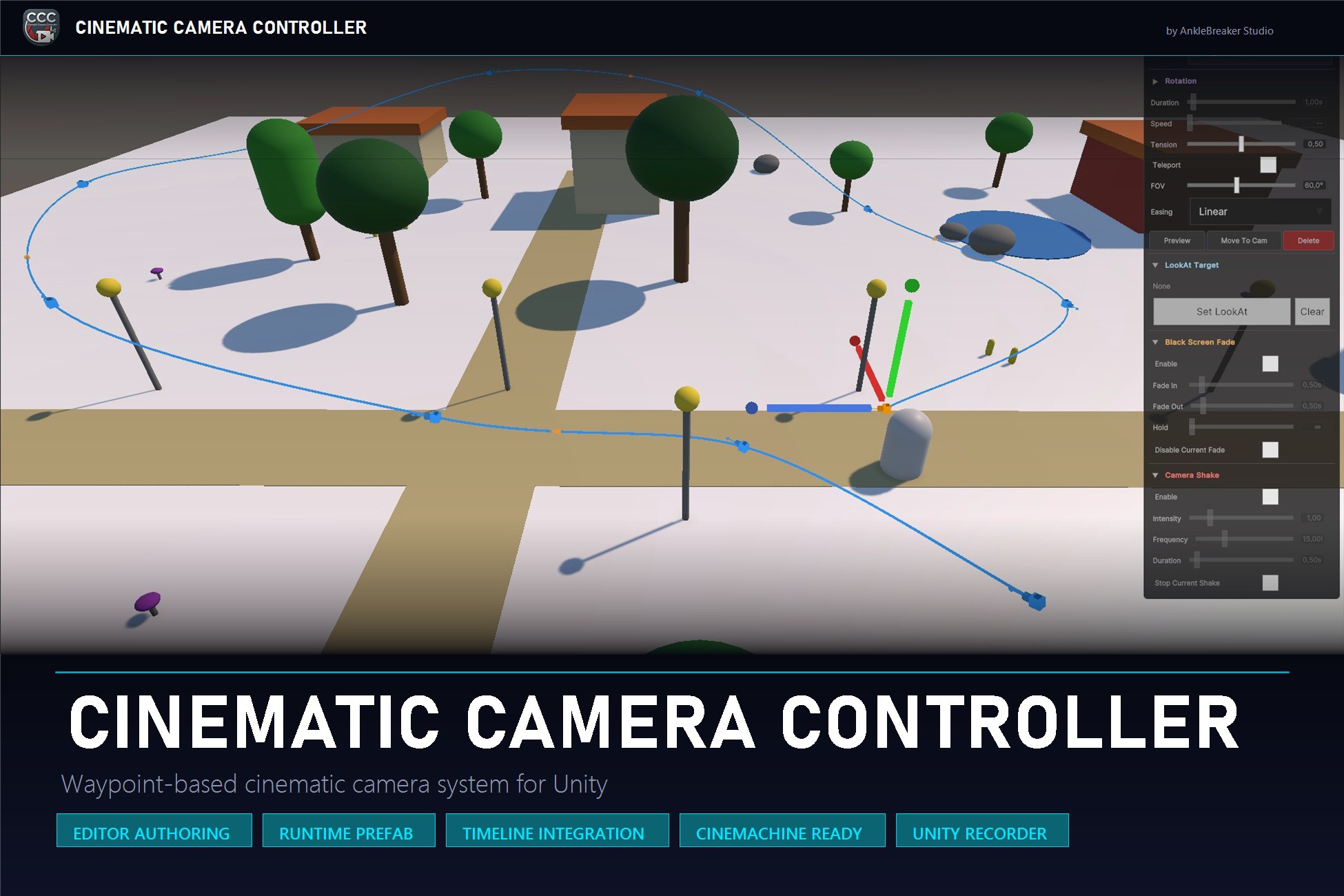
Build Cinematic Camera Sequences in Unity - Editor or Runtime, Your Choice. Stop wiring waypoint systems from scratch every project. Stop fighting Cinemachine just to get a clean flythrough. Cinematic Camera Controller turns Unity into a complete cinematic authoring suite - author sequences in the SceneView ahead of time, OR drop the runtime prefab into your scene and let designers place waypoints live with WASD fly controls. Same data model. Same playback engine. Ship in minutes. Requirements: Unity 2022.3 LTS or newer (tested on 2022.3, 2023.x and Unity 6). Built-in, URP, HDRP all supported. Timeline package (pre-installed in fresh Unity 2022.3+ projects). AnkleBreaker.Core and required dependencies are auto-installed on first use via a one-click Dependencies Installer popup. No manual setup. Two Independent Workflows - One Unified Package. Editor Authoring - A SceneView Editor Window with 3D handles, path visualization, frustum preview, and real-time scrubbing. Sequences saved as ScriptableObject assets. No GameObjects required in your scene during authoring. Runtime Drag-and-Drop - An all-in-one prefab with FlyCameraController (WASD + mouse), in-game waypoint placement (Z key), and a full UI Toolkit editing interface. Let your designers tweak sequences live during Play Mode. Same data model, same playback engine, your choice per project - or use both side by side. Per-Waypoint Cinematic Control. Beautiful results out of the box - every waypoint can be individually tuned. Catmull-Rom Tension Slider - Hermite-form interpolation with per-waypoint tension control (0 = sharp corners, 0.5 = standard smooth, 1 = very rounded). Tune curve tightness segment by segment instead of being stuck with a global setting. Black Screen Fade - Configurable per-waypoint fade durations for scene transitions and dramatic cuts. Camera Shake - Perlin-noise based shake with adjustable amplitude and frequency, triggered automatically. Auto-Banking - Smooth automatic camera roll into curves with adjustable strength and smoothed ring buffer. Dynamic Look-At Targets - Each waypoint can track any scene object; targets are persisted by ID to survive Save/Load cycles. Teleport Waypoints - Mark any waypoint as instant to skip interpolation and cut directly to it. Why Cinematic Camera Controller? Two Workflows, One Package - The competition forces you to pick: Editor-only authoring tools OR runtime systems. Cinematic Camera Controller unifies both under the same data model. Author cinematic sequences ahead of time, let your designers tweak them at runtime, or both - your choice per project. Per-Waypoint Tension - Most spline-based camera tools give you a global smoothness setting. CCC lets you tune Catmull-Rom tension waypoint by waypoint, mixing sharp corners and smooth curves in the same sequence. Timeline Integration with Weighted Blending - A custom Cinematic Waypoint Track lets you compose entire shot lists in Unity's Timeline window, with overlapping clips that blend automatically using weighted interpolation. Perfect for cutscenes and trailers. Optional Cinemachine 3.0+ Adapter - When Cinemachine is installed, an adapter routes playback through a managed CinemachineCamera with priority swap and graceful return. Silently falls back to Camera.main on older versions - zero manual configuration. Runtime API - Trigger sequences from code with PlayFromAsset, smooth blend transitions, and ShowUI/HideUI events. Persist sequences as JSON or ScriptableObject assets directly from the runtime UI. Built-In, URP, HDRP - Auto-detects your pipeline. No separate URP/HDRP versions to maintain, no manual reconfiguration. 10 Formation Tools for Instant Waypoint Layouts. One-click waypoint arrangement for common cinematic patterns: Circle, Arc, Line, Ellipse, Spiral, Rectangle, Figure 8, V-Shape, Rising Arc, Zigzag. Combine with Multi-Select and Batch Edit (Ctrl/Shift+Click) to tweak duration, tension, and easing across dozens of waypoints in seconds. Made for All Genres: Cinematic Intros, RPG/Adventure, Trailers and Marketing Reels, Architectural/Product Showcases, Procedural/Dynamic Levels, Designer-Driven Projects. What's in the Box: Two independent workflows (Editor SceneView + Runtime Drag-and-Drop prefab) sharing the same data model. ScriptableObject-based CinematicSequenceAsset with Catmull-Rom interpolation, easing curves, FOV control, roll, tension, and dynamic look-at targets. 10 Formation Tools + Multi-Select and Batch Edit for fast authoring. Per-waypoint cinematic effects: Black Screen Fade, Camera Shake, Auto-Banking, Teleport, Dynamic Look-At. Timeline integration with custom Cinematic Waypoint Track and weighted clip blending. Optional Cinemachine 3.0+ adapter (auto-detected, silent fallback). Optional Unity Recorder integration (auto-detected, enables recording panel in both UIs). Runtime PlayFromAsset API with blend transitions and ShowUI/HideUI events. Save/Load system (JSON files or ScriptableObject assets) directly from the runtime UI. ICinematicCameraTarget interface - implement your own custom camera backend in four methods. Event-driven HandlerData architecture - zero singletons, clean decoupling. Example scripts: Trigger Zones (BoxCollider) and Editor Toggles (T-key) for quick implementation. 5 example scenes covering Editor authoring, runtime placement, Timeline, Cinemachine, and Recorder workflows. Full PDF reference documentation. 165 EditMode unit tests covering math, API, state machines, and save/load logic.