Price history
Recorded standalone sale prices and the latest available store price, in USD. Historical dots use the sale start date and its recorded offer price. Prices can change during a sale; this is not a daily price log. Bundle prices and upcoming offers are excluded. History covers up to the 100 most recent recorded offers.
Lowest recorded standalone price in this history: $7.50. The latest store price is $15.
View 4 recorded prices
| Sale start / price check | Price | Observation |
|---|---|---|
| $15 | Latest store price | |
| $7.50 | Unity New Release Discount 2026-09-23 2026-09-30 | |
| $7.50 | Unity New Release Discount 2026-09-23 2026-09-30 | |
| $15 | Unity First Price 2026-09-23 2026-09-23 |
Sale and bundle history
The 3 most recent recorded offers including this asset. Past offers may no longer be available. Bundle prices cover a package, not this asset alone.
About Canvas Utility
- Tools, Systems & Learning > Development Tools & Automation
Canvas Animation Utility is a uGUI workflow package for building polished, animated screen transitions without writing animation code.
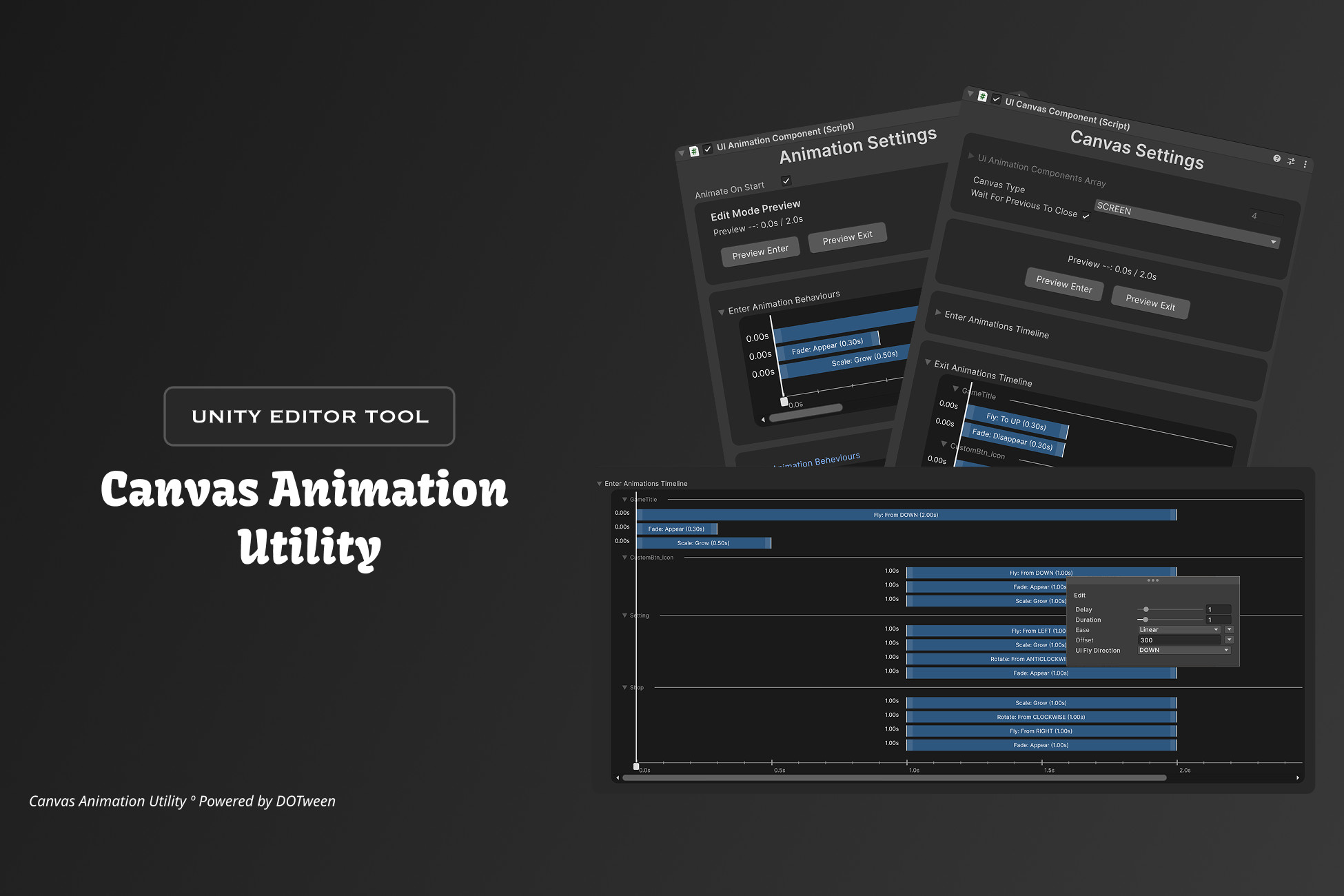
Arrange enter and exit animations as clips on a visual timeline right in the inspector. Drag to adjust delay and duration, multi-select and copy/paste clips between components, and sync behaviours between the Enter and Exit tracks. Then preview everything in Edit Mode — play, pause, or scrub with the draggable playhead, no Play Mode needed.
Built-in behaviours: Fly (auto-detects direction from the element's position on the canvas), Fade, Scale, and Rotate — each with per-behaviour delay, duration, and easing presets or a custom curve.
Need to trigger game logic mid-transition? Add the Event behaviour — a marker you drop on the timeline that invokes a UnityEvent the moment playback reaches it, perfect for playing sounds, spawning effects, or enabling input partway through a transition.
At runtime, drive your UI with a simple canvas-stack navigation API: OpenCanvas(), CloseCanvas(), and OnBackPressed() handle screen history for you. SCREEN canvases participate in the stack; OVERLAY canvases (popups, HUDs) open on top without affecting it.
Animations play through DOTween with a built-in coroutine fallback.
Arrange enter and exit animations as clips on a visual timeline right in the inspector. Drag to adjust delay and duration, multi-select and copy/paste clips between components, and sync behaviours between the Enter and Exit tracks. Then preview everything in Edit Mode — play, pause, or scrub with the draggable playhead, no Play Mode needed.
Built-in behaviours: Fly (auto-detects direction from the element's position on the canvas), Fade, Scale, and Rotate — each with per-behaviour delay, duration, and easing presets or a custom curve.
Need to trigger game logic mid-transition? Add the Event behaviour — a marker you drop on the timeline that invokes a UnityEvent the moment playback reaches it, perfect for playing sounds, spawning effects, or enabling input partway through a transition.
At runtime, drive your UI with a simple canvas-stack navigation API: OpenCanvas(), CloseCanvas(), and OnBackPressed() handle screen history for you. SCREEN canvases participate in the stack; OVERLAY canvases (popups, HUDs) open on top without affecting it.
Animations play through DOTween with a built-in coroutine fallback.