Unity
Better Mesh - Mesh Preview & Full-insight at a glance
$25
Rated 5.0/5 from 12 ratings on Unity.
Price history
Recorded standalone sale prices and the latest available store price, in USD. Historical dots use the sale start date and its recorded offer price. Prices can change during a sale; this is not a daily price log. Bundle prices and upcoming offers are excluded. History covers up to the 100 most recent recorded offers.
Lowest recorded standalone price in this history: $12.50. The latest store price is $25.
View 4 recorded prices
| Sale start / price check | Price | Observation |
|---|---|---|
| $25 | Latest store price | |
| $12.50 | $25 Sale | |
| $12.50 | Unity Discount 2026-07-29 2026-08-12 | |
| $25 | Unity First Price 2026-07-29 2026-08-05 |
Sale and bundle history
The 3 most recent recorded offers including this asset. Past offers may no longer be available. Bundle prices cover a package, not this asset alone.
About Better Mesh - Mesh Preview & Full-insight at a glance
- Tools, Systems & Learning > Development Tools & Automation
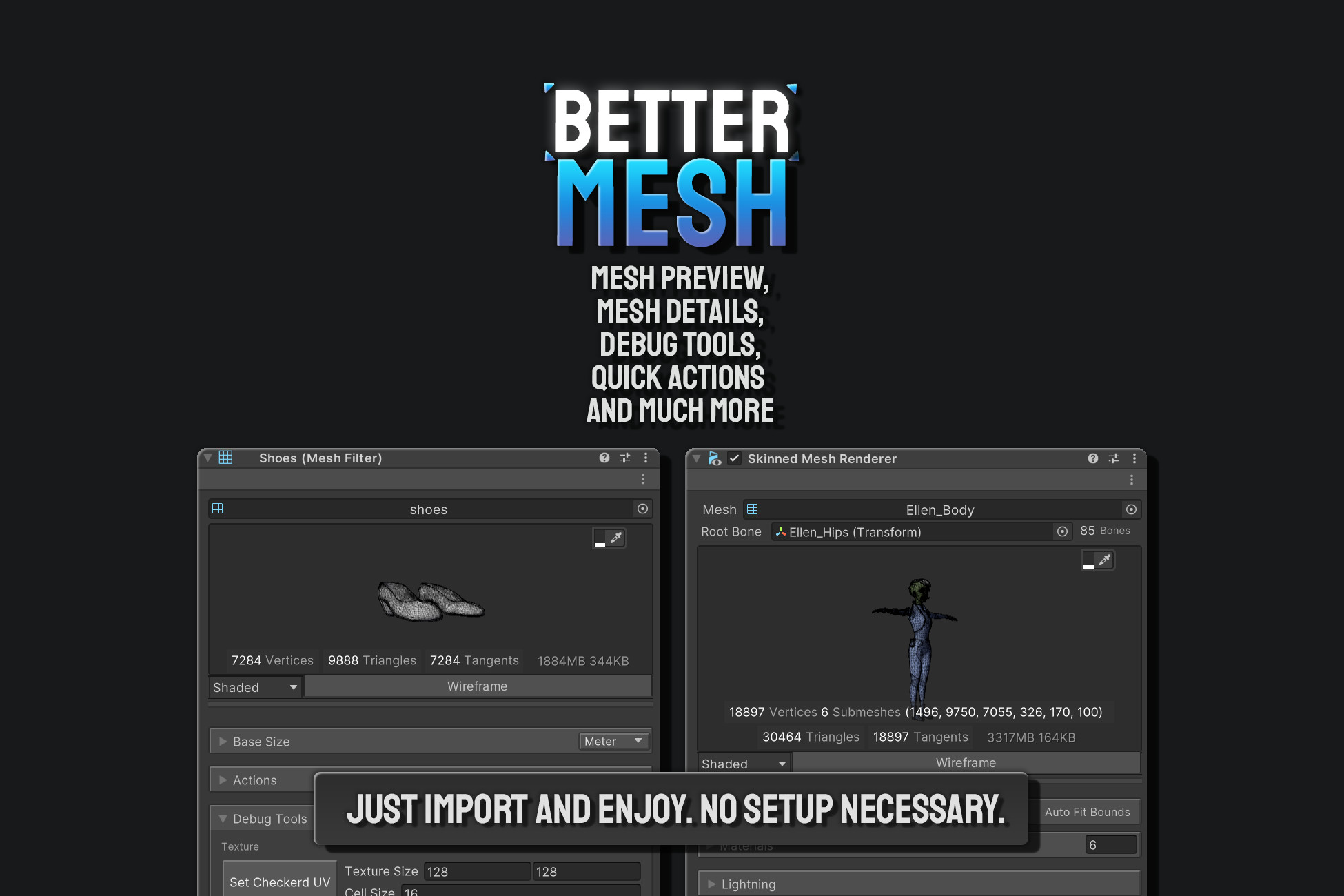
Better Mesh is the way the mesh inspectors should have looked by default. Just import and enjoy.
It is a no-setup custom editor asset to improve the development experience. Elevate your workflow with custom inspectors for both Mesh Filter and Skinned Mesh Renderer.
Features:
Mesh Preview:
Get an interactive preview of the mesh directly in the inspector.
Check wireframe, UV Checker, UV Layouts, Vertex Color, Normals, and Tangents.
More insights about the mesh at a glance:
Get vertex, triangles, edge, tangent, and face count now in the inspector.
Also, get the total memory usage of a mesh at runtime, including all associated resources. It is useful for profiling and optimization, as it gives the actual runtime memory footprint, which might differ from the raw size of the data.
Debug Gizmos:
Use gizmos to visualize normals, tangents, and UV Seams to easily debug problems with the mesh.
Use a checkboard texture to easily reveal any distortion, stretching, overlapping, or seams in your UV layout with a single click.
Real-World Size:
See the actual base mesh size from the inspector in the selected unit.
Easily add/remove a unit of your choice from project settings.
Quick Actions:
A few quick action buttons to play around the mesh, like flipping normals and exporting the mesh.
Modern and minimalistic inspector:
The asset provides a more user-friendly and intuitive representation of properties in the inspector.
If you ever feel like too much information is cluttering everything, easily hide what you don't need. Everything is customizable and possible to toggle on/off.
Built with UI Toolkit:
The inspector has been built with UI Toolkit for the best performance.
Full source code is provided with the asset.