Price history
Recorded standalone sale prices and the latest available store price, in USD. Historical dots use the sale start date and its recorded offer price. Prices can change during a sale; this is not a daily price log. Bundle prices and upcoming offers are excluded. History covers up to the 100 most recent recorded offers.
Lowest recorded standalone price in this history: $20. The latest store price is $20, matching the lowest recorded price shown here.
View 1 recorded price
| Sale start / price check | Price | Observation |
|---|---|---|
| $20 | Latest store price |
About Area FX Generator
- Tools, Systems & Learning > Development Tools & Automation
- Art & Visuals > 2D
- Art & Visuals > VFX
- Art & Visuals > Textures & Materials
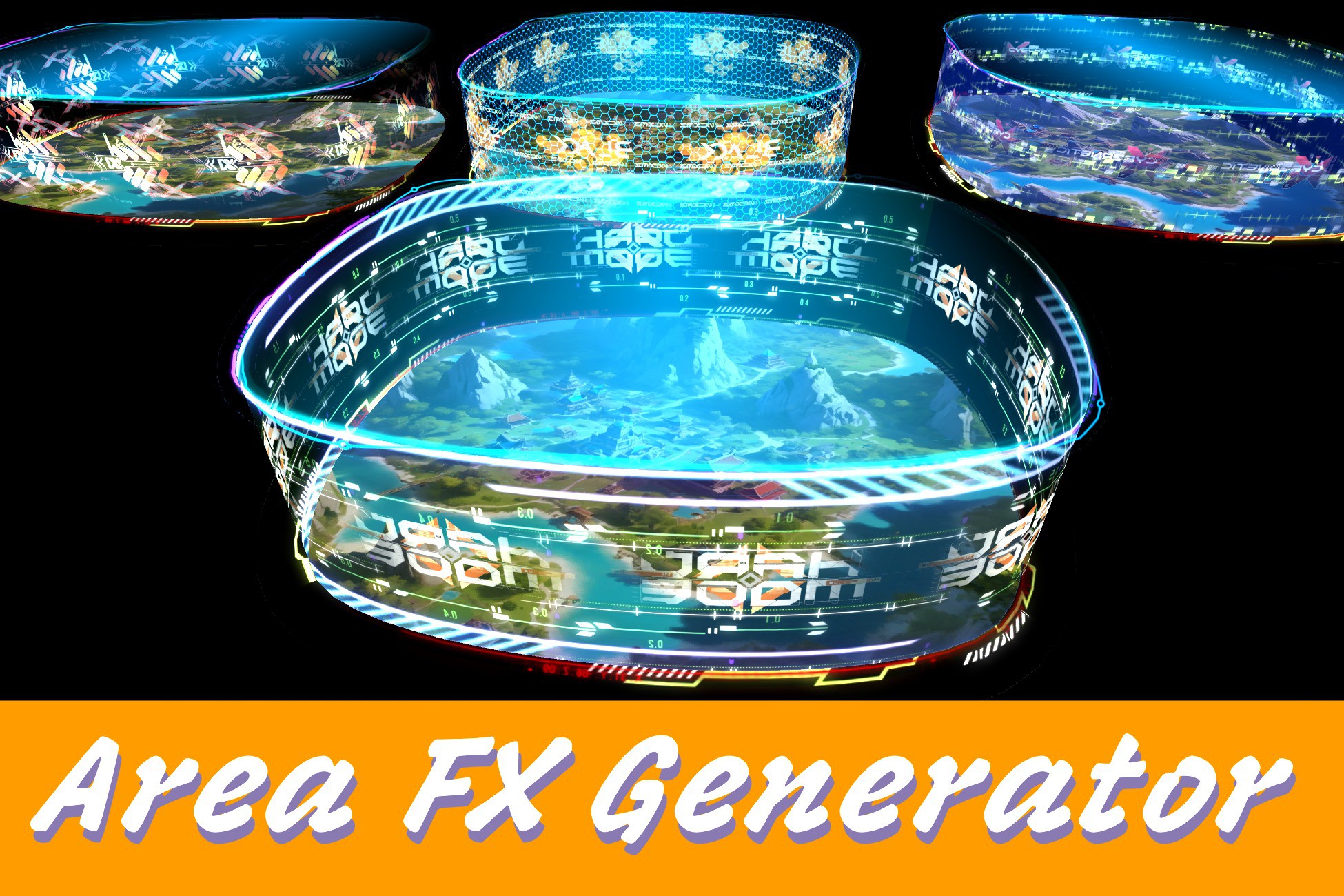
Area FX Generator allows you to build complex area-based effects by simply editing a spline and assigning materials. It automatically generates top, bottom, and side mesh surfaces, while rendering edge effects using LineRenderers. With built-in support for multi-layer animated shaders, this tool makes creating stylized zones, magic circles, force fields, or sci-fi zones quick and flexible.
Key Features
Spline-Based Editing: Define any shape by editing a Spline — no 3D modeling required.
Auto-Generated Geometry: Instantly creates top, bottom, and side meshes along with top/bottom LineRenderers.
Multi-Layer Shaders: All FX elements support customizable, multi-layer UV animations for rich visual detail.
Drag & Drop Ready: Includes 100+ FX-ready materials and 400+ stylized textures across various themes.
Easy Customization: Fully exposed parameters for size, mesh height, material tiling, and more.
Learn in Minutes: Designed with simplicity in mind — go from zero to effects in just 3 steps!
Quick Start in 3 Simple Steps
1. Edit the Spline
Select the spline GameObject
Switch Scene view mode from Object (cube icon) to Spline (curve icon)
Move the knots to define your area
2. Generate the FX
Select the Area FX Generator component
Adjust parameters like height, material tiling, offset, etc.
Click Generate or Clear & Generate to apply changes
3. Customize Materials
Tweak the shader properties in the Inspector
Swap or layer textures for unique animated effects
All changes apply in real time — iterate fast!
Perfect For
Magic circles, traps, or healing zones
Sci-fi barriers or detection areas
Tactical or strategy area indicators
Stylized region effects in 2D/3D games
Whether you're building an RPG, RTS, or stylized sci-fi world — Area FX Generator gives you fast, flexible tools to enhance your environments with stunning area effects.
Try it now and build magical zones like a pro!
Key Features
Spline-Based Editing: Define any shape by editing a Spline — no 3D modeling required.
Auto-Generated Geometry: Instantly creates top, bottom, and side meshes along with top/bottom LineRenderers.
Multi-Layer Shaders: All FX elements support customizable, multi-layer UV animations for rich visual detail.
Drag & Drop Ready: Includes 100+ FX-ready materials and 400+ stylized textures across various themes.
Easy Customization: Fully exposed parameters for size, mesh height, material tiling, and more.
Learn in Minutes: Designed with simplicity in mind — go from zero to effects in just 3 steps!
Quick Start in 3 Simple Steps
1. Edit the Spline
Select the spline GameObject
Switch Scene view mode from Object (cube icon) to Spline (curve icon)
Move the knots to define your area
2. Generate the FX
Select the Area FX Generator component
Adjust parameters like height, material tiling, offset, etc.
Click Generate or Clear & Generate to apply changes
3. Customize Materials
Tweak the shader properties in the Inspector
Swap or layer textures for unique animated effects
All changes apply in real time — iterate fast!
Perfect For
Magic circles, traps, or healing zones
Sci-fi barriers or detection areas
Tactical or strategy area indicators
Stylized region effects in 2D/3D games
Whether you're building an RPG, RTS, or stylized sci-fi world — Area FX Generator gives you fast, flexible tools to enhance your environments with stunning area effects.
Try it now and build magical zones like a pro!