Price history
Recorded standalone sale prices and the latest available store price, in USD. Historical dots use the sale start date and its recorded offer price. Prices can change during a sale; this is not a daily price log. Bundle prices and upcoming offers are excluded. History covers up to the 100 most recent recorded offers.
Lowest recorded standalone price in this history: $12.49. The latest store price is $12.49, matching the lowest recorded price shown here.
View 4 recorded prices
| Sale start / price check | Price | Observation |
|---|---|---|
| $12.49 | Latest store price | |
| $24.99 | Unity First Price 2026-10-20 2026-10-20 | |
| $12.49 | Unity New Release Discount 2026-10-20 2026-11-03 | |
| $12.49 | Unity New Release Discount 2026-10-20 2026-11-03 |
Sale and bundle history
The 3 most recent recorded offers including this asset. Past offers may no longer be available. Bundle prices cover a package, not this asset alone.
About AnchorKit — Nameplates & world-anchored HUD for UI Toolkit
- Art & Visuals > UI & GUI
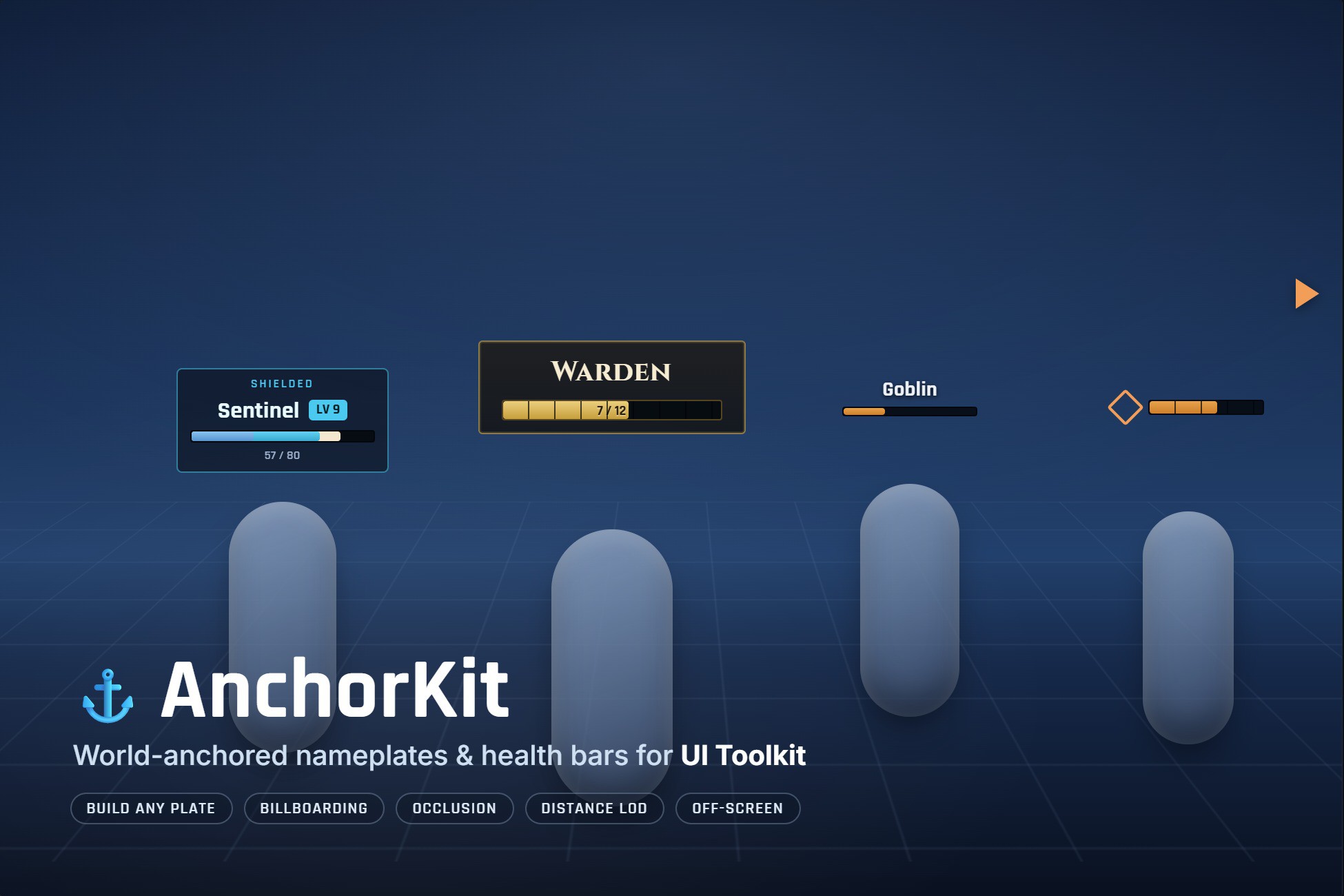
AnchorKit pins your UI Toolkit elements to points in the 3D scene and keeps them there — nameplates over heads, health bars on vehicles, markers on pickups, quest arrows on doors. It handles the hard part: billboarding, distance culling, occlusion behind geometry, level-of-detail, off-screen indicators and pooling. Drop in a prefab, point it at your object, and ship.
Built entirely on UI Toolkit (UIDocument). Not uGUI. If your HUD is UI Toolkit, this is the world-anchoring layer it has been missing.
WHAT IT DOES
• Anchor any VisualElement to a transform, a bone or socket, or a fixed world point — top of bounds, centre, or a custom offset.
• Screen mode (crisp, fixed pixel size) or World mode (scales and tilts with distance).
• Occlusion — a plate hides when world geometry blocks its target, fading smoothly in and out.
• Distance LOD — hand a plate from full detail, to a compact form, to a single icon as its target recedes.
• Off-screen indicators — a target that leaves the view pins to the screen edge as an arrow that points at it, clear of notches and safe areas.
• Update budget and throttling — cap how many plates update per frame and refresh distant ones less often, so a crowd of hundreds stays bounded.
• Overlap separation — push stacked plates apart so every one stays readable.
• World-driven pooling — elements are recycled as targets come and go; no per-frame allocations.
THE NAMEPLATE BUILDER
Assemble a plate from parts — status line, name, level, bar, value, armour, distance, icons, off-screen arrow, optional backing — in a ScriptableObject, with a live preview on light and dark backdrops right in the Inspector and a dockable preview window that stays put while you scroll. Seven ready looks are included (Default, Sci-fi, Fantasy, Minimal, Tactical, Slim, Squad). Or anchor your own UXML — AnchorKit anchors any element.
DROP-IN AND CODE-LIGHT
• Three ready prefabs: Enemy Nameplate, Boss Nameplate, Pickup Marker. Drop one in, set its Target, done.
• One-click scene setup from the GameObject menu.
• Feed a health bar in a single call — SetValue(current, max) fills the bar and writes the number.
• Genre presets: Shooter, RPG, Strategy, Tower Defense.
FLOATING COMBAT TEXT
Rising, fading damage, heal and pickup numbers with accumulation and a hard pool ceiling — a whole extra system, included.
BEFORE YOU BUY
AnchorKit ships no art. It anchors your element; the sample plates are plain UI Toolkit you can restyle or replace. Gamepad focus and screen flow are not its job — it is the layer between the UI and the world.
REQUIREMENTS
• Unity 6.3 (6000.3) or newer.
• UI Toolkit runtime (UIDocument). Not uGUI.
• Built-in, URP and HDRP — nothing in the code touches a render pipeline, and the demo builds its own camera and light, so it drops into any project.
A full manual and scripting reference are included.
Built entirely on UI Toolkit (UIDocument). Not uGUI. If your HUD is UI Toolkit, this is the world-anchoring layer it has been missing.
WHAT IT DOES
• Anchor any VisualElement to a transform, a bone or socket, or a fixed world point — top of bounds, centre, or a custom offset.
• Screen mode (crisp, fixed pixel size) or World mode (scales and tilts with distance).
• Occlusion — a plate hides when world geometry blocks its target, fading smoothly in and out.
• Distance LOD — hand a plate from full detail, to a compact form, to a single icon as its target recedes.
• Off-screen indicators — a target that leaves the view pins to the screen edge as an arrow that points at it, clear of notches and safe areas.
• Update budget and throttling — cap how many plates update per frame and refresh distant ones less often, so a crowd of hundreds stays bounded.
• Overlap separation — push stacked plates apart so every one stays readable.
• World-driven pooling — elements are recycled as targets come and go; no per-frame allocations.
THE NAMEPLATE BUILDER
Assemble a plate from parts — status line, name, level, bar, value, armour, distance, icons, off-screen arrow, optional backing — in a ScriptableObject, with a live preview on light and dark backdrops right in the Inspector and a dockable preview window that stays put while you scroll. Seven ready looks are included (Default, Sci-fi, Fantasy, Minimal, Tactical, Slim, Squad). Or anchor your own UXML — AnchorKit anchors any element.
DROP-IN AND CODE-LIGHT
• Three ready prefabs: Enemy Nameplate, Boss Nameplate, Pickup Marker. Drop one in, set its Target, done.
• One-click scene setup from the GameObject menu.
• Feed a health bar in a single call — SetValue(current, max) fills the bar and writes the number.
• Genre presets: Shooter, RPG, Strategy, Tower Defense.
FLOATING COMBAT TEXT
Rising, fading damage, heal and pickup numbers with accumulation and a hard pool ceiling — a whole extra system, included.
BEFORE YOU BUY
AnchorKit ships no art. It anchors your element; the sample plates are plain UI Toolkit you can restyle or replace. Gamepad focus and screen flow are not its job — it is the layer between the UI and the world.
REQUIREMENTS
• Unity 6.3 (6000.3) or newer.
• UI Toolkit runtime (UIDocument). Not uGUI.
• Built-in, URP and HDRP — nothing in the code touches a render pipeline, and the demo builds its own camera and light, so it drops into any project.
A full manual and scripting reference are included.