About Ambient Particles Essentials
- Art & Visuals > VFX
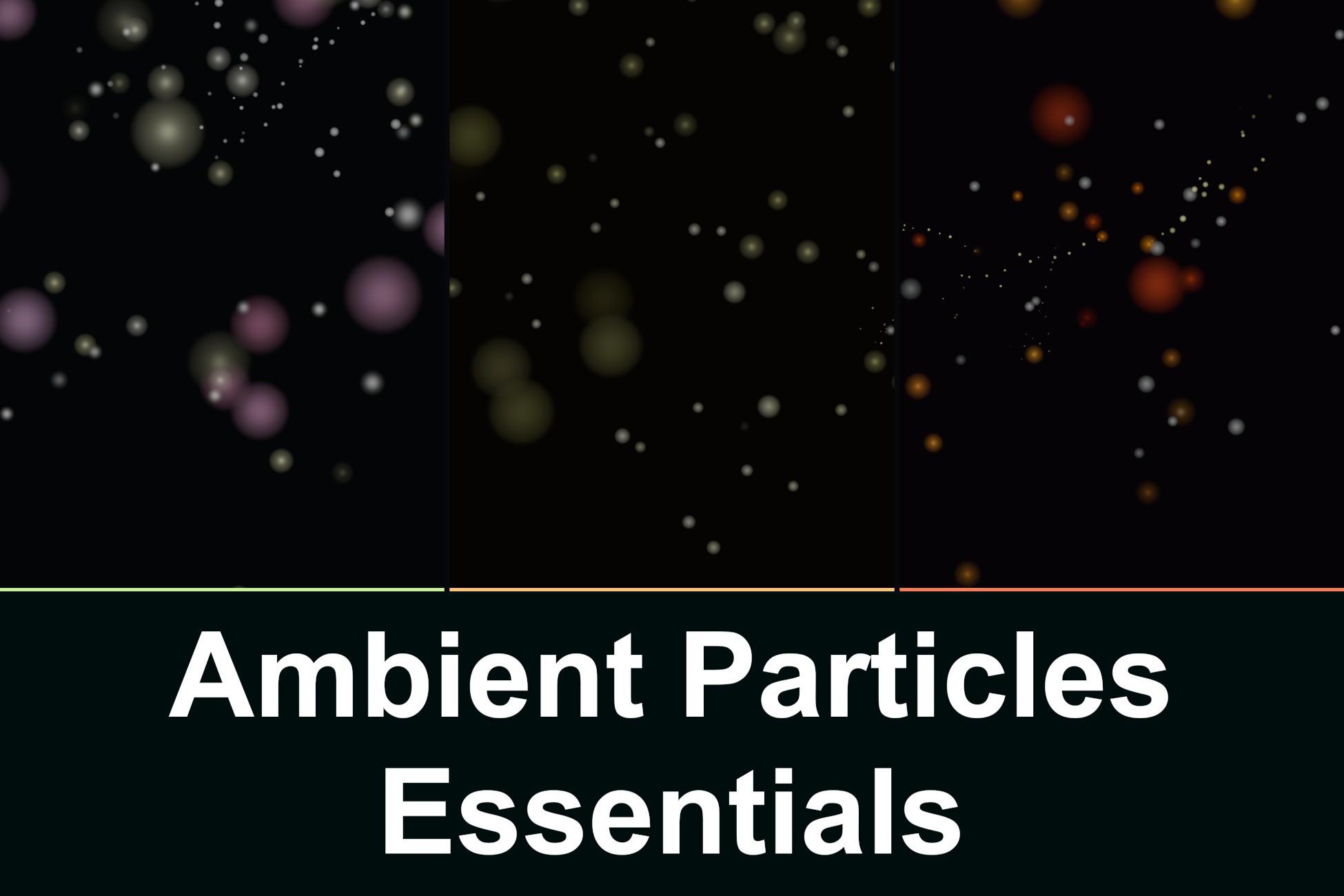
Ambient Particles Essentials — 3 Organic Atmosphere Styles
Ambient Particles Essentials is a free ambient particle system for bringing subtle life to your Unity scenes with floating pollen, warm dust and drifting ash.
The atmosphere follows your camera while particles remain in world space, keeping the effect around the viewer without filling your entire level with particles.
3 Atmosphere Styles:
Pollen & Spores · Floating Dust · Ambient Ash
Each style has its own colours, motion, layered detail and luminous mote trails.
One-Script Integration:
Add AmbientBiomeParticles to a GameObject, assign your camera or use the automatic MainCamera fallback, and press Play.
The component starts with the included Pollen profile when added through the Inspector.
A ready-to-use prefab is also included.
No manual Particle System setup
No Shader Graph or third-party plugins required
Camera-Following Atmosphere:
A local emission volume follows the observer, with forward-biased coverage and surrounding detail.
Particles drift naturally in world space instead of moving rigidly with the camera.
Organic Mote Trails:
Moving particles leave independent, softly glowing motes along their paths.
Golden dust · Luminous pollen clouds · Cooling ember sparks
Smooth drift, spread and fading give each style its own character.
Directional Wind:
Adjust wind direction in degrees and control its strength at runtime.
Natural particle motion continues alongside the wind, avoiding a rigid, uniform flow.
Optional wind wisps visualize its direction. Bind a directional Unity WindZone or drive wind through the scripting API.
Independent Layers & Runtime Tuning:
Four optional layers per style, all enabled by default:
Fine particles · Round detail motes · Soft halos · Mote trails
Density · Particle budget · Radius · Size · Speed · Turbulence
Opacity · Global brightness · Trail amount · Trail fade · Wind
Customize each style and layer independently, including tint, brightness, lifetime, motion and trail settings.
Enable or disable layers to suit your scene.
3 Ready-to-Use Profiles:
Pollen & Spores · Floating Dust · Ambient Ash
Duplicate the included profiles to create your own atmosphere variations.
Performance-Conscious Design:
Localized emission · Reused Particle Systems · Shared particle budget
Bounded trail geometry · Optional layers and wind visuals
Tune density, coverage and trail detail for your target hardware rather than populating an entire map.
Interactive Demo:
Switch between all three styles and adjust the main parameters live.
Free camera movement · Directional wind controls · Layer toggles · Hideable UI
Open demonstration scene with a world-space metric floor grid.
Documentation:
English and Spanish documentation covering setup, component controls, profiles, layers, wind, trails, scripting API, customization and performance.
Ambient Particles Essentials is a free ambient particle system for bringing subtle life to your Unity scenes with floating pollen, warm dust and drifting ash.
The atmosphere follows your camera while particles remain in world space, keeping the effect around the viewer without filling your entire level with particles.
3 Atmosphere Styles:
Pollen & Spores · Floating Dust · Ambient Ash
Each style has its own colours, motion, layered detail and luminous mote trails.
One-Script Integration:
Add AmbientBiomeParticles to a GameObject, assign your camera or use the automatic MainCamera fallback, and press Play.
The component starts with the included Pollen profile when added through the Inspector.
A ready-to-use prefab is also included.
No manual Particle System setup
No Shader Graph or third-party plugins required
Camera-Following Atmosphere:
A local emission volume follows the observer, with forward-biased coverage and surrounding detail.
Particles drift naturally in world space instead of moving rigidly with the camera.
Organic Mote Trails:
Moving particles leave independent, softly glowing motes along their paths.
Golden dust · Luminous pollen clouds · Cooling ember sparks
Smooth drift, spread and fading give each style its own character.
Directional Wind:
Adjust wind direction in degrees and control its strength at runtime.
Natural particle motion continues alongside the wind, avoiding a rigid, uniform flow.
Optional wind wisps visualize its direction. Bind a directional Unity WindZone or drive wind through the scripting API.
Independent Layers & Runtime Tuning:
Four optional layers per style, all enabled by default:
Fine particles · Round detail motes · Soft halos · Mote trails
Density · Particle budget · Radius · Size · Speed · Turbulence
Opacity · Global brightness · Trail amount · Trail fade · Wind
Customize each style and layer independently, including tint, brightness, lifetime, motion and trail settings.
Enable or disable layers to suit your scene.
3 Ready-to-Use Profiles:
Pollen & Spores · Floating Dust · Ambient Ash
Duplicate the included profiles to create your own atmosphere variations.
Performance-Conscious Design:
Localized emission · Reused Particle Systems · Shared particle budget
Bounded trail geometry · Optional layers and wind visuals
Tune density, coverage and trail detail for your target hardware rather than populating an entire map.
Interactive Demo:
Switch between all three styles and adjust the main parameters live.
Free camera movement · Directional wind controls · Layer toggles · Hideable UI
Open demonstration scene with a world-space metric floor grid.
Documentation:
English and Spanish documentation covering setup, component controls, profiles, layers, wind, trails, scripting API, customization and performance.