Price history
Recorded standalone sale prices and the latest available store price, in USD. Historical dots use the sale start date and its recorded offer price. Prices can change during a sale; this is not a daily price log. Bundle prices and upcoming offers are excluded. History covers up to the 100 most recent recorded offers.
Lowest recorded standalone price in this history: $7.50. The latest store price is $15.
View 4 recorded prices
| Sale start / price check | Price | Observation |
|---|---|---|
| $15 | Latest store price | |
| $15 | Unity First Price 2026-08-10 2026-08-10 | |
| $7.50 | Unity New Release Discount 2026-08-10 2026-08-24 | |
| $7.50 | Unity New Release Discount 2026-08-10 2026-08-24 |
Sale and bundle history
The 3 most recent recorded offers including this asset. Past offers may no longer be available. Bundle prices cover a package, not this asset alone.
About 3D Hex World Painter
- Tools, Systems & Learning > Development Tools & Automation
- Tools, Systems & Learning > Level & World Building
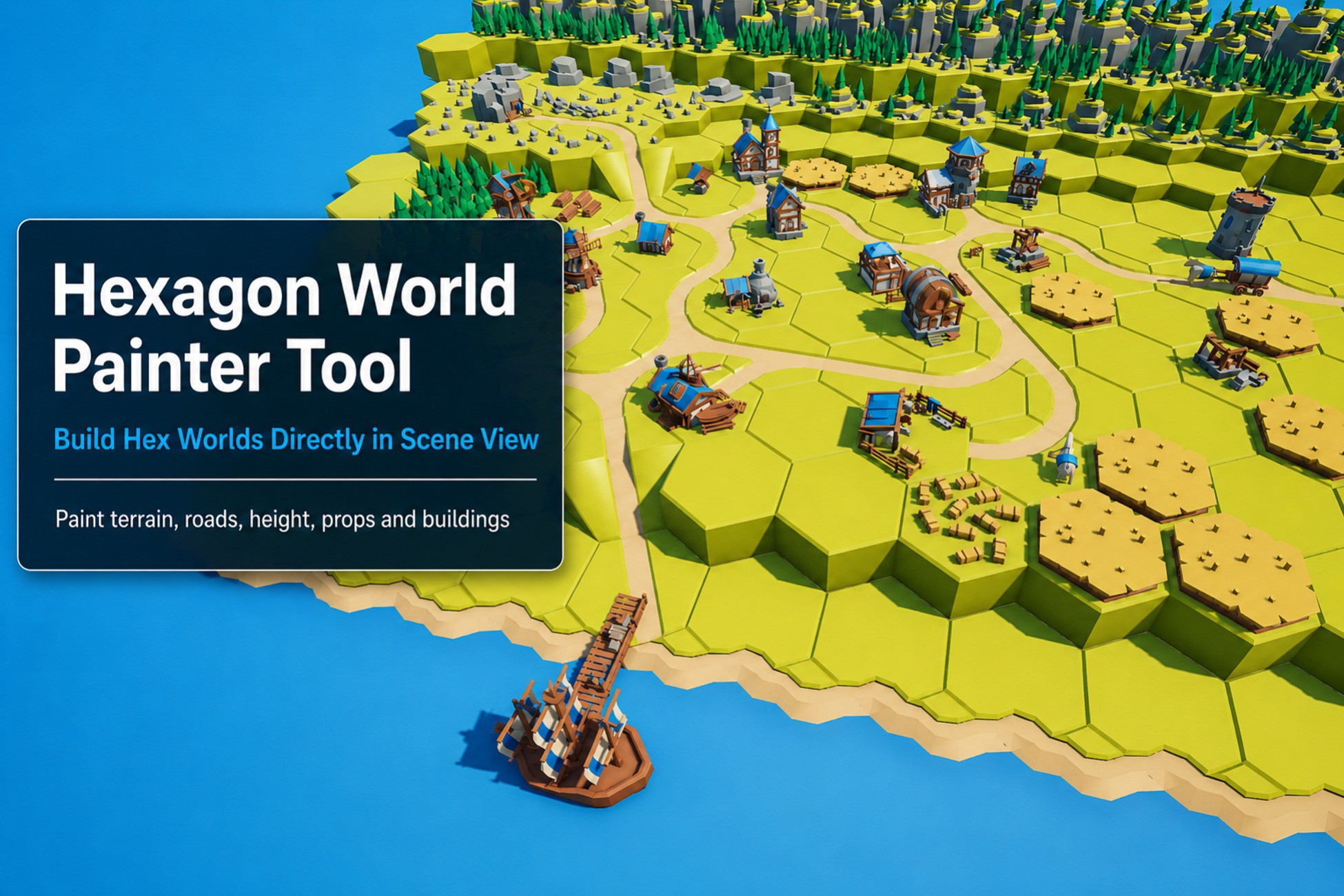
Hexagon World Painter Tool is a Scene View painting tool for Unity, designed to help you build 3D hex-based worlds faster with your own prefabs. Paint hex tiles directly in the Scene View, place props and objects on top of tiles, work with height layers, replace objects, delete objects, stretch tiles vertically, and use favorite slots for quick prefab selection. The tool is made for level design workflows where you want direct manual control instead of procedural generation. It is useful for hex-based maps, strategy worlds, board-game style levels, RPG maps, dioramas, prototypes, and stylized 3D environments. Paint 3D hex tile prefabs directly in the Unity Scene View. Select a prefab, point at the grid, and place tiles quickly without manually dragging prefabs into the scene. Use regular prefab groups for base hex tiles, or enable Overlay on a group to place props, buildings, trees, roads, decorations, and other objects on top of your tiles. Move up and down between paint layers to build raised terrain, stacked tiles, bridges, cliffs, platforms, and other height-based layouts. Hold X while placing or replacing a base tile to stretch it vertically from Layer 0 to the selected layer. Useful for taller terrain, cliffs, columns, and raised structures. Place overlays at the center of a hex tile, or hold Space while placing to position overlays freely at the exact mouse position. Overlays can automatically be placed as children of the tile they are on. If a tile is replaced, matching overlays are automatically re-parented to the new tile. Replace tiles or overlays directly in the Scene View with Shift + Left Click. Delete tiles or overlays under the mouse with Ctrl + Left Click. Assign frequently used prefabs to favorite slots and show them in the Scene View for quick access. Use number keys 1–9 to select favorites when the favorite bar is visible. Rotate the current brush with A and D, or reset the brush rotation with S. Overlay groups can use mixed rotation offsets for prefabs with different default facing directions. Use Auto Set Spacing with a calibration prefab to quickly calculate grid spacing and layer height from your tile dimensions. Depending on your assets, you may still need to fine-tune the Spacing Multiplier values in the Inspector. This is usually a one-time setup. The tool works with your own prefabs and does not require a specific visual style. Use it with your own hex tiles, props, buildings, decorations, or placeholder assets. The package includes a simple demo scene and basic placeholder objects so you can test the workflow immediately. These placeholder assets are intentionally simple and are expected to be replaced with your own project assets. Your placed tiles and overlays remain as regular GameObjects in the scene, so build performance mainly depends on your own prefabs, materials, colliders, lighting, and project setup. Hexagon World Painter Tool is an editor tool and is not tied to a specific render pipeline. It can be used in Built-in, URP, HDRP, and Custom Render Pipeline projects. The included placeholder materials are simple examples and are intended to be replaced with your own assets/materials. Visual appearance depends on the render pipeline, shaders, lighting, and assets used in your project. This package does NOT include the third-party assets shown in some screenshots or videos. Any external assets used for presentation are for demonstration only and must be purchased separately from their original creators. The tool is intended for editor-time level design and prefab placement.