Price history
Recorded standalone sale prices and the latest available store price, in USD. Historical dots use the sale start date and its recorded offer price. Prices can change during a sale; this is not a daily price log. Bundle prices and upcoming offers are excluded. History covers up to the 100 most recent recorded offers.
Lowest recorded standalone price in this history: $7.50. The latest store price is $15.
View 4 recorded prices
| Sale start / price check | Price | Observation |
|---|---|---|
| $15 | Latest store price | |
| $15 | Unity First Price 2026-09-16 2026-09-16 | |
| $7.50 | Unity New Release Discount 2026-09-16 2026-09-30 | |
| $7.50 | Unity New Release Discount 2026-09-16 2026-09-30 |
Sale and bundle history
The 3 most recent recorded offers including this asset. Past offers may no longer be available. Bundle prices cover a package, not this asset alone.
About 2D Book & Animation
- Theme > Stylized
- Theme > Retro & Arcade
- Art & Visuals > 2D
- Art & Visuals > UI & GUI
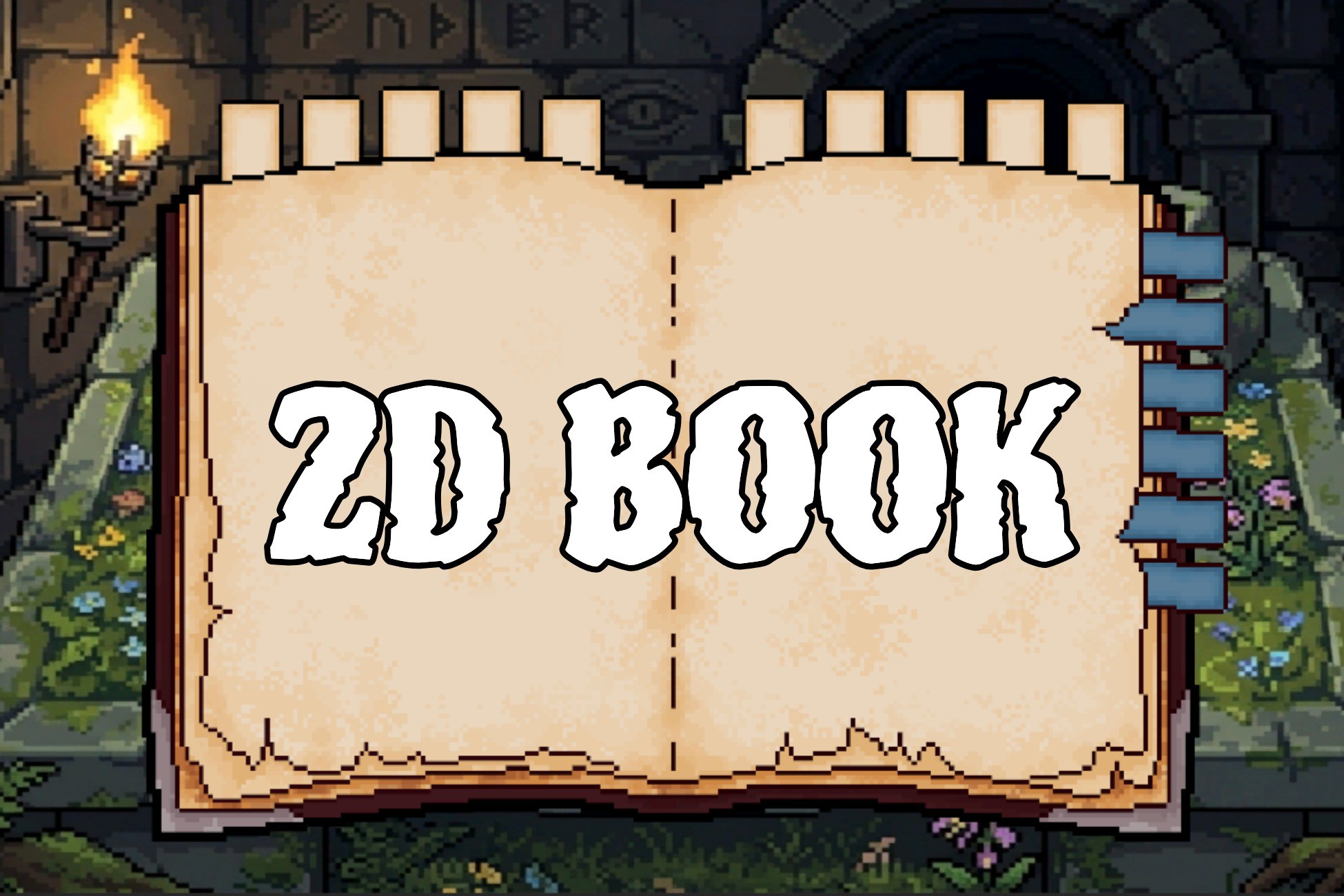
Pixel Book UI - Page Flip System is a ready-to-use pixel-art book interface for RPG journals, quest logs, bestiaries, inventories, and any in-game book UI. It ships as a single prefab with sprite-based page-flip animations and tabbed navigation.
Features
- Hand-crafted pixel art: book frame, cover, inner page, and modular tab sprites
- Sprite-based page flip animations (7 frames left, 7 frames right, 12 FPS)
- 10 main category tabs (top) and 6 sub-category tabs (right)
- Selected tabs stay bright and offset; unselected tabs dim automatically
- Drag-and-drop setup: drop Prefabs/2D_BookUI into a 2D scene and press Play
- Automatic support for both the New Input System and the Legacy Input Manager
What's included
- 1 prefab (2D_BookUI)
- 1 demo scene (Demo.unity)
- 49 PNG sprites (279 x 175, Point filter, uncompressed)
- 2 animation clips + 2 animator controllers
- 1 runtime script (BookPageFlipController) with Assembly Definition
- README (EN / KO) and license
Quick start
1. Import the package into a Unity 6 project.
2. Open Assets/2D_BookUI/Demo.unity, or drag Assets/2D_BookUI/Prefabs/2D_BookUI into your own 2D scene.
3. Make sure a Camera tagged MainCamera exists.
4. Press Play and click the tabs.
Runtime API
using PixelBookUI;
book.SelectCategory(3);
book.SelectSubcategory(2);
book.PlayLeft();
book.PlayRight();
Render pipelines
- Built-in: Compatible
- URP 2D: Compatible
- HDRP: Not supported. This asset uses 2D SpriteRenderer and is not built for HDRP.
Requirements
- Unity 6 (6000.3) or later. Authored in Unity 6000.3.14f1.
- 2D Sprite package (included by default)
- Input System package is optional
Customization
- Change tab count by duplicating or removing children under category / subcategory (names must stay c1, c2... and sub1, sub2...).
- Replace PNGs in Assets/2D_BookUI/Assets/ while keeping file names.
- Adjust Unselected Tint, Selected Tint, tab offsets, and Flip Sorting Order in the Inspector.
No third-party assets. Standard Unity Asset Store EULA.
Features
- Hand-crafted pixel art: book frame, cover, inner page, and modular tab sprites
- Sprite-based page flip animations (7 frames left, 7 frames right, 12 FPS)
- 10 main category tabs (top) and 6 sub-category tabs (right)
- Selected tabs stay bright and offset; unselected tabs dim automatically
- Drag-and-drop setup: drop Prefabs/2D_BookUI into a 2D scene and press Play
- Automatic support for both the New Input System and the Legacy Input Manager
What's included
- 1 prefab (2D_BookUI)
- 1 demo scene (Demo.unity)
- 49 PNG sprites (279 x 175, Point filter, uncompressed)
- 2 animation clips + 2 animator controllers
- 1 runtime script (BookPageFlipController) with Assembly Definition
- README (EN / KO) and license
Quick start
1. Import the package into a Unity 6 project.
2. Open Assets/2D_BookUI/Demo.unity, or drag Assets/2D_BookUI/Prefabs/2D_BookUI into your own 2D scene.
3. Make sure a Camera tagged MainCamera exists.
4. Press Play and click the tabs.
Runtime API
using PixelBookUI;
book.SelectCategory(3);
book.SelectSubcategory(2);
book.PlayLeft();
book.PlayRight();
Render pipelines
- Built-in: Compatible
- URP 2D: Compatible
- HDRP: Not supported. This asset uses 2D SpriteRenderer and is not built for HDRP.
Requirements
- Unity 6 (6000.3) or later. Authored in Unity 6000.3.14f1.
- 2D Sprite package (included by default)
- Input System package is optional
Customization
- Change tab count by duplicating or removing children under category / subcategory (names must stay c1, c2... and sub1, sub2...).
- Replace PNGs in Assets/2D_BookUI/Assets/ while keeping file names.
- Adjust Unselected Tint, Selected Tint, tab offsets, and Flip Sorting Order in the Inspector.
No third-party assets. Standard Unity Asset Store EULA.